3D generation has moved fast over the past year, and the bar is rising. So ahead of the Hi3D V3.0 launch, we tested Hi3D V3.0, Hi3D V2.1, Meshy 6, Rodin V2.5, and Tripo V3.1 across a wide range of cases. One input image, one pipeline, results anyone can reproduce.
Here is what we found.
Test Setup
Test Date: July 2026
Versions Tested: Hi3D V3.0 / Hi3D V2.1 / Meshy 6 / Rodin V2.5 / Tripo V3.1
Test Date: July 2026
Versions Tested: Hi3D V3.0 / Hi3D V2.1 / Meshy 6 / Rodin V2.5 / Tripo V3.1
Input: The same source image was used for all models
Post-processing: No manual mesh editing or texture retouching
Presentation: No custom lighting, no custom angles, no mode-specific render adjustments
Fidelity Focus: Geometry and Mesh
In single-image generation, differences between models often sit in the fine detail, and they only show once you zoom in. Fine structures are either faithfully modeled, or smoothed over and lost.
Hi3D V3.0 approaches this with a new high-precision 3D representation that takes geometry to 2048³ voxel resolution, built for complex curved surfaces, small raised details, and sharp edge transitions. The result is a noticeable step up from Hi3D V2.1: finer structures, cleaner surfaces, and geometry that holds up under much closer inspection.
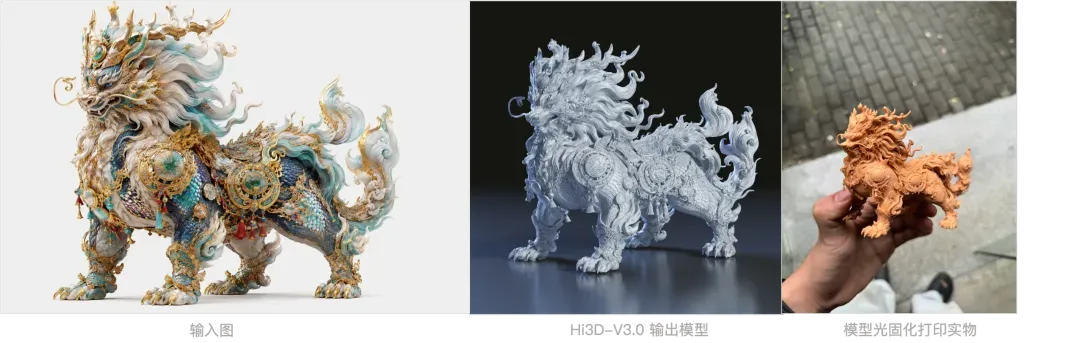
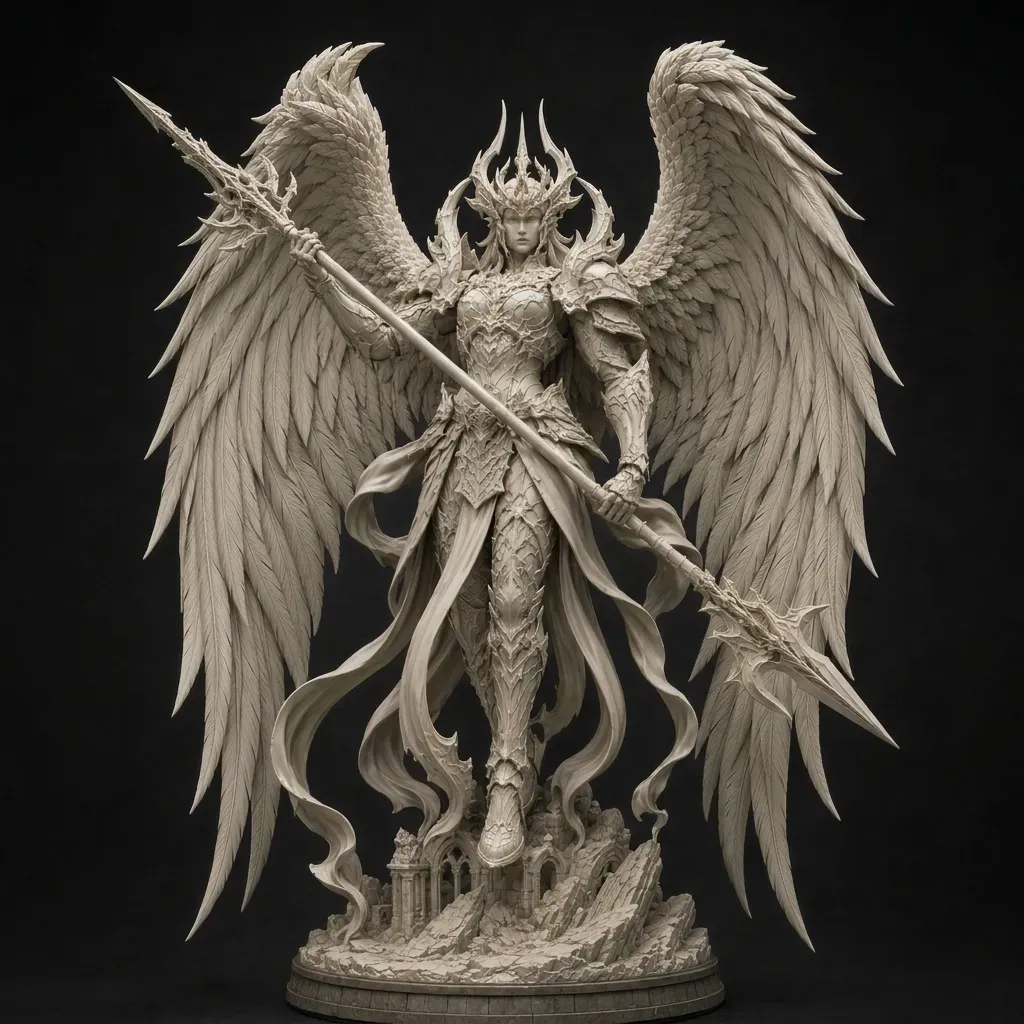
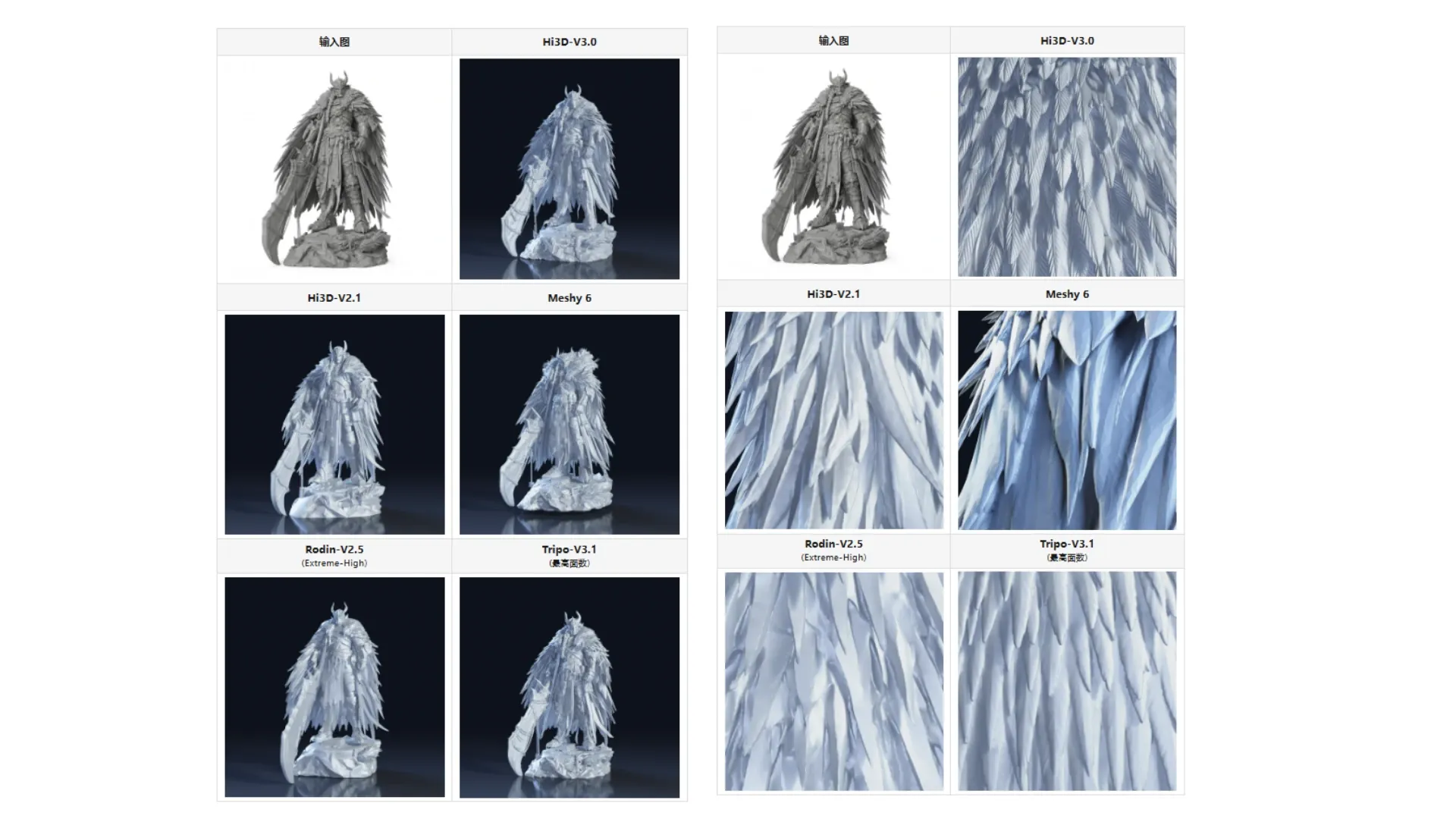
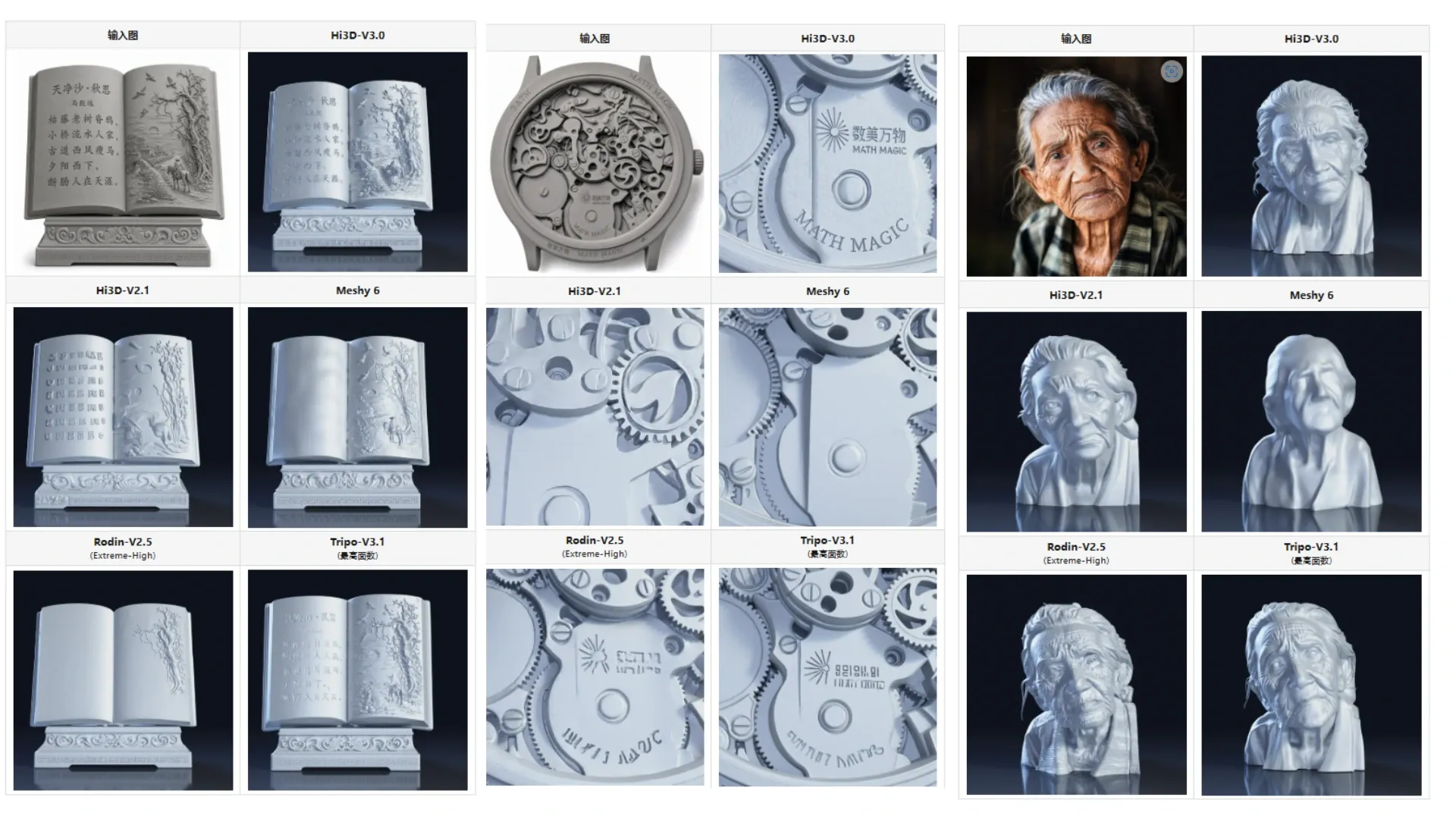
Structure and Stability
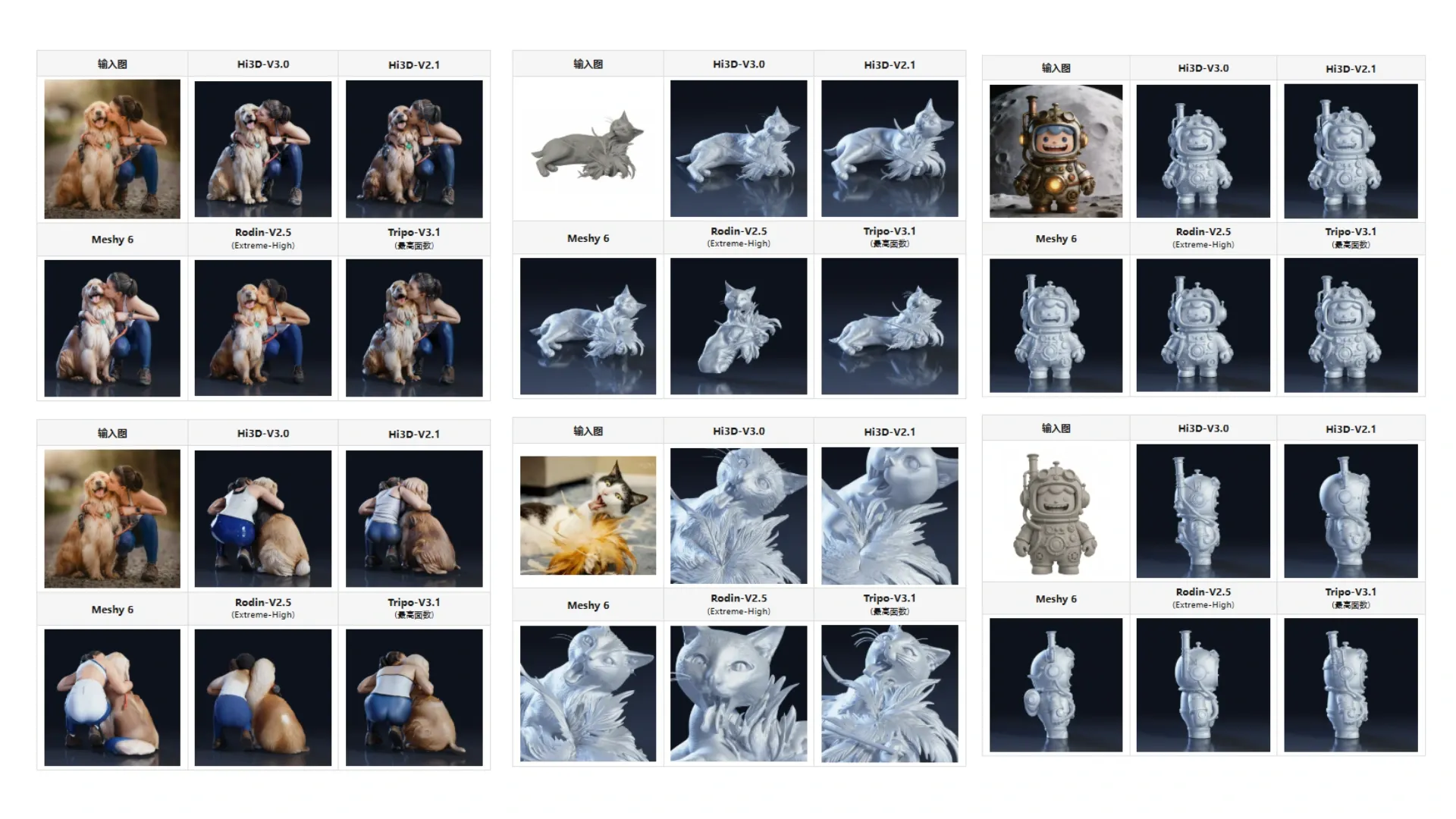
Geometric precision alone doesn’t guarantee a correct result. A single image shows nothing of the back, the occluded regions, or how parts relate in space; the model has to resolve all of this on its own.
Structural integrity is judged in the finest regions of a model, and above all in complex interaction scenes, where elements touch, overlap, and occlude one another. For a usable asset, structure has to be clear, accurate, and consistent from every angle.
So we tested cases specifically designed to challenge spatial coherence and structural integrity.
Texture and Materials
Texture defines the color and appearance of the surface. Hi3D V3.0 upgrades this on two fronts. Texture output goes up to 8K, carrying color detail that survives magnification. And an upgraded proprietary UV completion algorithm targets the long-standing problems of color artifacts and unstable quality in occluded regions.
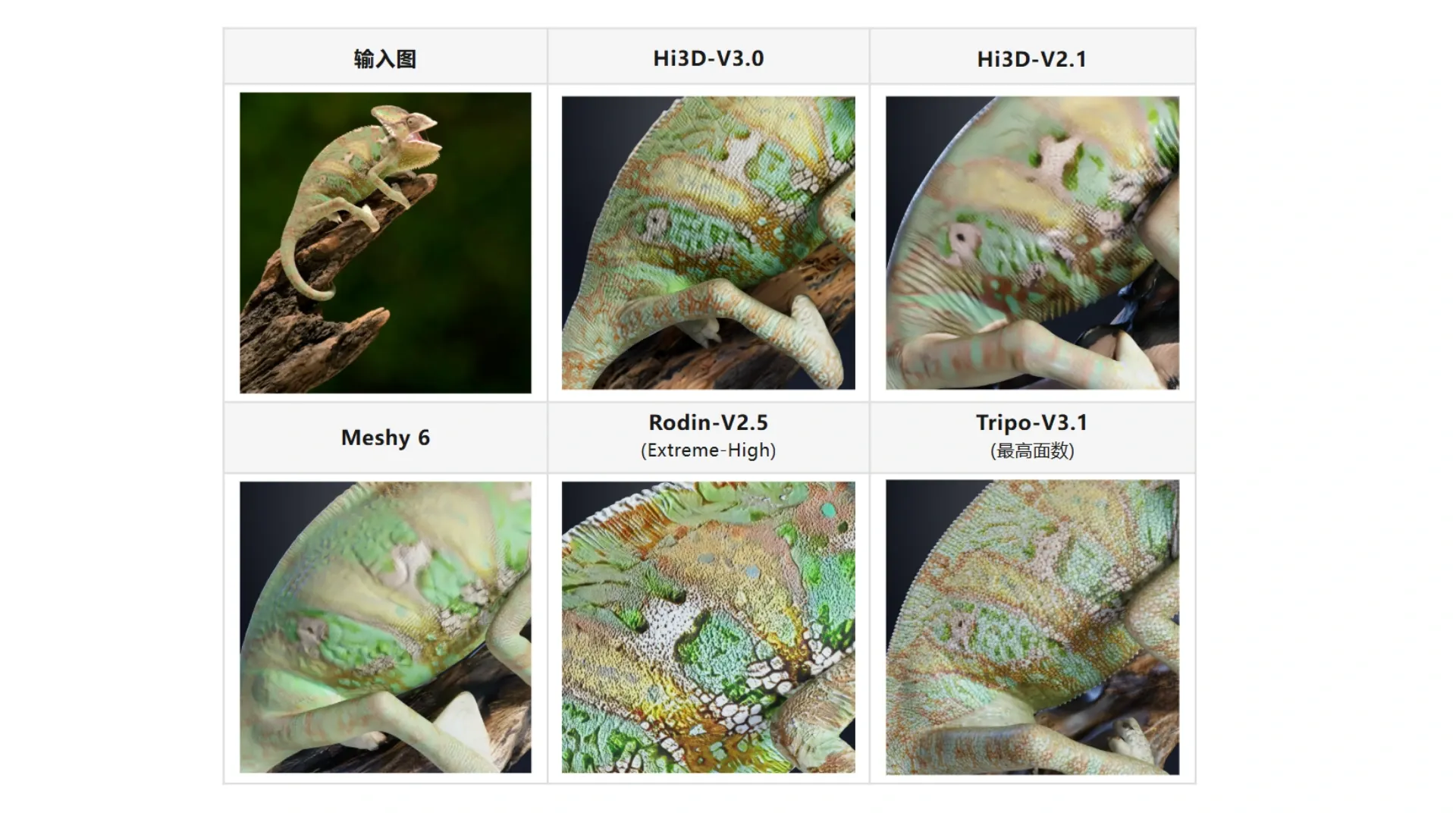
For film, games, and other fields that hold assets to exacting standards, this means high-quality texture maps that go straight into the downstream pipeline.
So we tested cases rich in color and surface detail.
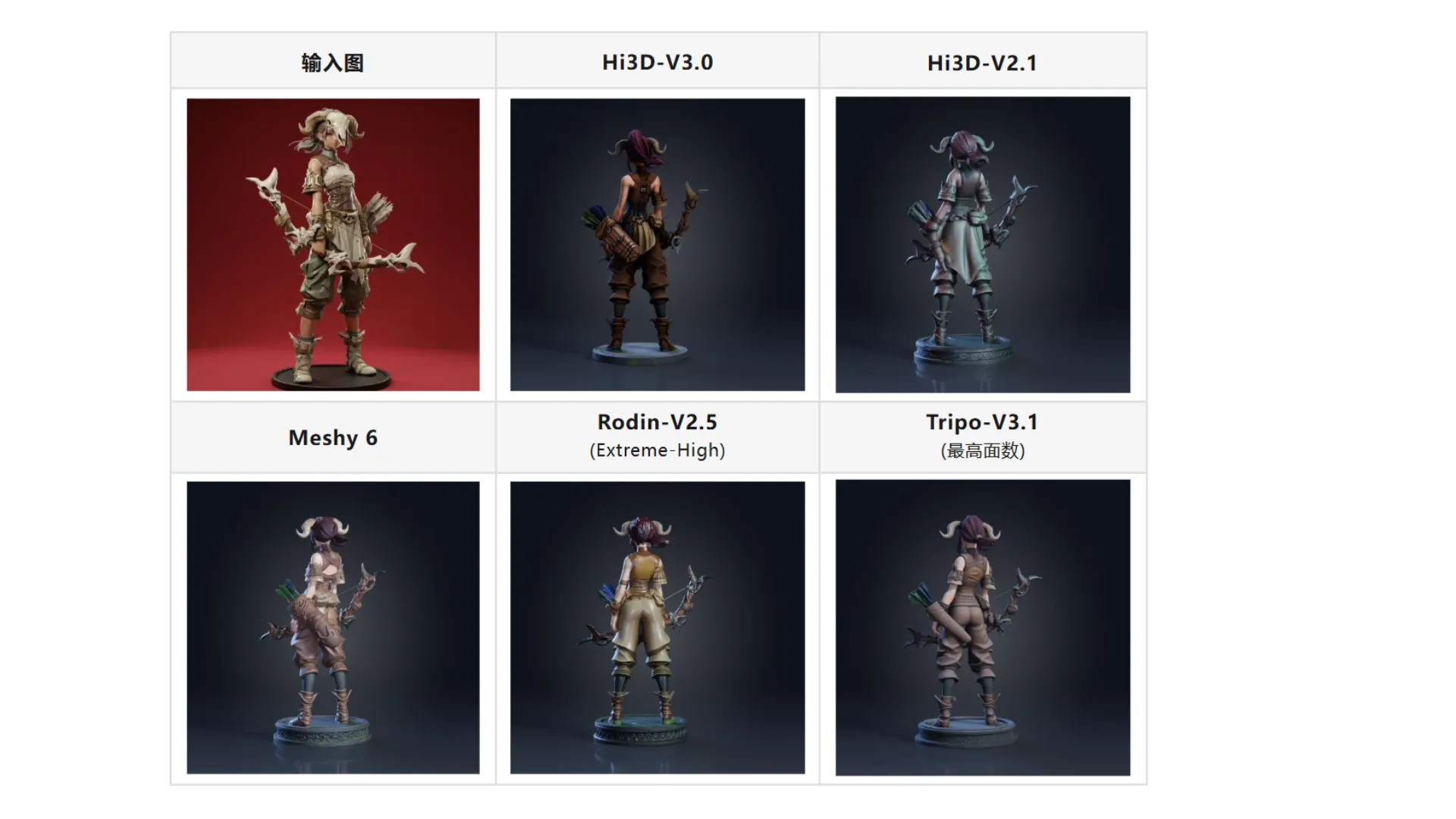
For jewelry, designer toys, and digital sculpture, preserving the original design language more accurately also helps narrow the gap between concept and physical creation.
Hi3D V3.0 will officially launch soon. A single comparison cannot answer every question. More meaningful validation will take place through slicing, printing, sculpting, close-up rendering, and real-world projects.
We are therefore inviting 3D printing enthusiasts, makers, independent creators, and professionals in gaming, film, jewelry, designer toys, and related industries to join our first round of real-world testing.
We want to put Hi3D V3.0 into real production workflows and continue exploring more practical questions.
Hi3D V3.0 Industry Beta Application:https://forms.gle/y8v5yzcDf6ZptSYe8
06 | Beyond 3D Generation: Hi3D Is Also Exploring Real-World Scanning
In addition to improving text-to-3D and image-to-3D capabilities, we are exploring another technical direction:
Simply use a smartphone to record a video while moving around a real object, then turn that footage into a usable 3D model. No complex scanning setup is required—a single orbiting video can be used to reconstruct an existing object.
In practice, demanding capture requirements can create significant barriers:
- Keeping the camera path stable can be difficult.
- Multi-pass footage can result in missing viewpoints.
- Geometry may contain fused or floating surfaces.
- Occluded areas can be difficult to reconstruct completely.
- The resulting model may not be suitable for direct printing.
- Users may need extensive knowledge of scanning and photogrammetry.
Hi3DScan 1.0 is exploring a simpler approach to video-to-3D:
Users only need to move a smartphone around an object once. The system then uses the video's continuous viewpoints and the model's completion capabilities to reconstruct the corresponding 3D model.
The video-to-3D feature is now officially available. Try it and share your honest feedback with us.
Try it here: scan.hi3d.ai
Lowering the cost of acquiring 3D content, improving its quality, and making it truly usable in professional production workflows—from simply “generating something” to creating something “ready for real use”—is the direction we will continue to pursue.