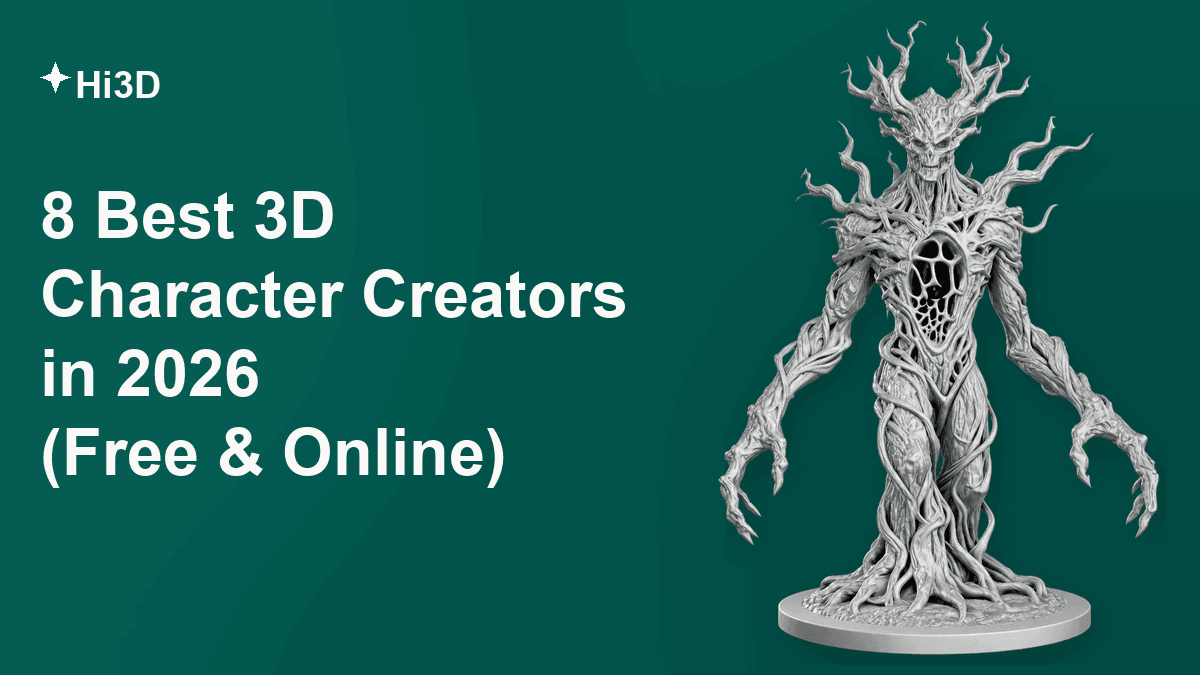
Choosing the right 3D character creator in 2026 is not about finding one platform that does everything. The better question is what kind of character you need, how much control you want, and what must happen after the model is created. A character for 3D printing needs different geometry and file formats from a rigged game avatar. A realistic digital human needs different controls from a tabletop miniature. And someone searching for a 3D character creator online free may only need a polished 3D-style image rather than a real editable mesh.
This guide compares Hi3D, AVATAR SDK, Hero Forge, Canva, Blender, Reallusion Character Creator 5, Meshy AI, and Room8 Studio. They range from browser-based AI tools to traditional 3D software and professional outsourcing. We compare them by what they actually do rather than treating them as interchangeable.
What Makes a Good 3D Character Creator?
Choosing a good 3D character creator is not just about how impressive the first result looks. A reliable tool should balance model quality, ease of use, workflow efficiency, and practical output options. The following factors are some of the most important things to consider when comparing different 3D character creation tools.
1. Character Quality and Detail
Judging a 3D character creator by an attractive front-view render alone is a mistake. Rotate the character and check proportions, silhouette, facial and body detail, hair, clothing, accessories, and small structural elements from every angle. With AI image to 3D model tools, the back and partially hidden areas matter even more, since the system has to infer geometry the reference image never shows. Texture quality matters just as much: colors, patterns, and material boundaries should stay consistent as the model turns, and it's worth checking whether the output is a true editable mesh or just a 3D-style image.
2. Ease of Use and Workflow Efficiency
Traditional character production runs through modeling or sculpting, retopology, UV mapping, texturing, rigging, skinning, and animation — a pipeline that Blender exposes in full and rewards with control, but also demands a real learning curve. AI-based platforms such as Hi3D can collapse several of those steps into one generation, especially with a clear reference image. That said, faster generation is not the same as production-ready output; a complex character may still need cleanup, better topology, or rigging afterward, and it's worth asking whether a tool is removing work or just giving you a better starting point.
3. Output, Export, and Intended Use
The "best" tool depends entirely on where the character is going next. 3D printing rewards STL or 3MF support, watertight geometry, splitting, and multicolor preparation. Games and animation care more about topology, rigging, and FBX/GLB/glTF export. Digital-human workflows need facial controls and morph systems, tabletop projects care about posing and printable files, and marketing content sometimes only needs an image, not a mesh at all. Keeping this end-use lens in mind is what makes the eight tools below comparable in the first place, even though they solve different problems.
8 Best 3D Character Creators in 2026
We reviewed each platform by creation method, output type, ease of use, export options, pricing, learning curve, downstream workflow, strengths, limitations, and best-fit use cases. Official product pages and documentation are the primary source for features and pricing; Trustpilot and Reddit add secondary, real-world context, cited with dates since review counts and scores shift over time.
| Tool | Best For | Creation Method | True 3D Model | Free Option | Key Export / Deliverable | Skill Level |
|---|---|---|---|---|---|---|
| Hi3D | All-in-one AI 3D character generation | AI image/multi-view to 3D | Yes | Yes — 100 lifetime credits | OBJ, GLB, STL, FBX, USDZ, 3MF | Beginner–Advanced |
| AVATAR SDK | Selfie-to-avatar, developer integration | Photo to full-body avatar | Yes | First avatar free | GLB, glTF, FBX | Beginner / Developer |
| Hero Forge | Tabletop RPG miniatures | Modular character builder | Yes | Free to design | STL, physical print | Beginner |
| Canva | 3D-style character visuals | Prompt-based AI image generation | Not a true mesh | Yes, freemium | PNG, JPG | Beginner |
| Blender | Full manual character workflow | Manual modeling/sculpting | Yes | Yes, fully free | Broad — FBX, OBJ, GLB, STL, and more | Advanced |
| Reallusion CC5 | Professional digital humans | Character Creator system | Yes | Trial | FBX, iClone/Unreal/Unity pipeline | Intermediate–Advanced |
| Meshy AI | General-purpose AI 3D generation | Text/image to 3D | Yes | 100 credits/month | FBX, OBJ, USDZ, GLB, STL, BLEND | Beginner–Intermediate |
| Room8 Studio | Outsourced professional character production | Human artist-led service | Yes | No | Project-defined deliverables | Professional / Studio |
1. Hi3D: The All-in-One AI 3D Character Creator
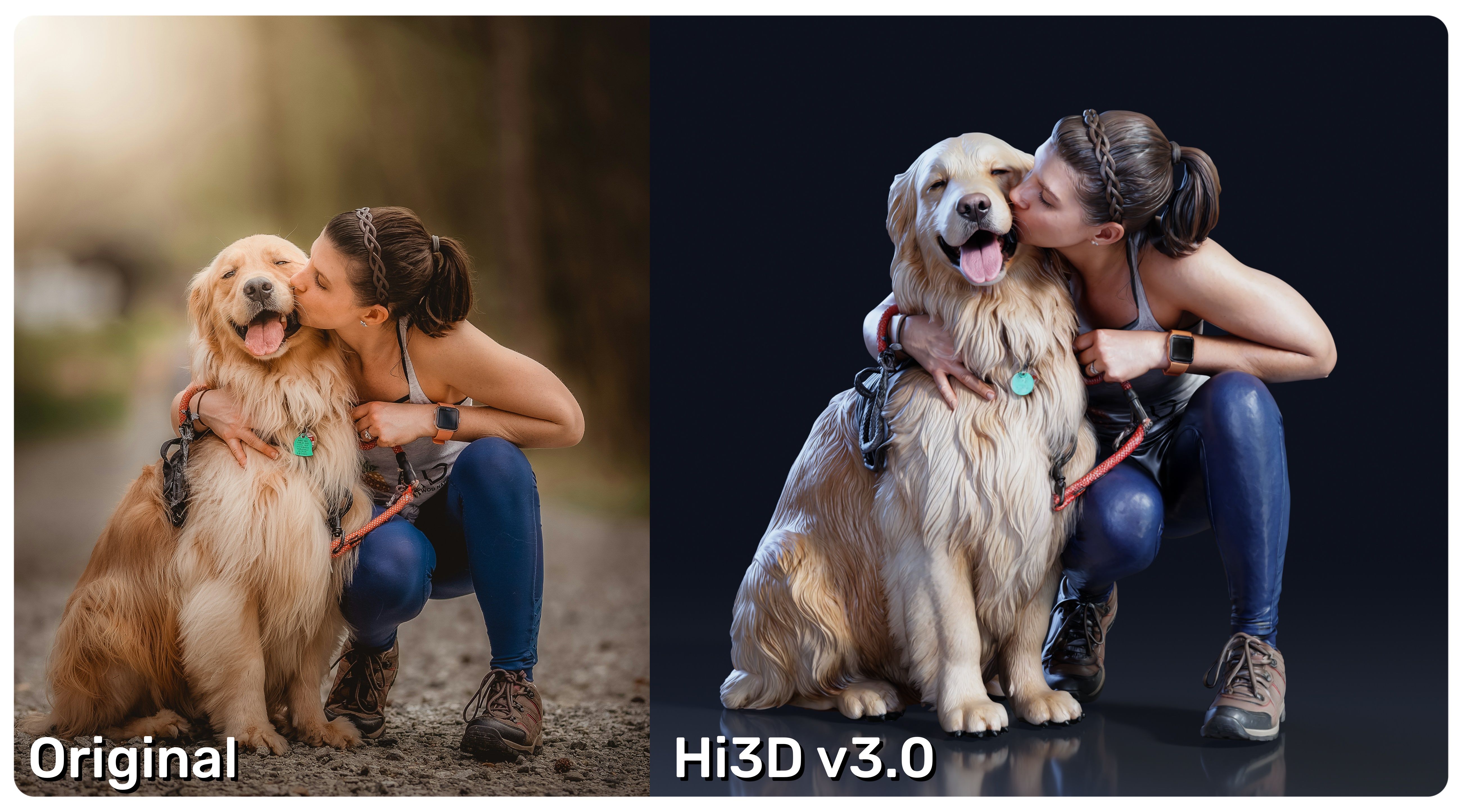
Hi3D is an all-in-one AI 3D model generation platform built for anyone with a 3D modeling need, from complete beginners to professional artists — it doesn't stop at turning an image into a mesh, it covers the full path from reference to a print- or production-ready character. Its current flagship model, Hi3D v3.0, is the version referenced throughout this section.
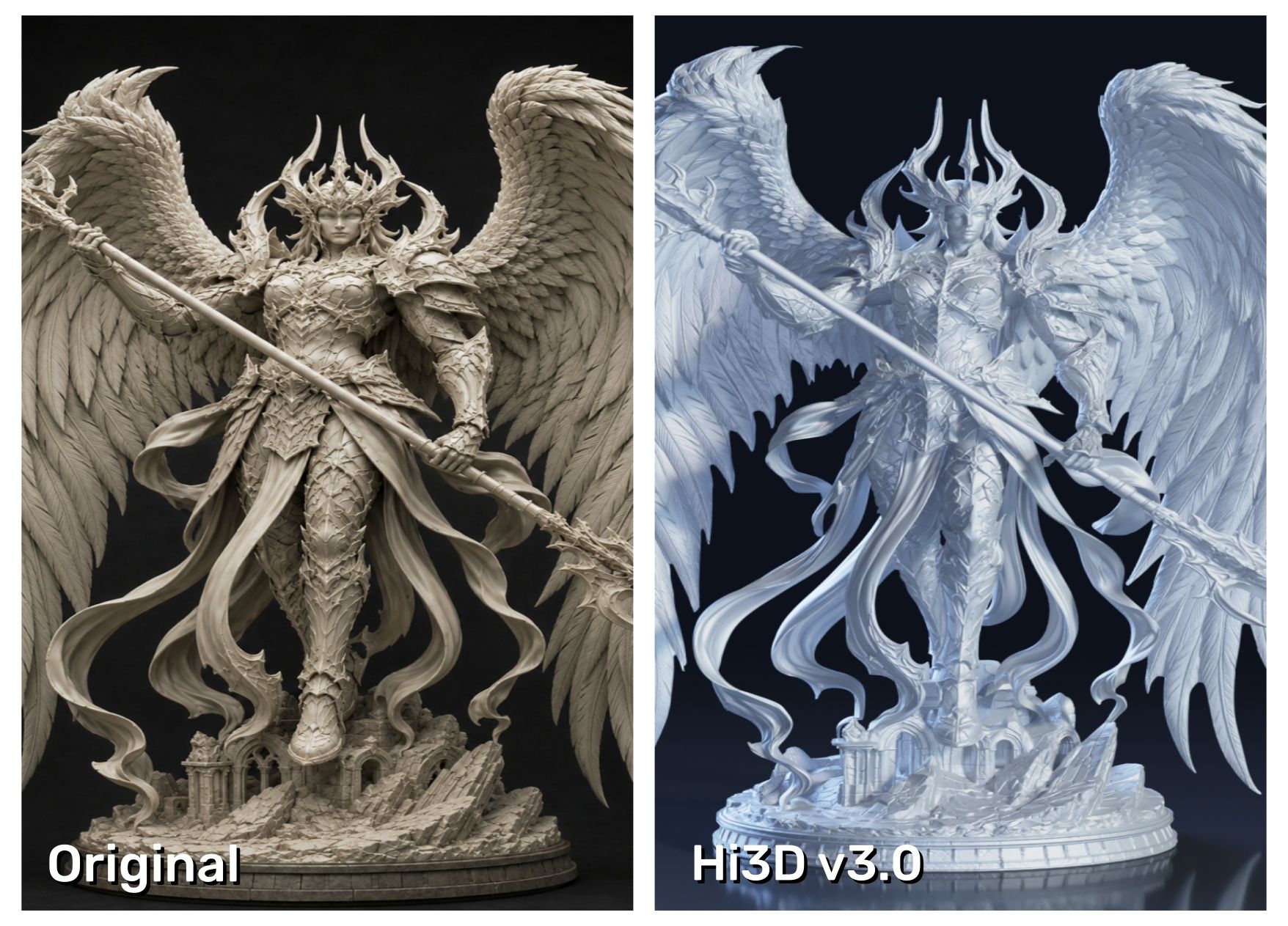
v3.0 introduces a higher-precision 3D representation that pushes geometric capability to 2048³ voxel-level resolution in both the Quality and Master generation modes. That resolution jump preserves fine detail — intricate sculptural surfaces, small lettering, layered clothing — even after zooming in. v3.0 also strengthens the model's reasoning for occluded or hidden geometry, cutting down on the "hallucinated" fill-in that AI image-to-3D tools are known for when a character's back or overlapping parts aren't visible in the source image. On the texture side, v3.0 supports textures up to 8K, targeting the color bleeding, texture seams, and unstable hidden-area quality that have historically been common complaints about AI-generated 3D characters — whether the source is a colorful game character or an animal model where fur texture matters.
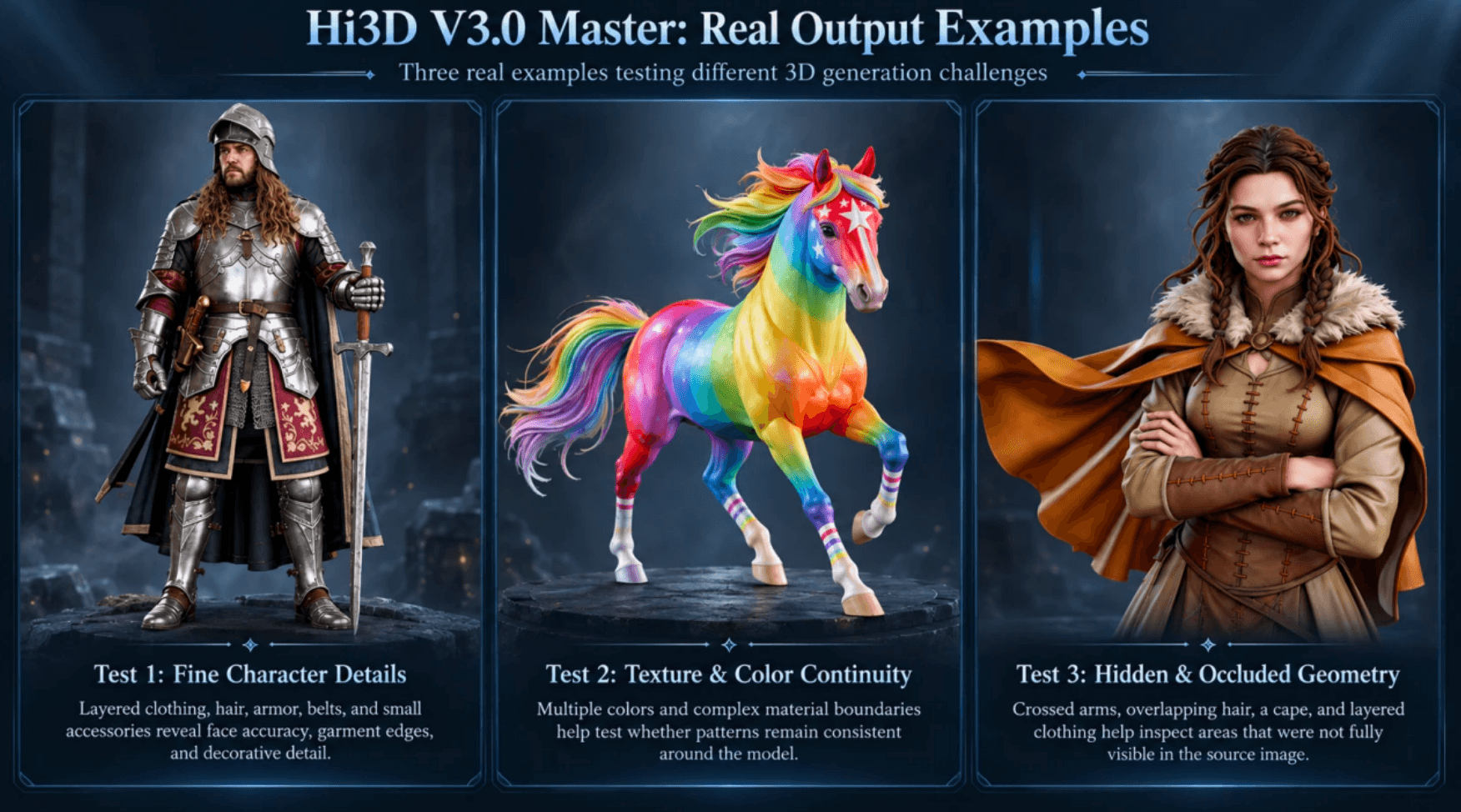
Real output matters more than a resolution number, which is why this section includes three real Hi3D V3.0 Master examples that test different problems rather than three easy front-facing characters.
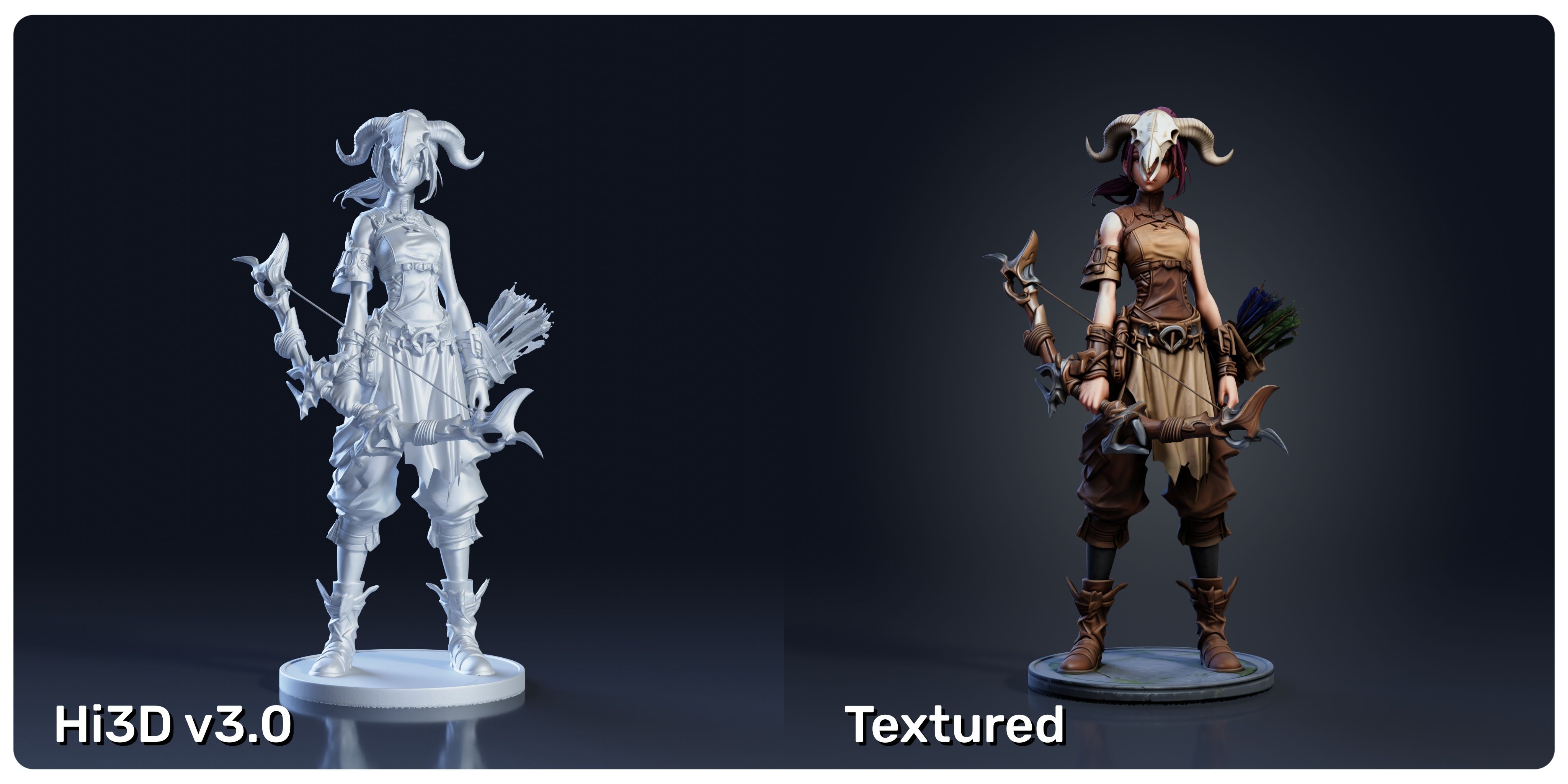
Hi3D is just as capable once the first mesh exists. Smart Split reads a character's structure and separates the model into 2 to 6 printable, watertight parts, adding assembly connectors in three styles — ball joints, mortise-and-tenon joints, and pin/rivet connectors — which matters for oversized figures or complicated poses that can't print in one piece. Multi-Color Print goes further: it generates an AI color plan straight from the model's texture and simulates filament/resin colors, so you can match what you're actually printing with instead of guessing after the fact. Segmented results carry over into common slicers, including Bambu Studio, OrcaSlicer, Creality Print, and ElegooSlicer.
| Category | Details |
|---|---|
| Key Features | Single-image and multi-view image-to-3D generation; V3.0 with 2048³ geometry and up to 8K textures; Smart Split (2–6 parts, ball/mortise-tenon/pin connectors); AI multi-color segmentation with filament simulation; exports to OBJ, GLB, STL, FBX, USDZ, and 3MF. |
| Pricing | Free plan with 100 lifetime credits. Paid plans (Pro, Max, Ultra) start at 1,000 credits/month with higher throughput. A V3.0 Master generation with geometry, texture, and PBR runs 455 credits; Quality mode costs a fraction of that. |
| Pros | Detailed AI reconstruction from a single reference; beginner-friendly; strong 3D-printing tools; reduces manual modeling time. |
| Cons | Master-quality generations use credits quickly; complex animation rigs still need finishing in another tool. |
| Best For | Anyone with a character reference who wants a detailed 3D model — including figurine makers, collectible designers, and 3D-printing hobbyists. |
Ready to see it for yourself? Try Hi3D free and turn your first character reference into a 3D model with the 100 lifetime credits included in every new account.
2. AVATAR SDK: Best for Selfie-to-3D Avatars
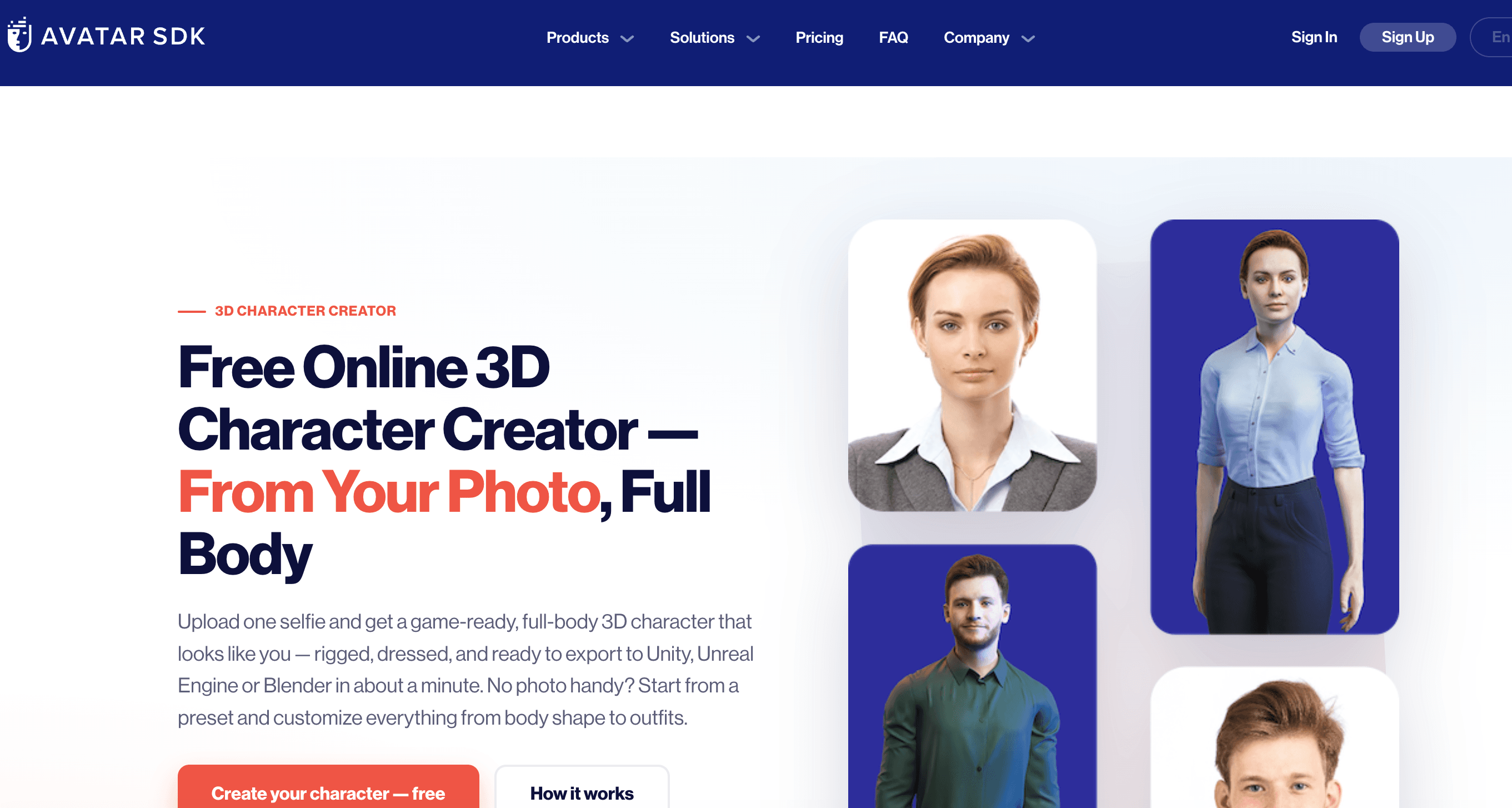
AVATAR SDK solves a narrower problem than Hi3D. Its MetaPerson Creator turns a selfie into a customizable full-body avatar rather than reconstructing arbitrary character art. Users can toggle between realistic and cartoon styles, adjust facial features, body shape, and hairstyle, and generate custom outfit textures from a text prompt instead of picking only from preset skins. The finished avatar exports as GLB, glTF, or FBX with a choice of 4K, 2K, or 1K texture resolution, and comes Mixamo-compatible and humanoid-rigged, so it animates immediately once it's in an engine — a better fit for games, social platforms, and virtual experiences than for general character art.
| Category | Details |
|---|---|
| Key Features | Selfie-to-avatar pipeline with realistic/cartoon style toggle; AI text-to-texture outfit generation; facial and body customization; Mixamo-compatible rigged export in GLB, glTF, and FBX formats with selectable texture resolution; SDK and cloud API for developers. |
| Pricing | First avatar free. Pro cloud plan costs $800/month for 6,000 avatars, with additional avatars billed at around $0.03 each. Enterprise pricing is quote-based. |
| Pros | Fast selfie-to-avatar workflow; full-body rigged output that can be animated out of the box; standard export formats; solid developer integration. |
| Cons | Built mainly for human avatars, so it is not ideal for arbitrary character art, creatures, or complex reference reconstruction. |
| Best For | Apps, games, and social platforms that need avatars based on real people. |
3. Hero Forge: Best for Tabletop RPG Miniatures
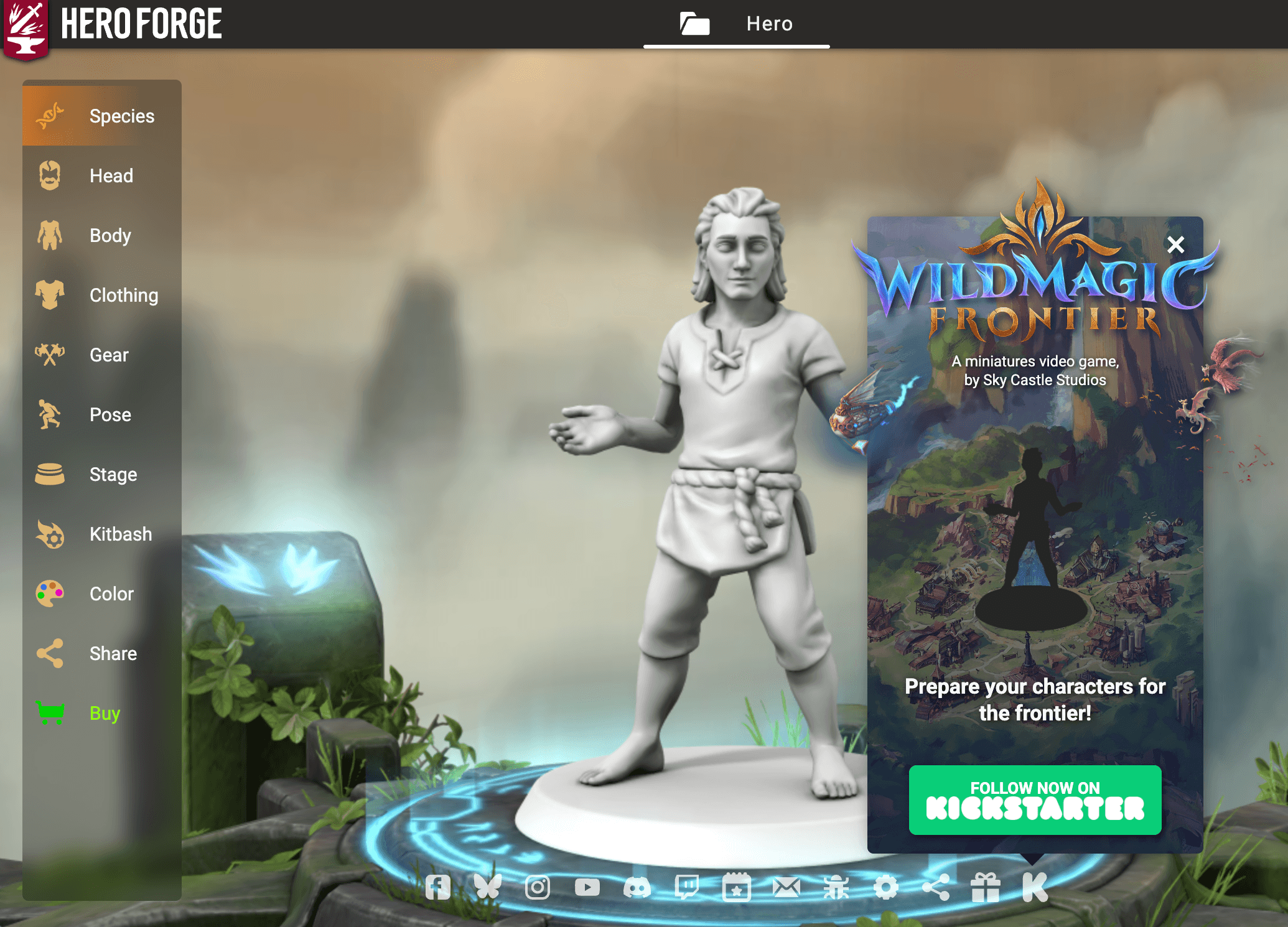
Hero Forge isn't an AI reconstruction tool — it's a browser-based modular character builder built for tabletop miniatures. Users combine body options, faces, clothing, armor, weapons, props, and accessories from a large parts library, then fine-tune the pose with Hero Forge's Advanced Posing tools, which let you rotate individual joints and even reverse a weapon's grip rather than choosing from a handful of fixed stances. That said, physical printing still sets real limits: Hero Forge has confirmed that some hand poses simply can't be produced at miniature scale, so what looks fine on screen doesn't always survive the print. Finished characters ship as a physical miniature or download as an STL for home printing.
| Category | Details |
|---|---|
| Key Features | Modular body, face, clothing, and weapon library; joint-level Advanced Posing with grip rotation; live color customization; STL download; physical miniature ordering across several material tiers. |
| Pricing | A single-character STL costs $7.99. Standard Plastic minis start at $19.99, Premium Plastic at $29.99, and Color Plastic at $39.99, with prices increasing based on size and complexity. |
| Pros | Deep customization with no sculpting skills required; unusually precise pose control for a browser-based tool; supports both digital and physical delivery. |
| Cons | Some hand poses are unavailable due to print-scale limitations; Trustpilot shows 89 reviews with a 2.8/5 rating as of September 2026, with recurring complaints that color minis can lose detail compared with the on-screen preview. |
| Best For | D&D and Pathfinder players, as well as miniature collectors, who want a custom printable character without learning to sculpt. |
4. Canva: Best for 3D-Style Character Images
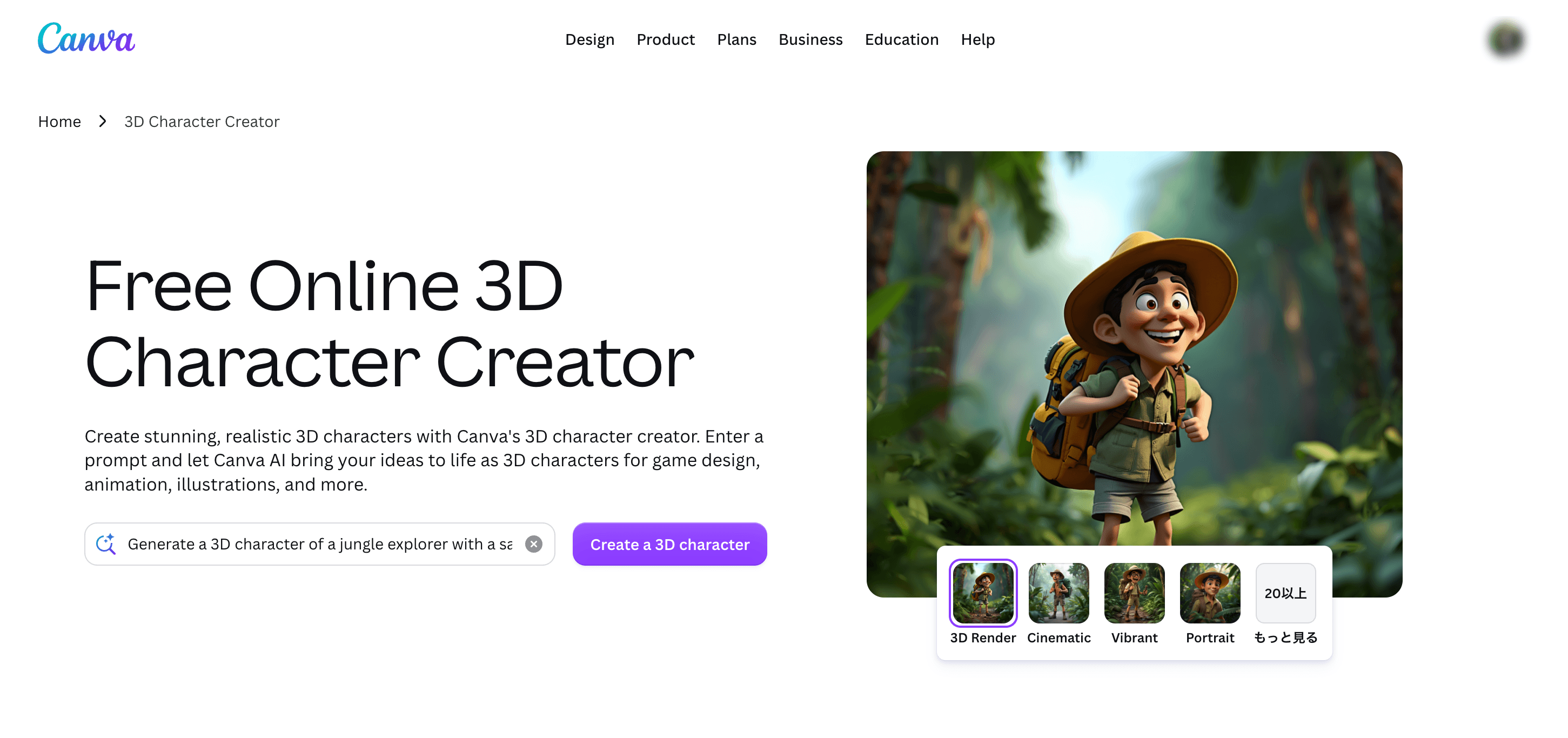
Canva shows up in searches for 3D character creator online free, but it solves a different problem. Its 3D Character Creator runs through Magic Media, Canva's AI image generator: pick a style preset, describe the character's appearance, pose, and clothing, and generate a matching image rather than an editable mesh. Once a character exists, Magic Resize can adapt the same design across social posts, video, and slides without rebuilding the layout each time, which is the actual reason Canva fits into content workflows better than a standalone image generator would.
| Category | Details |
|---|---|
| Key Features | Style-preset-driven character generation via Magic Media; prompt-based control over appearance, pose, and clothing; Magic Resize for cross-format reuse; direct integration with Canva's design and presentation tools. |
| Pricing | Free accounts receive 50 Magic Media generations for the lifetime of the account. Canva Pro increases this to 500 generations per month on a paid subscription, with pricing varying by region. |
| Pros | Very fast; requires no 3D modeling knowledge; a single generated character can be resized and reused across an entire content set. |
| Cons | Does not generate an editable 3D mesh — output is image-only, so it cannot be used for STL printing, rigging, or game engines. Free-tier generations are capped for the lifetime of the account rather than renewed monthly. |
| Best For | Social media, presentations, and marketing content where a 3D-style character appearance is sufficient. |
5. Blender: Best Free 3D Character Creator for Full Control
Blender is one of the most capable free 3D character creator options because it covers nearly the entire character pipeline — modeling, sculpting, retopology, UV mapping, texture painting, rigging, animation, and rendering — free and open source, with full commercial-use rights. Its character workflow also benefits from a mature add-on ecosystem: Human Generator (a paid Blender Market add-on) can produce a rigged, Rigify-compatible base human in minutes, while MPFB offers a free, open-source alternative built on the MakeHuman project for users who want a no-cost starting mesh before sculpting custom details by hand.
| Category | Details |
|---|---|
| Key Features | Complete modeling, sculpting, rigging, and animation pipeline; native Rigify auto-rigging; third-party human-generator add-ons such as Human Generator and MPFB for faster base-mesh creation; free for both personal and commercial use. |
| Pricing | Free. Optional add-ons such as Human Generator are sold separately through Blender Market. |
| Pros | Total creative and technical control; no subscription cost; a large add-on ecosystem can speed up the base-mesh stage before manual refinement. |
| Cons | Steep learning curve. Blender's Reddit community often describes character creation as one of the more difficult disciplines because it combines anatomy, topology, UV mapping, and rigging in a single workflow, even when add-ons handle part of the process. |
| Best For | Artists, animators, and technical users who want full control without a subscription. |
6. Reallusion Character Creator 5: Best for Professional Digital Humans
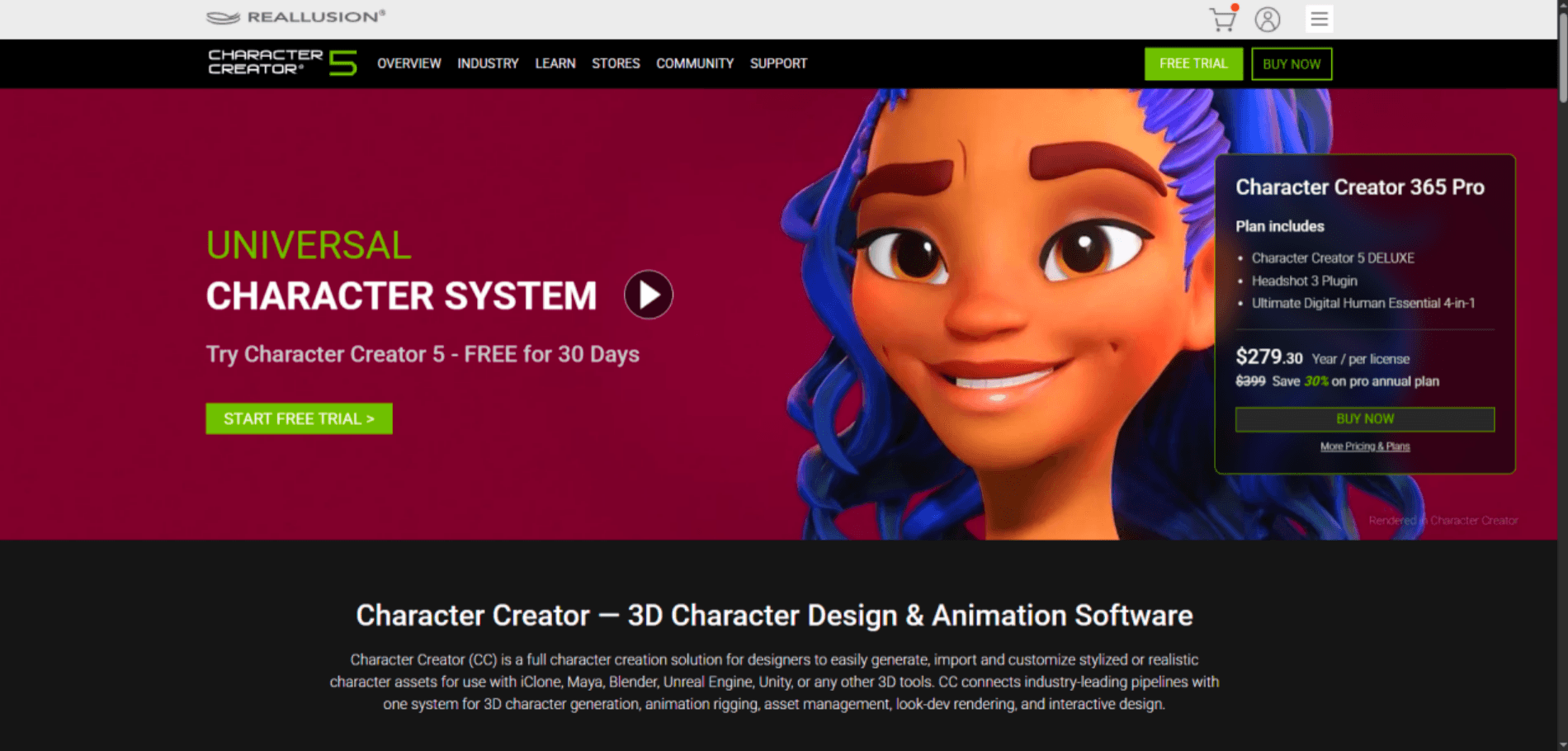
Reallusion Character Creator 5 (CC5) focuses on realistic and stylized humanoid characters, built around HD Morphs and an anatomically accurate character base. Its AccuRIG system auto-rigs scanned or sculpted characters — including multi-mesh models and non-human creature skeletons — with one-click skin weighting, which removes a step that normally takes hours of manual work in other pipelines. CC5 also adds SkinGen for dynamic, layered skin detail and a Smart Hair system, and it plugs directly into ZBrush, Blender, Substance Painter, Marvelous Designer, Maya, 3ds Max, and NVIDIA Omniverse rather than requiring manual format conversion between tools.
| Category | Details |
|---|---|
| Key Features | HD Morphs and anatomically accurate character bases; AccuRIG one-click auto-rigging for humanoid and creature skeletons; SkinGen dynamic skin layering; Smart Hair system; native plugin bridges to ZBrush, Blender, Substance Painter, Marvelous Designer, Maya, and Omniverse. |
| Pricing | Standard perpetual license costs $299, while CC5 Deluxe is $479. Plugins and content packs are sold separately. |
| Pros | Deep and repeatable humanoid and creature rigging system; unusually direct integration with professional 3D pipelines instead of relying only on generic export formats. |
| Cons | Trustpilot shows 60 reviews with a 1.7/5 rating, with complaints focused mainly on pricing, renewals, and billing rather than CC5's modeling quality. The sample size is relatively small, so the reviews are worth reading carefully rather than taking the score at face value. |
| Best For | Digital-human artists, game studios, and animation teams that need detailed humanoid control and production-ready integrations. |
7. Meshy AI: Best for General-Purpose AI 3D Generation
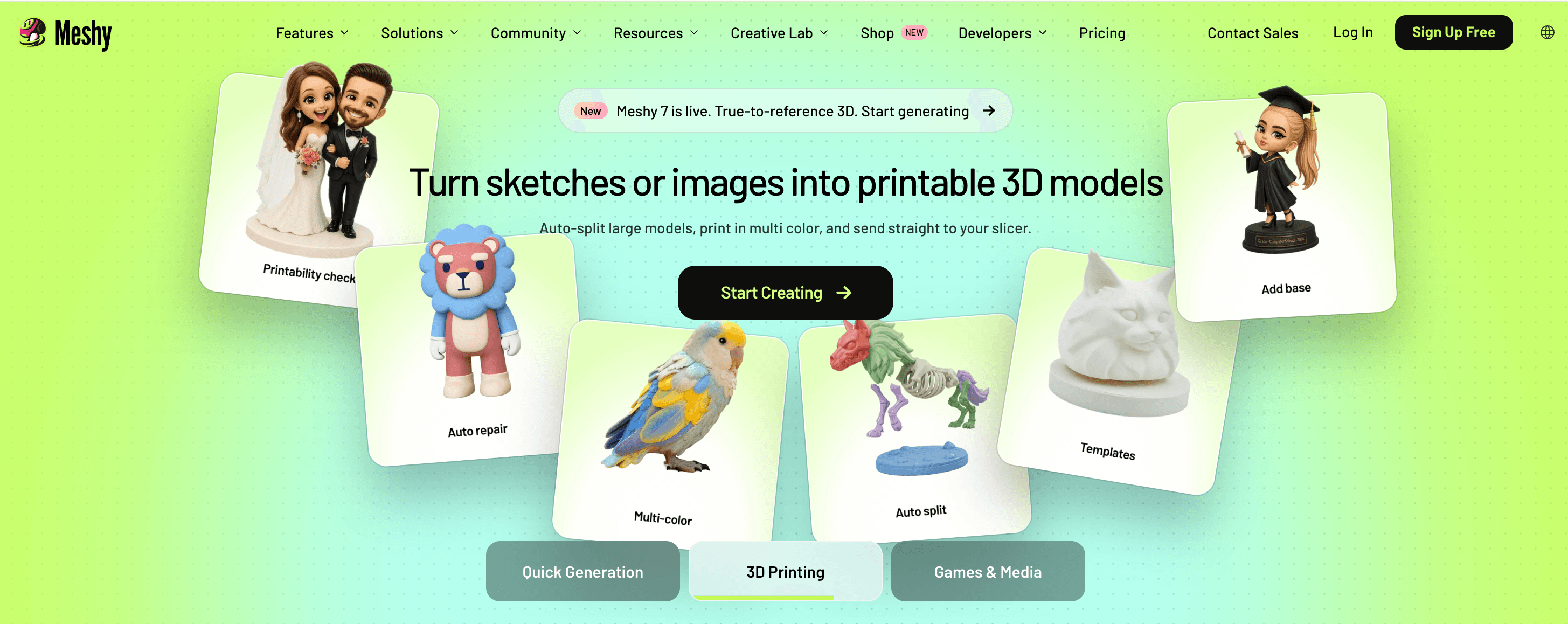
Meshy AI is broader than a dedicated character tool. It handles text-to-3D, image-to-3D, AI texturing, and remeshing, and its auto-rigging tool can take a static humanoid, biped, quadruped, or stylized character and generate a full skeleton with skin weights in under 30 seconds — then apply one of over 500 preset animations, so a static mesh can go from upload to an animated character in a couple of minutes without manual weight painting.
| Category | Details |
|---|---|
| Key Features | Text-to-3D and image-to-3D generation; AI texturing and remeshing; auto-rigging in under 30 seconds with 500+ animation presets; Blender and Unity plugins; API access; exports to FBX, OBJ, USDZ, GLB, STL, and BLEND. |
| Pricing | Free plan includes 100 credits per month under a CC BY 4.0 license. The Pro plan costs $20/month and offers a larger credit pool, faster generation, and private commercial ownership. |
| Pros | Fast and broad AI 3D toolkit with genuinely quick auto-rigging; strong Trustpilot review volume (well over 3,500 reviews) with a favorable overall score; works well for props and background assets with minimal cleanup. |
| Cons | Indie developers on Reddit report that hero and player characters usually need more Blender cleanup than props. Complex inputs can still produce non-manifold geometry, intersecting faces, or thin walls, even when the auto-rigging handles the skeleton correctly. |
| Best For | Indie developers and concept artists who want a broad AI 3D toolkit rather than only a character creation tool. |
8. Room8 Studio: Best for Outsourced Professional 3D Character Production
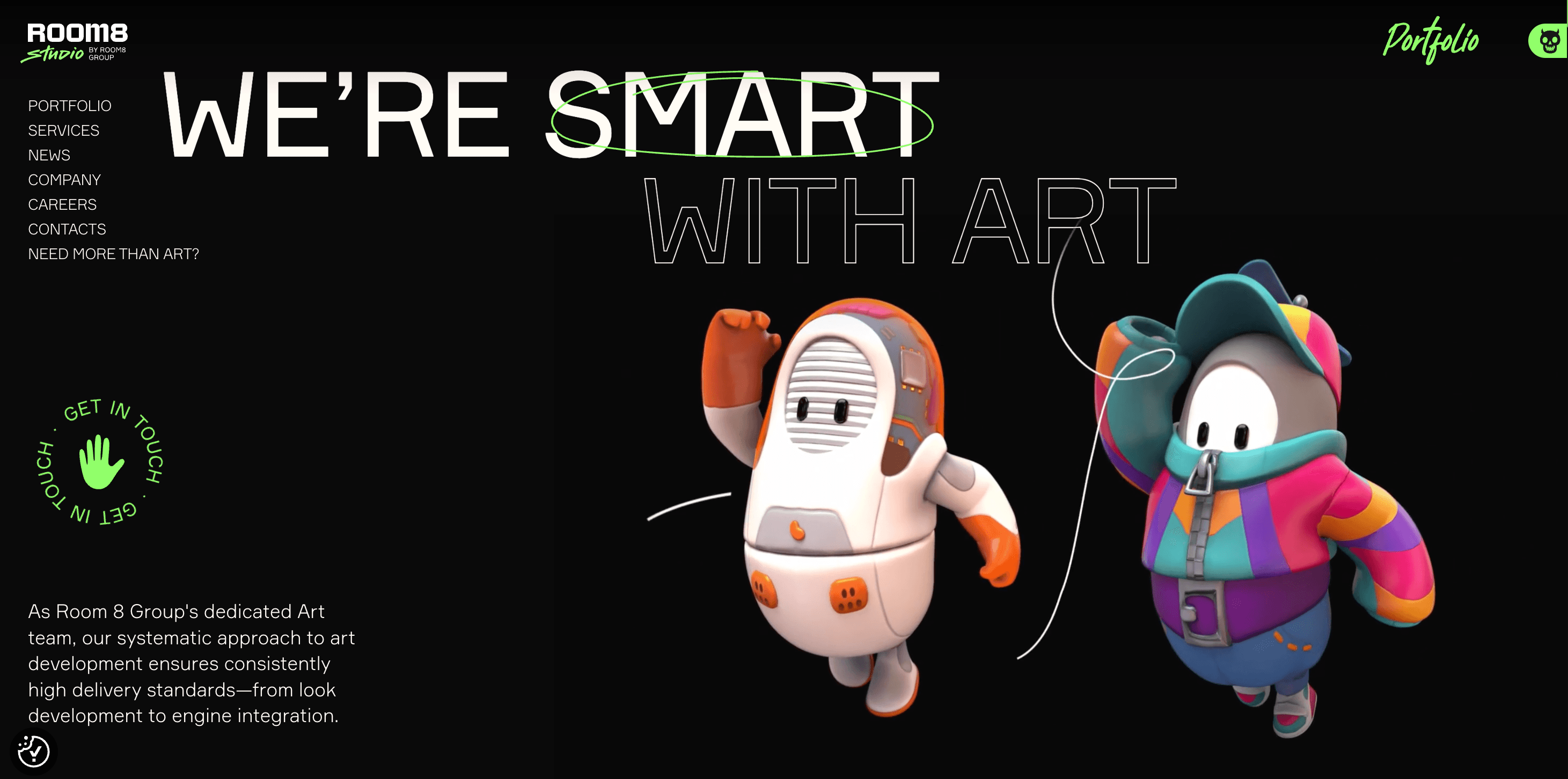
Room8 Studio is the outlier here — not a self-service creator but a professional game-art outsourcing studio founded in 2011 and headquartered in Limassol, Cyprus, with production teams also based in Ukraine. The studio now lists more than 650 artists, motion designers, and VFX specialists across its roster, and its client history includes long-running work with publishers such as Ubisoft, Electronic Arts, Activision, CD Projekt RED, and Wargaming on franchises including Call of Duty, The Witcher, and Assassin's Creed. Its 3D character services specifically cover realistic and stylized characters, creatures, skins, and outfits, with a dedicated character team the studio says has produced more than 500 characters, skins, and outfits for partners.
| Category | Details |
|---|---|
| Key Features | Human artist-led modeling, sculpting, texturing, and lighting; realistic and stylized character and creature design; collaborative revision workflows for AAA studios and publishers; production network spanning 650+ artists across multiple studio locations. |
| Pricing | Project- and quote-based, with no public self-service pricing tier. |
| Pros | Established track record with major publishers and recognizable franchises; human art direction with iterative revisions; scalable production capacity for larger teams and projects. |
| Cons | Not an instant solution and offers no free tier. Turnaround depends entirely on project scope. Testimonials on Room8's own website are first-party marketing materials rather than independent review data. |
| Best For | Game studios and publishers that need outsourced character art and ongoing collaboration with an established team experienced in AAA production. |
How to Create a 3D Character Online with AI Using Hi3D
If your starting point is a character illustration or reference image, the Hi3D workflow breaks into three practical steps.
Step 1: Upload Your Reference Image
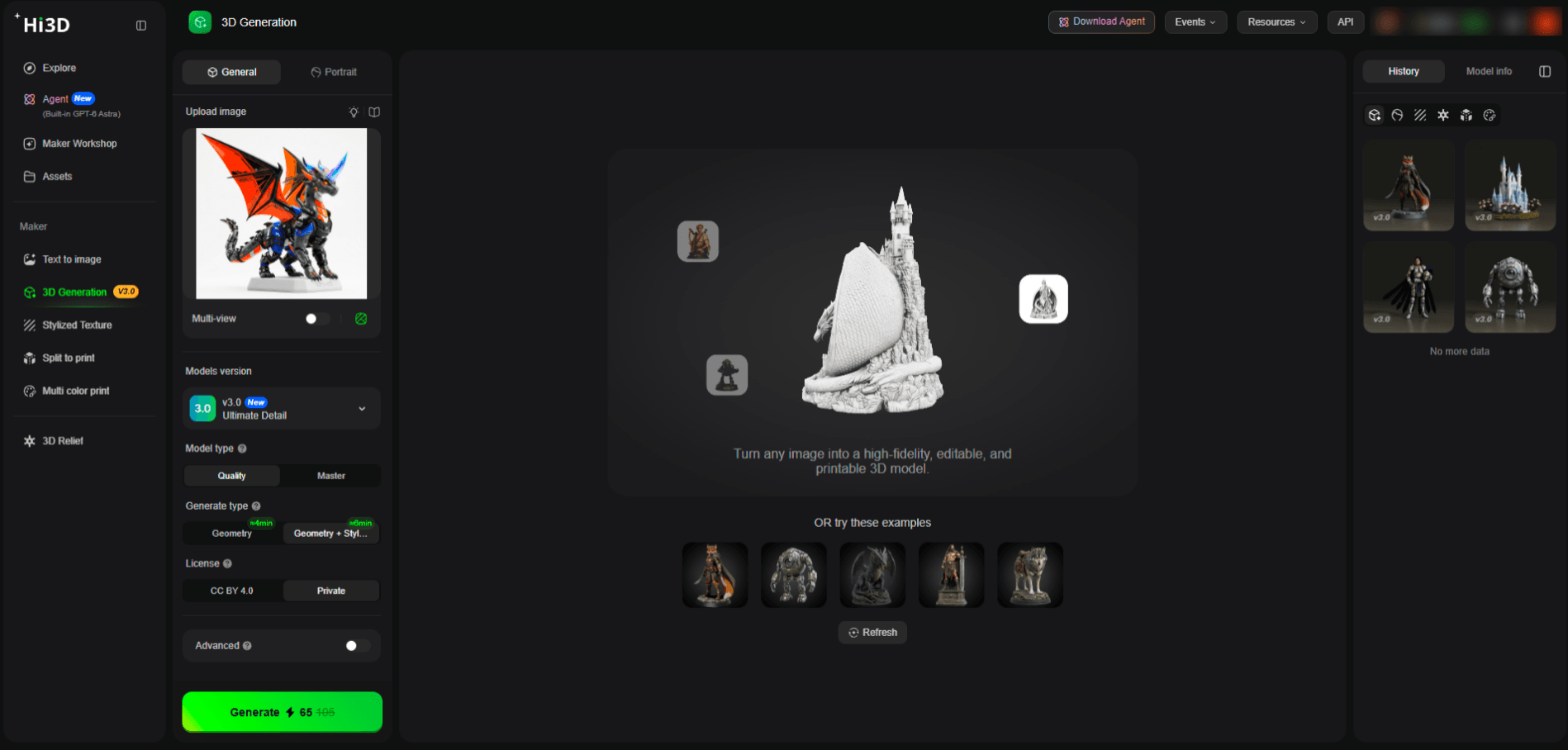
Upload the clearest, most complete image of your character, with hair, clothing, and key details visible against a simple background. Hi3D also accepts multiple reference views (front, back, side) if you have them, which can help with hidden-area accuracy.
Step 2: Choose Your Generation Settings
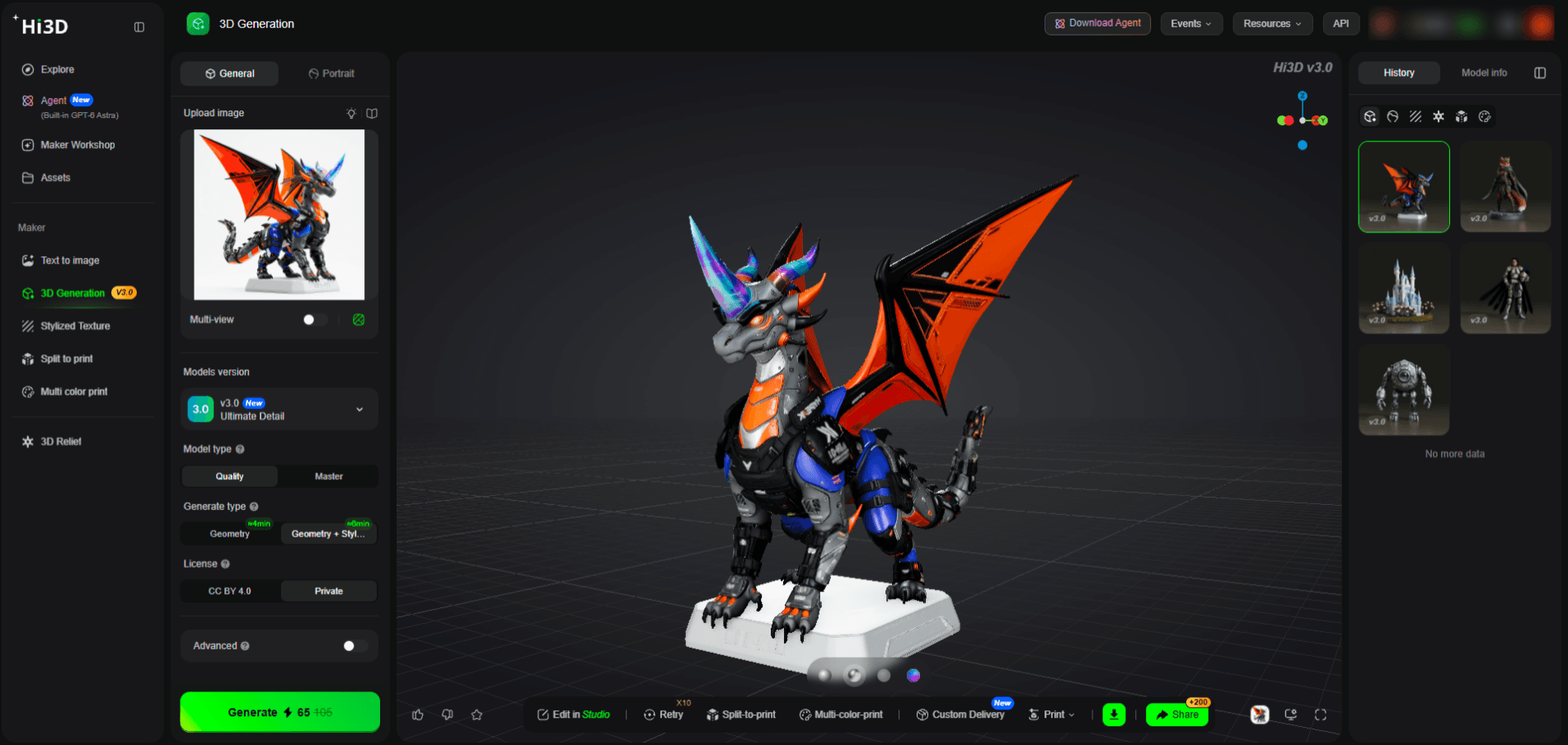
Select the Hi3D V3.0 model, then choose Quality or Master mode depending on how much detail you need — Master gives the highest fidelity for complex characters, while Quality is faster and uses fewer credits for simpler references.
Step 3: Download Your Model
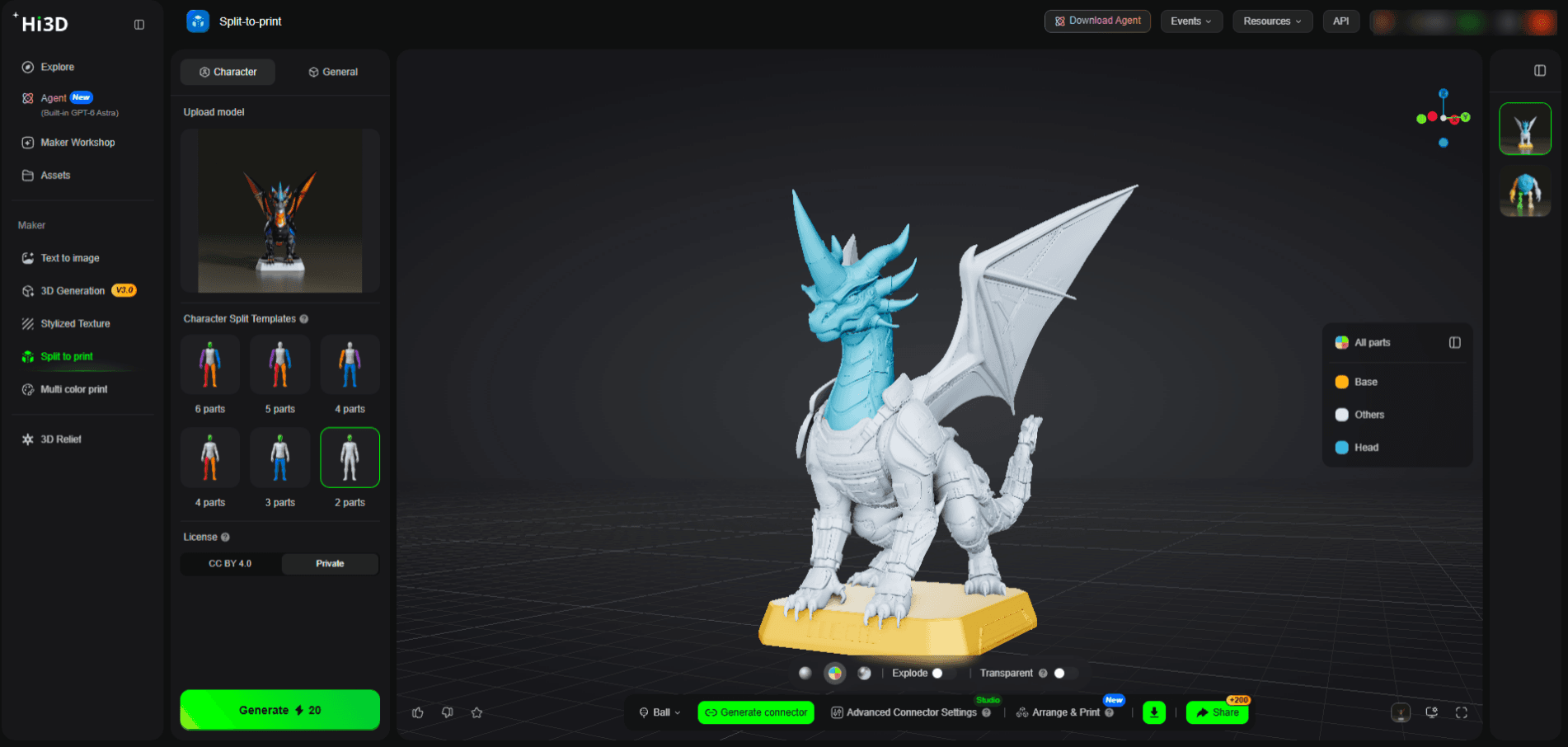
Once generation is complete, download the finished model in the format you need — OBJ, GLB, STL, FBX, USDZ, or 3MF — and you're ready to use it in your next tool.
Have a character reference sitting on your desktop? Create your first 3D model with Hi3D — the Free plan's 100 lifetime credits are enough to test the full workflow end to end.
Conclusion
There is no single 3D character creator that is best for every user. AVATAR SDK is built around selfie-based avatars. Hero Forge excels at modular tabletop miniatures. Canva is useful when the final output is a 3D-looking image rather than a mesh. Blender offers complete manual control for free. Reallusion Character Creator 5 serves professional digital-human pipelines. Meshy provides a broad AI 3D toolbox, while Room8 Studio represents professional outsourced production for teams that need dedicated art support.
Hi3D fits the widest range of these needs at once: starting from an existing visual reference, generating a highly detailed 3D model with v3.0 Master, and continuing straight into editing or physical printing with Smart Split and multi-color preparation — all in one platform. That combination makes it especially relevant to anyone creating figurines, collectibles, mascots, or other reference-driven characters.
Start with your own reference image. Sign up for Hi3D's free plan, generate your first model with the 100 lifetime credits included, and judge the result the way this article recommends — by rotating it, checking the hidden geometry, and confirming it fits the workflow that comes next.