Four Settings That Cause 80% of Printing Problems
One of the biggest misconceptions in 3D printing is that better prints require complicated settings.
Open any slicer and you’ll find hundreds of options: acceleration, jerk, coasting, pressure advance, seam painting, fuzzy skin, adaptive layers, and more.
It’s easy to feel overwhelmed.
The truth is that most common print defects can be traced back to just four settings:
- Temperature
- Cooling
- Retraction
- Layer Height
Before tweaking advanced features, mastering these fundamentals will solve the majority of printing problems.
Scenario #1: Why Is My Print Covered in Stringing?
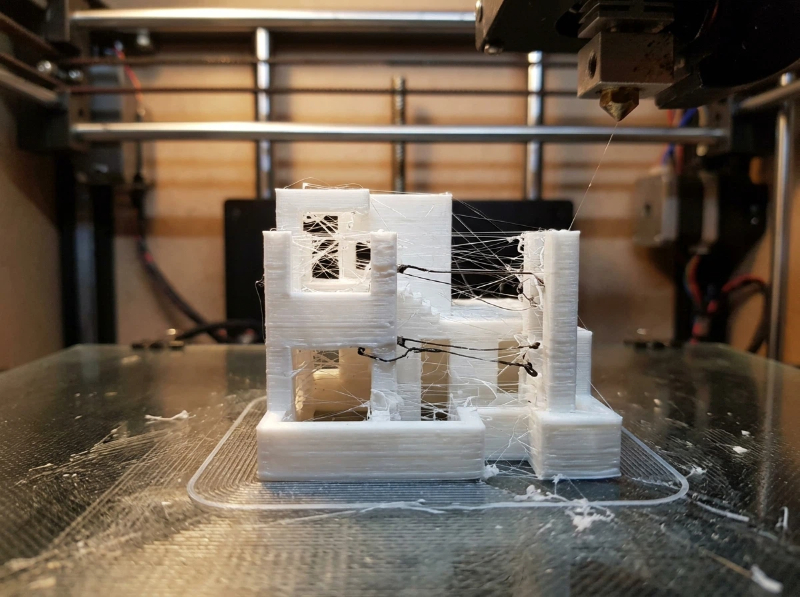
You finish a print and notice thin strands of plastic stretched between different parts of the model.
It looks like a spider has been living inside your printer.
This is called stringing.
Many beginners immediately blame the filament.
In reality, two settings are usually responsible:
Retraction
Retraction pulls filament backward before travel moves.
Too little retraction:
- Strings everywhere
- Surface fuzz
- Excess plastic buildup
Too much retraction:
- Under-extrusion
- Missing material after travel moves
Temperature
A hotter nozzle makes filament flow more easily.
That’s useful for layer bonding.
But if temperatures are too high, filament continues oozing during travel moves.
Common starting points:
| Material | Typical Range |
|---|---|
| PLA | 190–220°C |
| PETG | 230–250°C |
| ABS | 230–260°C |
Before changing retraction, verify temperature first.
Scenario #2: Why Are My Corners Lifting?
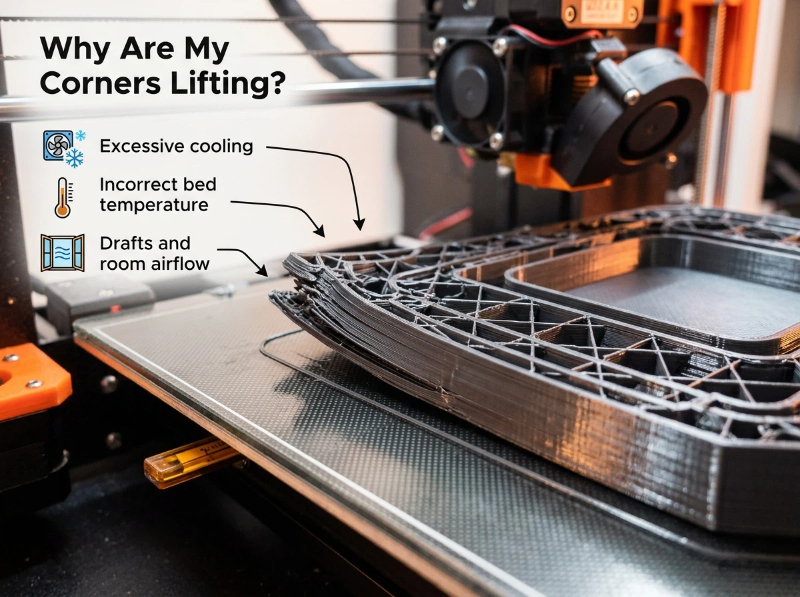
Your first few layers look perfect.
Three hours later, one corner begins lifting.
Soon the entire print detaches from the bed.
This is warping.
Most commonly caused by:
- Excessive cooling
- Incorrect bed temperature
- Drafts and room airflow
Cooling Isn’t Always Better
Many makers assume more cooling equals better quality.
That’s true for PLA.
It’s often false for ABS.
For engineering materials:
- Excessive cooling increases internal stress
- Parts shrink unevenly
- Corners lift from the build plate
A setting that works perfectly for PLA can ruin an ABS print.
Scenario #3: Why Are Layers Separating?
You pick up a finished print and notice something alarming.
The layers can be peeled apart by hand.
This is a classic layer adhesion problem.
The most common causes:
Nozzle Temperature Too Low
Filament must be hot enough to bond to the previous layer.
If temperature is too low:
- Layers don’t fuse properly
- Parts become brittle
- Strength drops dramatically
Too Much Cooling
Cooling solidifies plastic quickly.
However, cooling too aggressively can prevent proper bonding.
The goal isn’t maximum cooling.
The goal is balanced cooling.
Scenario #4: Why Does My Print Look Rough?
Many users assume their printer isn’t capable of producing smooth surfaces.
Often the real issue is layer height.
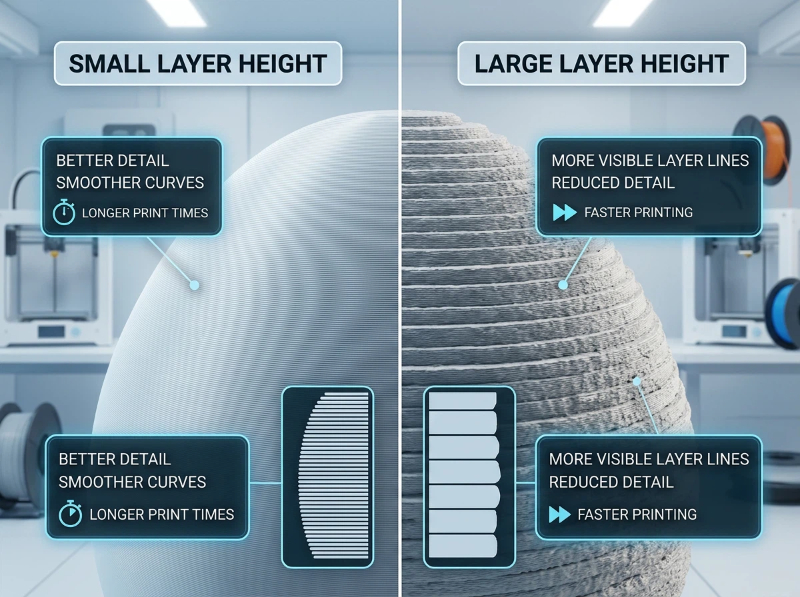
Understanding Layer Height
Think of layer height as resolution.
Smaller layers:
- Better detail
- Smoother curves
- Longer print times
Larger layers: - Faster printing
- More visible layer lines
- Reduced detail
The Settings-to-Problems Cheat Sheet
One of the fastest ways to troubleshoot is working backward from the defect.
| Problem | Check First |
|---|---|
| Stringing | Retraction, Temperature |
| Warping | Cooling, Bed Temperature |
| Layer Separation | Nozzle Temperature |
| Rough Surface | Layer Height |
| Blobs & Zits | Temperature |
| Weak Parts | Temperature, Cooling |
Instead of changing ten settings at once, identify the defect and focus on the most likely cause.
The Biggest Mistake Makers Make
Many beginners adjust five or six settings simultaneously.
The result?
Nobody knows what actually fixed the problem.
Professional users rarely work this way.
They change:
- One parameter
- One test print
- One comparison
This approach makes troubleshooting faster and far more reliable.