Do you ever find it difficult to choose the perfect earrings to match your outfit? The color, style, shape, or some other detail always seems to fall short of your expectations.
When you want something more personalized, it can be just as hard to find a design that meets all your needs. You may come across an online shop that offers a style you love, only to discover that its products are bestsellers. This means you're more likely to see other people wearing the same earrings, making it harder to create a truly distinctive look.
Finding earrings that match your taste while still feeling unique is not easy. This is especially true around Christmas, when you may want a special pair of earrings for taking photos and sharing them on social media. With so many similar designs on the market, finding something that really stands out can be a challenge.
So, why not design your own earrings? With an AI 3D model maker, you can turn your ideas into unique 3D models and create earrings that reflect your personal style.
Why Choose 3D Printed Earrings?
AI 3D model generators give you more creative freedom, allowing you to design earrings that match your personal style. Many of these tools offer a comprehensive workflow, and plenty of beginner-friendly options are available on the market.
More Creative Freedom and Personalized Designs
You don't have to limit your designs to the earring styles commonly found in stores. You can explore your imagination and experiment with geometric patterns, flowers, stars and moons, animal silhouettes, and abstract shapes. For seasonal occasions, you can also design 3D printed Christmas earrings featuring snowflakes, Christmas trees, or reindeer. You can also adjust the shape, colors, textures, and decorative details to create jewelry that reflects your personal taste. Whether you're looking for minimalist styles or cool 3D printed earrings with bold shapes and unusual patterns, AI tools give you more room to experiment.
In fact, you can experiment with almost any idea that comes to mind. Whether you prefer openwork designs, asymmetrical shapes, or intricate decorative elements, you can create and refine your designs through digital modeling. This gives you more freedom to explore different styles and create earrings that stand out from mass-produced designs.
Easy Design with AI 3D Model Generators
You might think that you need 3D modeling experience to use an AI 3D model generator effectively. But don't worry! Many AI-powered tools are designed to be beginner-friendly, so you can give them a try even if you've never worked with 3D models before. In general, the process involves just two main steps.
Step 1: Create an image.
If you already have a reference image, you can upload it to the Text to mage section and add a description to guide the AI in creating a new design. If you don't have an image yet, simply describe your ideas in the prompt box and let the AI turn them into a visual reference.
Step 2: Generate a 3D model.
Once you're happy with the image, upload it to the Image to 3D Model section to generate a 3D model. Within seconds or minutes, depending on the tool, you can have a 3D model ready for further refinement and preparation for printing. If your design contains multiple parts, you can also split 3d model for printing to make the pieces easier to print and assemble. You can also look for 3D printed earrings files online if you'd like to explore existing designs or use them as inspiration for your own creations.
With this simple workflow, you can turn your ideas into custom earring designs without having to create every detail from scratch.
6 Best AI 3D Model Generators for 3D Printed Earrings
In this article, we'll introduce six AI 3D model generators and compare their pros and cons, pricing, and more to help you find the right tool for designing 3D printed earrings.
How We Tested the AI 3D Model Generators
First, we evaluated how beginner-friendly each tool is, looking at whether its interface is clear, its features are easy to find, and its workflow is easy to follow.
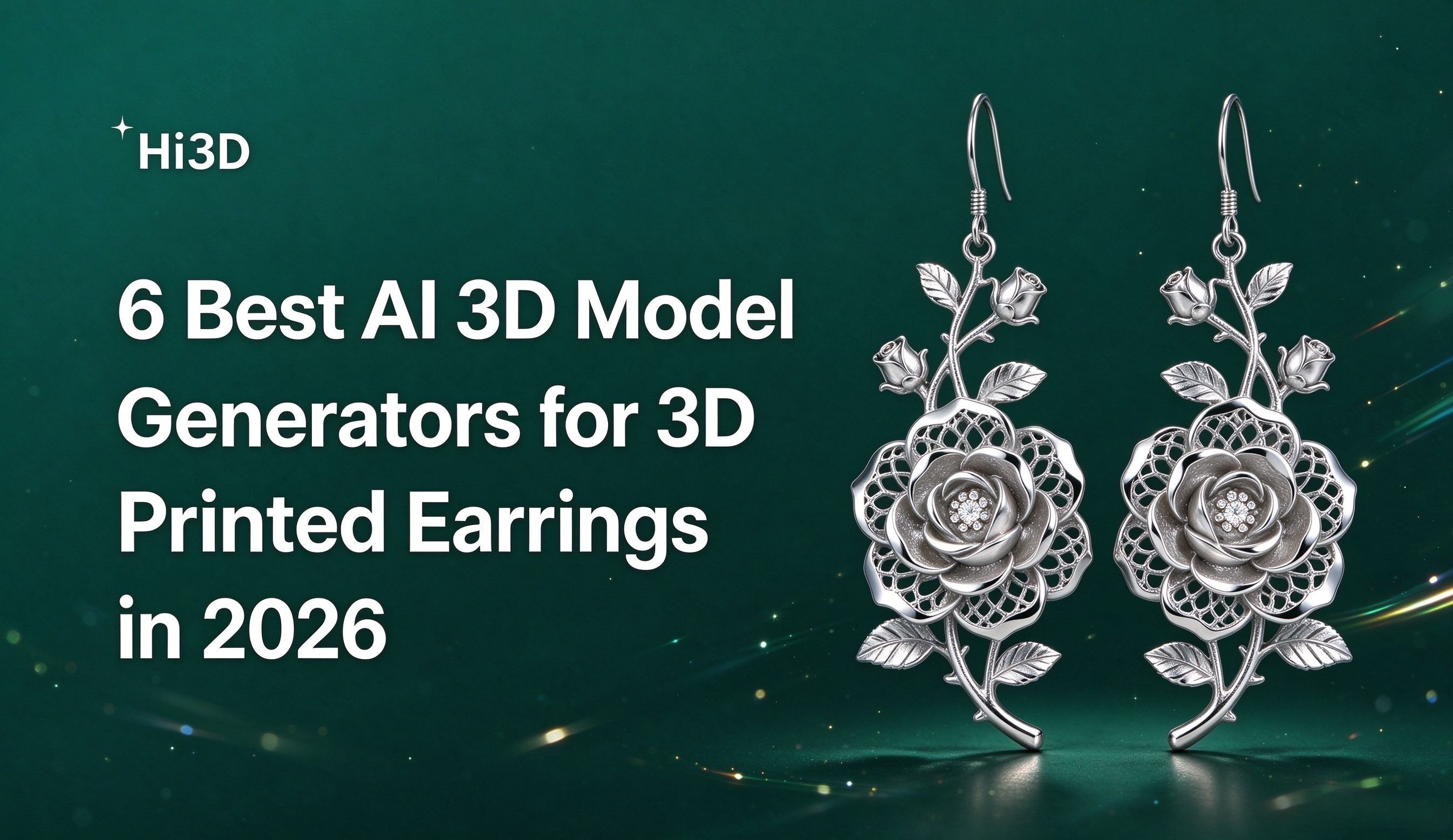
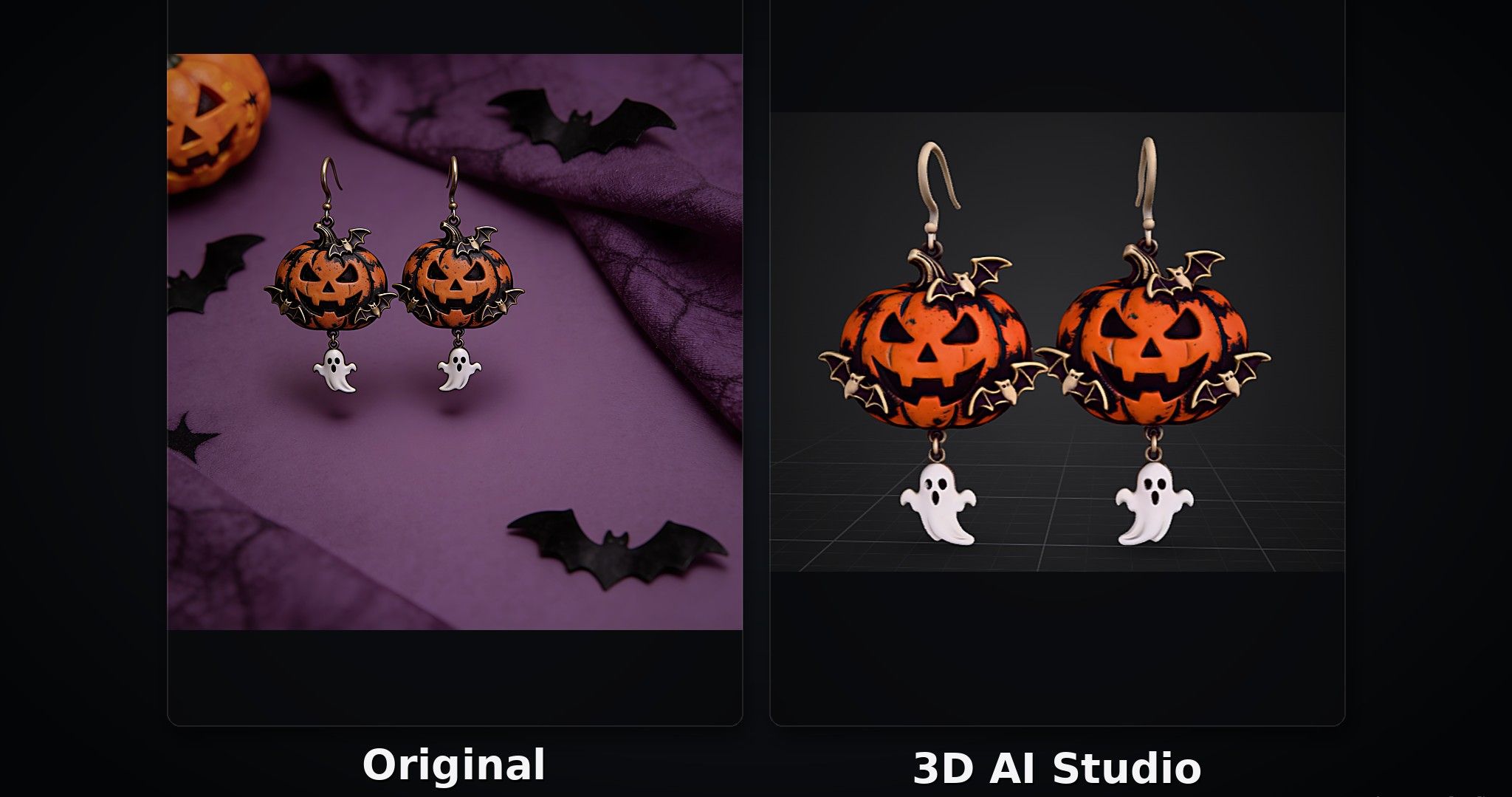
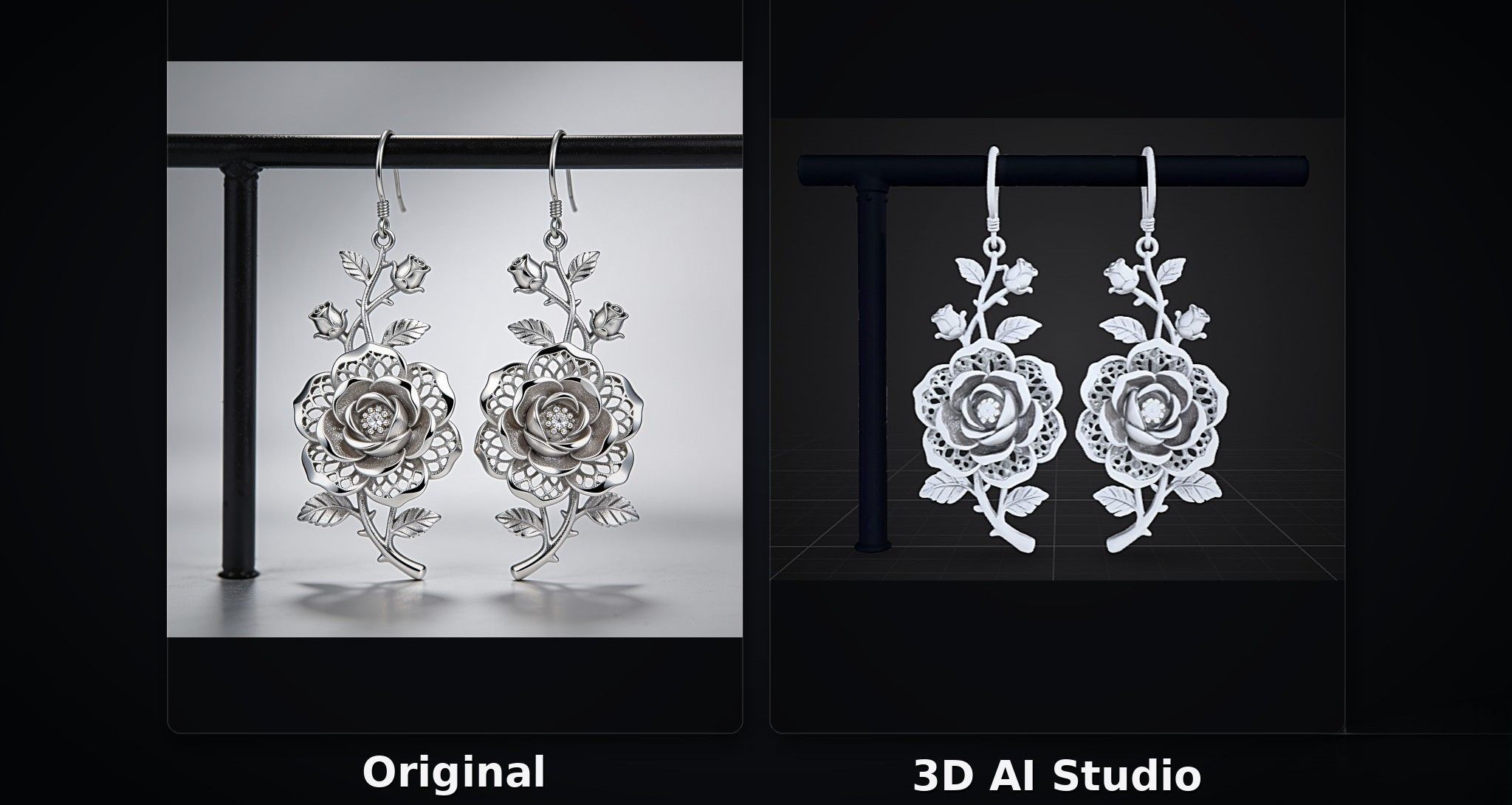
Second, we used each tool to generate two types of earring designs: Halloween-themed earrings and rose-shaped earrings. This allowed us to compare how well each tool handles different styles and details, as well as how accurately the generated models reproduce the original reference images.
Hi3D
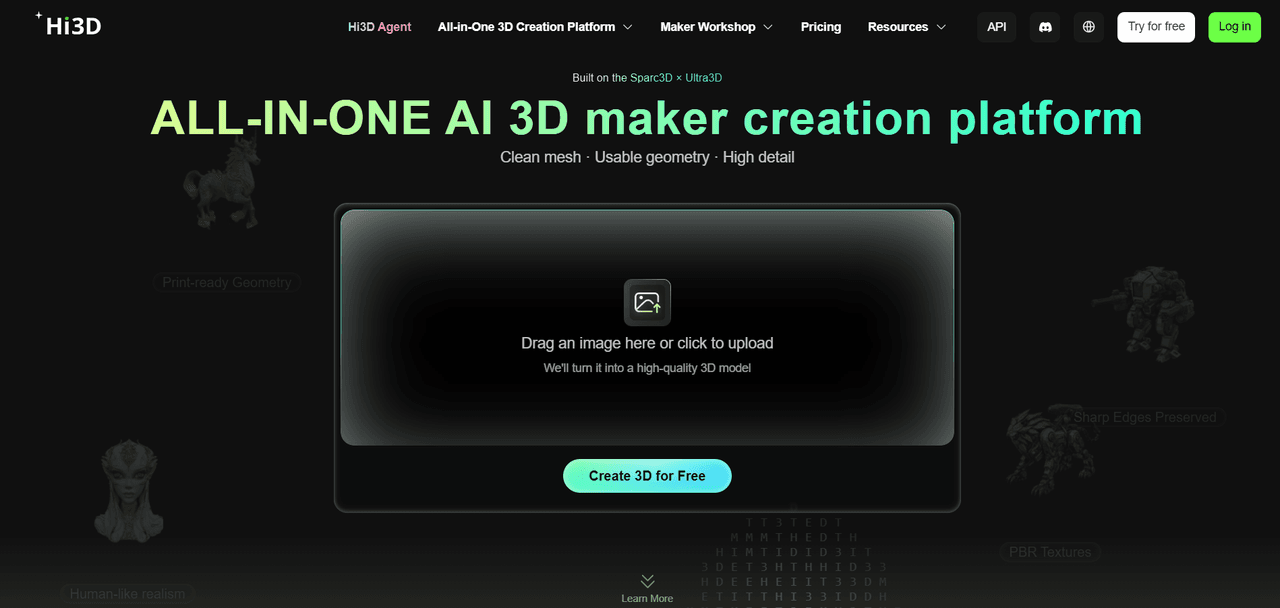
Hi3D is an all-in-one AI 3D creation platform that transforms text prompts and reference images into detailed 3D models. Even without professional 3D modeling experience, users can quickly explore different earring designs with simple inputs. Beyond model generation, Hi3D also offers AI texturing, multi-color printing, and intelligent model splitting to help users refine their creations and prepare them for 3D printing.
If you're a beginner, Hi3D is an excellent choice. Its clean, intuitive interface makes it easy to understand what each feature does, even if you've never worked with 3D modeling before.
Pros:
- Hi3D V3.0 supports voxel-level geometry at a resolution of up to 2048³ and textures up to 8K, helping reproduce intricate details.
- The clear interface makes it easy for beginners to get started, and users can view generated models in full-screen mode for a closer look.
- Includes model splitting for 3D printing and multi-color printing features.
- Users can order 3D prints and have them delivered directly to their homes.
Cons:
- The free plan provides lifetime credits rather than a monthly allowance.
- Subscription credits reset each billing cycle and do not roll over.
Price:
- Free plan: Includes 100 lifetime credits.
- Monthly plans: Pro costs $19.90/month, Max costs $39.90/month, and Ultra costs $129.90/month.
- Annual plans: The listed promotional prices are $95.52/year for Pro, $191.52/year for Max, and $623.52/year for Ultra.
Halloween-Themed Earrings Test
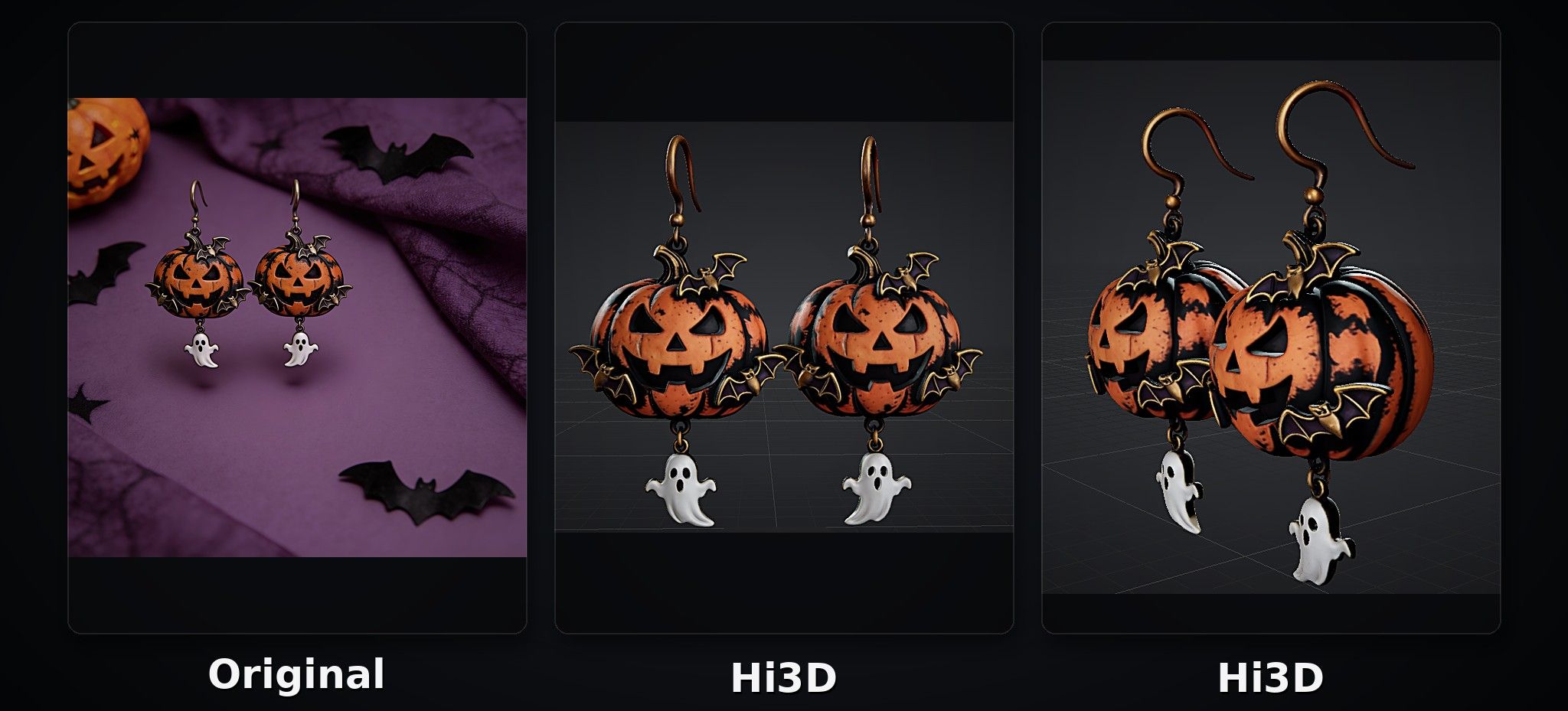
As shown in the image below, Hi3D performed exceptionally well in reproducing the original earring design. It closely matched the reference image in terms of color, material appearance, and texture, capturing the key visual details with a high degree of accuracy.
Rose-Shaped Earrings Test
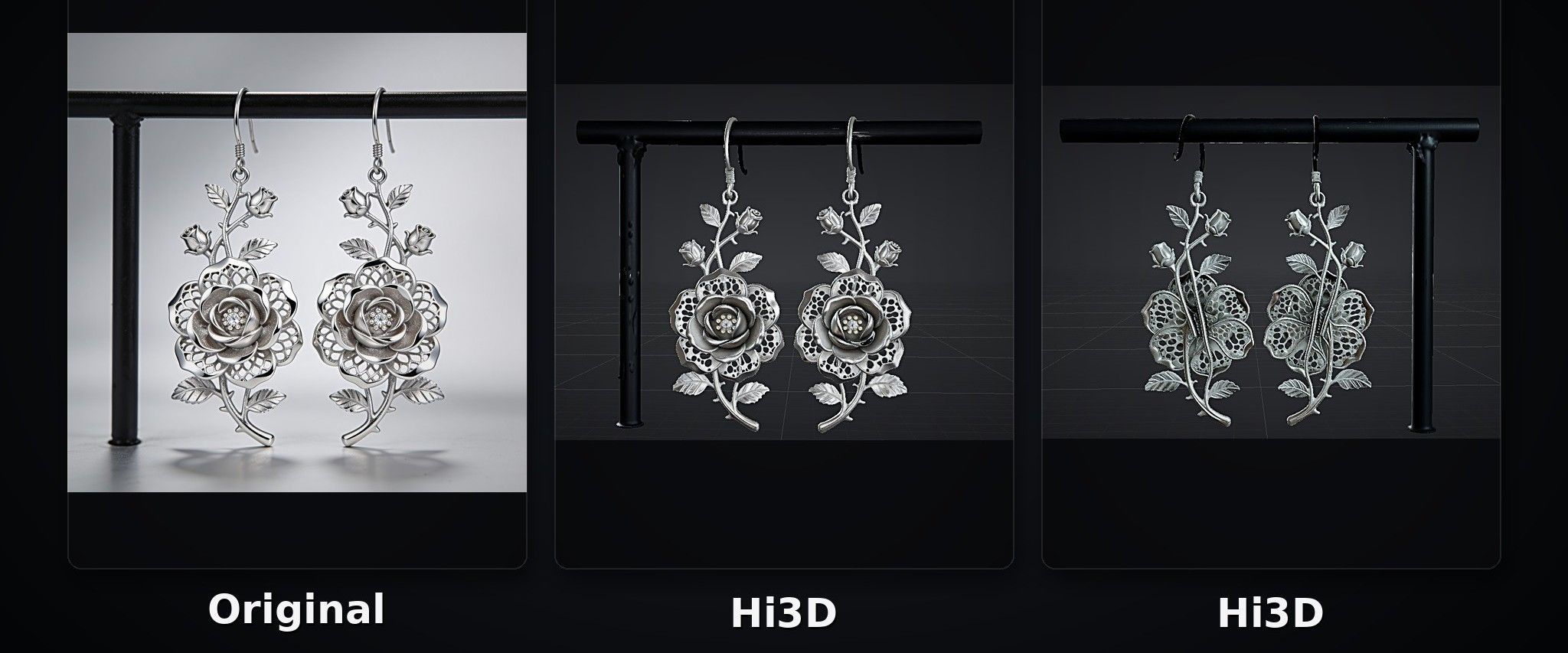
In this test, Hi3D successfully reproduced the overall structure and details of the rose-shaped earrings. However, one subtle detail was missed: the darkened edges of the original rose were caused by its lighting and shadow effects, but Hi3D did not fully reproduce this effect.
Meshy
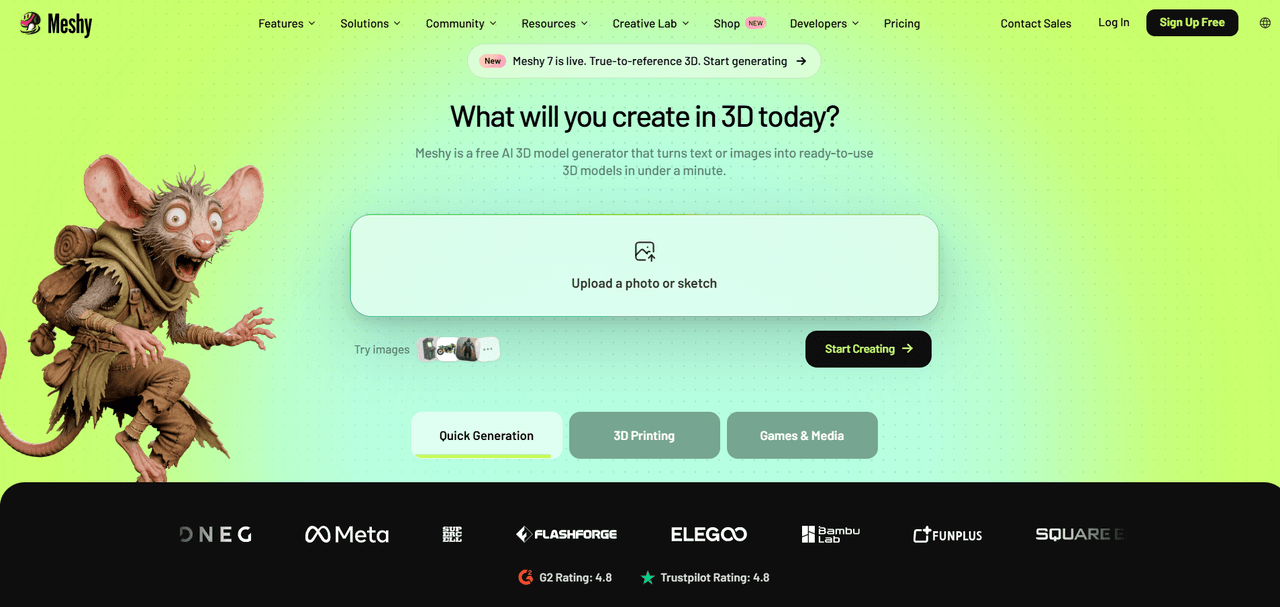
Meshy is an AI-powered 3D creation platform designed for designers, developers, and creative enthusiasts. It is suitable for users who want to explore design ideas quickly, create 3D assets, or develop model prototypes. Users can generate 3D models from text prompts or reference images and add richer visual details with AI texturing tools. The platform also offers model optimization, animation generation, and export in multiple file formats.
Pros:
- Integrates AI generation and animation into workflow.
- Useful for game developers creating 3D assets.
- The free plan provides a useful way to experiment with the platform.
Cons:
- Its extensive feature set may be more than users need for simple file conversions.
- The free plan has limitations on certain downloads and generation workflows.
Price:
- Free plan: 100 credits per month.
- Monthly plans: Pro costs $20/month, Premium costs $40/month, and Ultra costs $100/month.
- Annual plans: Pro costs $192/year, Premium costs $384/year, and Ultra costs $960/year.
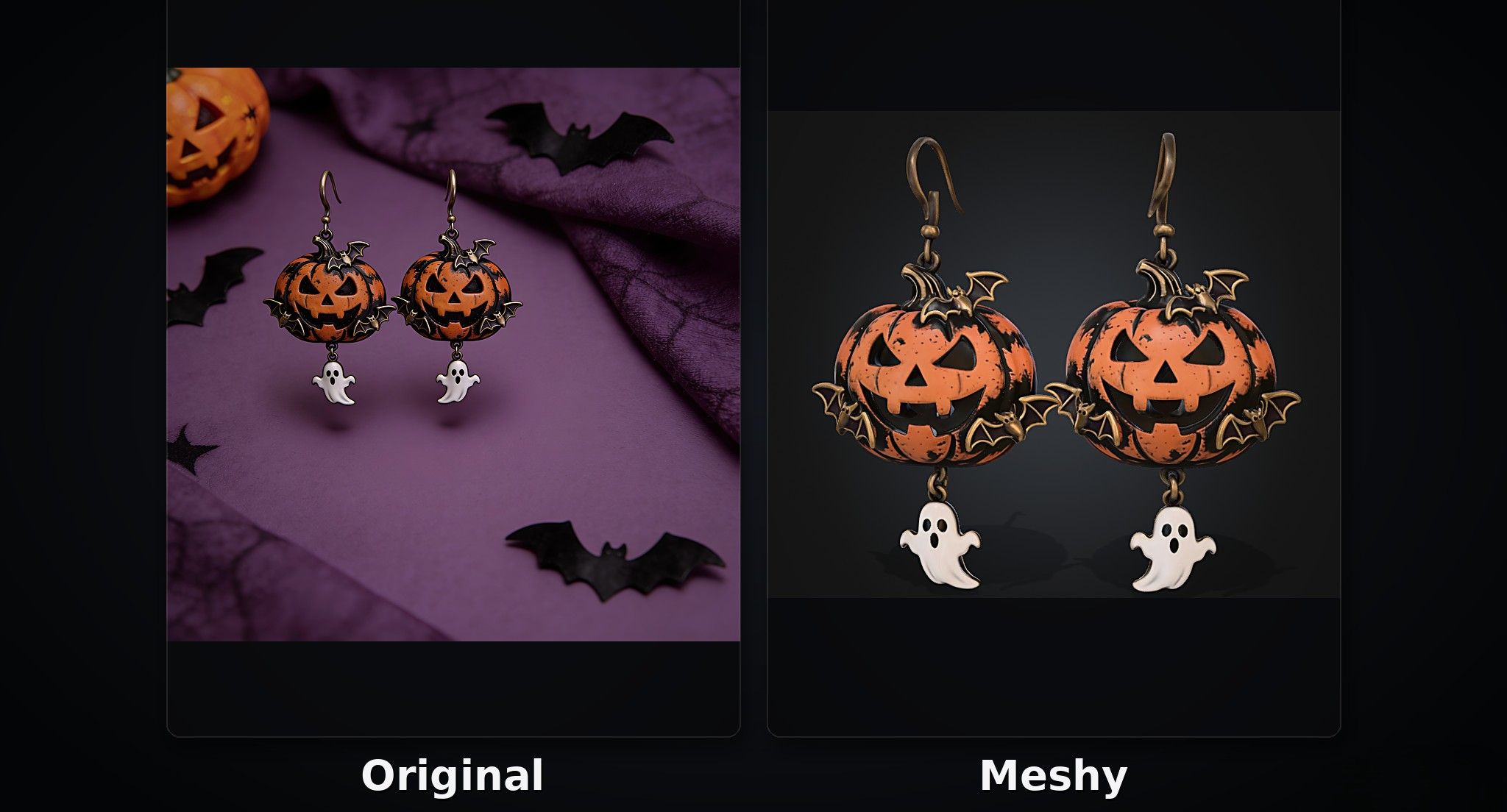
Halloween-Themed Earrings Test
Meshy reproduced most of the reference design well, including its overall shape and visual details. However, there were some minor shortcomings in the material appearance and gloss, which did not fully match the original image.
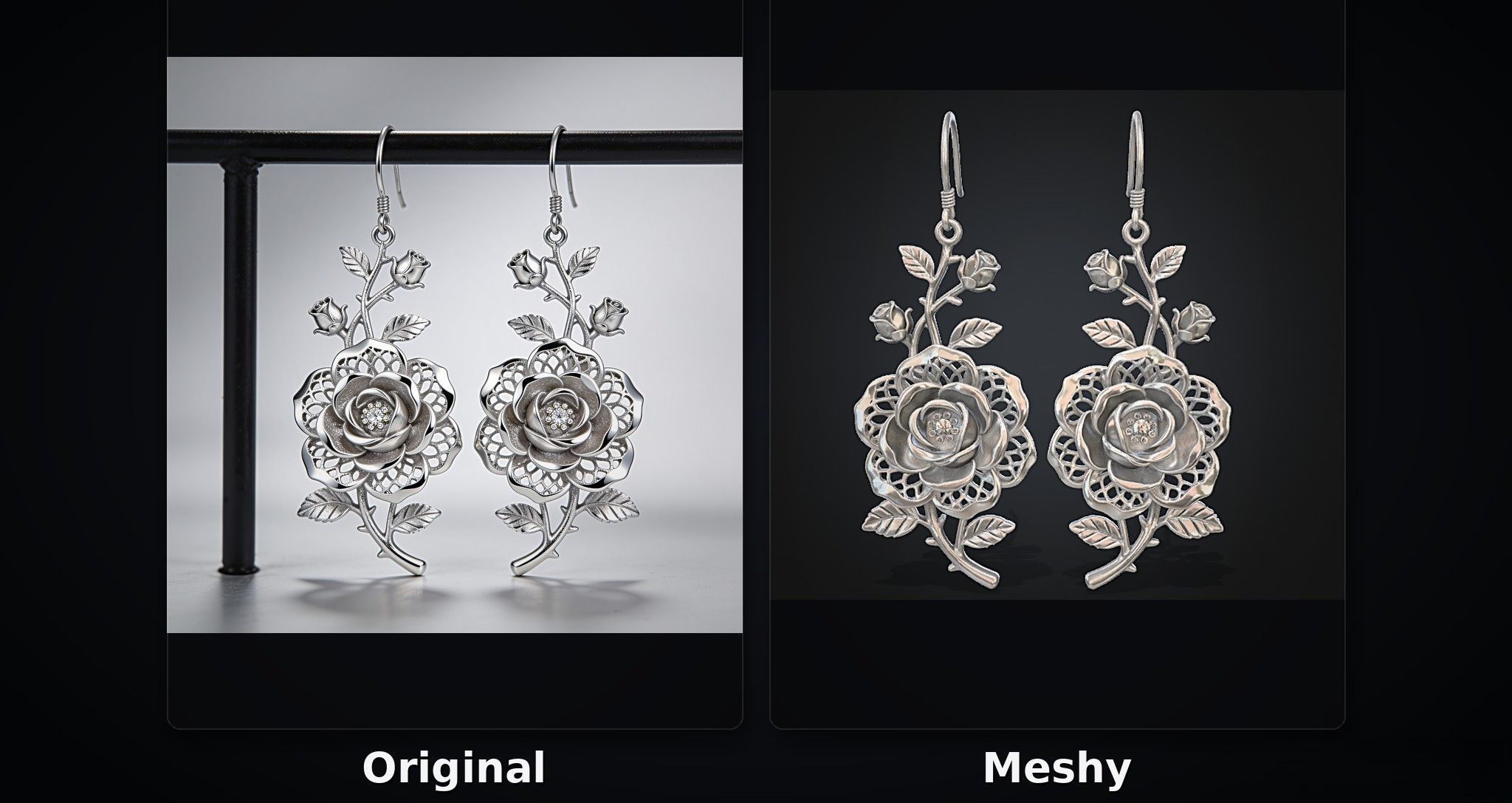
Rose-Shaped Earrings Test
In this test, Meshy struggled to reproduce the colors of the reference image accurately. The color differences were noticeable, making the generated model less faithful to the original design.
Tripo AI
Tripo AI is an AI-powered 3D model generation platform that allows users to create 3D models from text prompts, single images, or multi-view reference images. It is designed for professional creators who want to streamline their 3D creation workflows. Beyond model generation, Tripo AI offers AI texturing, model splitting, mesh optimization, and automatic rigging, covering multiple stages of the process from initial concept development to post-processing.
Pros:
- Offers a comprehensive set of features with a well-integrated generation and editing workflow.
- Provides tutorials to help users learn how to use the platform and its features.
- Provides 3D printing and home delivery services.
Cons:
- The Max plan may be expensive for users who create models only occasionally.
- The extensive range of tools in the workspace may feel overwhelming to beginners.
Price:
- Free plan: $0/month, with 200 credits per month.
- Pro plan: $20/month or $240/year.
- Max plan: $90/month or $1,080/year.
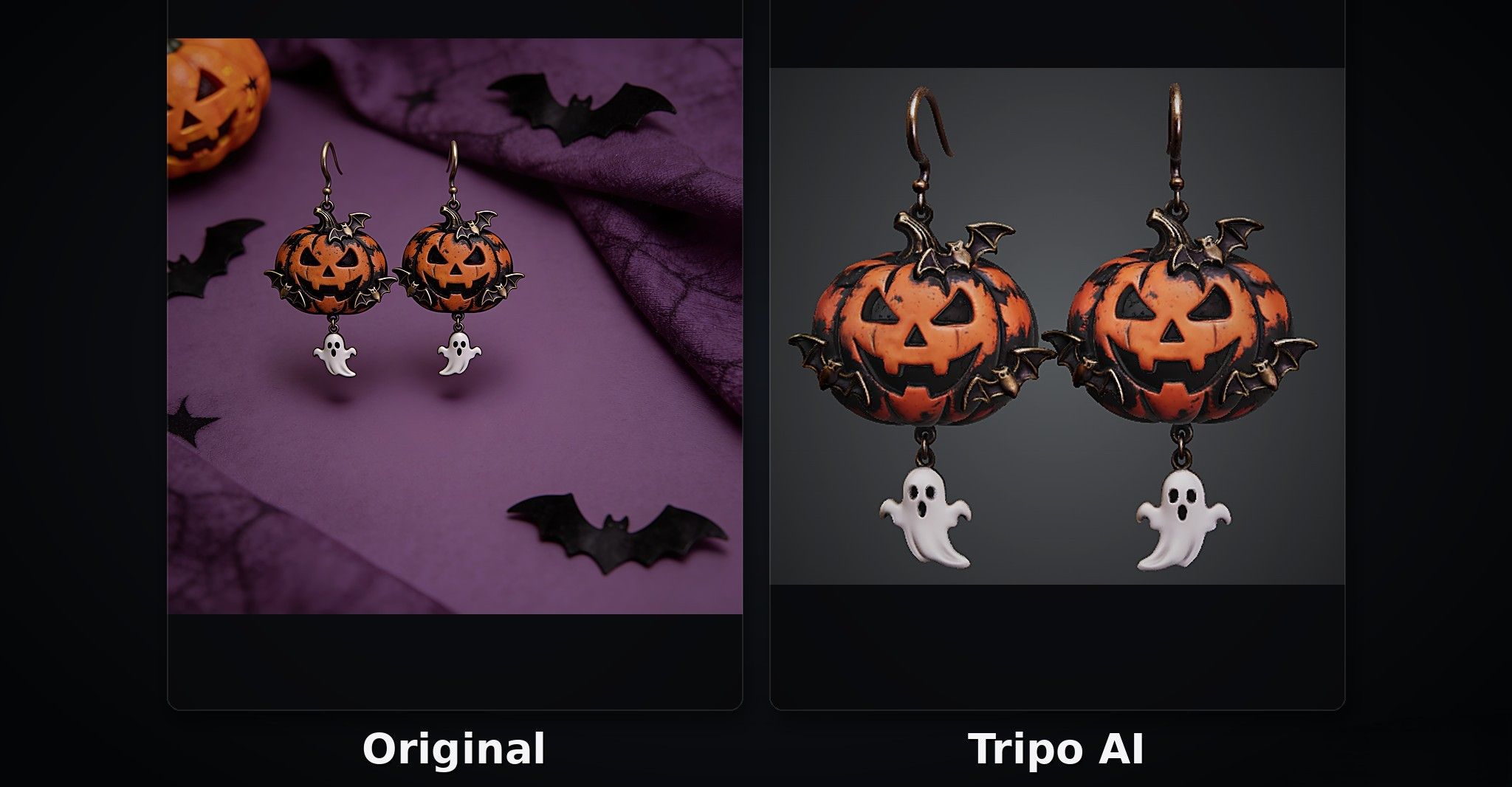
Halloween-Themed Earrings Test
As shown in the image below, Tripo AI generated earrings with relatively muted colors. The result captured the spooky atmosphere of the Halloween-themed design well, but the model lacked fine details and appeared less refined than the reference image.
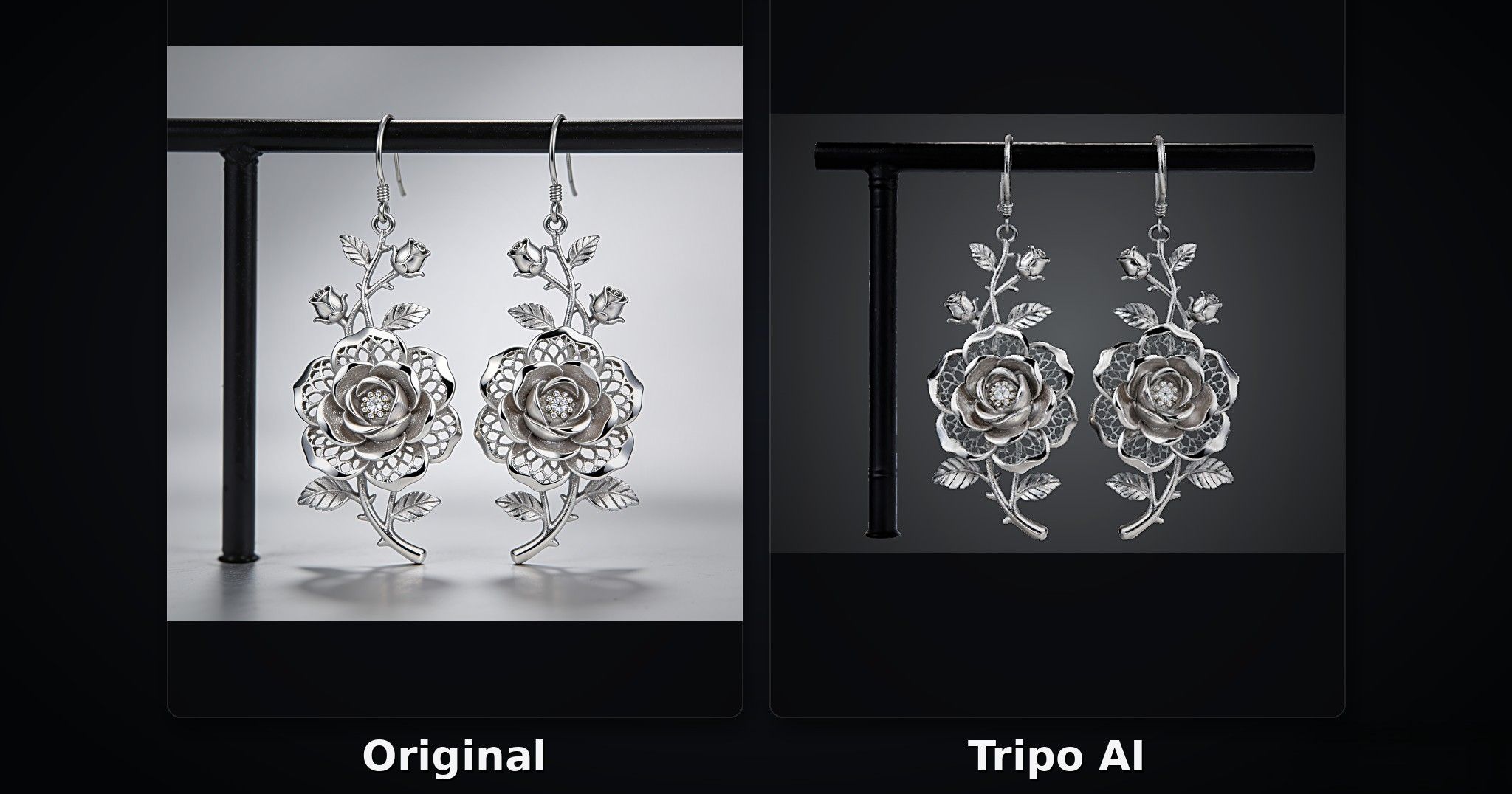
Rose-Shaped Earrings Test
Tripo AI reproduced the overall appearance and structure of the rose-shaped earrings well. However, the lighting and shading along the petal edges were not fully captured, resulting in a less accurate reproduction of the original image's subtle depth and highlights.
Neural4D
Neural4D is an AI-powered 3D asset generation platform designed for creators and designers. It allows users to generate 3D models from text prompts, images, or hand-drawn sketches. The platform also offers AI texturing, model detail refinement, and mesh optimization tools to help users improve their generated 3D assets.
Pros:
- Offers texture generation, PBR materials, and quad mesh options for users who need more control over their models.
- Supports video generation alongside 3D asset creation.
- Allows users to upload up to 10 images for 3D model generation.
Cons:
- Credit consumption varies depending on the generation engine and selected options, making it harder to estimate the cost of each generation.
- Advanced options, such as texture generation, PBR materials, and quad mesh processing, consume additional credits.
Price:
- Free plan: The homepage lists a free option with 50 credits per week.
- Go plan: $9.90 for the first month, then $19.90/month.
- Plus plan: $19.90 for the first month, then $39.90/month.
- Pro plan: $49.90 for the first month, then $99.90/month.
Halloween-Themed Earrings Test
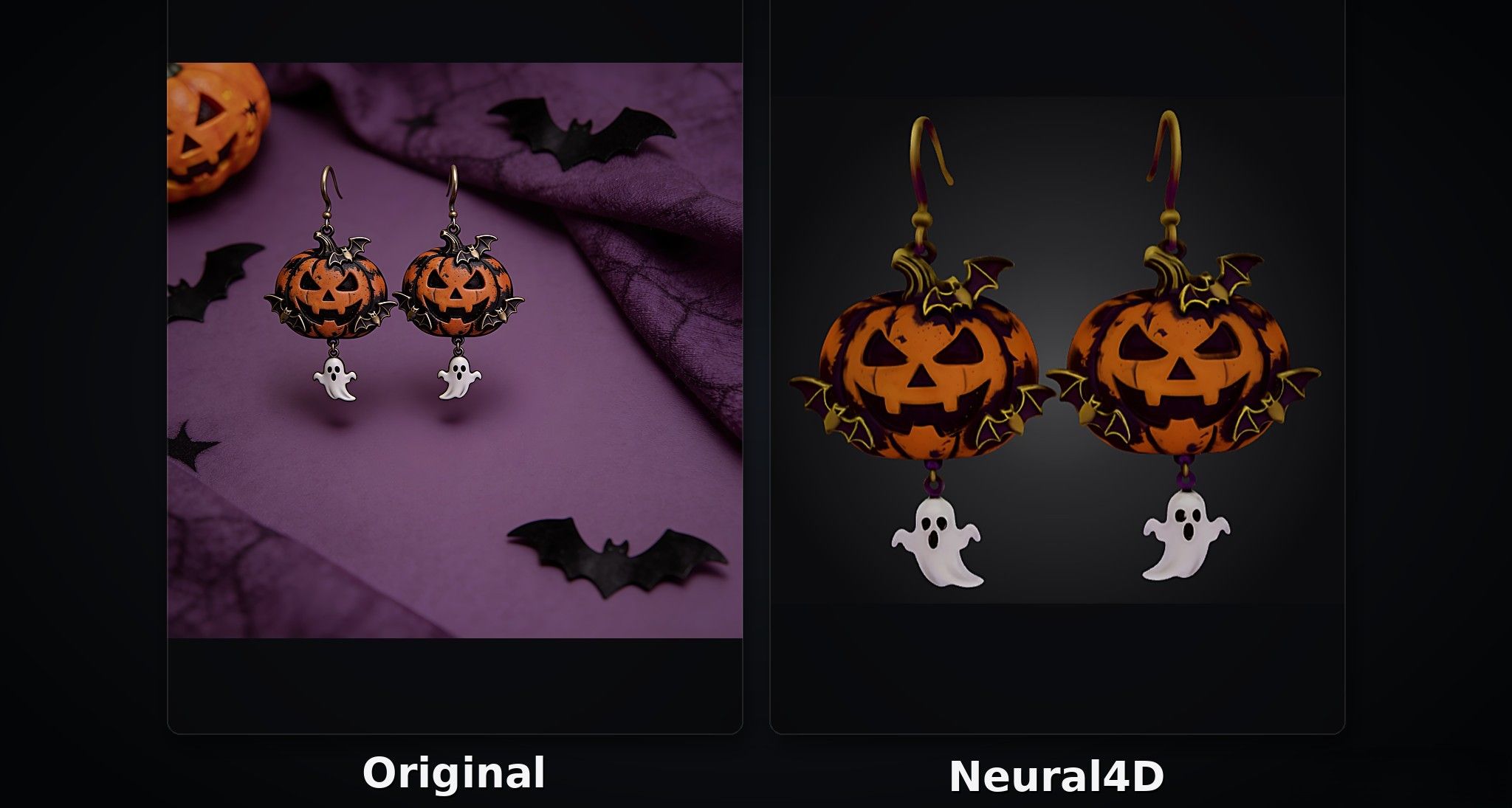
As shown in the image below, Neural4D generated a model that looked somewhat rough compared with those produced by the tools reviewed earlier. Some details appeared less refined, resulting in a less polished overall appearance.
Rose-Shaped Earrings Test
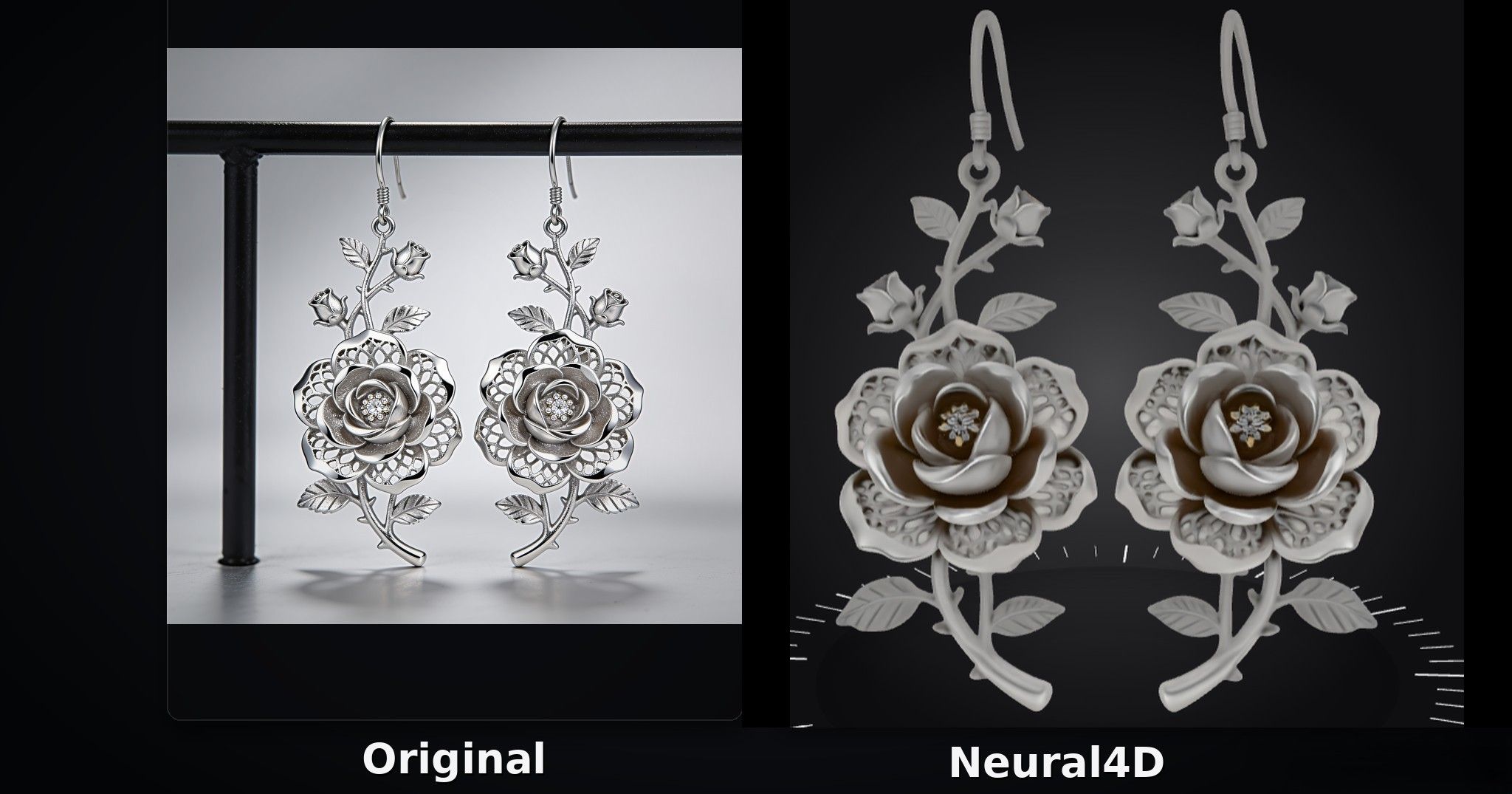
Neural4D also struggled in the rose-shaped earrings test. The generated model did not reproduce the reference design accurately, with noticeable differences in its visual details and overall appearance.
Hyper3D
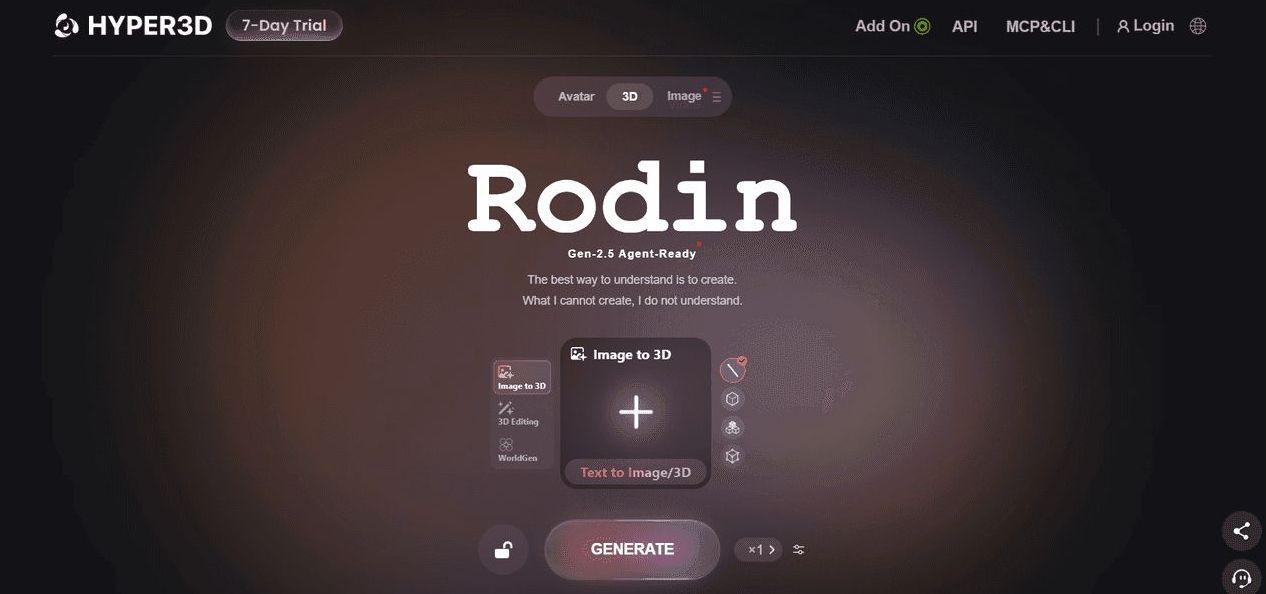
Hyper3D's Rodin supports rapid 3D model generation from text prompts, reference images, or sketches. Users can further refine their models with features such as local editing, spatial controls, and low-polygon optimization to meet different creative needs. Generated models can be exported in multiple formats, including STL, OBJ, FBX, and GLB.
- Pros:
- Multi-image input helps capture hidden or overlapping structures more clearly.
- Both Creator and Business plans include private assets and broad usage rights.
Cons:
- The workspace does not occupy the full screen, and the interface may be less intuitive than those of some competing tools.
- Some features and advanced options require a learning curve, which may be challenging for beginners.
Price:
- Free plan: $0, with 5 lifetime credits.
- Direct credit purchases: $1.50 per credit.
- Creator plan: $30/month or $288/year.
- Business and Enterprise plans: Business costs $120/month or $1,152/year, while Enterprise pricing is customized.
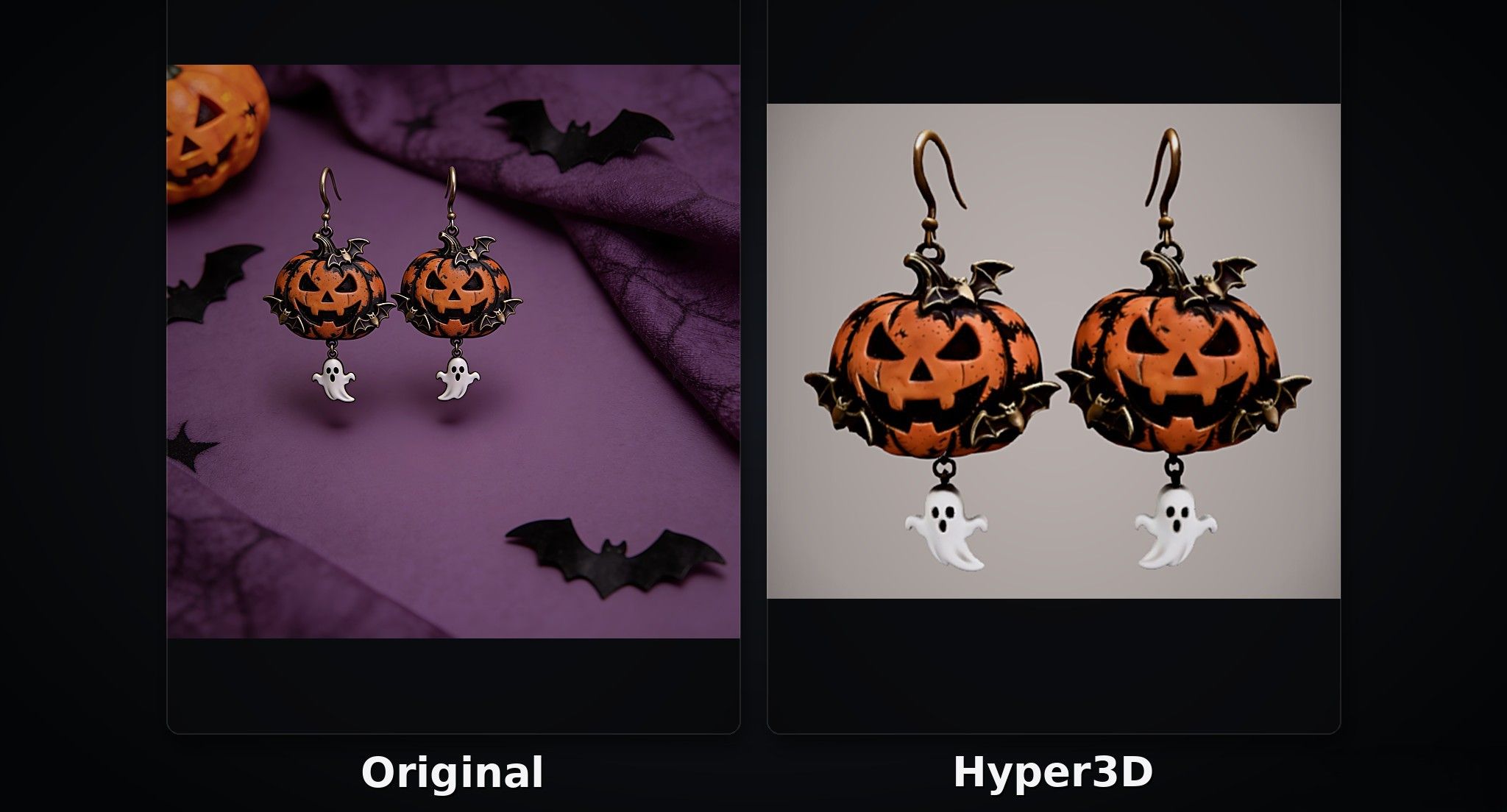
Halloween-Themed Earrings Test
As shown in the image below, the Halloween-themed earrings generated by Hyper3D had some noticeable visual inconsistencies. The colors and textures did not work well together, making the overall model look somewhat rough and less polished than the reference image.
Rose-Shaped Earrings Test
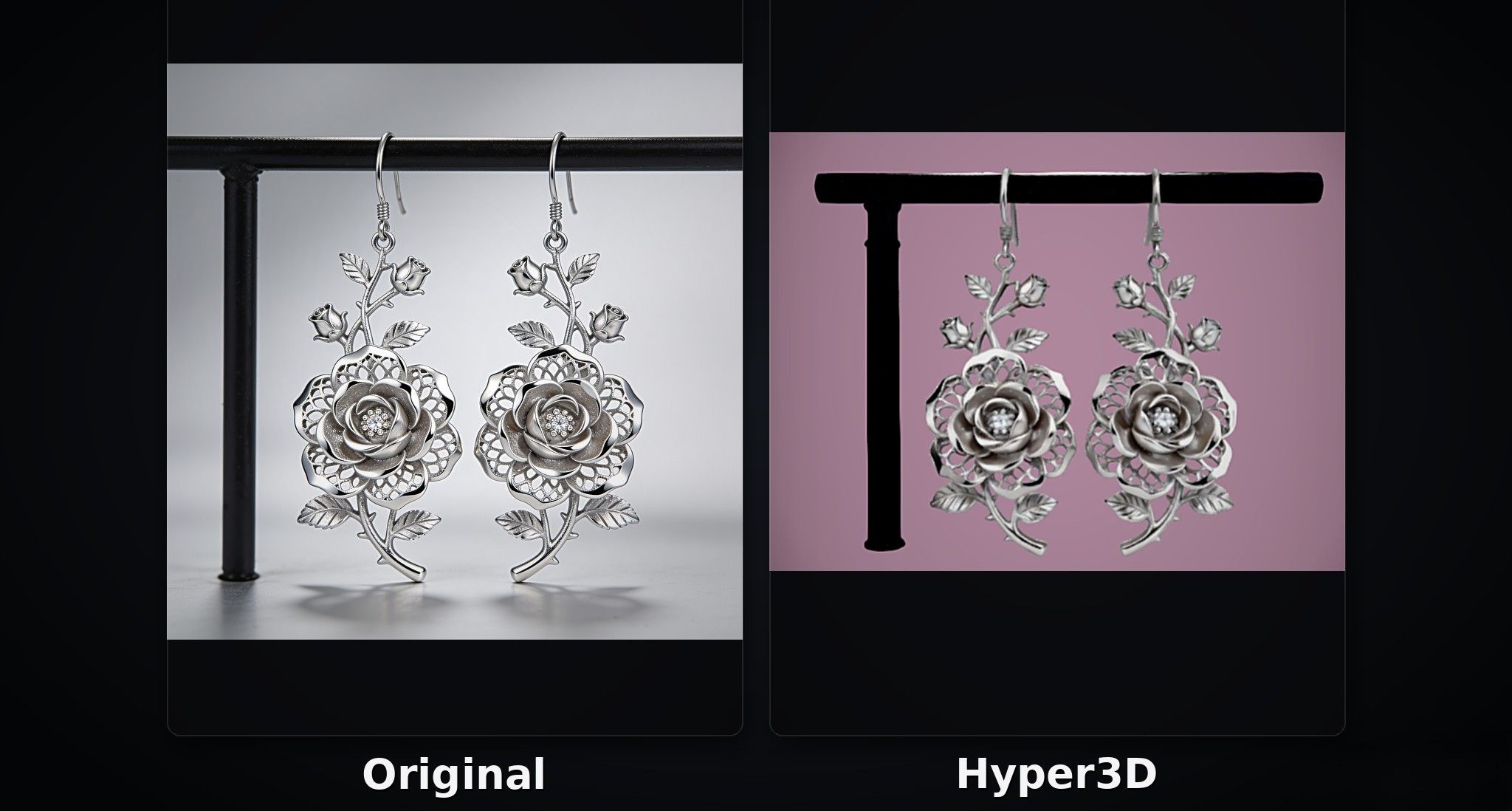
Hyper3D generated a complete rose-shaped earring model that captured the overall structure of the reference design. However, the lighting and shading effects were not reproduced accurately, resulting in some differences in the appearance of the petals.
3D AI Studio
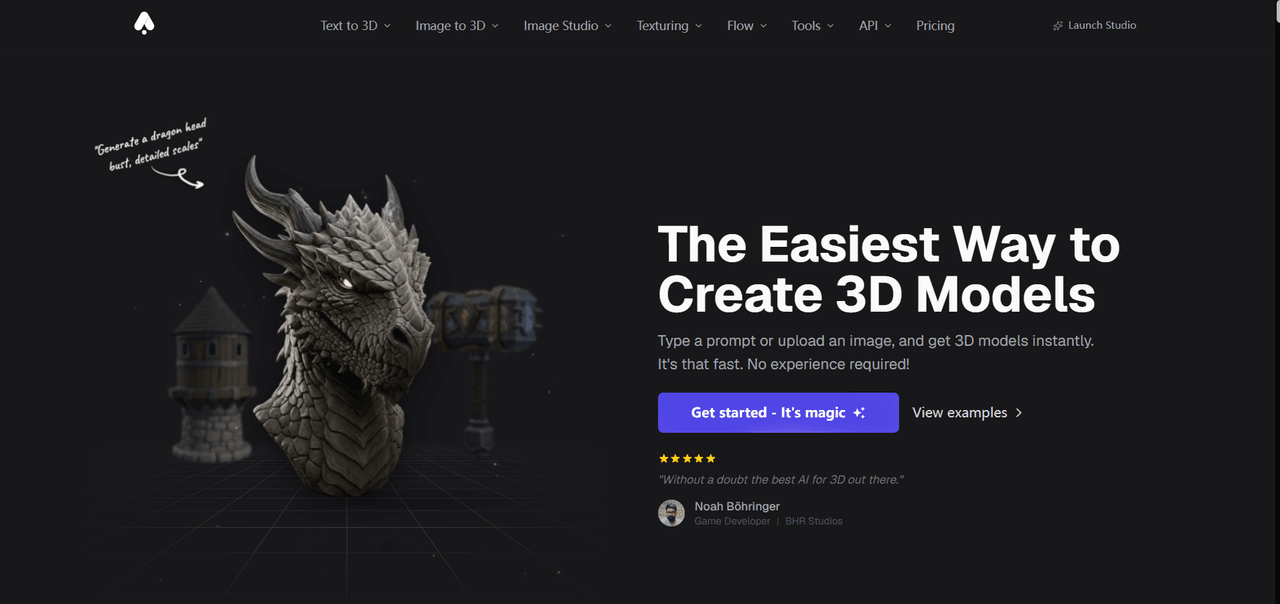
3D AI Studio allows users to generate 3D models quickly from text prompts or reference images, lowering the technical barrier to 3D modeling. It caters to a range of applications, including game development, product design, digital content creation, and 3D printing. The platform supports both beginners exploring their creativity and professional users looking to improve their workflow efficiency.
Pros:
- Combines 3D model generation and conversion tools in one platform.
- Provides API access for integrating 3D generation into automated workflows.
Cons:
- The Basic plan at $19/month may be expensive for users who only need to create an occasional 3D relief.
- The Pro plan is relatively expensive for individual users.
Price:
- Signup credits: New users receive signup credits to try the platform.
- Monthly plans: Basic costs $19/month, Studio costs $29/month (listed as reduced from $39), and Pro costs $149/month.
- Annual plans: Basic costs $144/year, Studio costs $276/year, and Pro costs $1,668/year.
Halloween-Themed Earrings Test
As shown in the image below, 3D AI Studio generated an attractive pair of Halloween-themed earrings with vivid colors. However, the colors were overly bright and saturated compared with those in the reference image.
Rose-Shaped Earrings Test
As shown in the image below, 3D AI Studio did not reproduce the original rose-shaped earring design accurately. The generated model differed noticeably from the reference image, suggesting that the tool struggled to capture the original design faithfully.
FAQs About 3D Printed Earrings
How Can Beginners Design 3D Printed Earrings Using AI?
First, decide on your desired theme and style, such as floral earrings, geometric jewelry, or Halloween-themed designs. Then, describe the shapes, colors, and decorative details in a text prompt, or upload a reference image to help the AI understand your idea.
Next, use an AI image generation tool to create design sketches. Once you find an image you like, convert it into a 3D model using an Image to 3D feature. If the result doesn't meet your expectations, you can refine the prompt, try a different reference image, or experiment with different generation settings.
What Should You Include in an AI Prompt for Earring Designs?
When writing prompts for earring designs, describe your desired look as clearly as possible. Start by specifying the basic shape, such as flowers, hearts, stars and moons, or geometric patterns. Then describe the design style, whether it's minimalist, vintage, cute, or gothic. For example, if you want to create cute 3D printed earrings, you could describe pastel colors, tiny animal shapes, smiling faces, or playful cartoon-inspired details. You can also include details about colors, textures, decorative elements, and structural features, such as cutout patterns, layered petals, or asymmetrical silhouettes.
If you want the generated image to serve as a better reference for 3D modeling, specify a front view, clear outlines, and a simple background to minimize unnecessary visual distractions. Your prompt doesn't have to be overly complicated from the start. You can generate an initial design and refine it step by step based on the results.
Keep in mind that not every detail in an image can be accurately translated into 3D geometry, so you'll still need to check the model's shape and structure after generation.