Hi3D is the best overall free-to-try 3D miniature creator in this comparison if you already have character art or a figurine reference. Its V3.0 Master mode can preserve dense costume and surface detail, and the same platform includes model inspection, common 3D exports, Split-to-Print, and Multi-Color Print.
That recommendation comes with an important limit. A model that looks good in a browser viewer is not automatically ready for a resin or FDM printer. Thin swords, floating straps, fused fingers, hidden cavities, and weak contact with the base can still fail in a slicer or on the build plate. Every tool below gives you a starting mesh. You remain responsible for checking it.
We compared six tools by miniature detail, image and text input, export options, free access, licensing, and what happens after generation. The result is a shortlist for people who want real 3D miniature models, not flat images with a 3D effect.
How to get the best results in 3D miniature design
1. Start with a clean, printable concept
Use one character on a plain background. Keep the full body, weapons, tail, cape, and base inside the frame. A three-quarter front view usually gives the generator more form information than a straight front portrait.
Think about physical scale while you design. A needle-thin spear may look elegant at 100% zoom and snap immediately as a 32 mm miniature. Enlarge fragile parts, separate the arms from the torso where possible, and give both feet a convincing connection to the base.
2. Add more views when the back matters
A single image says little about the back of a cloak, the inside of a shield, or an object hidden behind the body. The generator has to infer those areas. A rear or side reference reduces the amount of guessing and makes the final shape easier to control.
Keep the pose, costume, proportions, and lighting consistent across views. A front image with raised arms and a side image with lowered arms creates conflicting geometry, even if both pictures look good on their own.
3. Inspect the mesh before you print
Rotate the result and check the back, underside, hands, face, weapon joints, cape, and base contact. Then open the exported model in Blender, Meshmixer, or your preferred repair tool. Look for non-manifold edges, internal shells, holes, intersecting parts, and details thinner than your printer can reproduce.
Finish in a slicer. Scale the miniature, orient it, add supports, and inspect the layer preview. A successful preview is useful evidence. A physical test print is better.
What makes a good 3D miniature model?
1. A readable silhouette at small scale
Miniatures are viewed from across a table, not only in a close-up render. The pose, weapon, head, and main costume shapes should remain easy to read after the model is scaled down. Tiny engraved lines may disappear. Strong shape breaks usually survive.
2. Connected geometry with sensible thickness
Hands, weapons, horns, straps, and capes need enough material to print and survive handling. Floating details and paper-thin surfaces create support and durability problems. A base also needs broad, clean contact with the character.
3. A mesh that survives slicing
For printing, the model should have a closed outer surface and predictable scale. STL, 3MF, and OBJ are common handoff formats, but the file extension alone proves nothing about the mesh. Run a repair check, inspect the support plan, and print a small test before producing a full set.
6 best free 3D miniature creator tools compared
| Tool | Best for | Free access | Miniature-friendly strengths | Main limitation | Paid pricing checked Oct. 5, 2026 |
|---|---|---|---|---|---|
| Hi3D | Detailed image-to-3D figurines and print preparation | Free plan and starter credits | V3.0 Master, multi-view, STL/3MF export, Split-to-Print, Multi-Color Print | Single-image hidden areas still need inspection | Pro $19.90/mo; Max $39.90/mo; Ultra $129.90/mo |
| Meshy | Fast text or image concepts with rigging tools | 100 credits/month | Text/image generation, remesh, rigging, animation, printing formats | Free download and licensing rules are restrictive | Pro $20/mo; Premium $40/mo; Ultra $100/mo |
| Tripo | Multi-view assets and fast production experiments | 200 credits/month | Multi-view, Smart Mesh, segmentation, rigging, STL repair tools | Free models are public and non-commercial | Pro $20/mo; Max $90/mo |
| Rodin | Preview-first high-detail generation | Free preview, pay to confirm/export | Multi-image, Smart Low-Poly, HD texture, normal baking | Final cost depends on confirmed results and credits | Creator $30/mo; Business $120/mo |
| AI3DGen | No-signup draft models | Free Lite generator | Simple image upload, OBJ output, adjustable face targets on the main tool | Free output is draft quality and untextured | Paid amount not publicly displayed |
| Fast3D | Low-cost image-to-3D tests | 300 credits/month, 2 downloads/day | Multi-view on paid plans, PBR textures, simple pricing | Fewer miniature-specific print tools | Pro $10/mo; Max $20/mo |
1. Hi3D: best overall 3D miniature creator
Hi3D is the strongest all-around choice here for turning finished character art into a detailed figurine-style model. The workflow starts with a single image or multiple views, then continues into inspection, editing, export, and print preparation. That continuity matters when the target is a physical miniature. You can generate the mesh, check the angles the source never showed, split an oversized model, and prepare color regions without assembling a chain of unrelated browser tools.
V3.0 Master is designed for complex forms and dense surface detail. Hi3D describes its current 3D representation as reaching 2048 cubed voxel-level resolution, with textures up to 8K on supported workflows. Treat those specifications as available capability, not a promise that every input will produce a flawless miniature. Source quality, plan access, generation settings, and the design itself still matter.
Hi3D V3.0 Master figurine test
The project includes an original V3.0 Master character test with layered armor, long hair, cloth panels, narrow accessories, and overlapping parts. The front view kept the costume hierarchy and body silhouette clear. It also produced real geometry that could be rotated and exported.
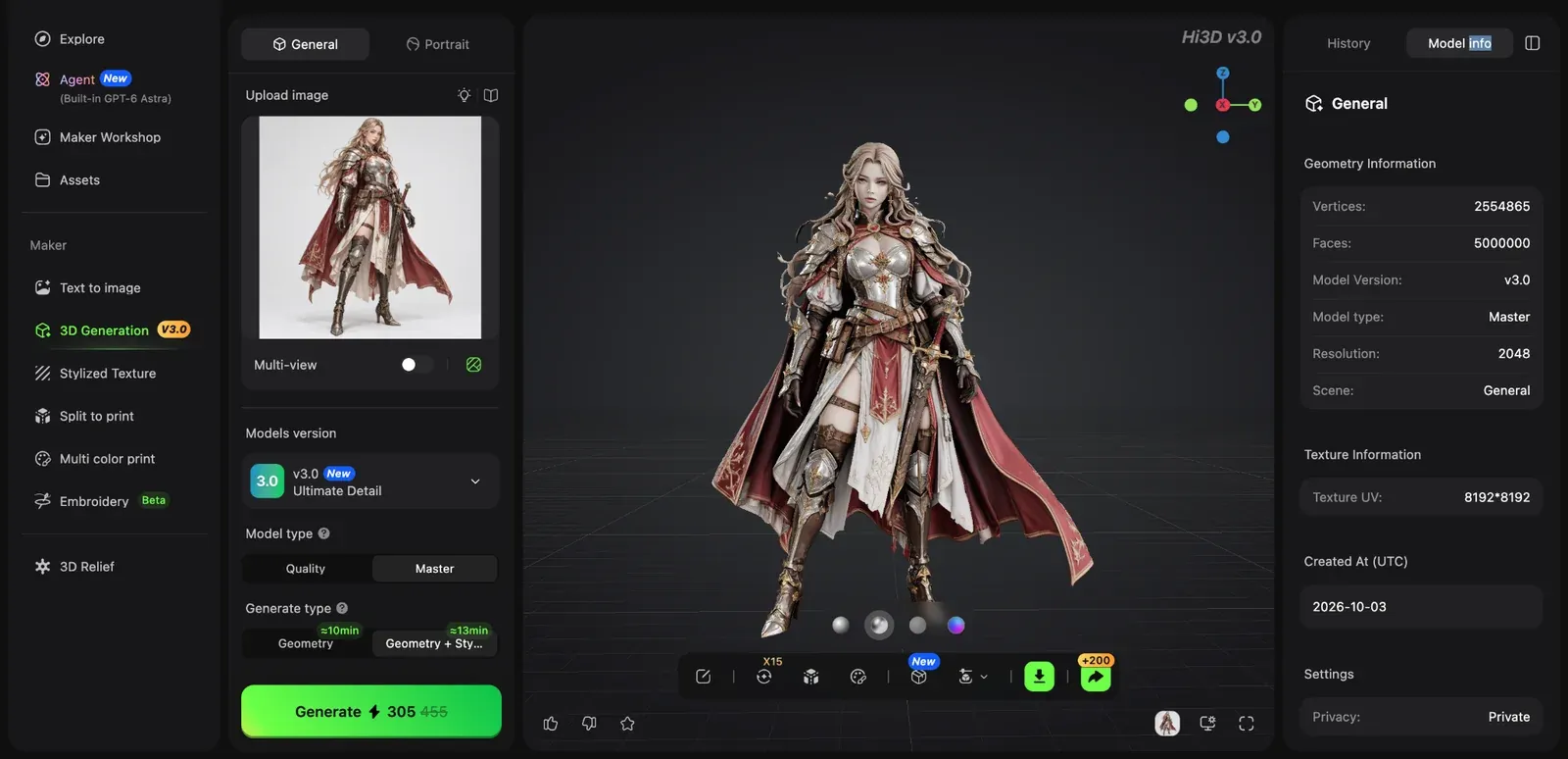
Front view of the V3.0 Master result. The reference art remains visible beside the generated model.
The rear view is the harder evidence. The source image did not fully specify the back of the hair, cape, or clothing layers. Hi3D formed a coherent rear silhouette, though the result still contains inferred geometry. This is where a second reference view would help.
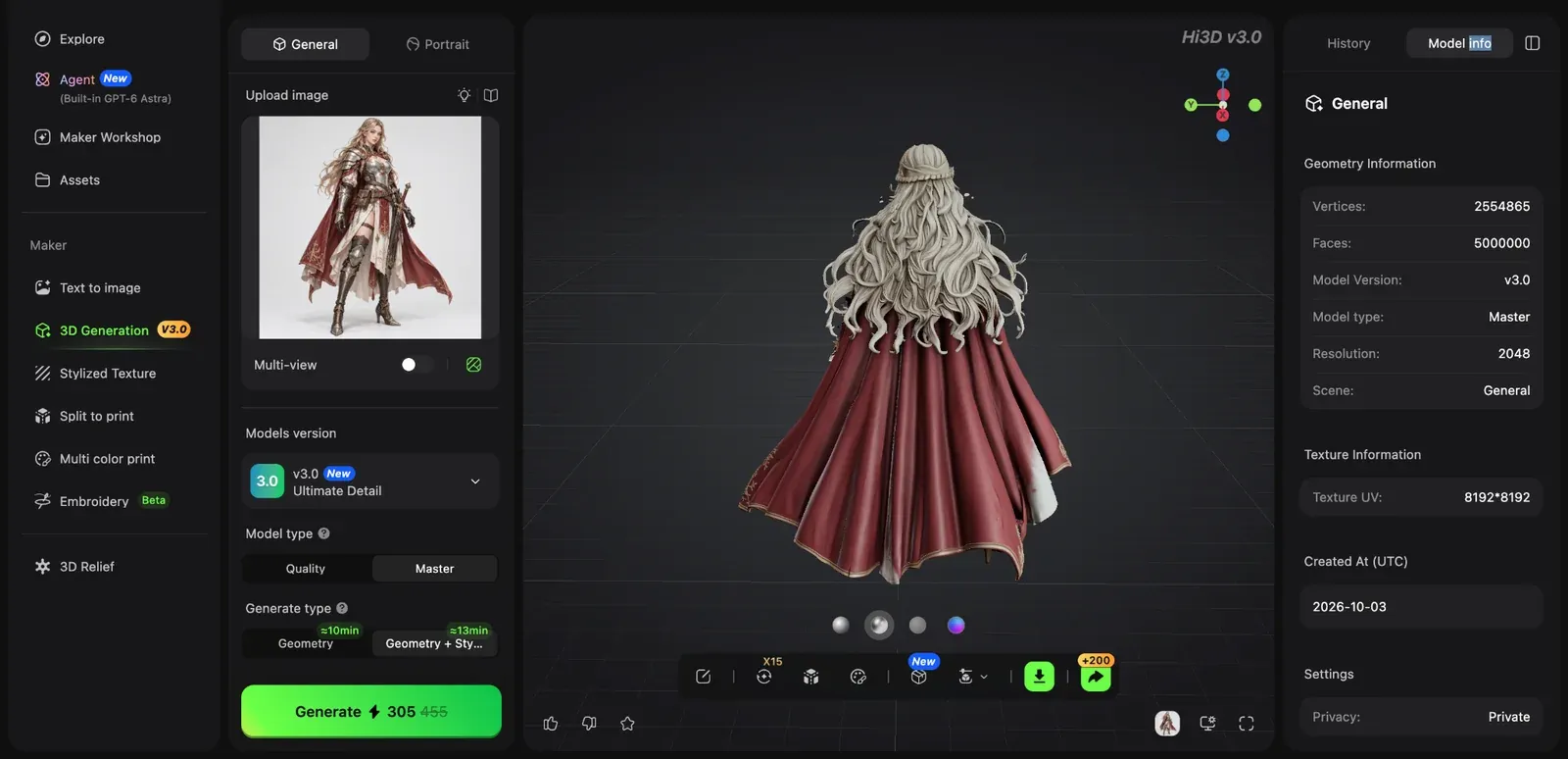
Rear inspection shows the geometry Hi3D inferred beyond the visible reference.
A separate saved V3.0 Master character test recorded dense geometry and an 8192 by 8192 texture in the model information panel. That result shows the weight these high-detail files can reach. It does not prove that every generation uses the same counts. Decimation or retopology may be sensible before extensive editing.
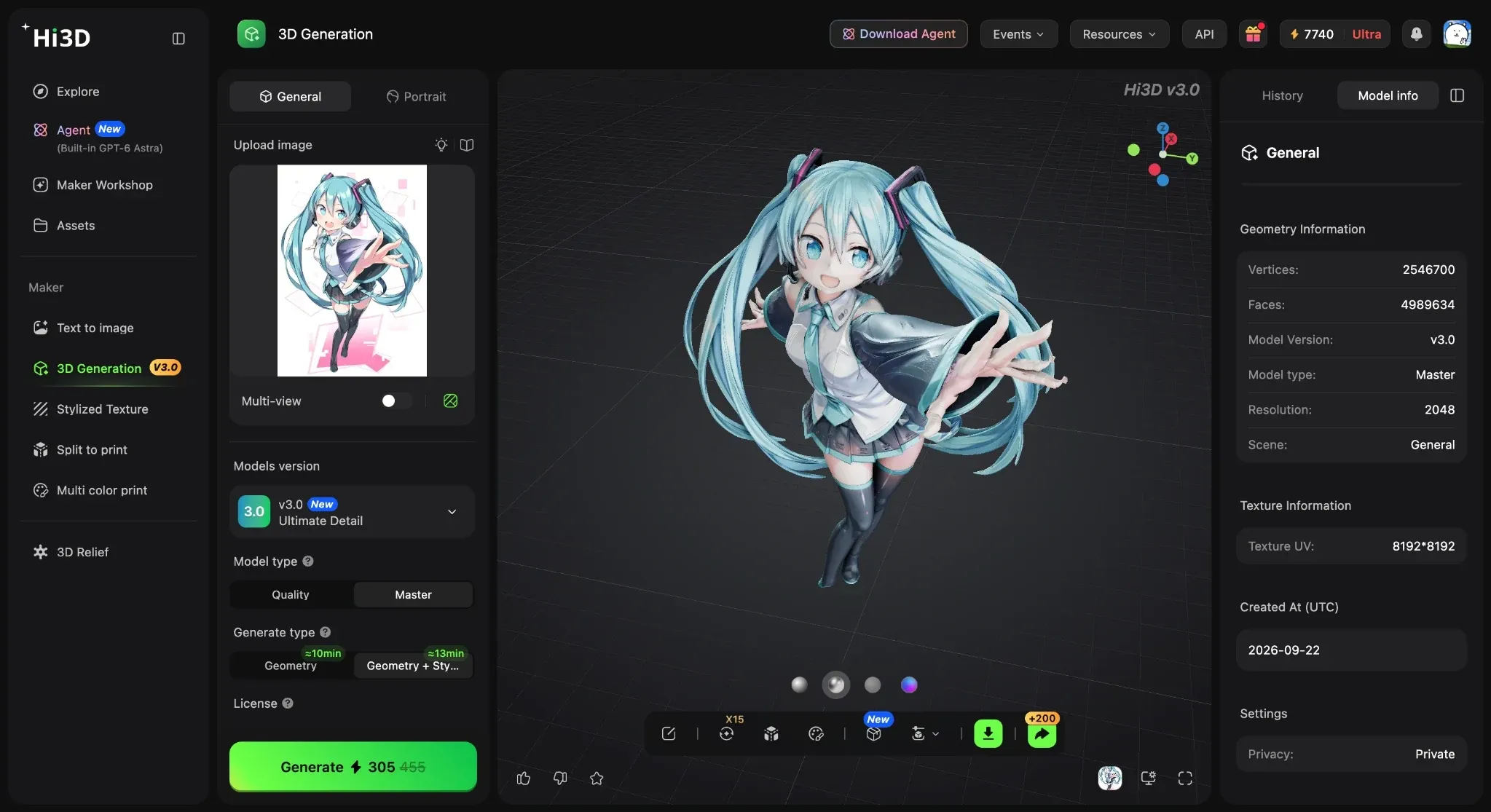
Model information from a separate saved V3.0 Master character test.
Main features:
- Single-image and multi-view generation
- V3.0 Quality and Master modes
- common exports including OBJ, GLB, STL, FBX, USDZ, and 3MF
- Split-to-Print with multiple connector styles
- Multi-Color Print with color and filament planning
Price:
- Free at $0. Pro is $19.90/month or $119.40/year ($9.95/month equivalent)
- Max is $39.90/month or $239.40/year ($19.95/month equivalent)
- Ultra is $129.90/month or $779.40/year ($64.95/month equivalent)
- Temporary first-month and annual promotions may appear separately
Pros:
- Strong fine-detail reconstruction
- Useful front-to-back shape completion
- Browser workflow from source image to print preparation
- Broad export support; approachable for beginners
Cons:
- Master generation uses more credits and time
- Hidden geometry remains inferred
- Dense meshes may need reduction
- Rrigging and animation require a separate workflow
Recommended for
Miniature makers with concept art, character illustrations, sculptures, or collectible designs who want a detailed first mesh and a clear route toward printing.
Try the Hi3D image-to-3D workspace with a clean character reference, then inspect the back before you download anything.
2. Meshy: best for text prompts and animation tools
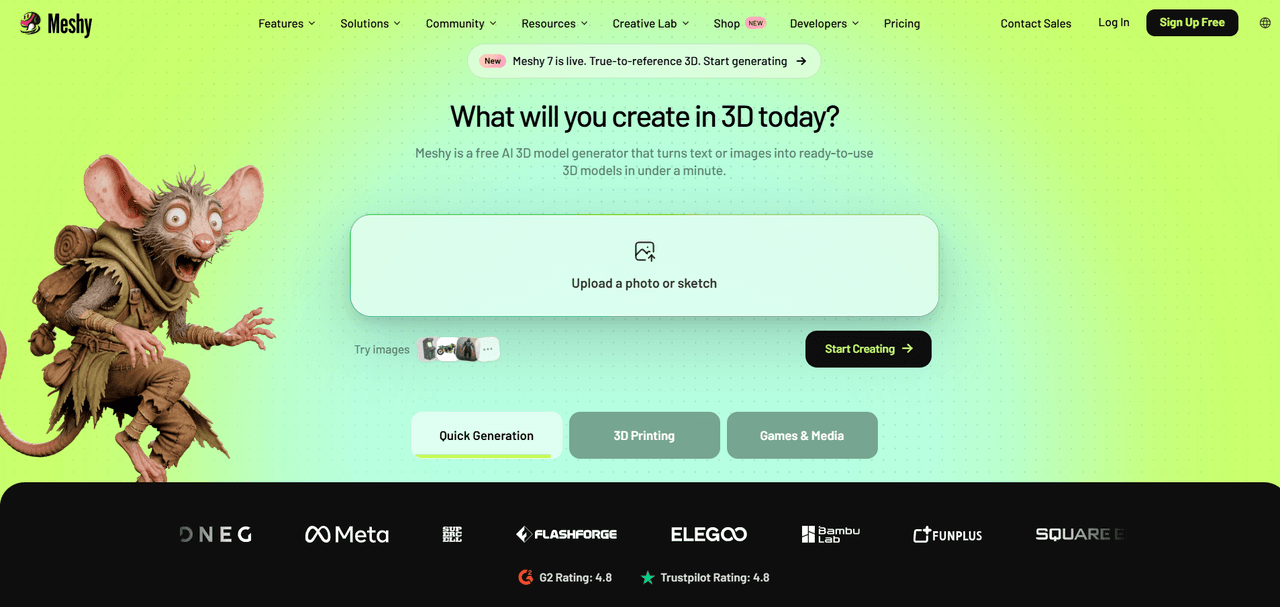
Meshy supports text-to-3D and image-to-3D, so it works for creators who have only a written character idea as well as those with finished art. Its broader toolbox includes AI texturing, remeshing, rigging, animation, and plugins. That makes it attractive when a miniature design may later become a game or animated asset.
For tabletop work, Meshy can export STL, OBJ, GLB, FBX, USDZ, and BLEND on supported plans. The practical catch is free-plan access. Free users receive 100 credits each month, but the plan limits model downloads and applies a CC BY 4.0 license to free outputs. Check the current download allowance before spending time refining a model you cannot export under the terms you need. Budget for several attempts when a character has thin weapons or layered clothing.
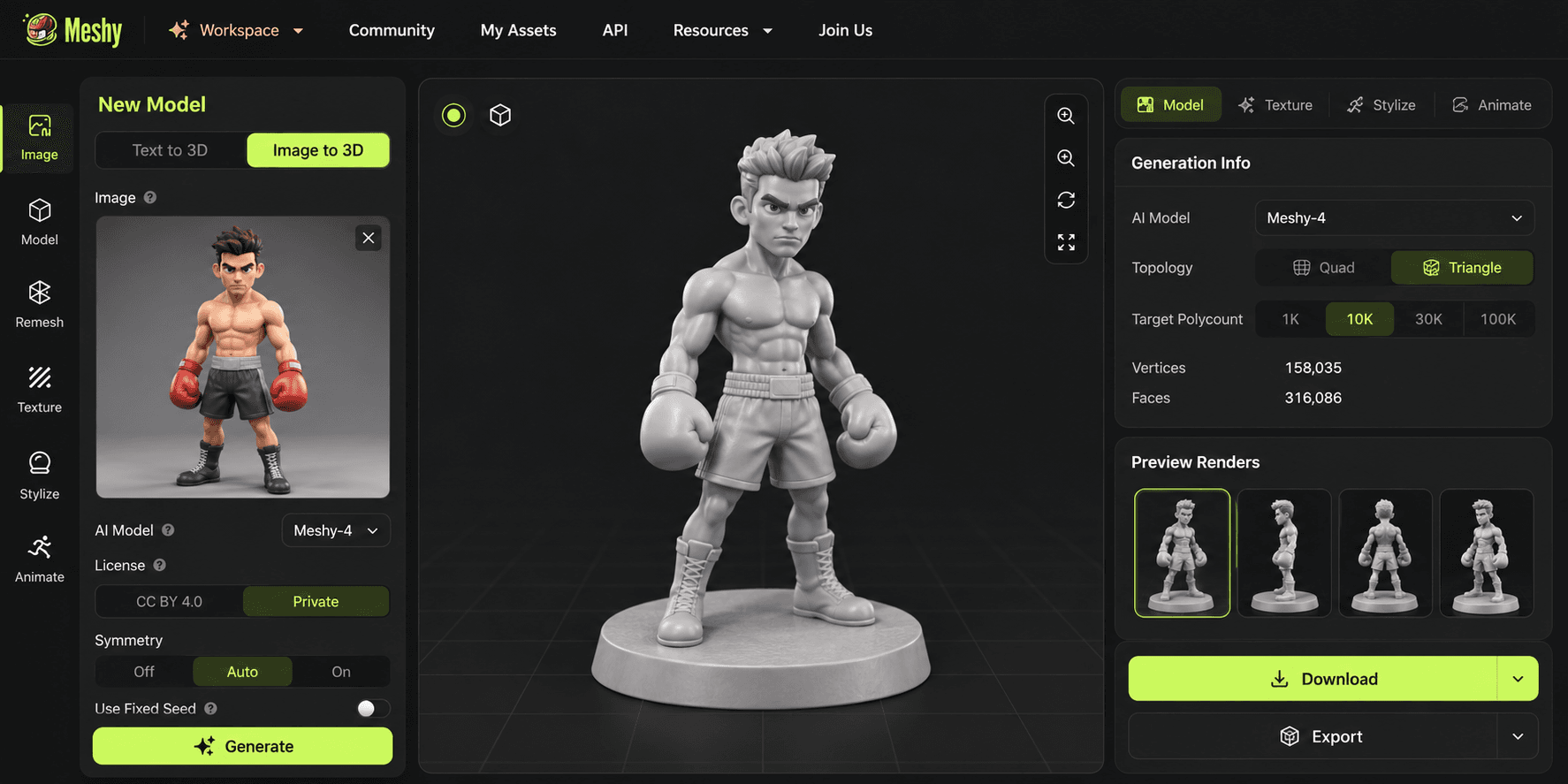
Meshy Image to 3D example with a full-body boxer reference, a generated model on a circular base, triangle topology, and multiple preview angles.
Main features:
- Text and image input
- AI texturing; remesh; auto-rigging and animation
- Blender and Unity plugins; common mesh exports
Price:
- Free with 100 monthly credits.
- Pro is $20/month, Premium $40/month, and Ultra $100/month.
- Meshy also lists Studio at $70 per seat/month and custom Enterprise pricing.
- New-user promotions can reduce the first month.
Pros:
- Easy prompt workflow
- Good supporting tools
- Useful for both static and animated characters
- Active documentation
Cons:
- Free download limits
- Attribution on free-plan assets
- Monthly credits reset
- Miniature print preparation still needs external checks
Recommended for
Creators who want to move between concept generation, texture work, rigging, and animation.
3. Tripo: best for multi-view and fast production experiments
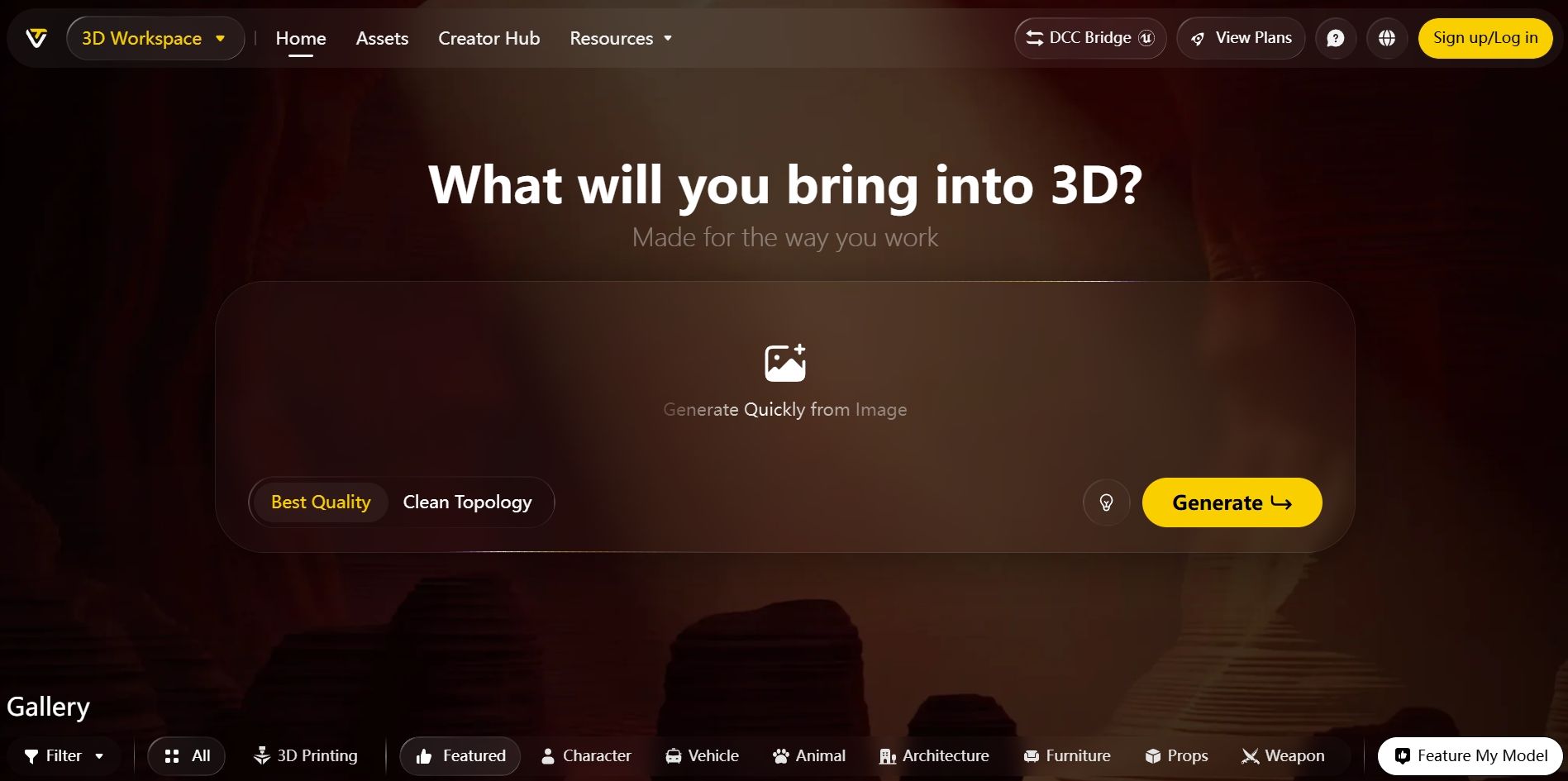
Tripo combines text, image, and multi-view generation with Smart Mesh, texture tools, segmentation, and auto-rigging. Its DCC Bridge connects to software such as Blender, Maya, ZBrush, Unity, and Unreal. That is useful if the miniature is one output from a larger character pipeline.
The free plan gives 200 credits per month, which Tripo estimates at about 13 models under its displayed assumptions. Free models are public and limited to non-commercial use, and export access is capped. Paid plans add private models, commercial use, higher quality, multi-view tools, and broader export options. For miniature work, segmentation can help when a weapon, cape, or base needs separate handling, though the final parts still require print checks. It also makes variant testing easier when one pose needs several mesh passes.
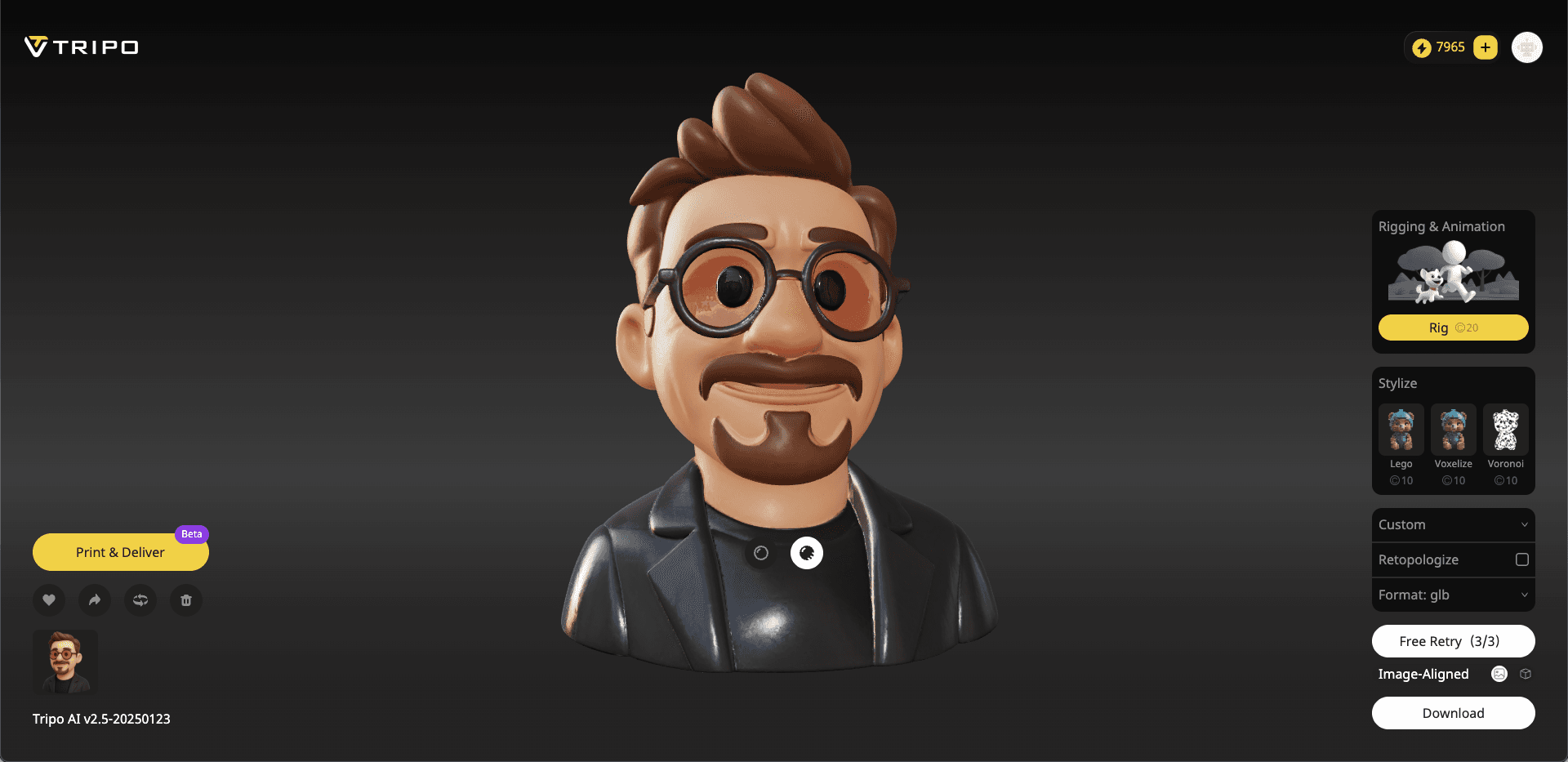
Tripo interface example showing a stylized character bust and downstream controls. The screenshot displays an earlier v2.5 model label, so it documents the workflow rather than current 2026 output quality.
Main features:
- Text, image, and multi-view generation
- Smart Mesh; 8K texture access on higher tiers
- Segmentation; rigging
- DCC Bridge
- STL repair and editing tools.
Price:
- Free with 200 credits/month
- Pro is $20/month or $240/year
- Max is $90/month or $1,080/year
- The Team plan is $110/month or $1,980/year for the minimum annual configuration shown
Pros:
- Fast experimentation
- Useful multi-view workflow
- Strong integrations
- Segmentation and mesh tools beyond first generation
Cons:
- Public, non-commercial free outputs
- Limited free exports
- Advanced quality and privacy sit behind paid plans
Recommended for
3D creators who want fast iterations and plan to continue in a DCC or game engine.
4. Rodin: best for previewing before you confirm a result
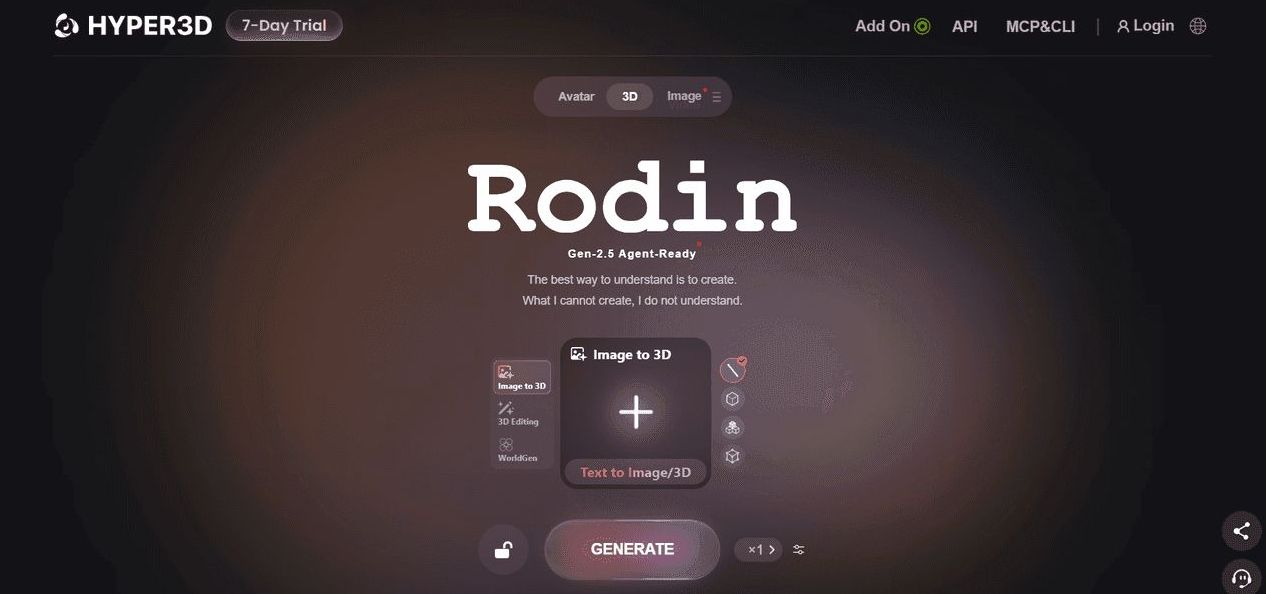
Rodin by Hyper3D uses image, text, or multiple images to generate a model. Its current pricing model lets free users preview a result before confirming paid credit use. That is useful for miniature concepts because obvious silhouette failures can be rejected before export.
Creator adds multi-image generation, Smart Low-Poly, HD or custom textures, baked normals, and more geometry and material retries. Business adds API access and higher-end geometry and texture options. Rodin is appealing when detail, texture, and controlled retries matter, but its pay-by-result structure takes more arithmetic than a simple monthly generation quota. A preview also cannot reveal every print defect, so export and inspect the confirmed mesh before calling it printable. Compare the underside and contact points as carefully as the textured front.
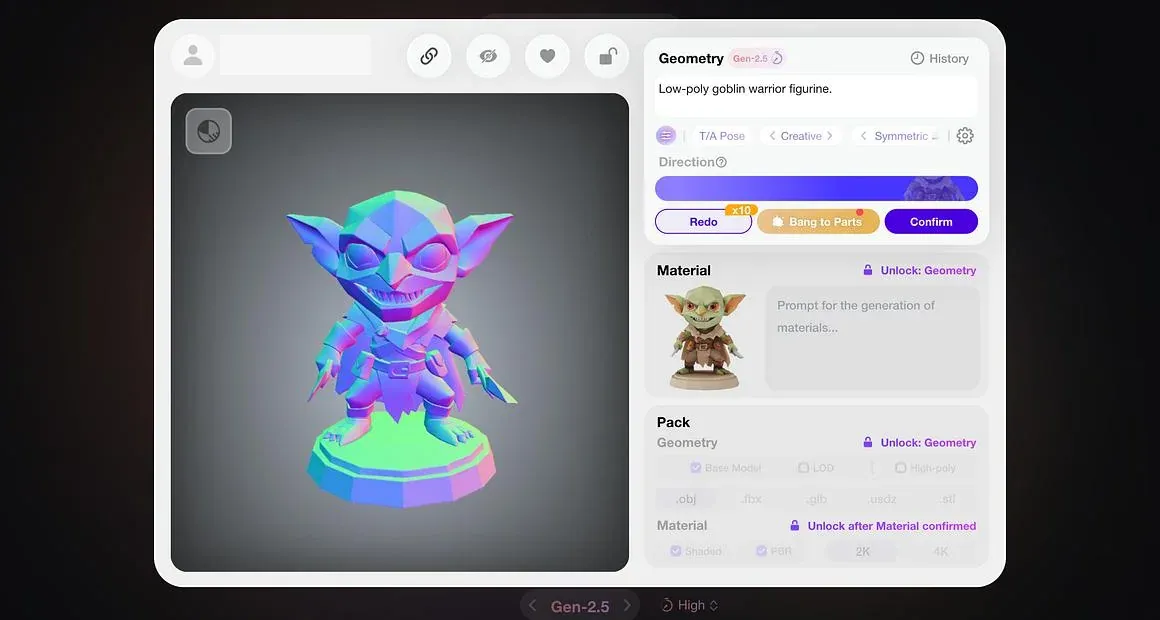
Rodin workspace example with a stylized goblin warrior figurine and geometry controls.
Main features:
- Text, image, and multi-image generation
- Smart Low-Poly
- HD and custom textures; baked normals; high-poly options; plugins and API on eligible plans
Price:
- Free preview with direct credits at $1.50 each
- Creator is $30/month or $288/year ($24/month equivalent)
- Business is $120/month or $1,152/year ($96/month equivalent). Enterprise is custom
Pros:
- Preview before confirmation
- Detailed output options
- Multiple retries on paid plans
- Useful production controls
Cons:
- Credit math varies by chosen result and tier
- Free access is closer to preview and pay-by-result than unrestricted generation
- No dedicated miniature print-prep suite
Recommended for
Artists who want to compare a visible result before committing credits and who care about texture and mesh options.
5. AI3DGen: best no-signup draft generator
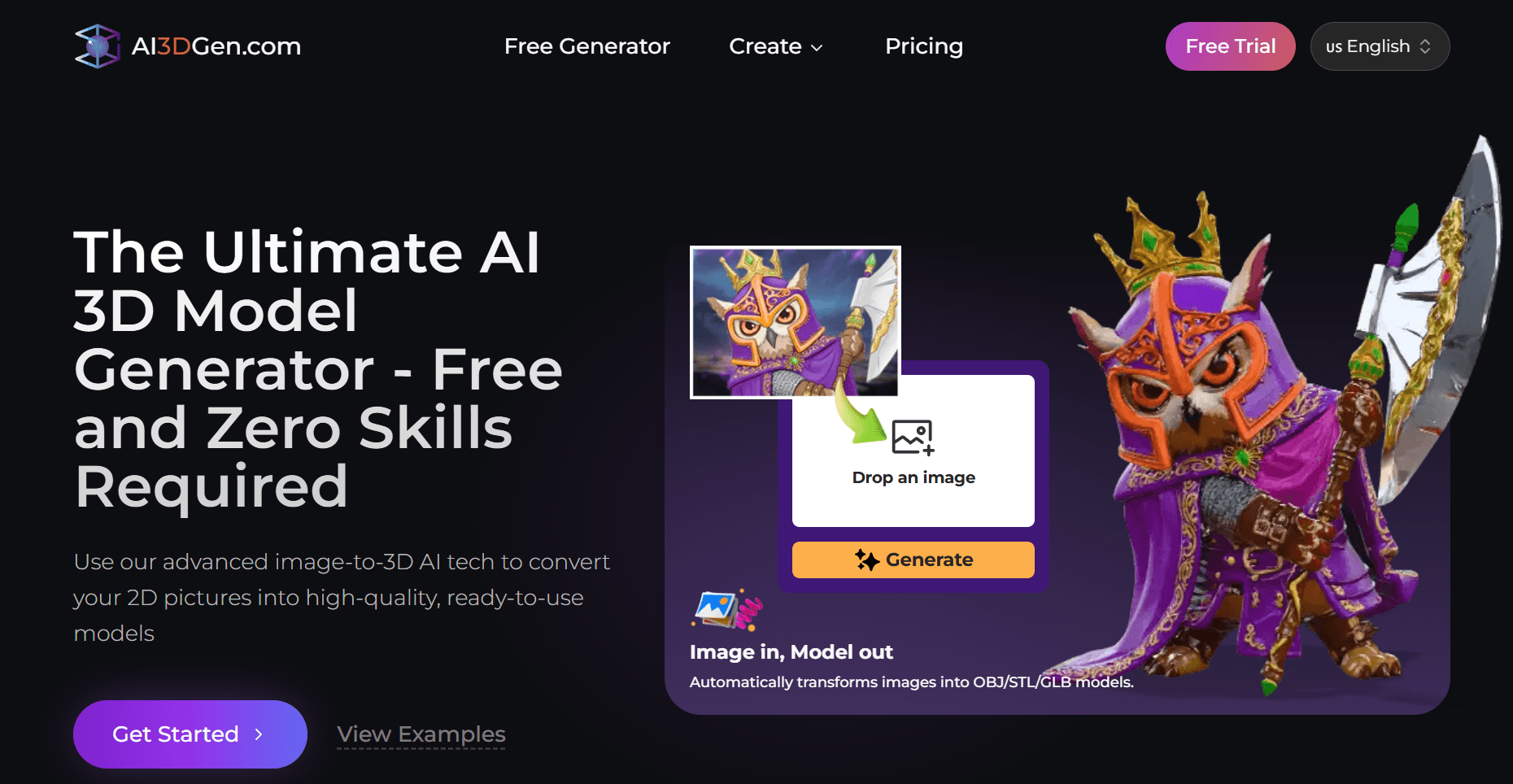
AI3DGen has the lightest entry barrier in the group. The Lite generator accepts an image without signup and produces a basic OBJ model. Its main page also exposes face-count targets, which makes it easy to run a quick shape experiment from character art.
The free version is deliberately limited. It uses a queue, offers draft-level geometry, omits full textures, and restricts output to OBJ. Paid access adds Base, Pro, and Ultra generation, PBR textures, higher and adjustable face counts, priority processing, and OBJ, GLB, and STL export. The official public pricing page loads the subscription amount dynamically and did not expose a reliable figure during this review, so the paid price should be checked at checkout. Use the free result to judge overall massing, not fine miniature detail.
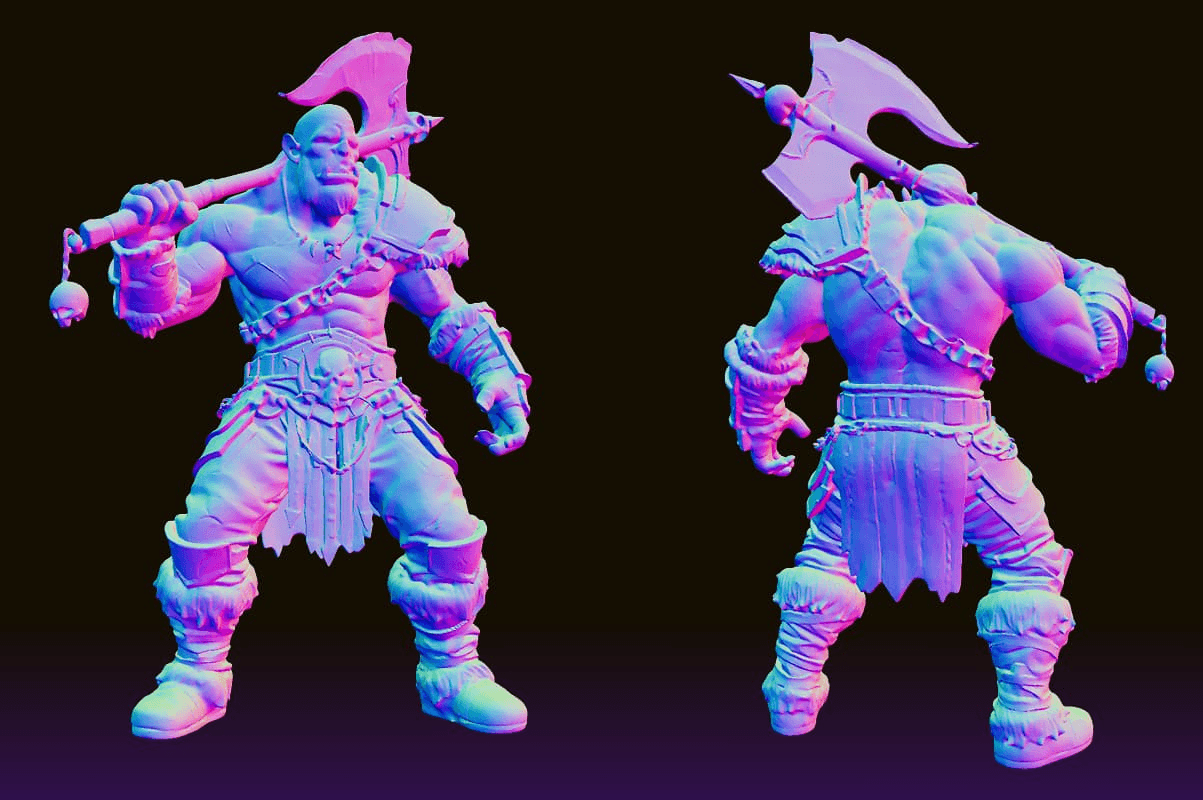
User-supplied AI3DGen example showing the front and rear reconstruction of an orc warrior. The render demonstrates model coverage, not verified print readiness.
Main features:
- No-signup image upload
- Lite, Base, Pro, and Ultra model levels
- Adjustable face count on paid access
- OBJ, GLB, and STL across eligible tiers
Price:
- Free Lite access with limited daily generations
- Base costs 20 credits per attempt, Pro 40, and Ultra 60
- The subscription amount was not publicly displayed and is TO VERIFY at checkout
Pros:
- Quick start; no account needed for the free tool
- Straightforward interface
- Useful for testing whether a source image has a workable silhouette
Cons:
- Free output is OBJ-only and untextured
- Draft geometry may lose miniature detail
- Public subscription price is unclear; commercial rights require paid access
Recommended for
First-time users who want a low-commitment draft before choosing a fuller platform.
6. Fast3D: best low-cost image-to-3D plan
Fast3D focuses on image-to-3D generation with a simple credit and download structure. The free plan includes 300 monthly credits and two downloads per day, which makes it one of the clearer options for repeated low-cost tests.
Pro adds 10,000 monthly credits, PBR textures, multi-view image input, private customer-owned assets, and its Pro quality level. Max raises the credit pool and unlocks Ultra quality. This is a practical route for creators who already know how to repair and prepare models elsewhere. The platform does not present the same miniature-focused splitting and color workflow as Hi3D, so Blender, a repair tool, and a slicer remain important parts of the process. The free daily download cap is workable for deliberate testing, though it slows large variant batches.
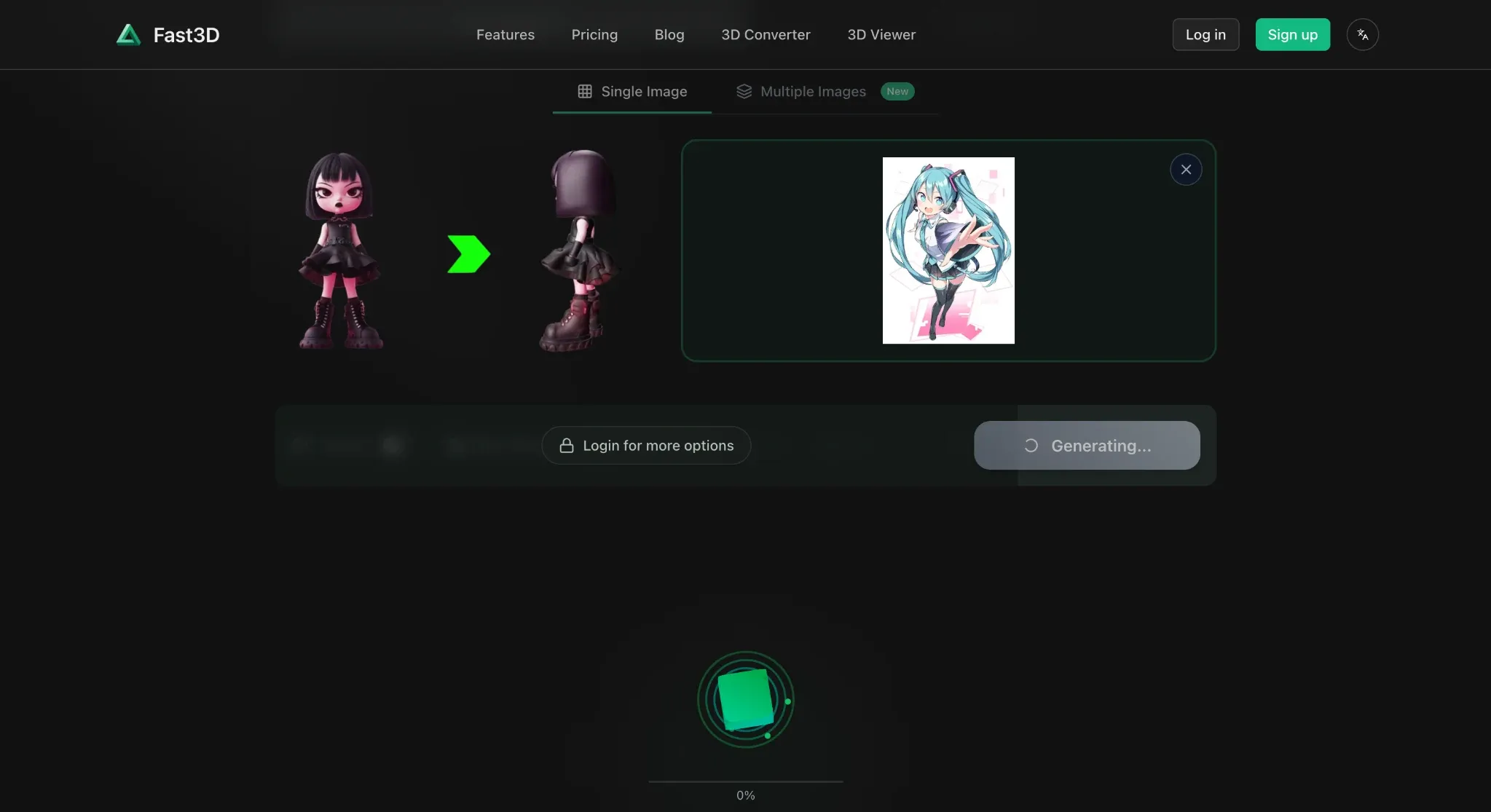
Fast3D image-to-3D example showing the reference alongside generated front and rear character views.
Main features:
- Image-to-3D
- Multiple quality levels
- PBR textures on paid plans
- Multi-view input
- Private paid assets
- Daily download allowance on Free
Price:
- Free with 300 credits/month and two downloads/day
- Pro is $10 monthly or $7/month billed annually
- Max is $20 monthly or $14/month billed annually
- Max Unlimited is custom
Pros:
- Generous free credit count
- Transparent download limit
- Low paid entry price
- Straightforward plan differences
Cons:
- Free assets use CC BY 4.0
- Advanced texture and multi-view tools require payment
- Fewer print-specific finishing tools
Recommended for
Budget-conscious creators who want frequent image-to-3D tests and can handle cleanup in other software.
How to make a 3D miniature with Hi3D
Step 1. Upload a miniature reference image
Open Hi3D 3D Generation, choose General mode, and upload a JPG, PNG, or WebP reference. Use a full-body character on a plain background. Keep the base and every accessory inside the frame.
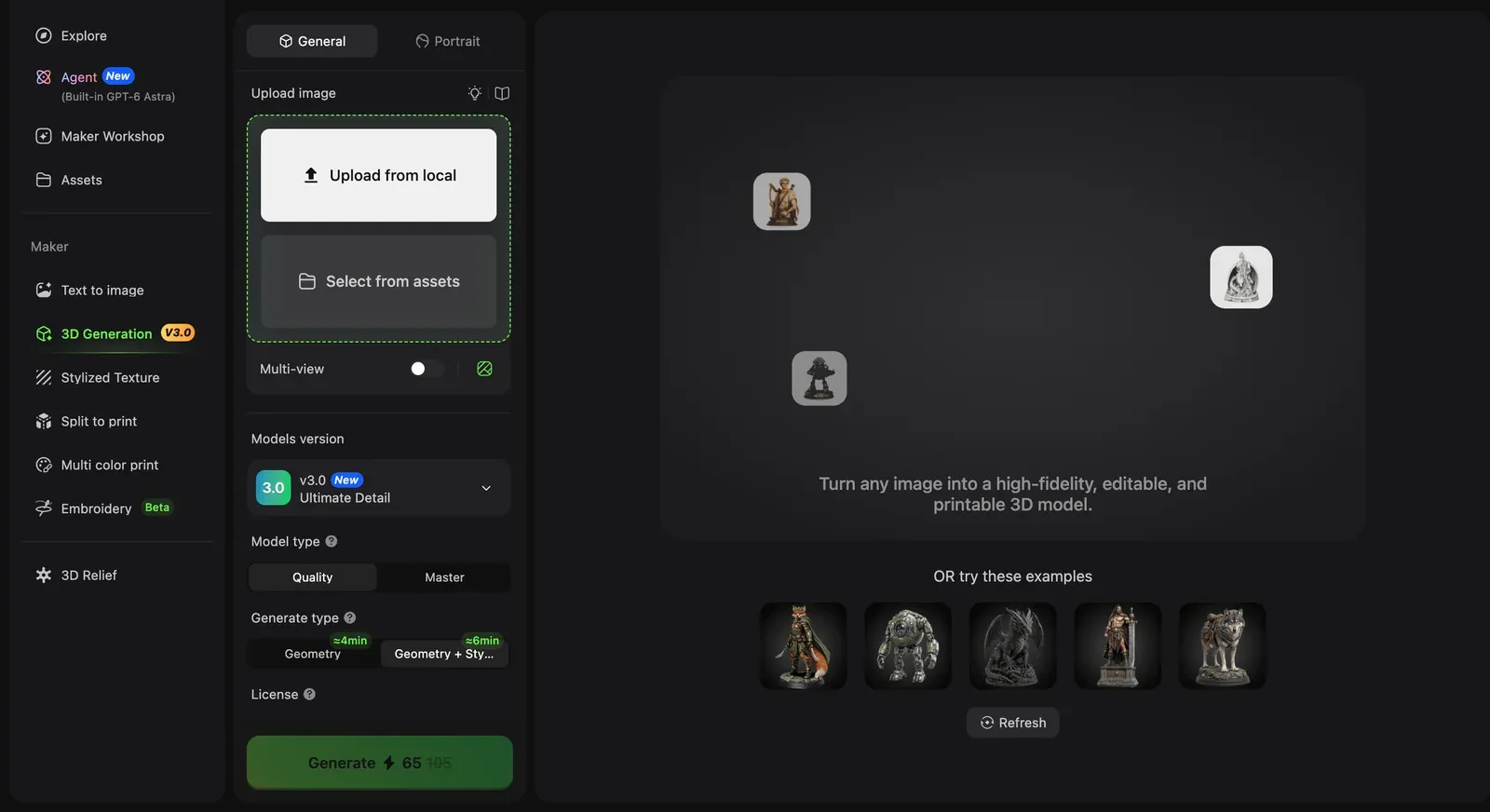
Step 1: upload a complete, uncluttered reference image.
Step 2. Choose V3.0 Master and inspect the result
Select V3.0 and Master when fine costume, hair, armor, or sculpted surface detail matters. Generate the model, then rotate it through the rear, sides, top, and underside. Check the hands, weapon joints, cloth intersections, and base contact.
Master can produce a dense mesh. Dense does not mean clean. If the model is difficult to edit or slice, reduce it carefully after you have preserved a high-detail original.
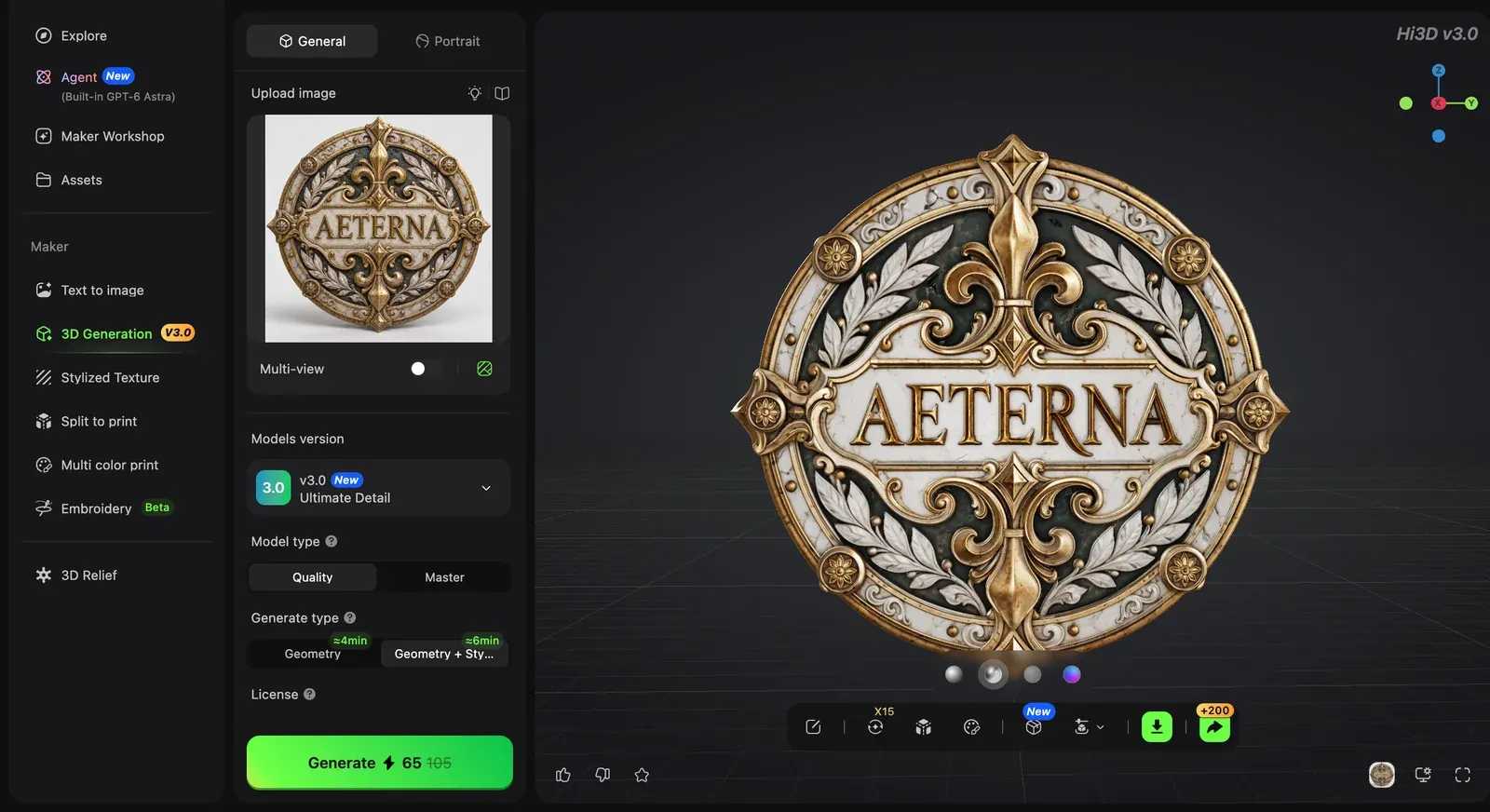
Step 2: inspect the areas the source image did not show.
Step 3. Export and prepare the model for printing
Choose a format that matches the next step. STL and 3MF are common for print workflows, while OBJ, GLB, or FBX can be useful for editing and texturing. Repair the mesh, set the final miniature scale, and check it in your slicer.
If the figure is too large or awkward to support as one piece, use the Hi3D Split-to-Print workflow to divide it into two to six parts and add ball, mortise-and-tenon, or rivet-style connectors. Multi-Color Print can prepare color regions for supported filament workflows.
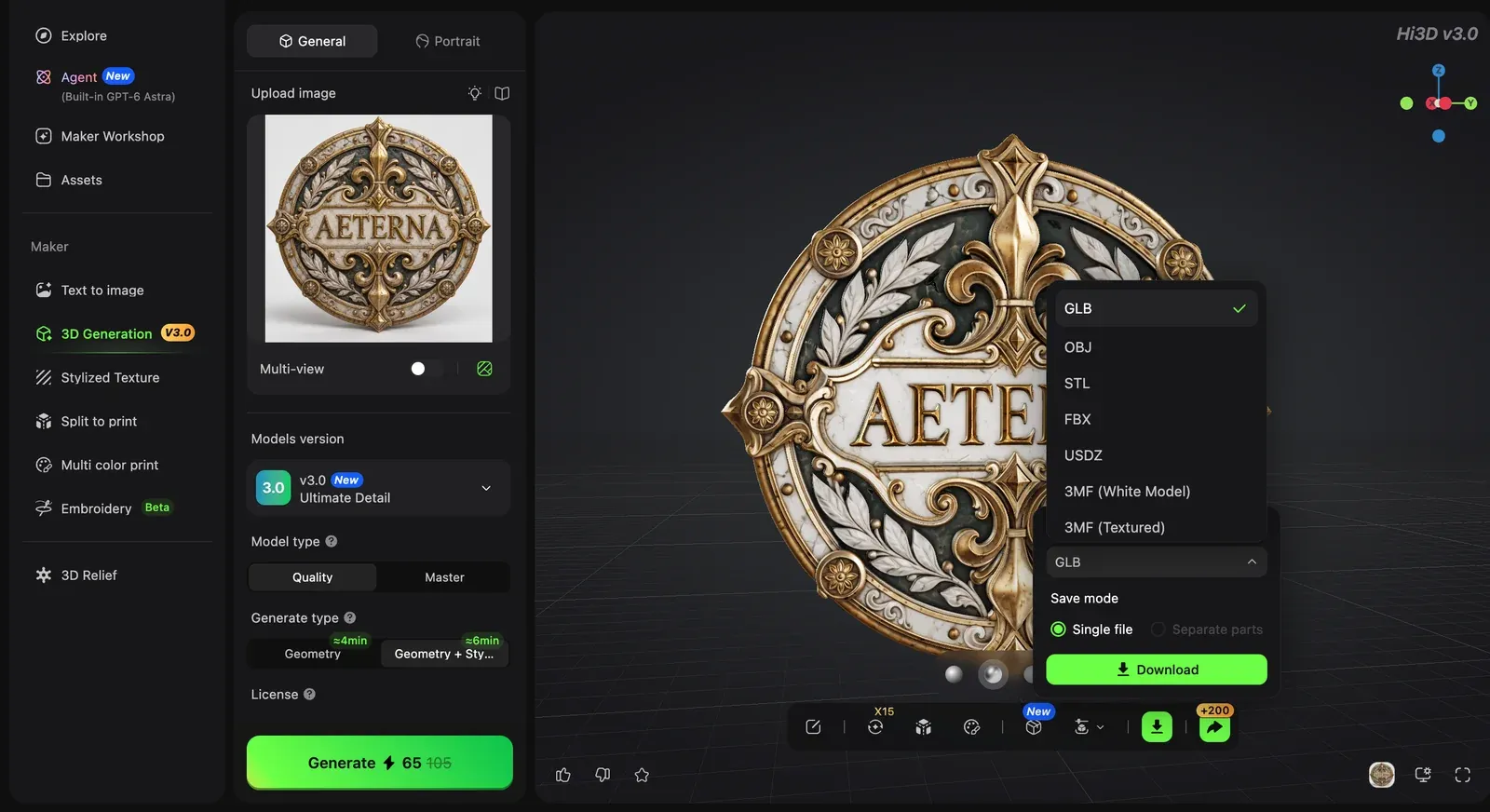
Step 3: export the checked model, then repair, scale, support, and slice it.
FAQs
Is there a completely free 3D miniature creator?
Yes, but every free option has a boundary. Blender is fully free for manual sculpting. The AI tools in this guide use credits, queues, download caps, public models, limited quality, or restricted commercial rights. Check the export and license rules before starting a serious project.
Are AI-generated miniatures ready to print?
Sometimes a simple model slices cleanly, but you should never assume that from the preview. Inspect hidden geometry, repair holes and intersections, thicken fragile features, add or verify a base, and review every layer in the slicer. A small test print catches problems the viewer misses.
Can one image produce an accurate miniature from every side?
It can produce a complete model, but the unseen areas are inferred. Use consistent front, side, and rear references when costume accuracy or a specific back design matters. Even with multiple views, inspect the final mesh before printing.
Which free 3D miniature maker should you choose?
Choose Hi3D when you have finished character art and want the clearest path from a detailed image-to-3D result into print preparation. Meshy is useful when prompts, rigging, and animation matter. Tripo fits fast multi-view experiments and DCC handoff. Rodin suits preview-first buyers. AI3DGen is a quick no-signup draft tool, while Fast3D offers a low-cost route for repeated image tests.
Whichever tool you choose, judge the mesh from the back and underside before you judge the render. The best miniature is the one that keeps its silhouette, survives the slicer, and still looks good at the size you plan to print.
Visual plan
| Placeholder/file | Placement | Purpose | Alt text | Source and rights | Notes |
|---|---|---|---|---|---|
|
Hi3D test | Show front fidelity | Front view of a figurine-style character generated with Hi3D V3.0 Master | Existing Hi3D project test asset | No retouching claimed |
|
Hi3D test | Show inferred rear geometry | Rear view of a figurine-style character generated with Hi3D V3.0 Master | Existing Hi3D project test asset | No retouching claimed |
|
Hi3D test | Document a separate V3.0 Master model-information example | Hi3D V3.0 Master model information from a separate character test | Existing Hi3D project test asset | Separate test; dense output is not print-readiness proof |
|
Tutorial step 1 | Demonstrate upload | Hi3D upload panel with a character reference ready for 3D generation | Existing Hi3D project screenshot | UI may change |
|
Tutorial step 2 | Demonstrate inspection | Hi3D viewer used to rotate and inspect a generated miniature model | Existing Hi3D project screenshot | UI may change |
|
Tutorial step 3 | Demonstrate export | Hi3D export menu for downloading a generated miniature model | Existing Hi3D project screenshot | UI may change |
|
Meshy review | Show image input, generated miniature, topology, and preview views | Meshy Image to 3D workspace showing a boxer reference, generated miniature model, topology, and preview angles | User-supplied product screenshot | Generated model is untextured |
|
Tripo review | Show character workspace and downstream controls | Tripo workspace showing a generated stylized character bust with rigging, retopology, print, and download controls | User-supplied product screenshot | Earlier v2.5 interface example; not current-quality evidence |
|
Rodin review | Show a figurine-oriented Rodin workspace | Rodin workspace showing a low-poly goblin warrior figurine on a base | Existing project screenshot | Interface may change |
|
AI3DGen review | Show front and rear model coverage | Front and rear views of an AI3DGen orc warrior character model | User-supplied model render | Not proof of print readiness |
|
Fast3D review | Show reference and generated character views | Fast3D image-to-3D workspace showing a character reference and generated front and rear views | Existing project screenshot | Interface may change |