When you want to buy a toy for your kids, you probably consider cute animal toys, popular movie characters, famous cartoon characters, puzzles, building blocks, maze toys, toy cars, dolls, and so on. As a parent of a child over 8, you may also think about whether your child will enjoy the toy, what they can learn from it, and whether it can help develop their skills.
Many parents want their kids to learn how to organize things, analyze problems, develop spatial thinking, think logically, and create things they want through play. With so many options available, you may go from one toy to another and hesitate over which one to choose. If you're looking for fun 3d prints for kids, you may find that 3D printing offers more possibilities than traditional toys.
However, what kids can learn from toys commonly found in stores can be somewhat limited. If you want to develop your kids' design skills, spatial thinking, and aesthetic appreciation, here's another option for you: 3D-printed toys. With ai 3D modeling, children can explore how ideas are turned into 3D models before bringing them to life through 3D printing. From simple models to creative things to 3d print for kids, 3D printing allows children to explore ideas in a more hands-on way.
Why Make 3D Printed Toys for Kids?
Making a 3D-printed toy is not as complicated as many people expect. There are many online tools that can help you create a 3D model and download the file, and some tools even offer customized printing services and deliver the finished product directly to your address. You can also find free 3d print files for kids online if you want to start with an existing design rather than create a model from scratch.
If you already have an image and know what you want to print, you can simply upload the image, as many of these tools provide image-to-3D model services. If you don't have an image but have a random thought or a specific idea in mind, you can use their text-to-image functionality to turn your ideas into visual references. This makes it easier to turn a simple idea into a 3d print toy that kids can actually see and play with.
During this process, with their parents' guidance, kids can discover something that feels almost magical: with just an online tool, they can turn their random or specific ideas into a 3D model. So, let's take a closer look at why 3D printed toys can be a great choice for kids.
Turn Ideas Into Images and Build Creative Thinking
All of these tools have a Text-to-Image feature, which means your kids can describe what they want and turn their ideas into images. With proper guidance from parents, kids can develop their ability to organize ideas and think creatively.
They can learn how to express what they want, describe their ideas clearly, turn random thoughts into specific concepts, and communicate those ideas to AI through prompts. When they get an image, they can also refine it by uploading additional images and adjusting their descriptions. In fact, some tools allow you to upload multiple images as references and combine them with text prompts to create an image that better matches your expectations.
This process also encourages kids to think about how to visualize the ideas in their minds and combine different elements to create something new. If the generated image doesn't meet their expectations, they can analyze what went wrong, identify the differences, and think about how to improve their prompts. All of these activities give kids opportunities to develop and demonstrate their creativity, communication, and problem-solving skills.
From AI Creations to Real-World Toys
After getting the image you want, you can upload it to the Image to 3D Model section and wait a few minutes for the 3D model to be generated.
Then, something exciting happens: kids can watch their 2D image turn into a 3D model right before their eyes. By moving the mouse, they can view the model from 360 degrees, zoom in, and examine every detail. If there is anything they are not satisfied with, they can work backward from the result, identify what needs to be improved, adjust the input image, and generate a new model.
The entire process is both exciting and engaging. It can spark kids' curiosity and creativity while giving them a chance to develop their spatial thinking skills. They can see how a 2D idea becomes a 3D object and gradually learn to visualize how different elements might look and fit together in three-dimensional space.
Testing 6 AI 3D Model Generators for 3D Printed Toys for Kids
To help you understand the AI 3D model generators available today, we tested six popular tools on the market. First, let's look at the key factors you should consider when choosing an AI 3D model generator.
What to Consider When Choosing an AI 3D Model Generator for Kids' Toys?
Most parents and kids are probably not familiar with AI 3D model generators. Therefore, we considered several factors when testing these tools, including whether they have a clean and easy-to-navigate interface, whether their key features are easy to find, whether they are beginner-friendly, whether payment pop-ups or buttons block the workspace, and whether they offer printing and home delivery services.
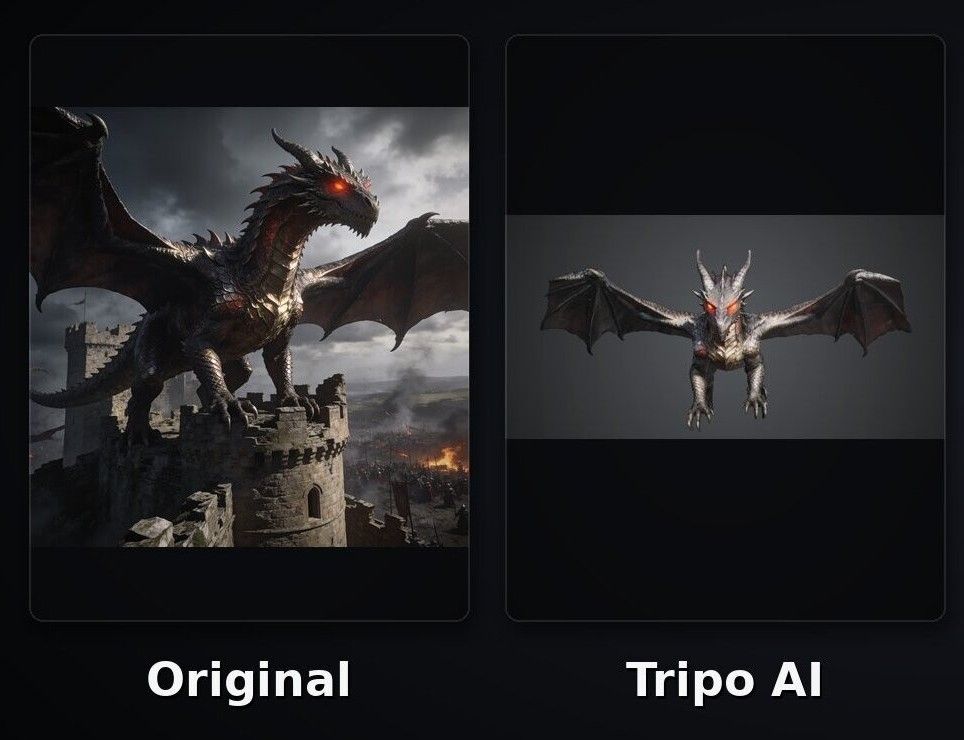
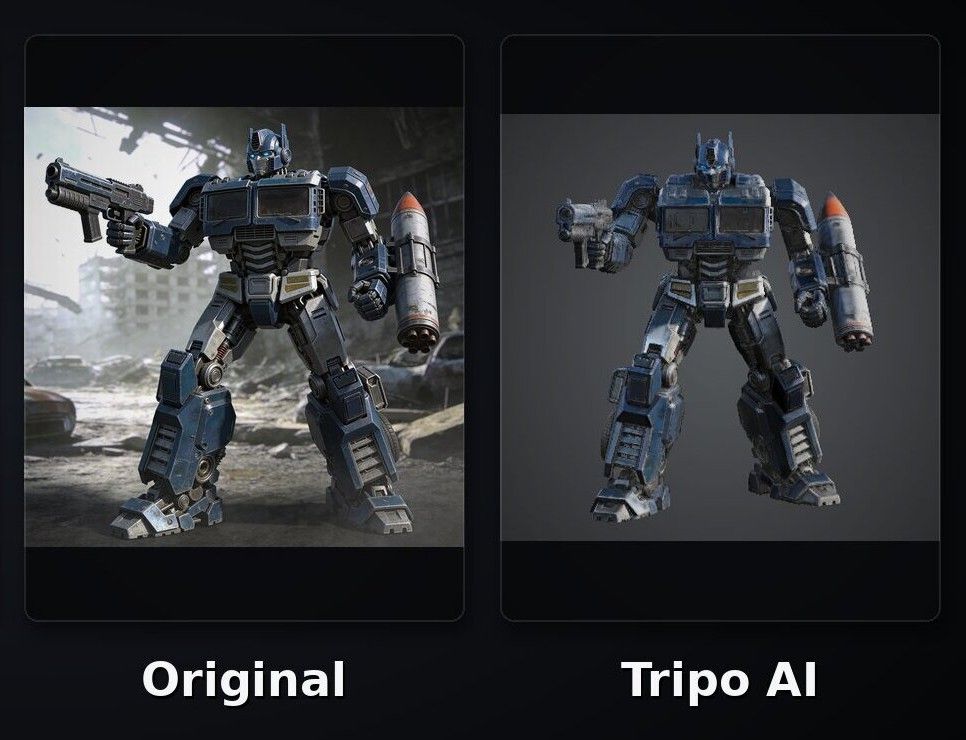
Finally, we tested each tool's 3D model generation capabilities to see how accurately they could reproduce the colors, proportions, style, and other details of the original images. To make the differences easier to see, we asked each tool to generate two models: a dragon in a Game of Thrones-inspired style and a Transformers-style robot holding a pistol and a rocket launcher.
Hi3D
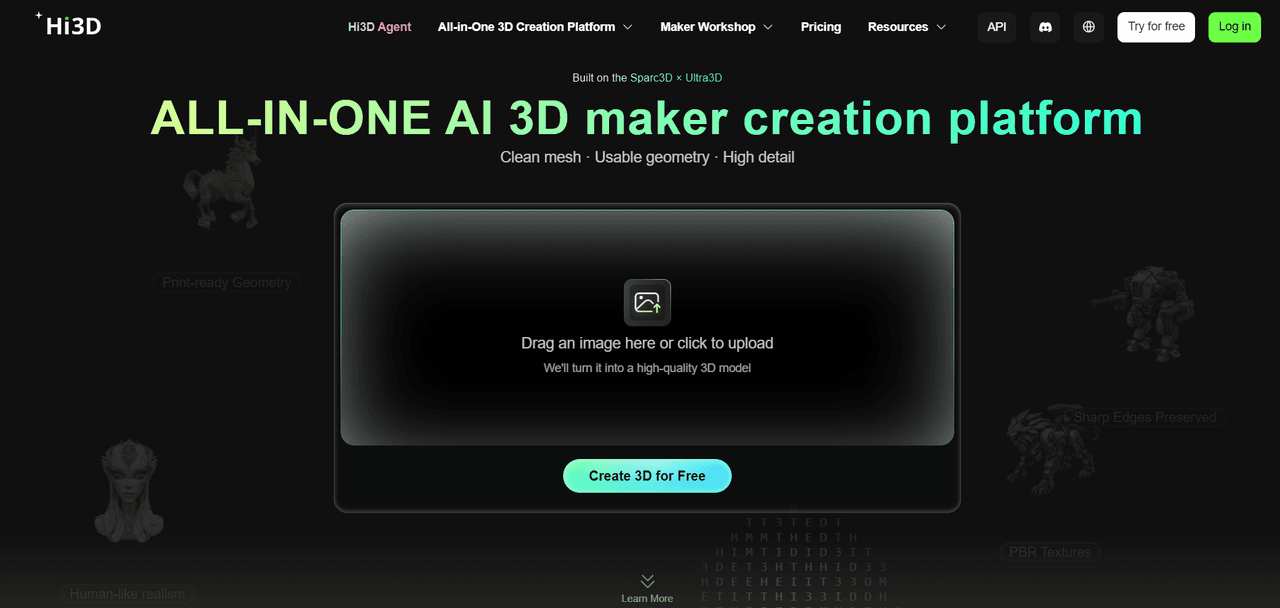
Hi3D is a beginner-friendly, all-in-one 3D creation platform that helps users turn their ideas into 3D assets through a comprehensive workflow. On the left side of the webpage, key features such as Text to Image, 3D Generation, Stylized Texture, Split-to-Print, and Multi-Color Print are clearly displayed, allowing users to move from generating ideas to refining and preparing 3D models for printing in one place.
Hi3D's Text to Image feature can generate four images at once. If you have reference images and want to create a new image based on them, you can upload the images and provide a specific description to tell the AI what you want. Hi3D also allows users to upload up to four reference images.
Once you have created an image, you can upload it to the 3D Generation section and then add textures. After the model is generated, Hi3D also provides Split-to-Print, which helps users divide larger models into smaller, printable parts and add connecting structures between them.
Pros:
- Clearly organized tools make it easy for first-time users to get started.
- Hi3D V3.0 supports up to 2048³ voxel-level geometric resolution and 8K textures for reproducing intricate details.
- Eligible students can access an education discount to explore AI-powered 3D creation at a lower cost.
- Users can order 3D prints and have them delivered to their homes.
Cons:
- The free plan includes 100 lifetime credits rather than a monthly credit allowance.
- Subscription credits reset each billing cycle instead of rolling over to the next one.
Price:
- Free plan: Includes 100 lifetime credits.
- Monthly plans: Pro costs $19.90/month, Max costs $39.90/month, and Ultra costs $129.90/month.
- Annual plans: The listed promotional prices are $95.52/year for Pro, $191.52/year for Max, and $623.52/year for Ultra.
Dragon Model Test
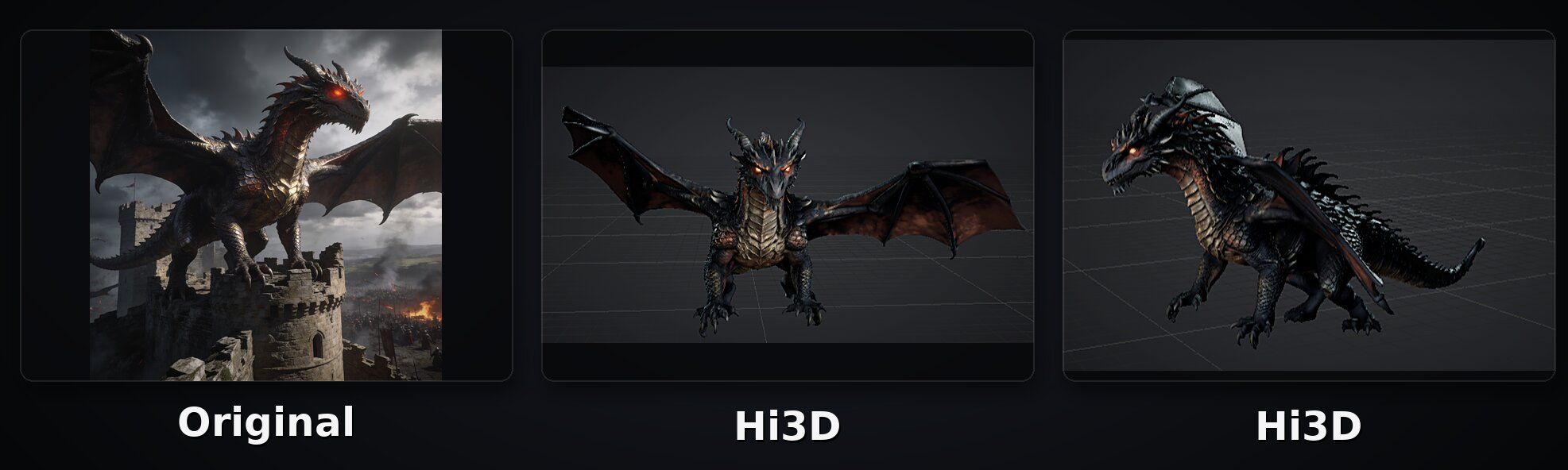
Here, we use Hi3D to generate a dragon in a Game of Thrones-inspired style. As shown in the image below, Hi3D reproduces the original image's proportions, style, and colors very well. It also captures the intricate details of the dragon's skin texture, closely matching the original image. Even the details on the wings are well preserved, with no major elements missing.
Transformers-Style Robot Test
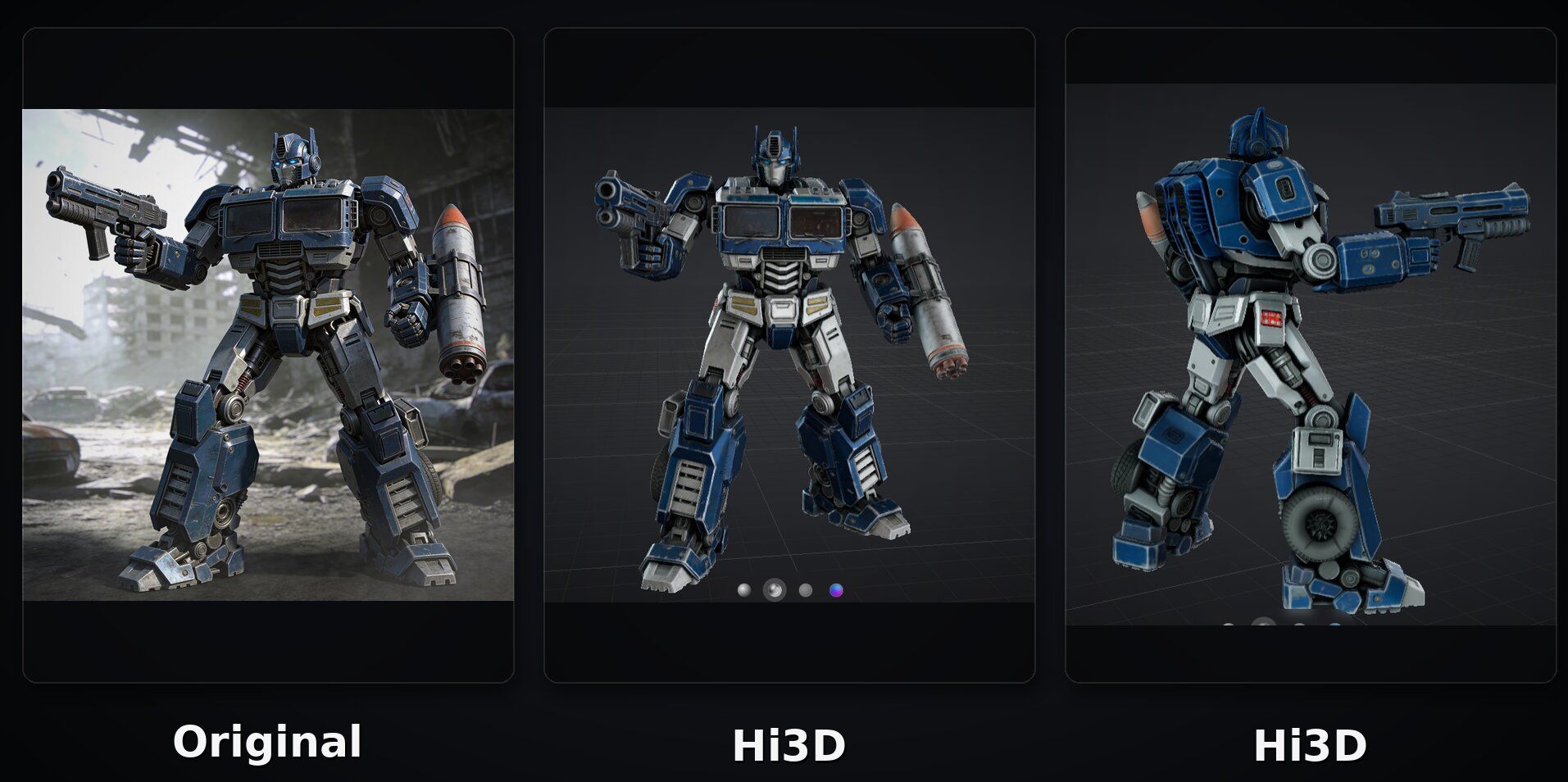
Then, we use Hi3D to generate a Transformers-style robot holding a pistol and a rocket launcher. In this test, Hi3D demonstrates a high level of detail reproduction, highlighting the advantages of Hi3D V3.0. As shown in the image below, Hi3D accurately reproduces many details from the original image, including the joints and the patterns on the robot's abdomen and legs. In terms of color reproduction, Hi3D also captures the subtle dusty look of the original image, making the generated model closely match its overall appearance.
Meshy
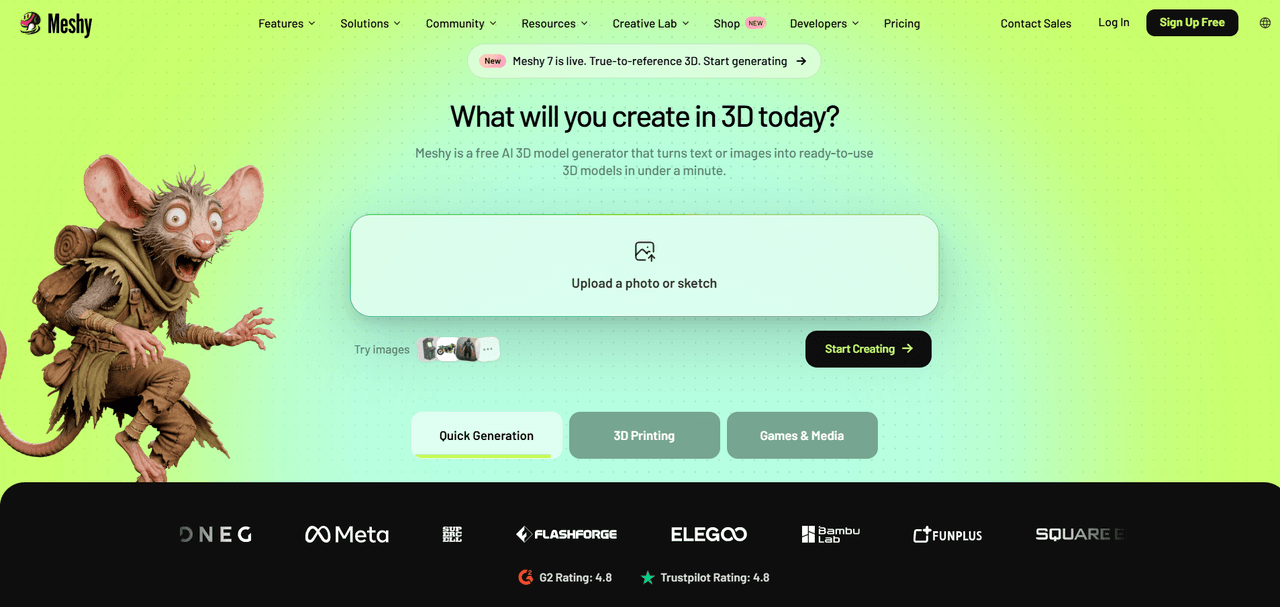
From 3D model generation to printing, Meshy offers a comprehensive workflow that includes features such as Text to 3D, Image to 3D, AI Texturing, Animation, Video Generation, and more. It has a clean interface, making it easy for beginners to get started.
Pros:
- Text to 3D and Image to 3D can generate textured models in about one minute, according to the official website.
- Users can animate 3D characters without manually handling the entire rigging and animation process.
- Meshy integrates with tools such as Blender, Unity, and Unreal, and offers APIs for developers and businesses.
- Users can order 3D prints and have them delivered to their homes.
Cons:
- Free users cannot download newly generated 3D models, which may limit practical testing of the platform.
- The number of credits required depends on the model version and operation, making usage costs less predictable.
Price:
- Free plan: 100 credits per month.
- Monthly plans: Pro costs $20/month, Premium costs $40/month, and Ultra costs $100/month.
- Annual plans: Pro costs $192/year, Premium costs $384/year, and Ultra costs $960/year.
Test Results
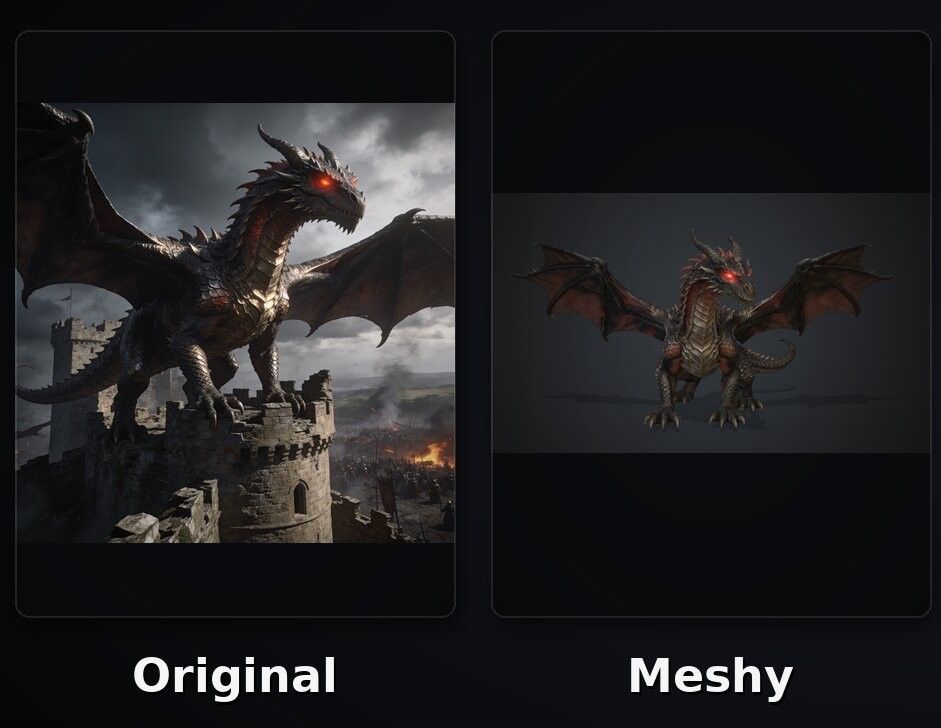
In our tests with the dragon and Transformers-style robot, Meshy generally reproduced the overall appearance of the original images, although some details were less accurate. For example, the dragon's color was noticeably more reddish than that of the original image.
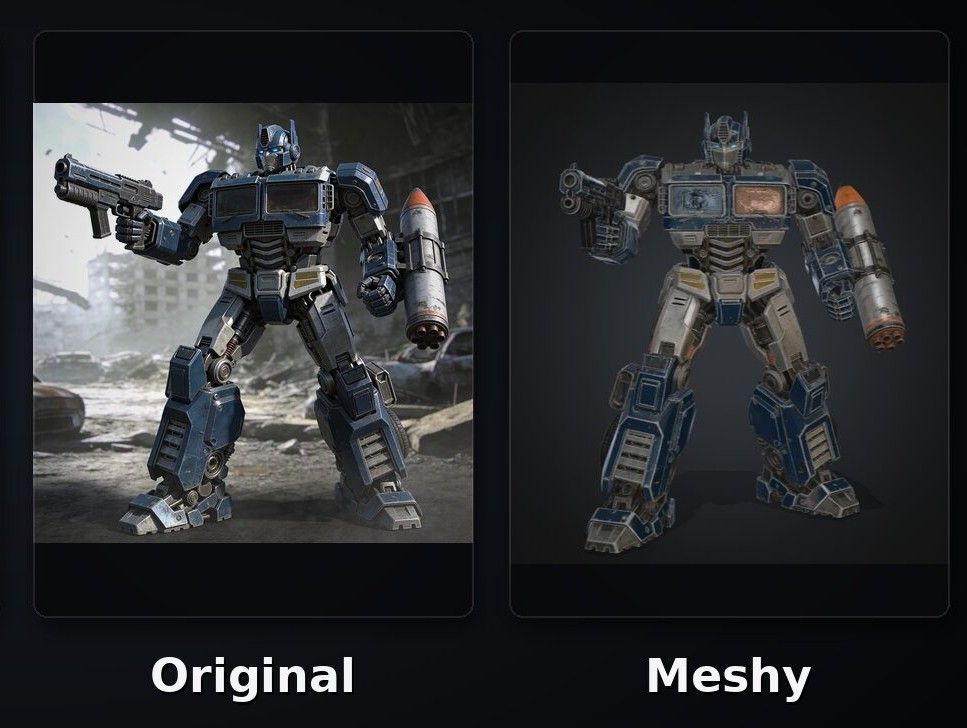
The Transformers-style robot was also much darker than the original. Although the original image had a subtle dusty look, the generated model had a much heavier dusty appearance, resulting in a noticeable difference in color and overall style.
Neural4D
Neural4D is an AI 3D model generation platform designed for 3D creation and printing. It has a clean interface with clearly organized features, making it easy for beginners to get started. For users who want to quickly turn ideas from text or 2D images into usable 3D assets, Neural4D provides a relatively complete workflow.
Pros:
- Users can create 3D models from text prompts or 2D images.
- Offers animation features for users who want to bring their 3D creations to life.
- Users can order 3D prints and have them delivered to their homes.
Cons:
- Credit consumption varies depending on the generation engine and selected options.
- The regular Pro price of $99.90/month may be costly for individual users.
Price:
- Free plan: The homepage lists a free option with 50 credits per week.
- Go plan: $9.90 for the first month, then $19.90/month.
- Plus plan: $19.90 for the first month, then $39.90/month.
- Pro plan: $49.90 for the first month, then $99.90/month.
Test ResultsTest Results
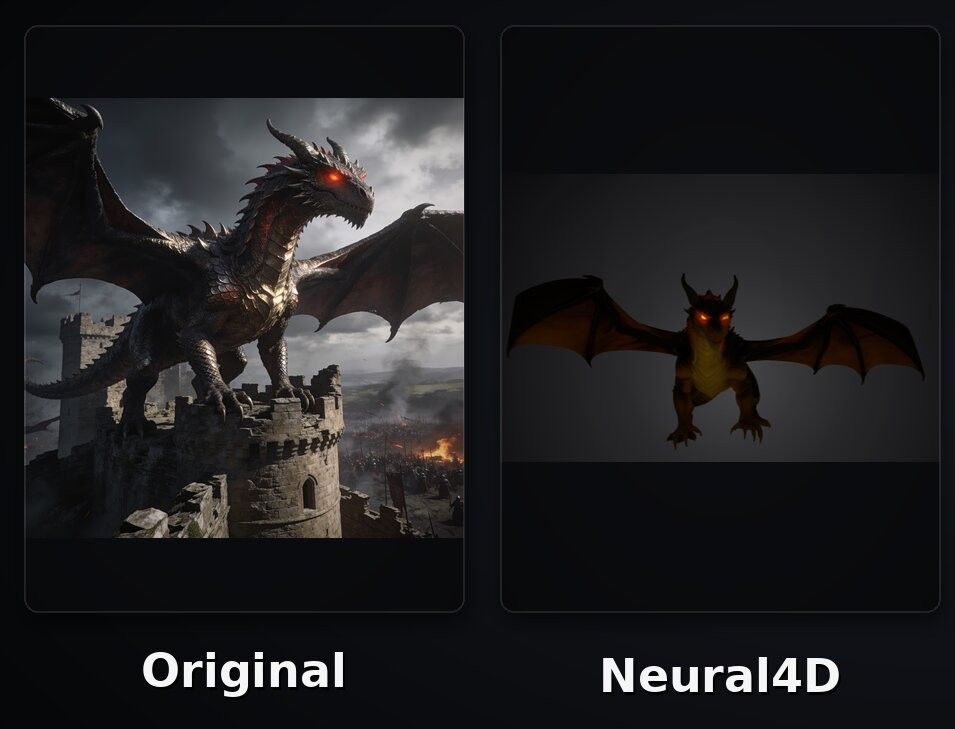
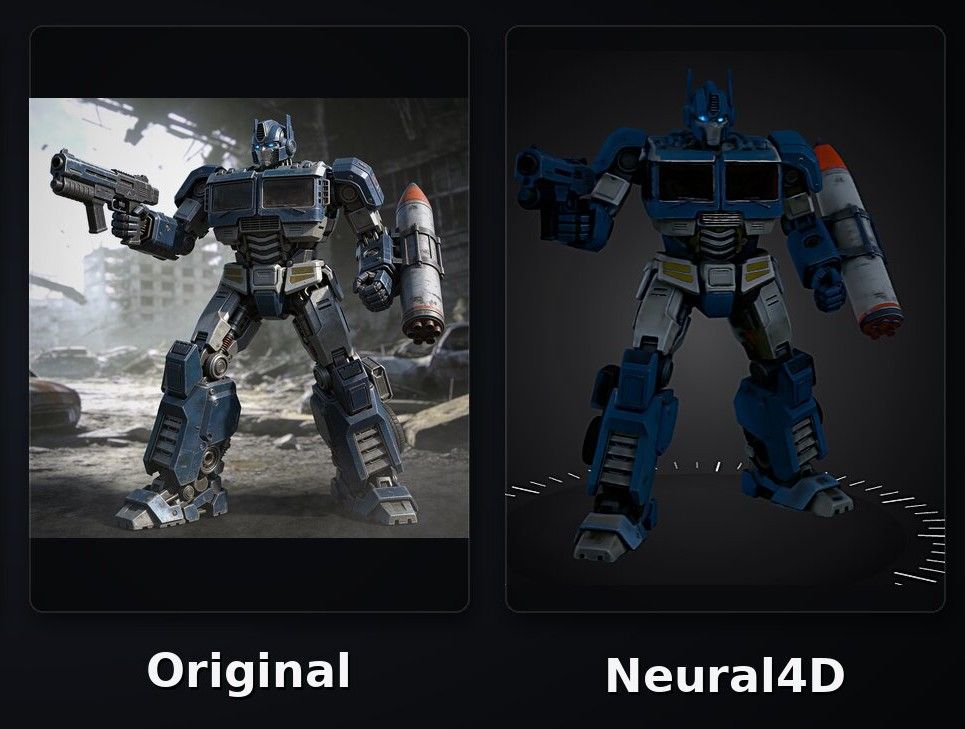
In our tests with the dragon and Transformers-style robot, Neural4D did not perform as well as the other tools. The generated models showed noticeable differences in color and overall style compared with the original images, with the colors appearing significantly darker and less vibrant.
Hyper3D
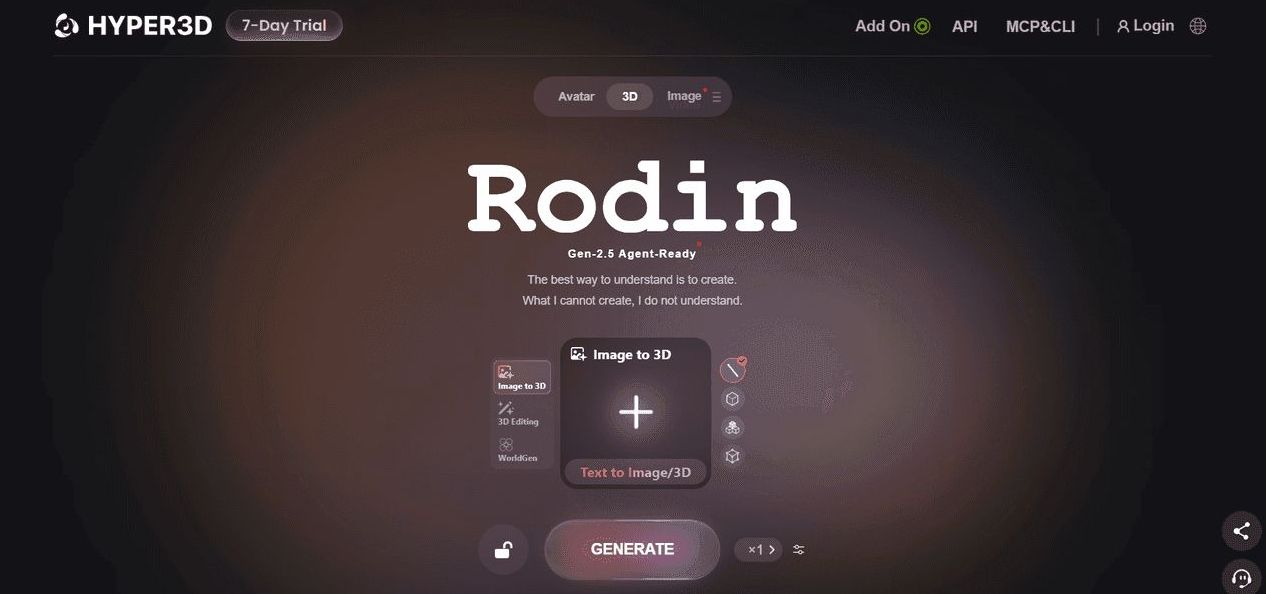
Unlike the three tools mentioned above, Hyper3D has a less intuitive and beginner-friendly interface, and its workspace does not fill the entire screen. But it offers a wide range of model editing and workflow capabilities.
Pros:
- Supports integrating generated models with major 3D software such as Blender, Unity, Unreal Engine, Maya, 3ds Max, and Cinema 4D, allowing users to further edit and use their models in existing workflows.
- Offers AI video generation for social media posts, product presentations, and other content.
- Supports creative workflows across game development, animation, product design, and 3D printing.
Cons:
- The workspace and interface may take more time for new users to navigate.
- Purchasing credits individually at $1.50 each can become costly for repeated experimentation.
Price:
- Free plan: $0, with 5 lifetime credits.
- Direct credit purchases: $1.50 per credit.
- Creator plan: $30/month or $288/year.
- Business and Enterprise plans: Business costs $120/month or $1,152/year, while Enterprise pricing is customized.
Test Results
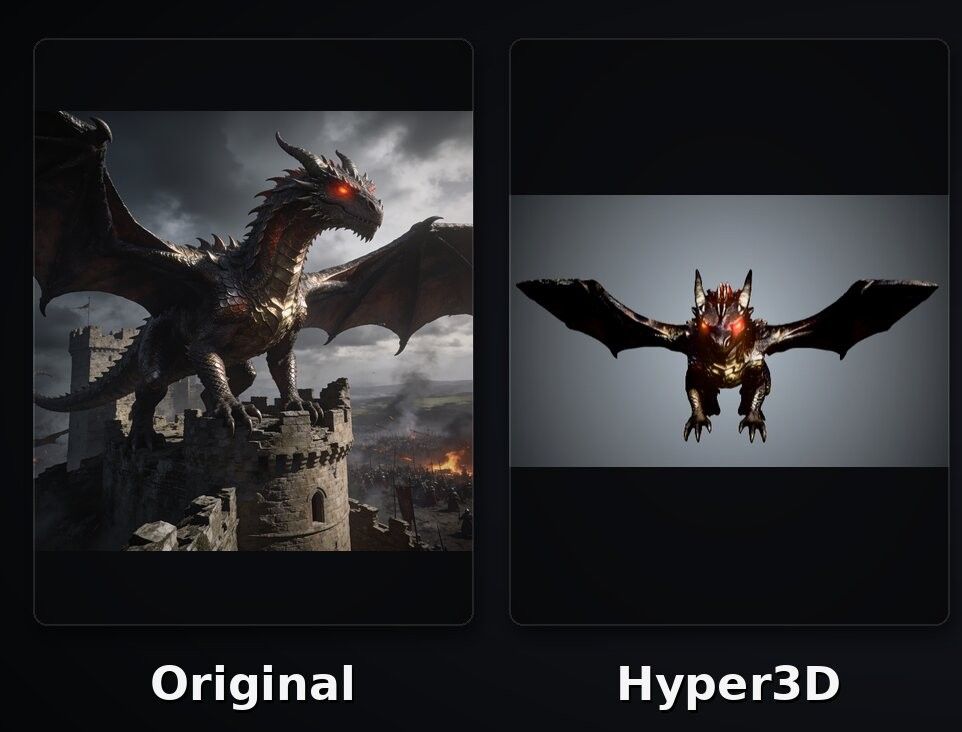
In our tests with the dragon and Transformers-style robot, the dragon generated by Hyper3D did not accurately reproduce the key characteristics of the original image.
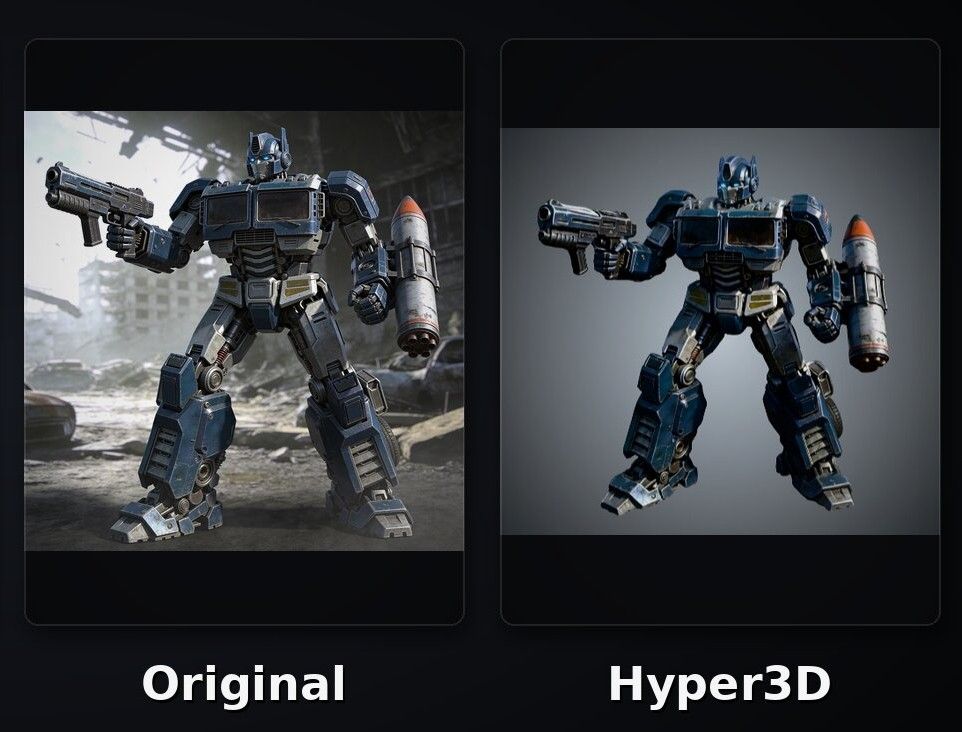
However, the Transformers-style robot generally reproduced the original image well, with most of its overall appearance and details preserved.
3D AI Studio
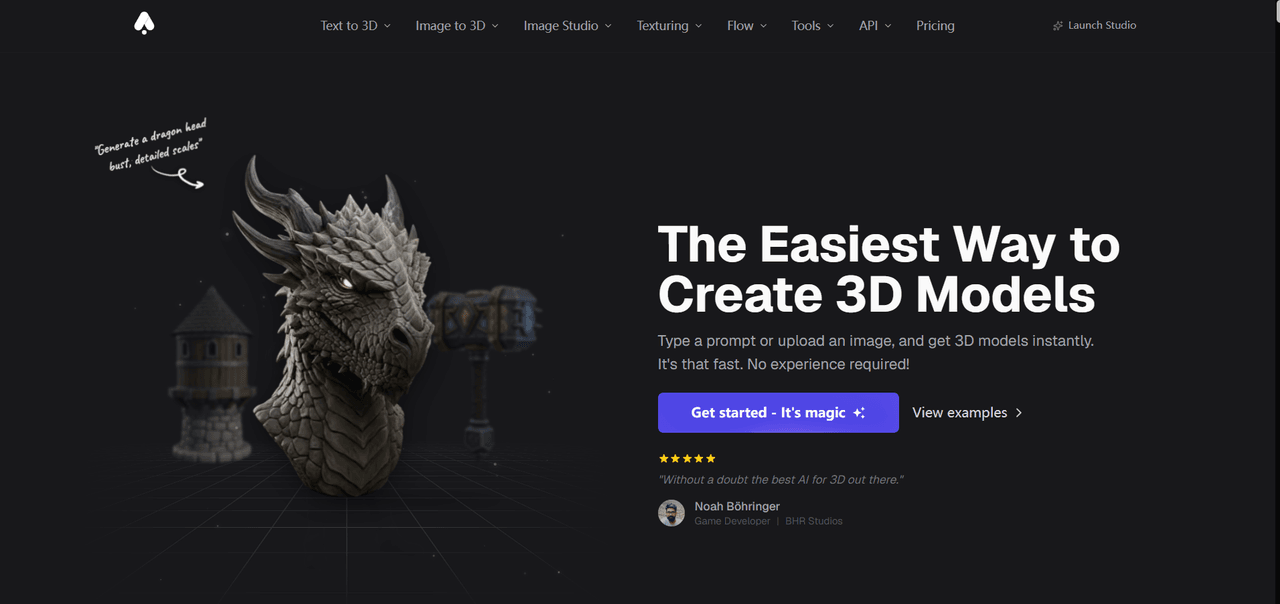
3D AI Studio integrates 3D model generation, texture generation, and model processing into a single workspace. On the right side of the workspace, users can find features such as Image Studio, Image to 3D, Text to 3D, Texture Generator, and Texture Painter. Its Image Studio provides a range of image editing features, including the ability to turn sketches into complete images.
Pros:
- Supports both text-to-3D and image-to-3D generation.
- Offers tools for remeshing, rigging, animation, and model splitting.
- Features are clearly arranged, making it relatively easy to get started.
Cons:
- The wide range of tools may make the platform more complicated than a focused upload-and-generate tool.
- During our tests, pop-up payment windows sometimes blocked parts of the workspace, making models harder to view and edit.
Price:
- Signup credits: New users receive signup credits to try the platform.
- Monthly plans: Basic costs $19/month, Studio costs $29/month (listed as reduced from $39), and Pro costs $149/month.
- Annual plans: Basic costs $144/year, Studio costs $276/year, and Pro costs $1,668/year.
Test Results
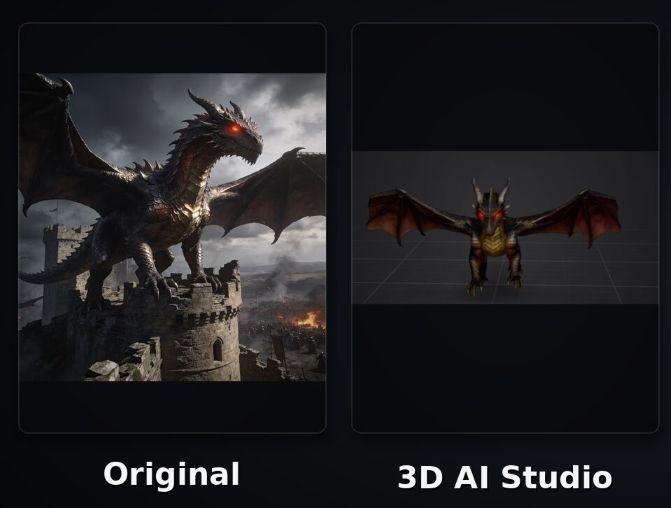
In our tests with the dragon and Transformers-style robot, the dragon generated by 3D AI Studio differed significantly from the original image.
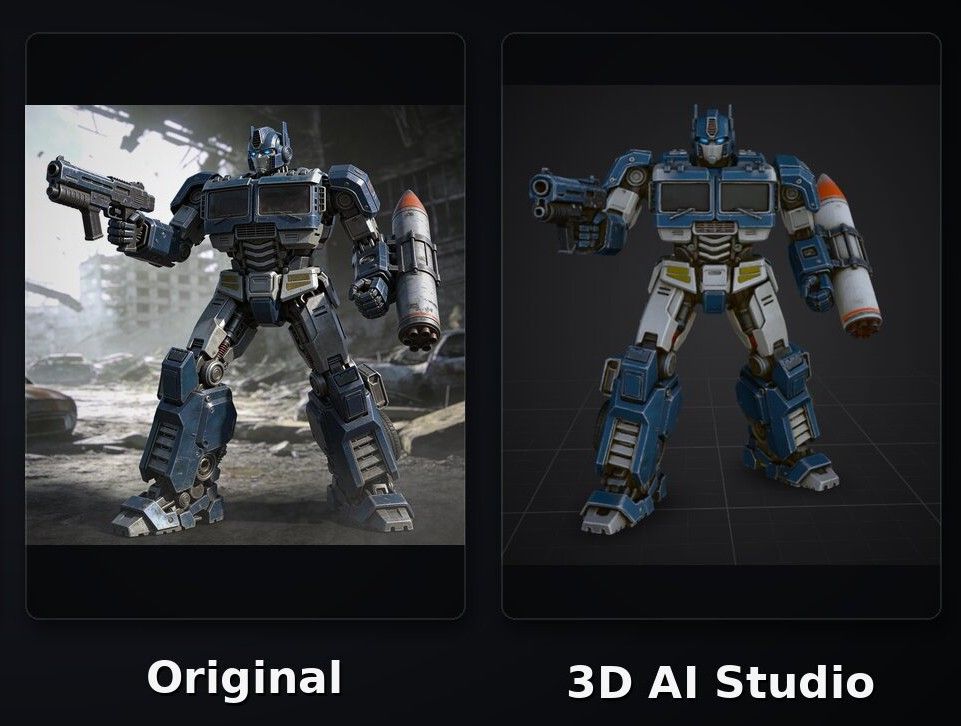
The Transformers-style robot also had an overly toy-like appearance and failed to reproduce the subtle dusty look of the original image.
Tripo AI
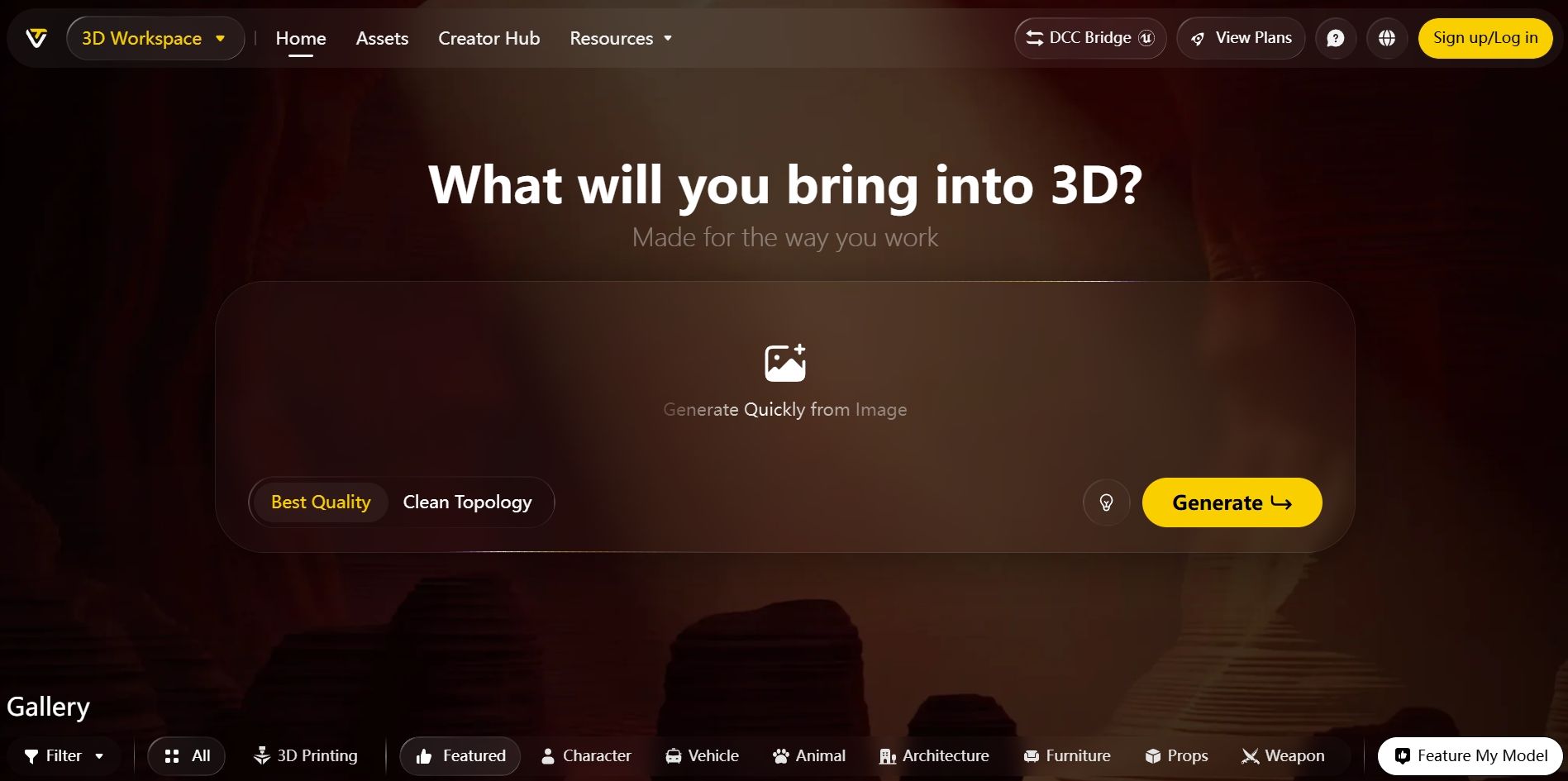
Tripo AI is an AI 3D creation platform that combines 3D model generation, texturing, model processing, and animation. It can create high-fidelity 3D models with up to 2 million polygons, making it suitable for rendering, VFX, 3D printing, e-commerce product visualization, and game development workflows that involve sculpting and retopology. Compared with Hi3D, Tripo AI is more geared toward professional users with experience in 3D creation.
Pros:
- Generates 3D models from text, images, sketches, and multiple reference views.
- Combines model generation, texturing, processing, and animation.
- Supports workflows for 3D printing, game development, VFX, and product visualization.
Cons:
- The Max plan costs $90/month, which may be excessive for users who only generate 3D models occasionally.
Price:
- Free plan: $0/month, with 200 credits per month.
- Pro plan: $20/month or $240/year.
- Max plan: $90/month or $1,080/year.
Test Results
In our tests with the dragon and Transformers-style robot, the dragon's textures and overall surface appearance differed significantly from those of the original image.
The Transformers-style robot also lacked fine details and had a relatively rough surface appearance compared with the original.
FAQs about 3D Printed Toys for Kids
Are 3D Printed Toys Safe for Kids?
3D printed toys can be suitable for children, but their safety depends on factors such as the materials used, the design, print quality, and the child's age.
When making toys, choose materials that are appropriate for toy use, and avoid designs with sharp edges or small parts that children could swallow. This is especially important for children under three, as small parts can pose a choking hazard. For larger or more complex toys, learning how to split 3D model for printing can also help make the model easier to print and assemble, while allowing you to check each part for potential safety issues.
If you use a 3D printer at home, the printing process should also be handled by an adult and carried out in a well-ventilated area, as 3D printing can release particles and volatile substances. For younger children, it may be a better option to purchase professionally printed toys rather than having them around the printing process.
What Material Is Best for 3D Printed Toys for Kids?
Common 3D printing materials include PLA, PETG, ABS, TPU, and resin. For children's toys, PLA is generally one of the most beginner-friendly options for home use. PLA is mainly made from plant-derived lactic acid, is relatively easy to print, and can be used to make puzzles, animal models, building blocks, and small toys.
PETG is more impact-resistant and durable than PLA, making it suitable for toys that may be dropped frequently or need to withstand greater force. However, it generally requires more demanding printing conditions. ABS is strong and heat-resistant, but it can produce odors and volatile substances during printing. Good ventilation is therefore important, making ABS less suitable for children's toys printed at home. TPU is suitable for making soft and flexible toys, although not every toy requires these properties. Resin requires greater caution, as uncured or incompletely cured resin can be irritating.
Regardless of which material you choose, use products from reputable manufacturers and pay attention to the toy's edges, small parts, and surface finish.