If you already have an image and want to turn it into an actual downloadable 3D mesh, Hi3D is where I would start. It keeps generation, inspection, texturing, export, and print preparation in one browser workspace. V3.0 Master is the main reason it leads this list: the supplied examples show 2048³ geometry and an 8192 x 8192 texture, with enough visible detail in hair, armor, and lettering to reward a close look.
There are cheaper ways to experiment. Fast3D gives you recurring credits, SupaVoxel offers three free models a day, and Sloyd makes more sense if you want adjustable game props. Canva is the odd one out. It creates a 3D-style image, not a mesh you can open in Blender or send to a slicer.
How to choose the best 3D model creator
1. Make sure you are getting a real 3D model
The word "3D" is used loosely online. A rendered image may look dimensional, but you cannot rotate it, rig it, slice it, or edit its geometry. If the next stop is Blender, Unity, Unreal Engine, a web viewer, or a slicer, look for GLB, OBJ, FBX, STL, USDZ, or 3MF export. Canva makes images. The other seven tools in this guide make meshes.
2. Start with the input you already have
Use image-to-3D for a product photo, character illustration, sculpture reference, or finished concept. Text-to-3D is better for rough ideas that do not have artwork yet. If the back and sides matter, multi-view input gives the generator far more to work with than a single front view. Sloyd's editable templates take a different route and are handy when you need a family of related props.
3. Turn the color off for a minute
Strong color can hide fused fingers, floating parts, soft lettering, and incorrect overlaps. Rotate the model and switch to a clay or untextured view if the tool has one. Texture comes next: look for broken patterns, obvious seams, and muddled color in areas the source image did not show. A five-million-face model can still have poor topology. The number only tells you how dense it is.
4. Read the free-plan rules once, up front
This is where most of the fine print lives. Free generation may lead to a public asset, an attribution requirement, a personal-use license, or a preview that costs money to export. Some services cap downloads separately from generations. Keep confidential designs away from public tiers, and find out what you can download before spending an afternoon on a model.
5. Download one file and try it in the next app
A browser preview can flatter a model. Open the file in Blender, Unity, or your slicer and see what happens. Game assets may need retopology or rigging. Prints can fail because of holes, thin walls, intersections, scale, or supports. Web models can simply be too heavy. That first download tells you more than a polished gallery ever will.
Eight AI tools for 3D modeling
| Tool | Real 3D mesh? | Free access | Paid plans start at* | Best for |
|---|---|---|---|---|
| Hi3D | Yes | 100 lifetime credits; up to 10 asset generations | $19.90/month or $119.40/year | High-fidelity image-to-3D and print preparation |
| Fast3D | Yes | 300 monthly credits; two downloads per day | $10/month or $84/year | Fast text, image, and multi-view generation |
| SupaVoxel | Yes | Three free models per day | $19/month | Simple free daily image-to-3D |
| Sloyd | Yes | One AI generation per day; community-model exports | $15/month or $150/year | Adjustable game props and asset variations |
| Magic3D | Yes | 100 sign-up credits valid for 30 days | $19.90/month | A low-risk first text- or image-to-3D project |
| Canva | No, image only | Limited AI use on the Free plan | Pro: $144/year | 3D-style concept images and presentations |
| Rodin by Hyper3D | Yes | Free preview; pay when confirming a result | $30/month or $288/year | Detailed assets and preview-before-payment |
| 3D AI Studio | Yes | Selected tools and sign-up credits | $19/month or $144/year | Comparing multiple generation engines |
*USD prices checked October 5, 2026. Annual totals are paid upfront where listed. Taxes, promotions, regional pricing, credits, licenses, and feature access can change.
1. Hi3D: best overall AI 3D model creator
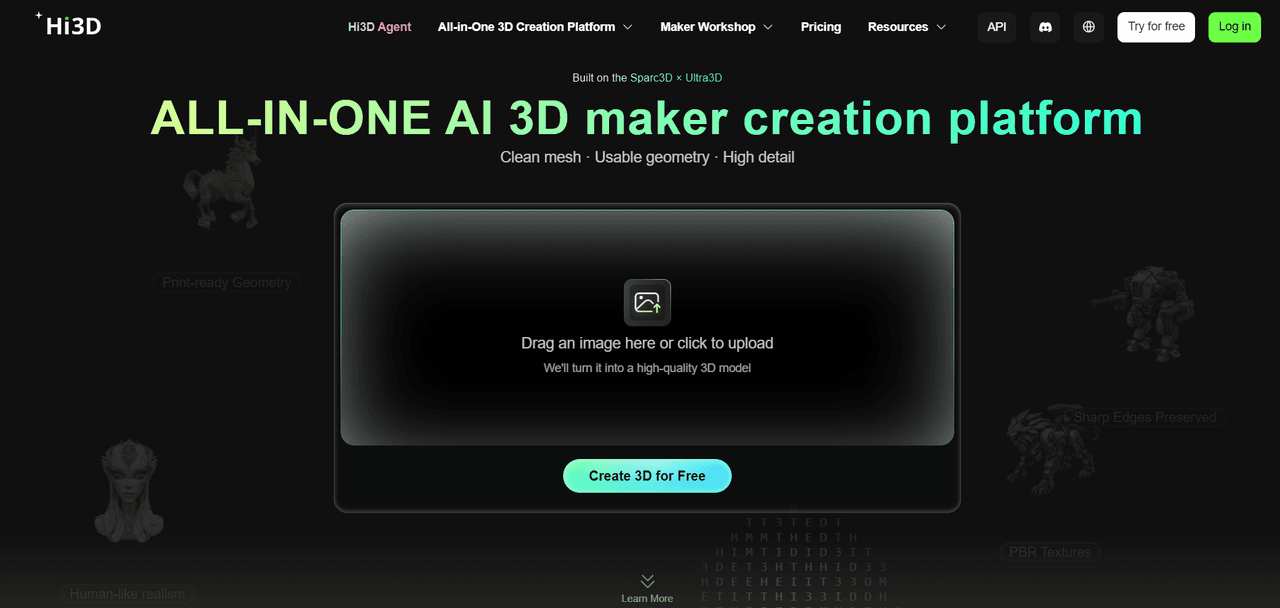
Hi3D gets the top spot because the useful workflow continues after the mesh appears. You can generate from one image or several views, rotate the result, work on the texture, export it, or move into 3D Relief, Split-to-Print, and Multi-Color Print without changing platforms. That is a much friendlier route for a first model than collecting four separate tools and learning where each handoff breaks.
V3.0 Master is built for difficult references: layered hair, ornate armor, engraved text, folds, and small sculptural details. In the examples below, the front holds onto the original character's fine decoration, while the rear view gives you a clear look at what the model had to invent. The hair and cloak remain coherent, but they are still inferred from a front-facing image. Use two to four consistent views when the unseen geometry has to match a specific design.
The separate model-information view confirms V3.0 Master, 2048 resolution, close to five million faces, and an 8192 x 8192 texture. That is a lot of data. It is useful for close detail, and it may be heavier than a game or web project needs.
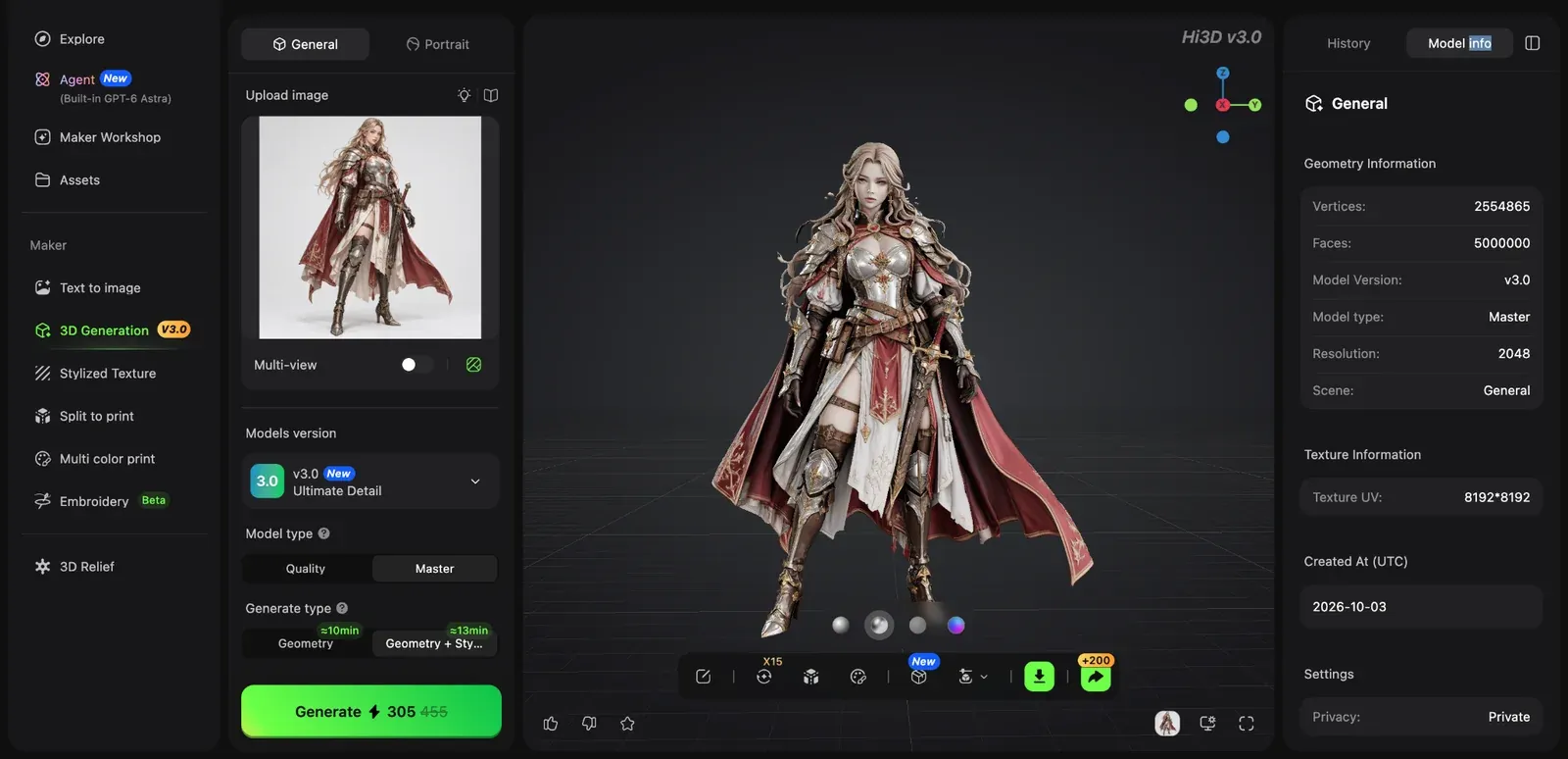
A V3.0 Master result viewed from the front; the reference image remains visible in the workspace.
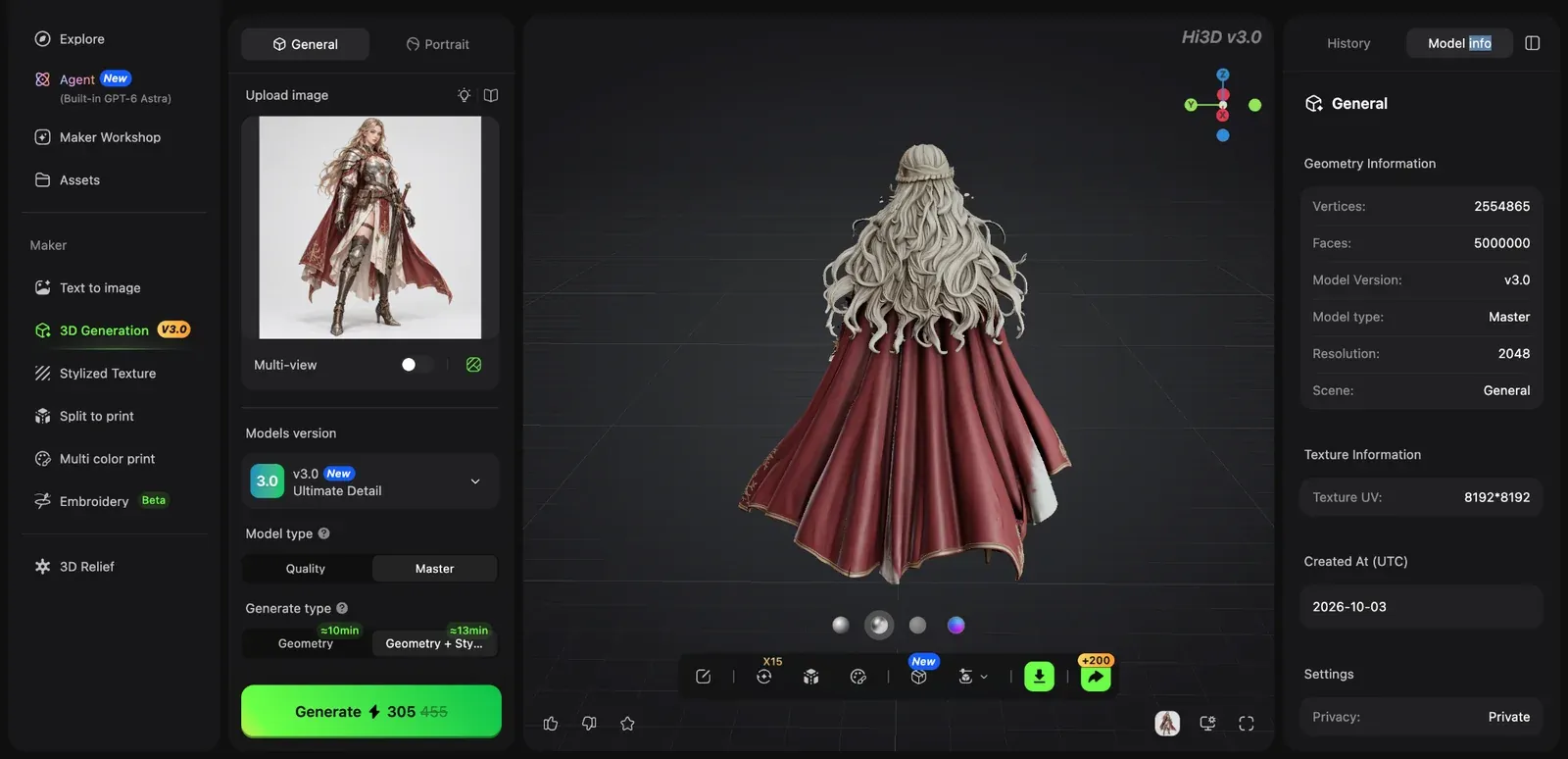
The rear view reveals the geometry and texture that Hi3D inferred from a single front-facing reference.
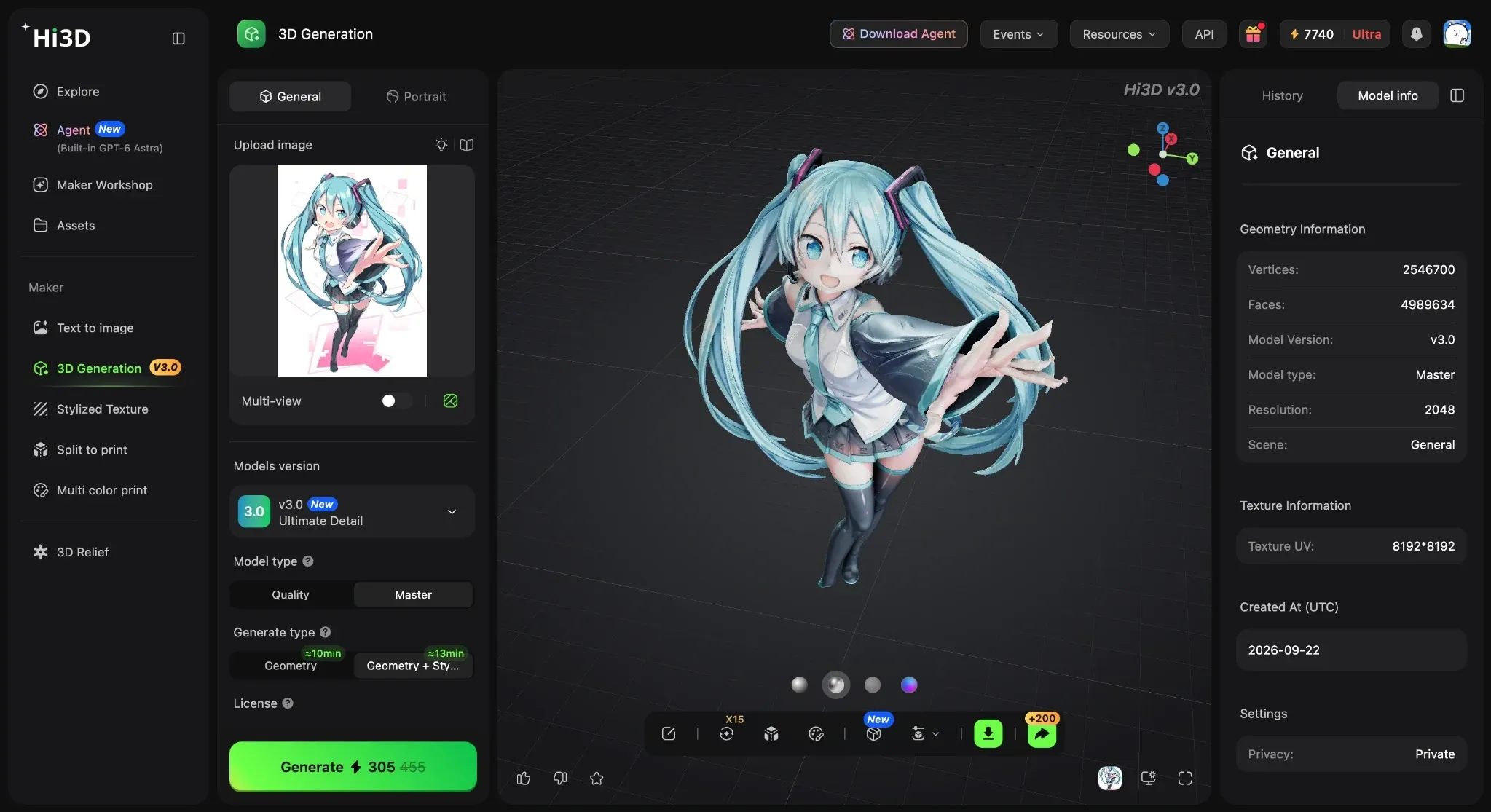
The model-information panel identifies V3.0 Master, 2048 resolution, close to five million faces, and an 8K texture map.
Main features:
- Image-to-3D and multi-view generation
- V3.0 Quality and Master modes
- Up-to-8K textures
- Model inspection and texturing
- 3D relief
- Split-to-Print
- Multi-Color Print
- OBJ, GLB, STL, FBX, USDZ, and 3MF export
Price:
- Free is $0 with 100 lifetime credits and up to 10 asset generations
- Pro is $19.90/month or $119.40/year ($9.95/month equivalent)
- Max is $39.90/month or $239.40/year ($19.95/month equivalent)
- Ultra is $129.90/month or $779.40/year ($64.95/month equivalent).
- The live subscription page may display temporary first-month or annual promotions
Pros:
- One connected workflow from reference to generated mesh and print preparation
- High-detail V3.0 modes
- Multi-view input
- Common export formats
- Tools for splitting and color preparation
Cons:
- Master generations consume substantially more credits
- Hidden surfaces remain inferred from a single image
- Dense output may require optimization
- Every model still needs downstream inspection
Best for
Beginners, figurine makers, 3D printing users, character artists, and experienced creators who want high-detail image-to-3D generation in a browser.
2. Fast3D: best for quick, frequent experiments
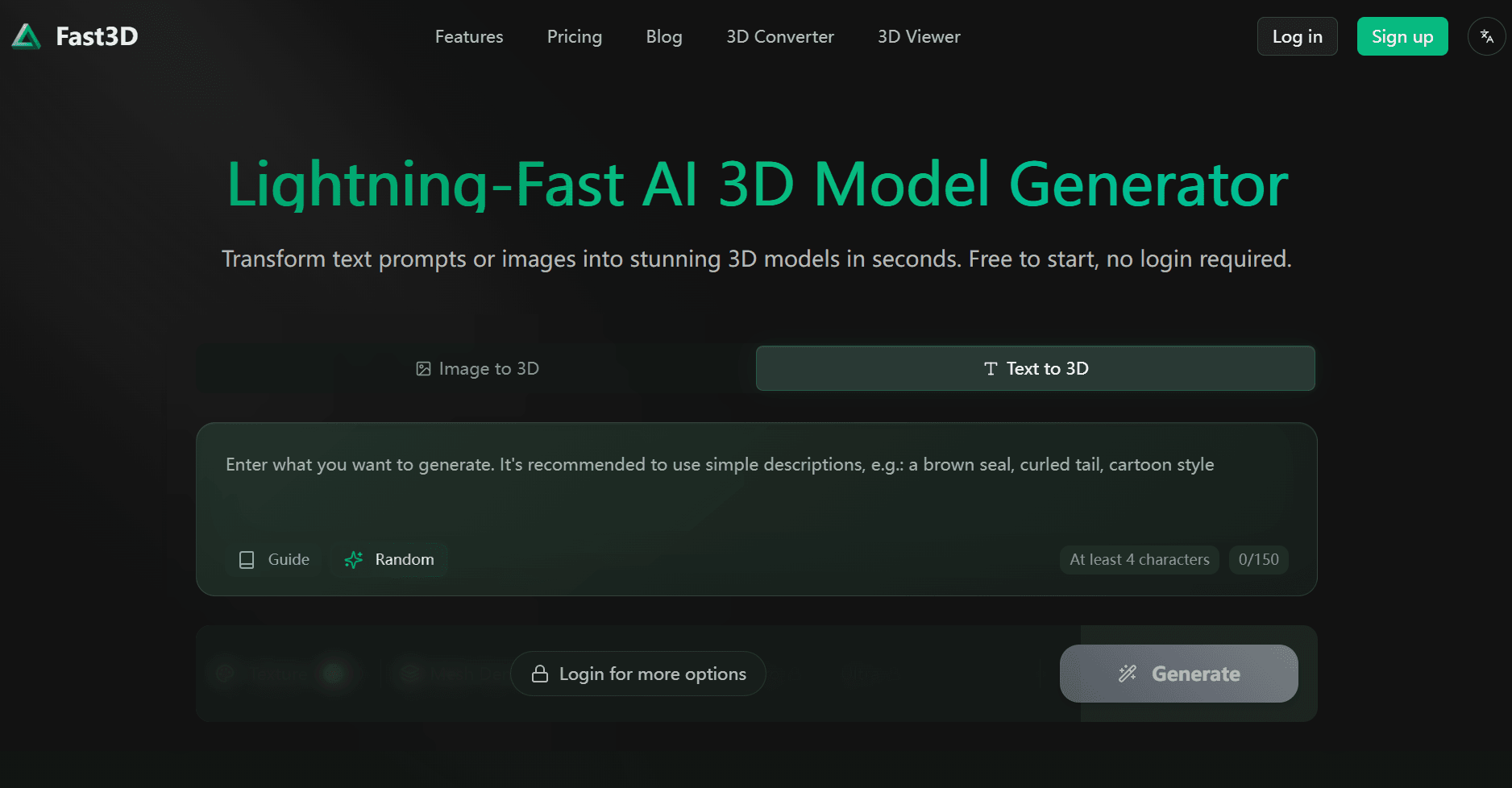
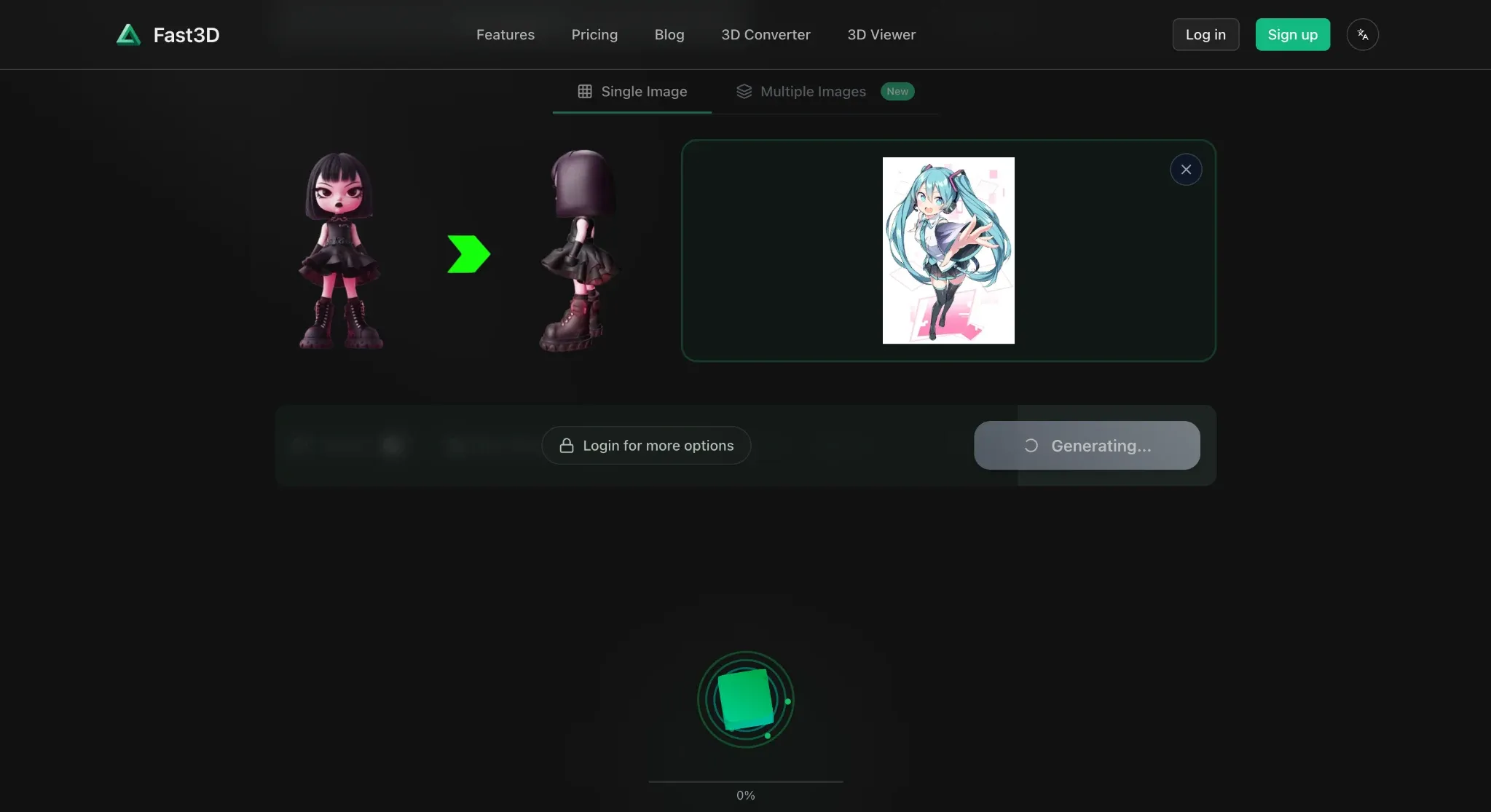
Fast3D is the speed pick. You can start with text, one image, or several views, choose a mesh level, add PBR textures, and export in formats used by 3D editors, engines, and slicers. Its free plan resets to 300 credits each month and permits two downloads per day, which makes it easier to keep experimenting than a one-time trial. The tradeoff is visible in the settings: Fast, Standard, Pro, and Ultra meshes use progressively more credits, and the higher modes sit behind paid plans. Fast3D is a good place to test whether an idea works in 3D without turning every attempt into a purchasing decision. It is less convincing as a promise of finished geometry. Thin parts and hidden surfaces are still the places most likely to need cleanup. Free assets also use a CC BY 4.0 license, so attribution is part of the deal.
Main features:
- Text-to-3D
- Single-image and multi-view generation
- Selectable mesh quality
- Optional PBR textures
- Browser preview, and GLB/GLTF, FBX, OBJ/MTL, and STL export
Price:
- Free includes 300 monthly credits, one concurrent task, and two downloads per day
- Pro is $10/month or $84/year ($7/month equivalent).
- Max is $20/month or $168/year ($14/month equivalent). Max Unlimited requires a quote
Pros:
- Several input methods
- Clear quality levels
- Useful free monthly allowance
- Common game and printing formats
- Private assets on paid plans
Cons:
- Free assets require attribution
- Free downloads are capped
- Pro and Ultra quality are paid features
- API access was still on the roadmap when checked
Best for:
Creators who value speed, want to compare single-view and multi-view inputs, or need a simple route into common 3D formats.
3. SupaVoxel: best free daily allowance
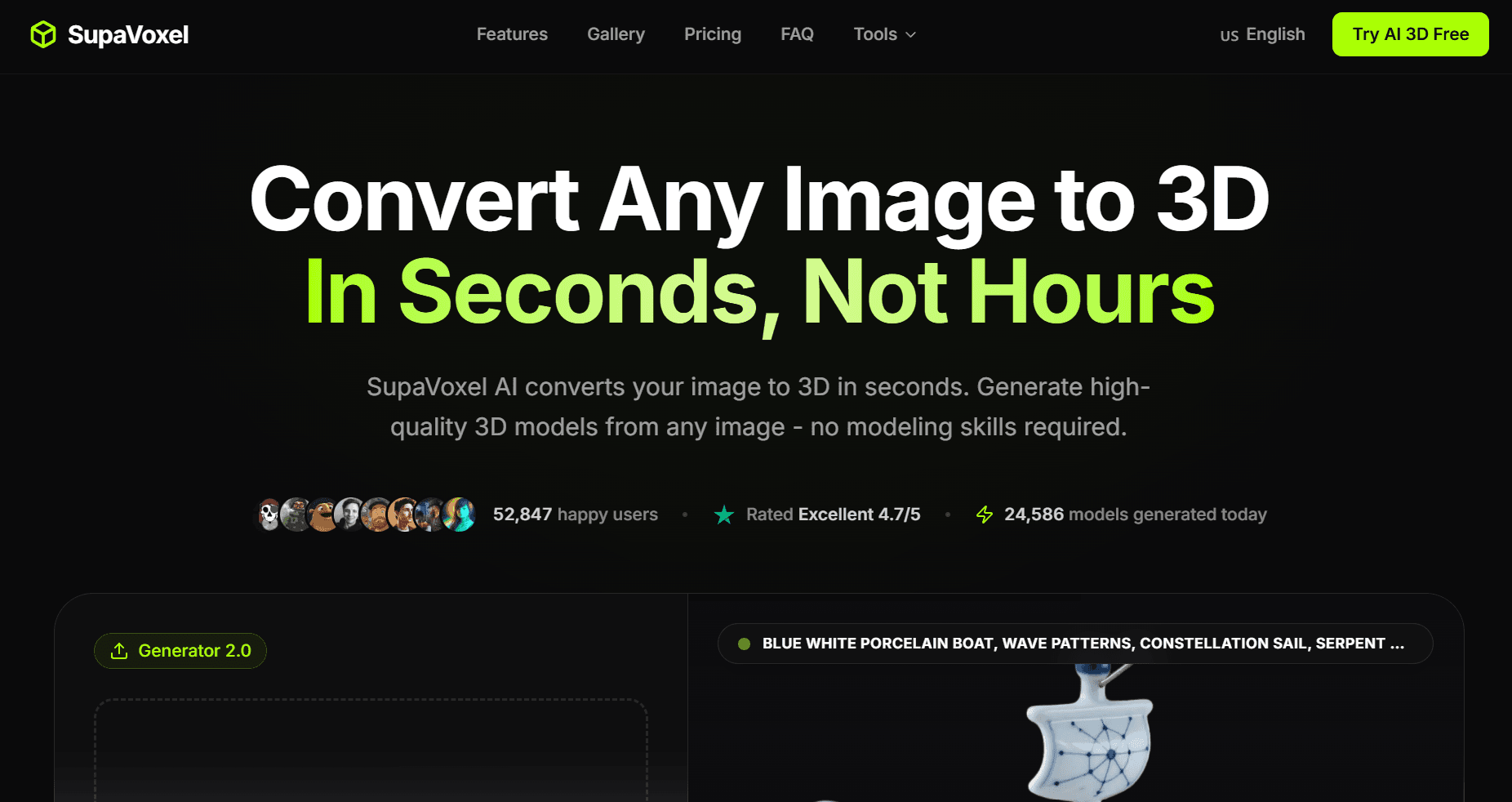
Three free models a day. That is SupaVoxel's clearest advantage.
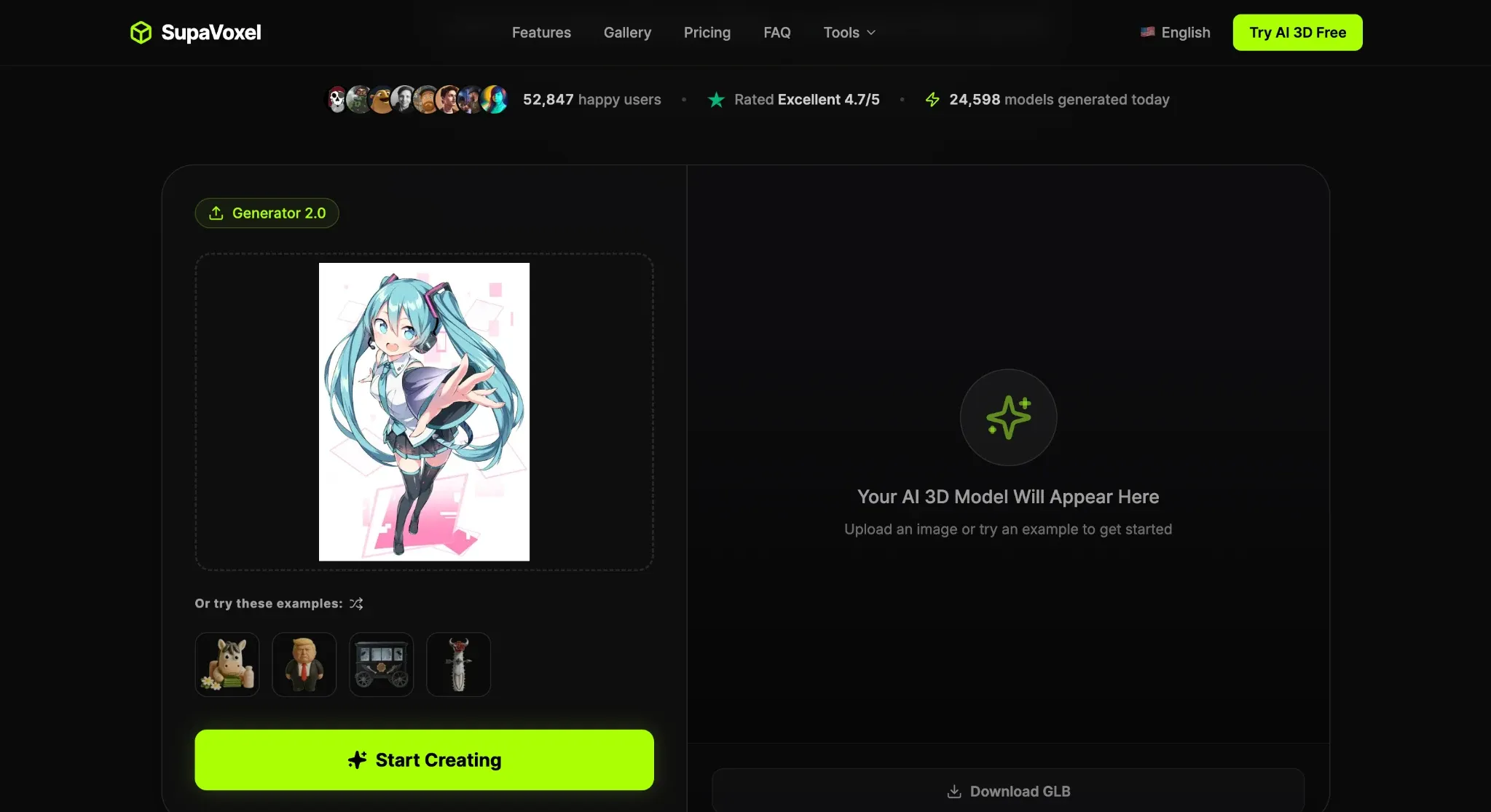
SupaVoxel takes photos, sketches, logos, and AI artwork, then turns them into textured meshes in the browser. You can export to GLB, FBX, OBJ, STL, PLY, or USDZ, so the result has somewhere useful to go. For a beginner, the recurring allowance is enough to learn a basic lesson quickly: a clean object on a plain background usually gives the model fewer chances to get confused.
The pricing is less tidy. SupaVoxel's general pages list monthly Starter, Pro, and Ultra subscriptions, while a separate print-focused page advertises a different annual offer. I would treat the free tier as the easy part and read the checkout screen carefully if you upgrade. Paid plans add private commercial licensing, more credits, and mesh editing; the free plan's ownership and export conditions deserve a fresh look inside the account.
Main features:
- Image-to-3D from photos, sketches, art, or logos
- Automatic PBR textures
- GLB, GLTF, FBX, OBJ, STL, PLY, and USDZ export
- Background removal
- Paid mesh editing
Price:
- Free provides three models per day
- Starter is $19/month with 400 credits; a temporary $9 first month was shown when checked
- Pro is $29/month with 600 credits
- Ultra is $99/month and advertises unlimited 3D generation at lower priority during busy periods
- The general pricing page did not expose annual totals
Pros:
- Recurring free generations
- No card required
- Broad export list
- A straightforward upload workflow
- Commercial licensing on paid plans
Cons:
- Free-plan ownership and export conditions need confirmation at checkout
- Annual offers differ across public pages
- Advanced editing is gated
- Speed claims do not establish mesh quality
Best for:
Beginners who want a few fresh image-to-3D experiments each day before committing to a subscription.
4. Sloyd: best for editable game props
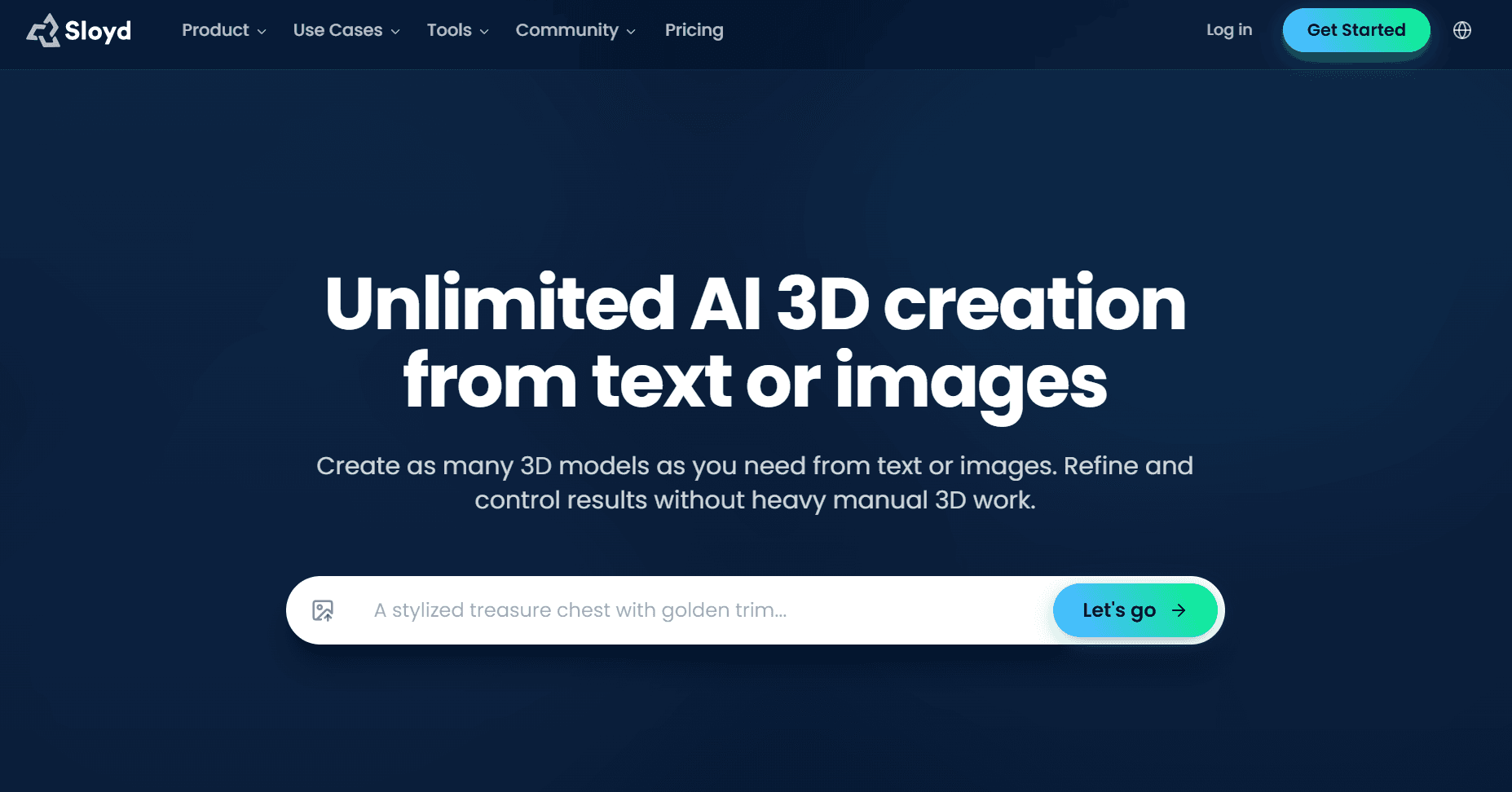
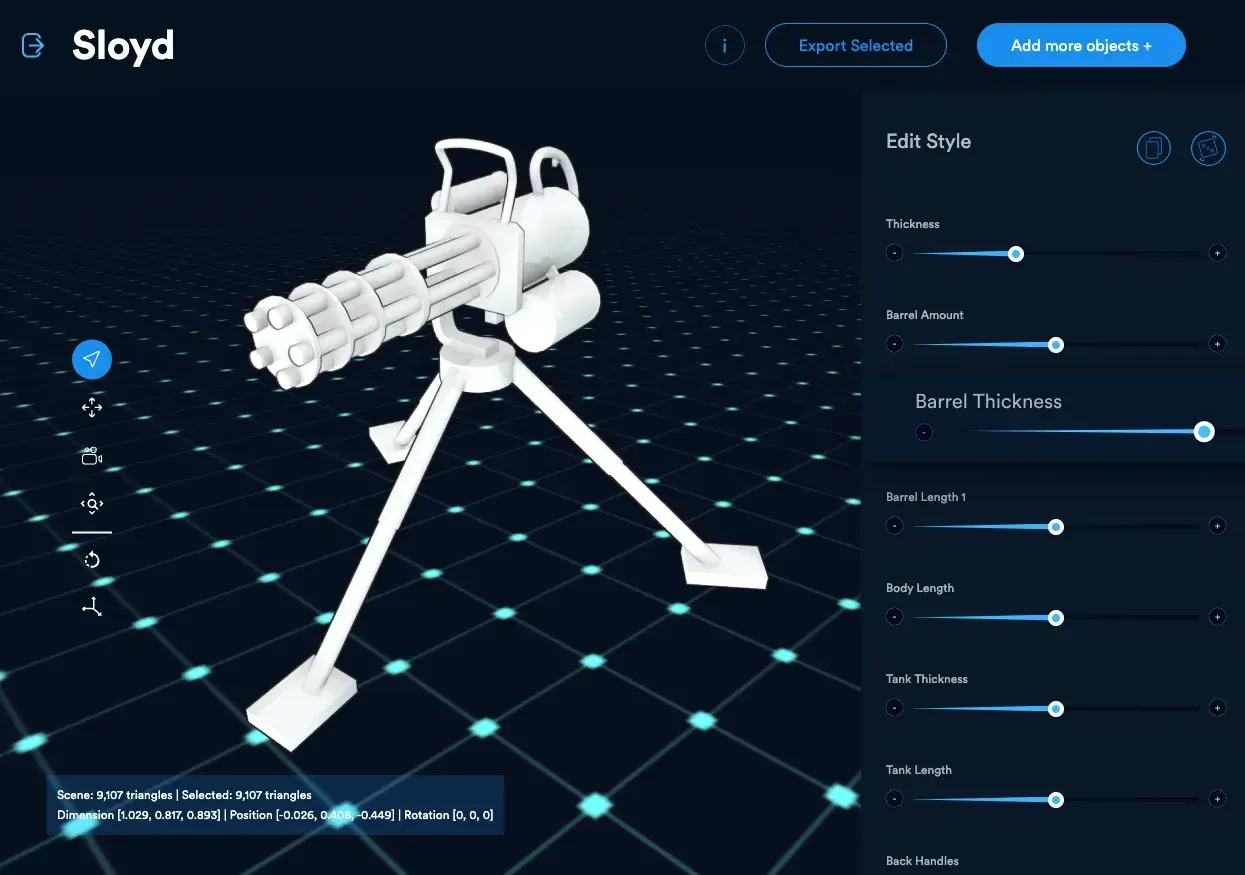
Sloyd makes the most sense when you need a family of related props. Start with a generated asset or a template, then change practical parameters such as thickness, barrel count, body length, or other part dimensions. That is useful for crates, weapons, furniture, buildings, and vehicles that need to look like members of the same set. Sloyd has grown beyond templates and now includes image generation, retexturing, rigging, animation, and plugins for Blender and game engines. The adjustable asset workflow is still its clearest identity. The free Guest plan lets you try one AI generation per day and customize templates in the browser. It does not let you export your own generated model. For that, and for commercial use, you need Plus or Pro. Several advanced actions also draw from monthly credits even on plans that describe standard generation as unlimited.
Main features
Text- and image-to-3D, adjustable templates, scene editing, retexturing, 4K texture editing, rigging, animation, plugins, and advanced credit-based tools
Price:
- Guest is $0. Plus is $15/month or $150/year ($12.50/month equivalent), with 50 monthly credits
- Pro is $50/month or $500/year ($41.67/month equivalent), with 350 monthly credits
- Paid standard generations remain subject to fair-use rules
Pros:
- Editable parametric templates
- Strong prop-variation workflow
- Rigging and animation
- Game-engine and Blender connections
- Commercial use on paid plans
Cons:
- Free users cannot export their own generated models
- Advanced features use separate credits
- The number of tools can feel broad for a first-time user
- Marketplace reselling requires Pro
Best for
Indie game developers, level designers, and creators building related families of editable props.
5. Magic3D: best for a planned first project
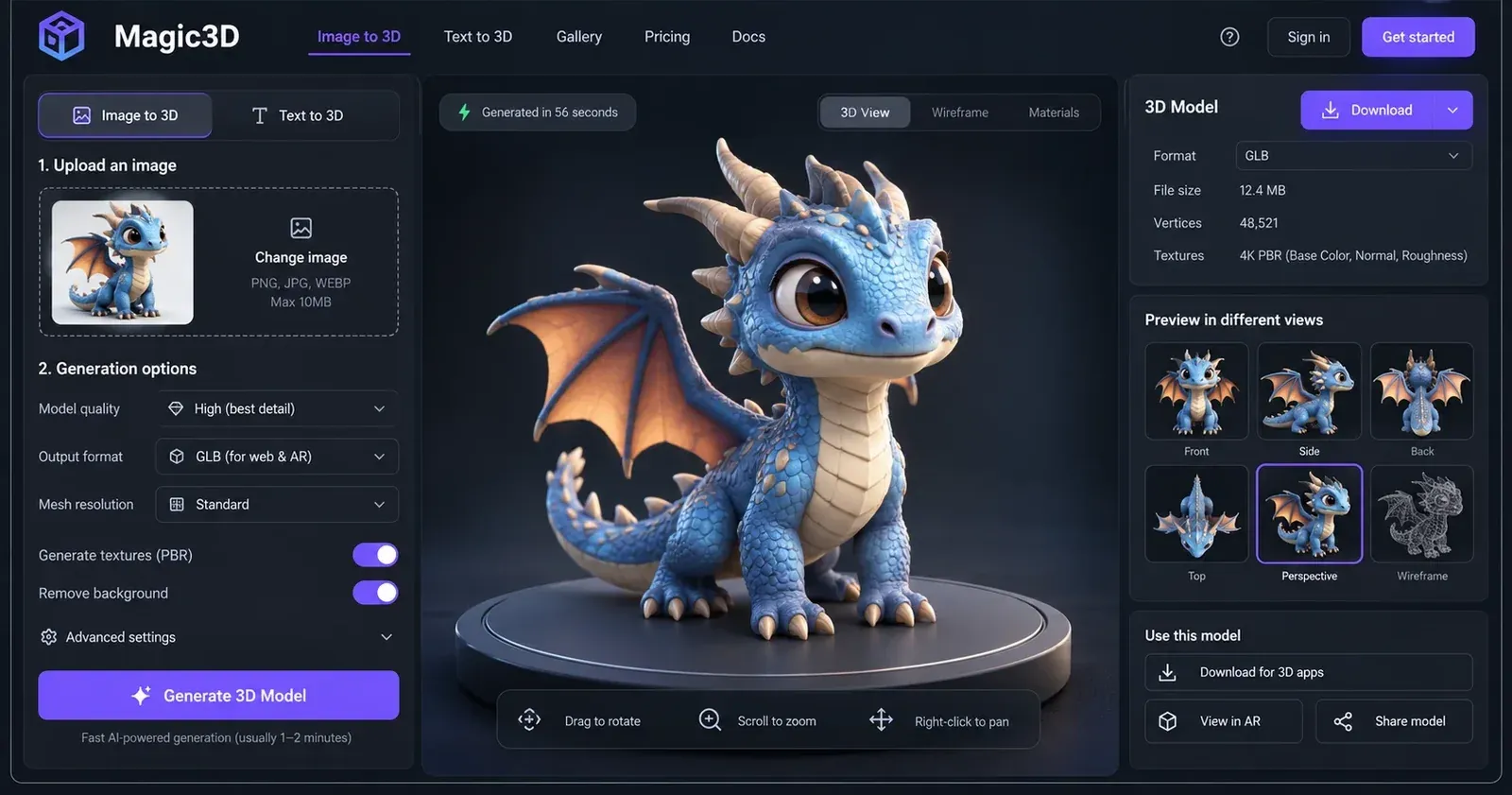
Magic3D gives new accounts 100 credits for 30 days. That is enough to learn the interface and export a few modest results, but it is not the kind of free plan you should open without a project in mind. Bring a simple object with a clear silhouette. You will learn more from a mug, toy, or compact prop than from a character covered in hair, weapons, and overlapping fabric.
Magic3D bundles image, video, and 3D generation into the same credit pool. Those 100 credits disappear quickly if you bounce between tabs. Text-to-3D starts at 20 credits for a mesh; image-to-3D starts at 30. Textures and higher quality add to the cost. Free assets require CC BY 4.0 attribution. If the first project goes well, a subscription adds private assets, commercial use, faster queues, and full-resolution downloads. One-time packs are available for occasional work and do not expire.
Main features:
- Text-, image-, and upload-to-3D; textured meshes
- Quality controls; PBR options
- 3D viewer
- Image and video tools
- Recurring subscriptions and non-expiring credit packs
Price:
- Free includes 100 sign-up credits that expire after 30 days
- Pro renews at $19.90/month with 2,000 credits
- Max renews at $39.90/month with 5,000 credits
- Ultra is $79.90/month with 12,000 credits
- A 30% yearly saving was advertised, but exact annual checkout totals were not publicly exposed during verification
- First-month discounts are temporary
Pros:
- Enough free credit for a focused first project
- Clear per-operation credit table
- Text and image inputs
- Private commercial assets on paid plans
- One-time packs do not expire
Cons:
- Free credits expire
- Free assets require attribution
- Several media tools draw from the same balance
- Annual totals need checkout confirmation
Best for
Beginners who want to complete and export a small first model before choosing an ongoing plan.
6. Canva: useful, but it is not a 3D model creator
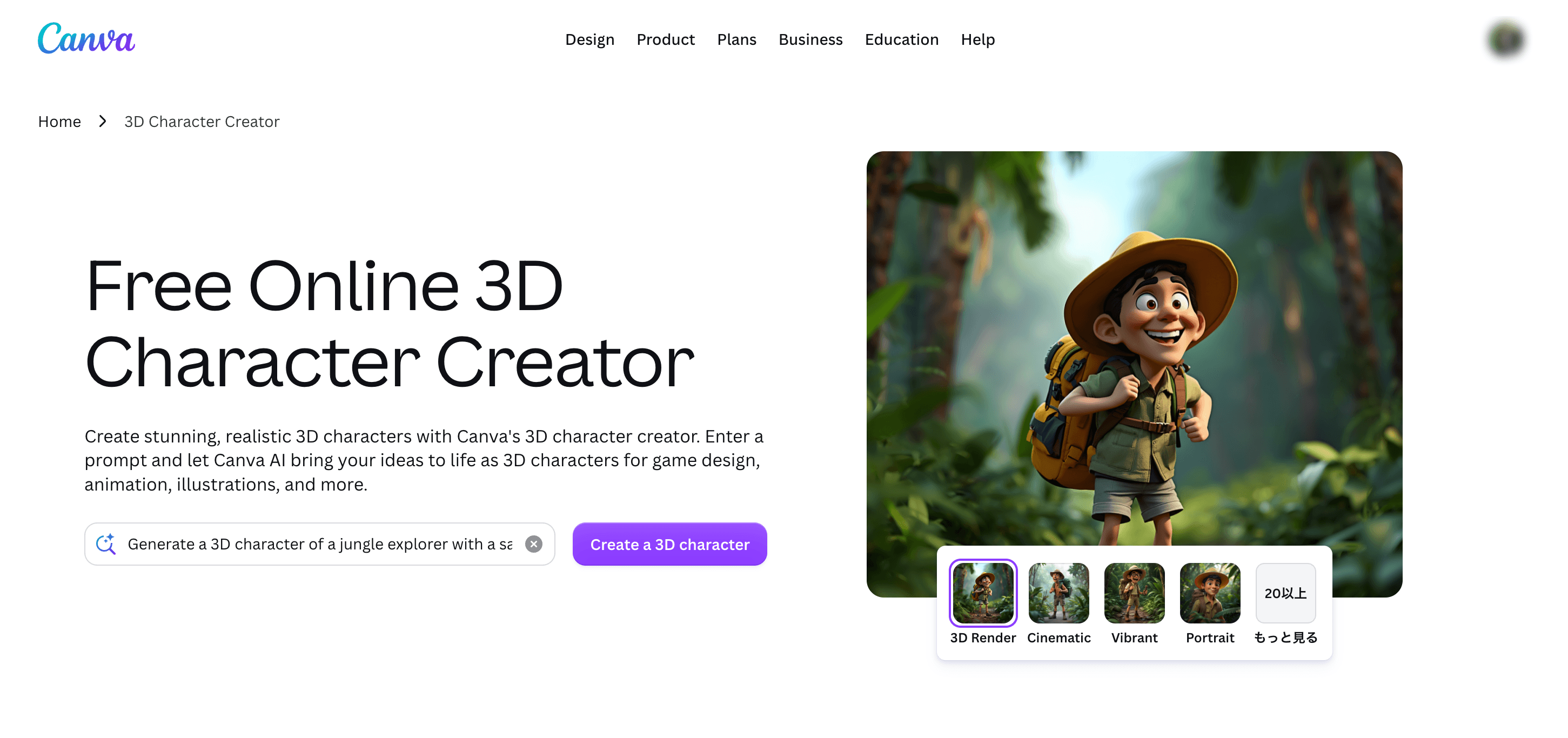
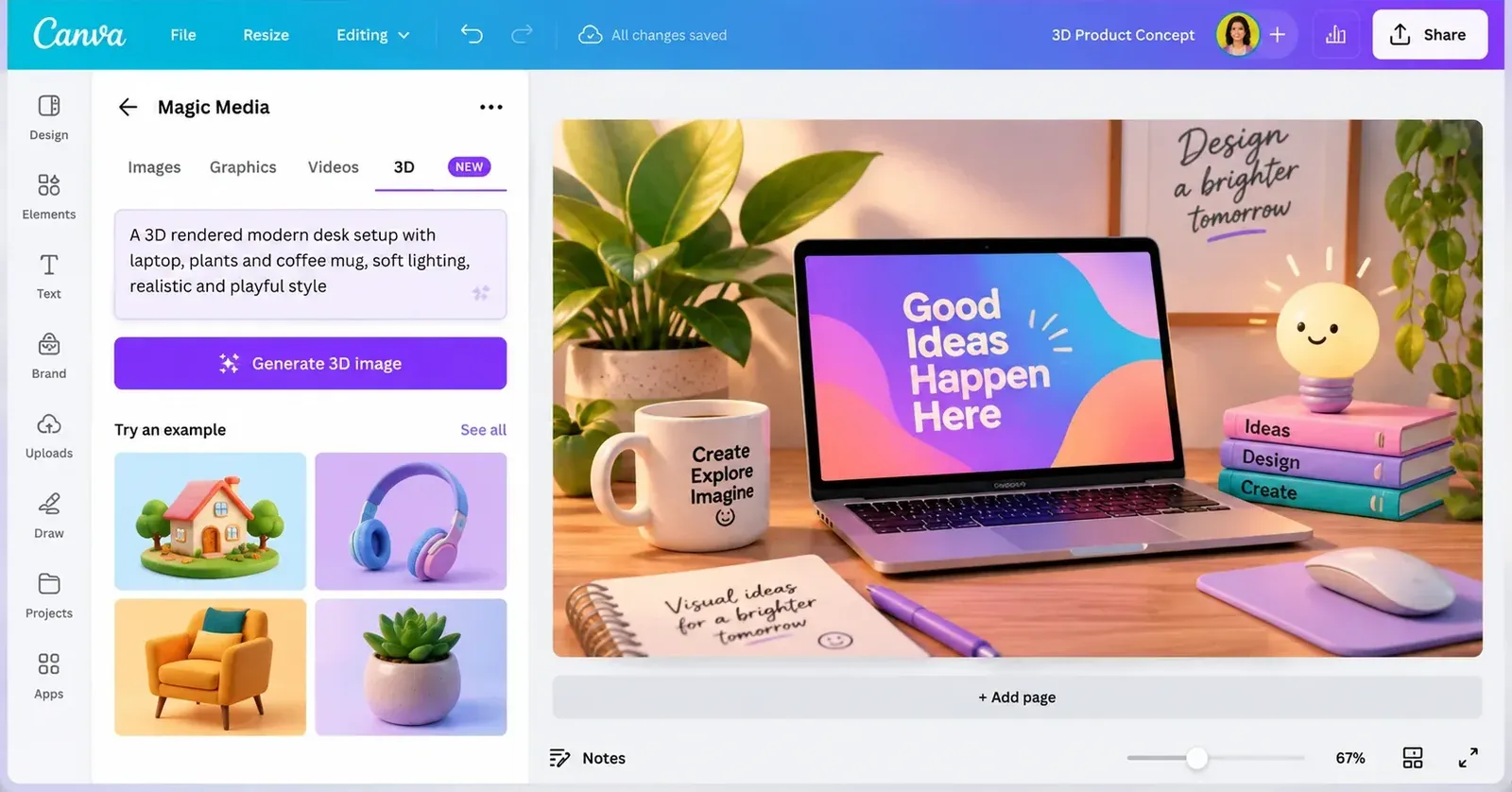
Canva's AI 3D Model Generator has a misleading name for anyone expecting a mesh. It generates an image with a 3D-rendered look. You can place that image in a presentation, campaign, moodboard, or product concept, but you cannot rotate it in Blender or export it as GLB, OBJ, FBX, STL, or 3MF.
Canva earns its place here as a concept tool. Generate a clean, full-object image, remove the background, settle the proportions with your team, and pass it to a real image-to-3D service later. Keep the silhouette visible and avoid dramatic overlaps if conversion is the next step. Canva's editor is much better than a mesh generator at adding type, arranging references, and turning an unfinished idea into something another person can react to. Just stop before calling the result a 3D model.
Main features
Text-to-image with 3D visual styles, prompt-based editing, background removal, image enhancement, layouts, presentations, collaboration, and JPG/PNG/PDF/PPTX design export.
Price:
- Canva Free is $0 with up to 20 Standard or Premium AI uses on the US pricing page checked
- Canva Pro is $144/year for one person ($12/month equivalent)
- Monthly pricing is localized and should be confirmed in the account
- AI allowances vary by plan and reset rules
Pros:
- Very easy concept development
- Strong image editing and layout
- Useful for moodboards and stakeholder review
- Limited free AI access
- No 3D experience required
Cons:
- No mesh output; no GLB, OBJ, FBX, STL, or 3MF model export
- Another tool is required for geometry; generated concepts can contain visual inconsistencies
Best for
Marketers, product teams, students, and designers who need a 3D-looking concept image before model generation begins.
7. Rodin by Hyper3D: best preview-before-payment workflow
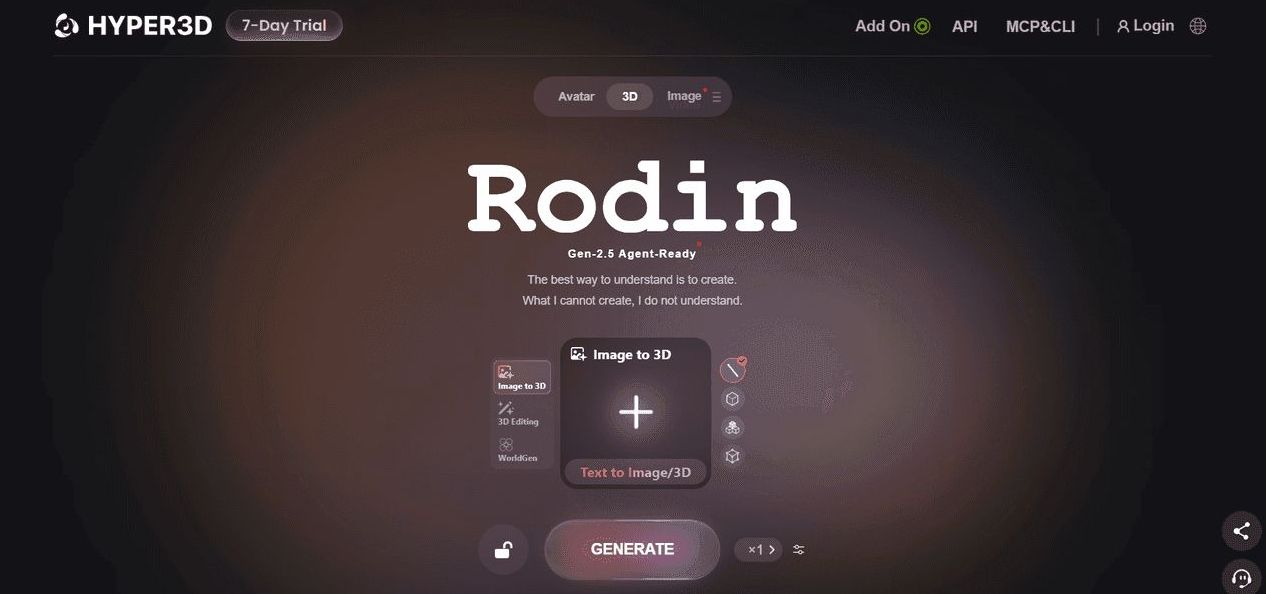
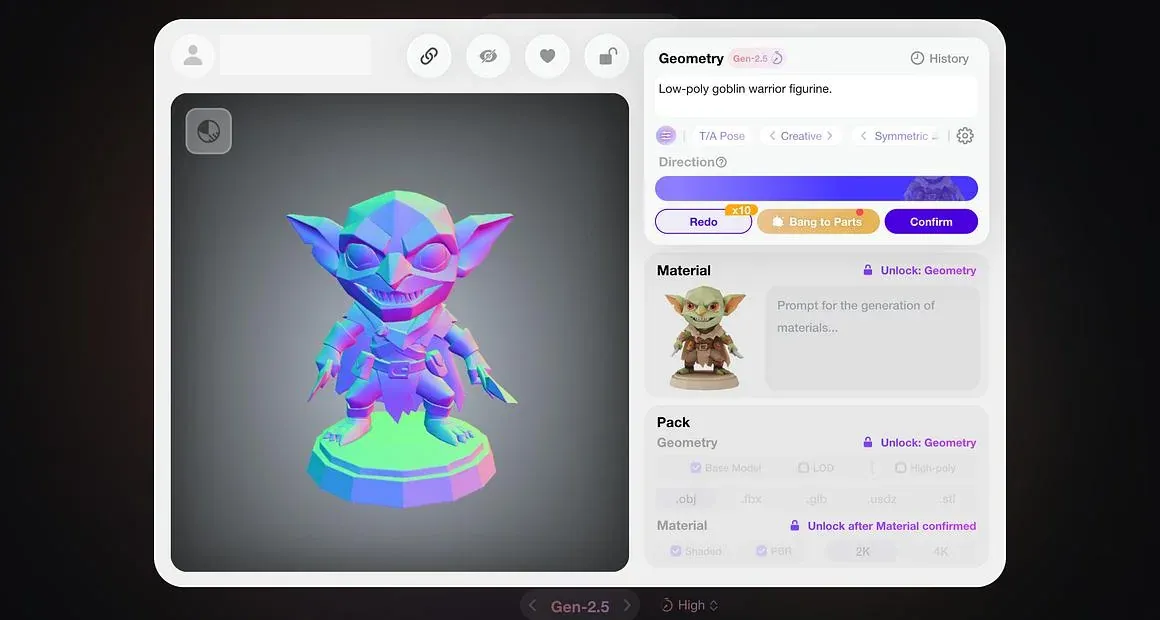
Rodin lets you generate and see a result before you confirm it. That small change matters. You do not have to spend paid credits on a model that is obviously wrong from the first spin.
Rodin accepts text, images, and multiple images. Creator plans add Smart Low-Poly, HD and custom textures, baked normals, higher polygon settings, and repeated geometry or material redos. It is a better fit for an artist who wants a dense source asset and a path toward a lighter version than for someone chasing the largest free allowance.
The free plan covers preview and pay-by-result access. Unrestricted downloads are outside that tier. Direct credits cost $1.50 each, which becomes expensive once you generate regularly. At that point the Creator subscription is easier to justify. Business adds the API and the highest-end production options. At $120 per month, it is priced for teams.
Main features:
- Text-, image-, and multi-image-to-3D
- Preview before confirmation
- Smart Low-Poly
- HD and custom textures
- Baked normals
- Geometry and material redos
- Integrations and API access on higher plans
Price:
- Free is $0 with preview-before-confirmation and direct credits at $1.50 each
- Creator is $30/month or $288/year ($24/month equivalent)
- Business is $120/month or $1,152/year ($96/month equivalent).
- Enterprise is custom
Pros:
- Evaluate a preview before paying for the result
- High-detail controls
- Low-poly and normal-baking workflow
- Generous redo allowances on paid plans
- Strong integration and API path
Cons:
- Free preview is not the same as free export
- Direct credits are expensive for frequent use
- Advanced high-poly and API features require Business
- Pricing takes time to compare by actual output
Best for
Artists and teams who value detailed generation controls and want to evaluate a result before committing paid credits.
8. 3D AI Studio: best for comparing engines
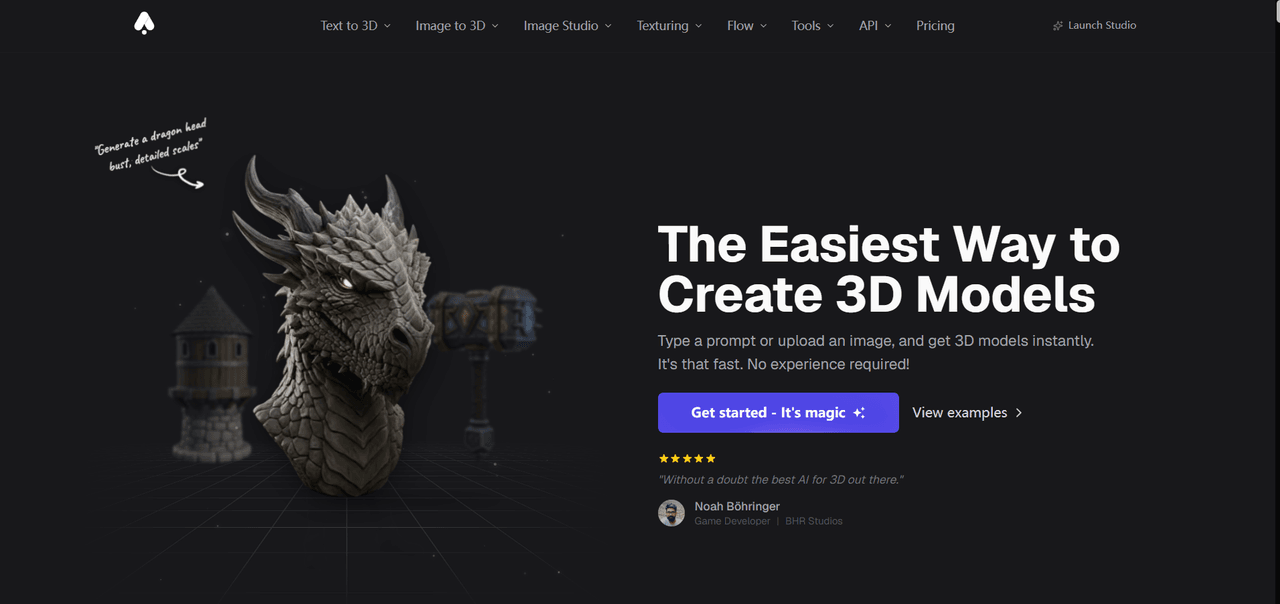
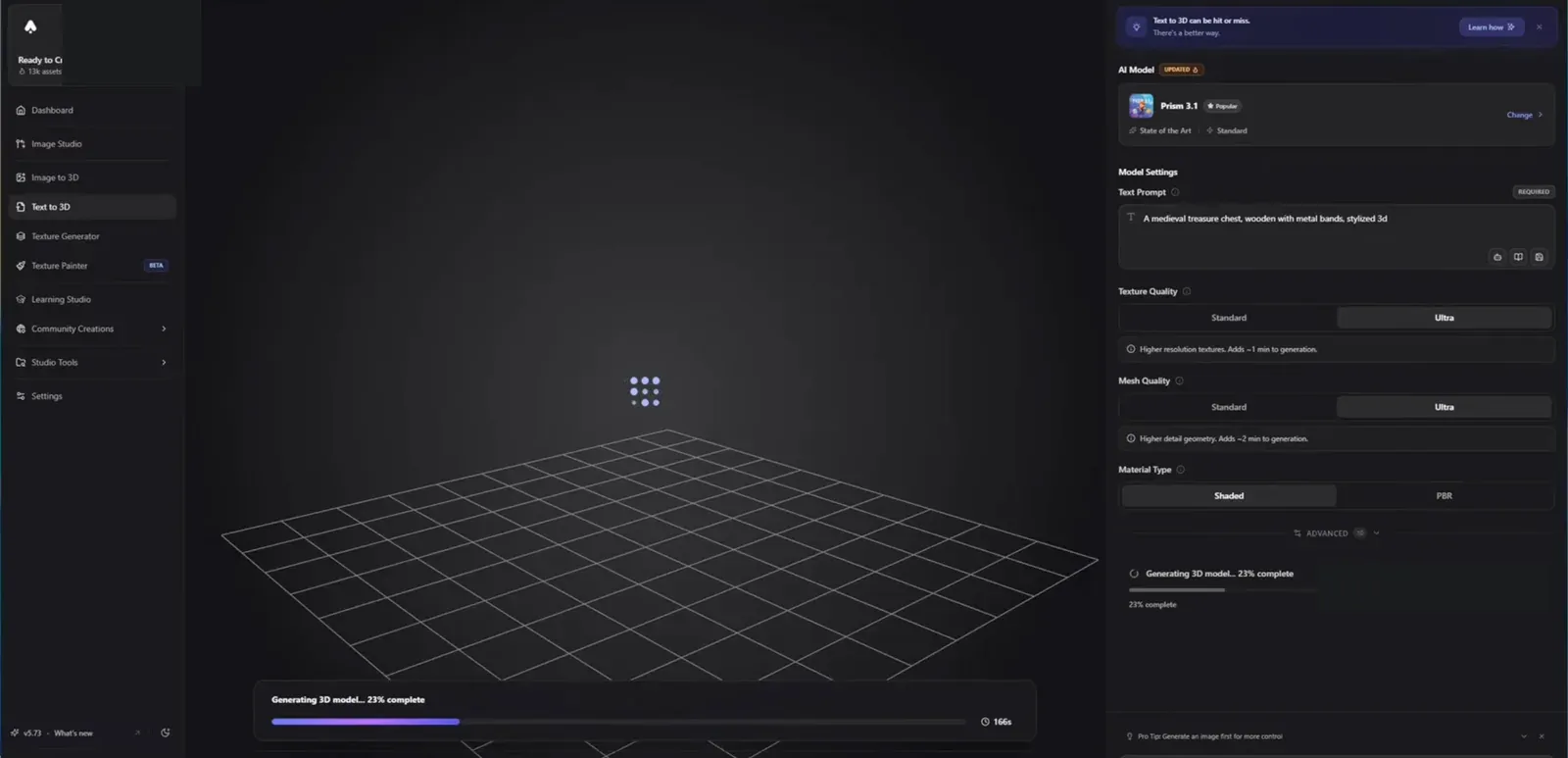
3D AI Studio is for the person who keeps wondering whether another model would handle the same reference better. It brings several generation engines into one account, along with image creation, texturing, remeshing, repair, splitting, and format conversion. Run the same source through two engines and the differences become easier to see. One may preserve the silhouette; another may give you cleaner materials or a lighter mesh. The platform is less friendly when you do not yet know what you are judging. A long tool list can turn a simple first model into an afternoon of settings, and credit use changes by engine and option. For a print project, concentrate on solidity and slicer behavior. For a game prop, look at topology, materials, file size, and editing time. Selected tools are available with sign-up credits. Paid plans make more sense once engine comparison is the point, not a distraction.
Main features:
- Multiple generation engines
- Text-, image-, and multi-image-to-3D
- Image creation and editing
- Texturing; remeshing; repair; splitting
- Format conversion
- Broad export support
Price:
- Selected tools can be tried with sign-up credits
- Basic is $19/month or $144/year ($12/month equivalent) with 1,000 monthly credits
- Studio is $29/month or $276/year ($23/month equivalent) with 3,500 credits
- Pro is $149/month or $1,668/year ($139/month equivalent) with 18,000 credits and team features.
Pros:
- Compare engines in one workspace; broad creation and processing toolkit
- Major export formats
- A non-expiring one-time credit option is also advertised
- Private commercial assets on paid plans
Cons:
- More complex than a focused generator
- Credit use varies by engine and option
- Quality and workflow differ across models
- The high-end plan is expensive for an individual
Best for
Advanced creators, studios, and reviewers who want to compare generation engines and continue processing assets in one account.
How to create a 3D model with AI
The buttons are the easy part. Most of the quality comes from choosing a clean reference and taking the time to turn the result around before downloading it.
1. Upload a clear reference image
Open the Hi3D 3D Generation workspace and upload a JPG, PNG, or WebP image. Give the model one obvious subject with visible edges and as little overlap as possible. For a character, keep the full body, hands, hair, and accessories in frame. If you have matching front, back, left, or right views, turn on multi-view input. Hi3D accepts two to four images, and the front view is required.
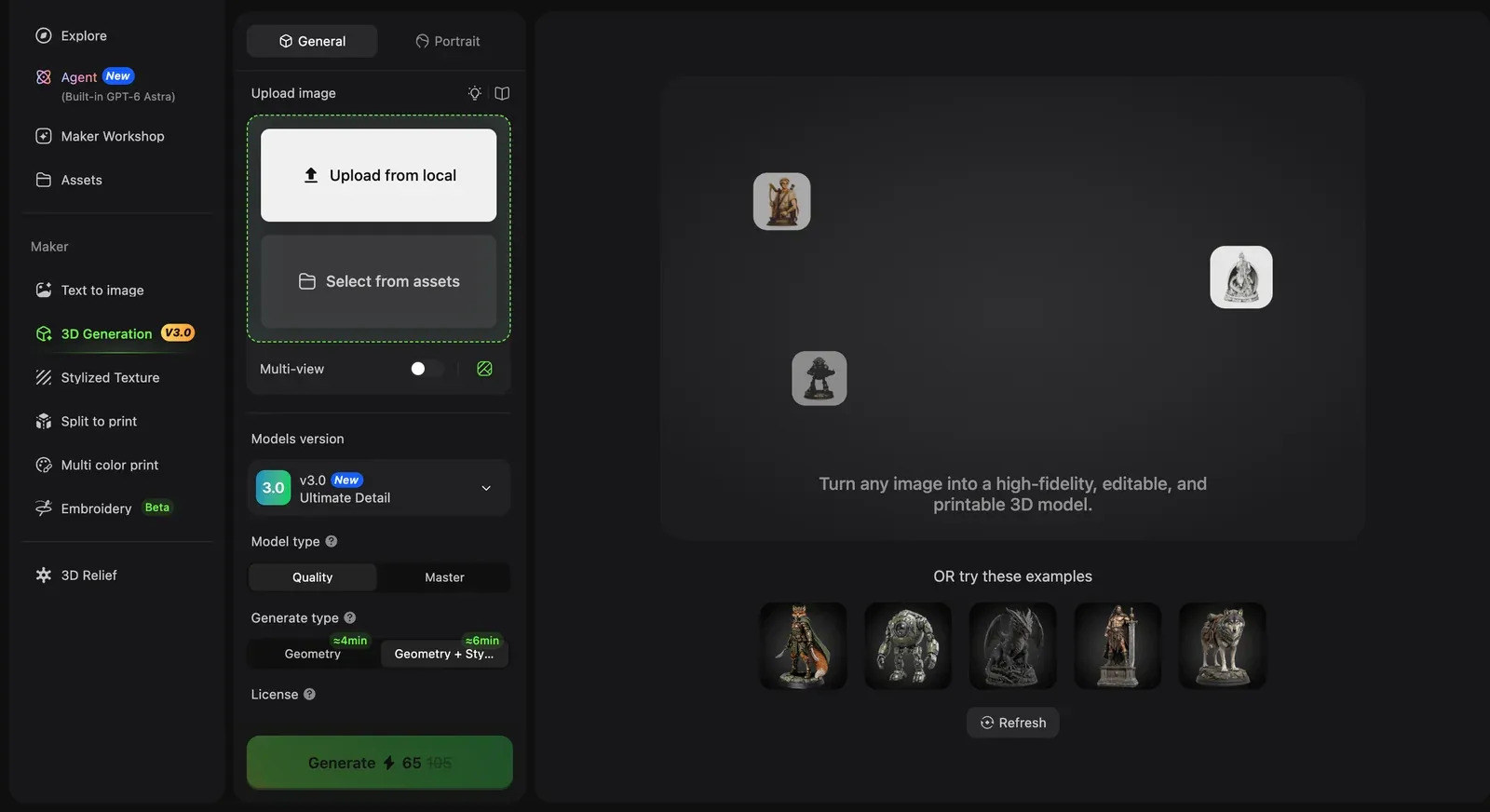
Start with a clean reference or choose an existing asset from the Hi3D workspace.
2. Choose V3.0 Master and turn the result around
Select V3.0 and choose Master when the source contains fine geometry, ornate surfaces, or small structural details. It costs more credits and takes longer than Quality mode. Generate geometry only if you want a clean look at the shape, or include texture when color is part of the decision. Once the result appears, turn it around. Check the back, underside, contact points, hands, hair, lettering, and thin parts. The model-information panel shows the version, mode, resolution, face count, and texture size.
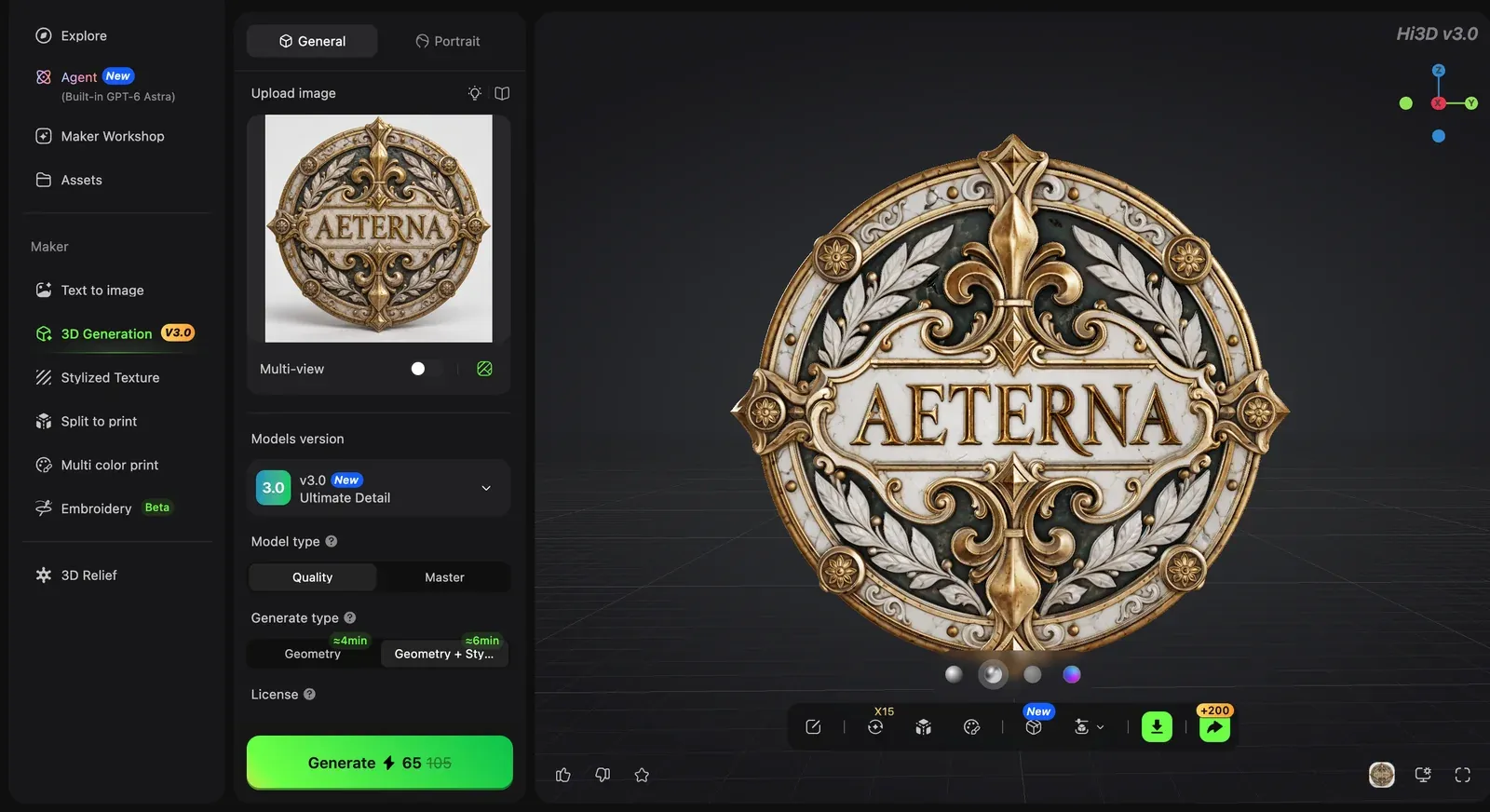
Rotate the result and separate geometry assessment from texture assessment before export.
3. Export it where it is actually going
Open the download menu and choose the format for the next app. GLB works well for compact textured assets and the web. OBJ and FBX are common editing formats. STL is widely used for geometry-only printing, while 3MF can carry more printing information. Then open the file. For a large print, Split-to-Print can divide the model and add connectors. Multi-Color Print prepares color regions. Your editor or slicer is where you catch the remaining geometry, scale, support, and color problems.
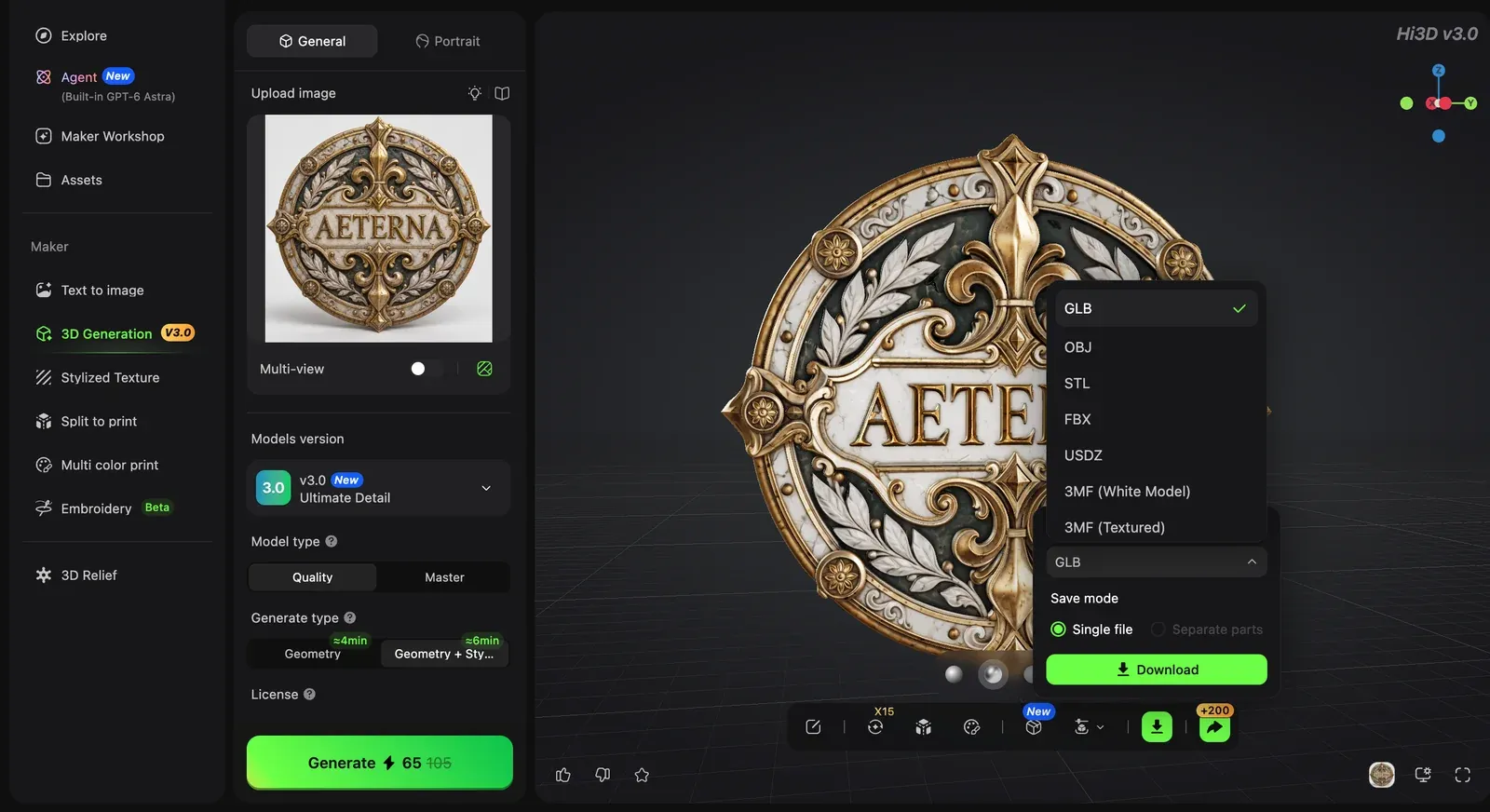
Choose the export format that matches the editor, engine, viewer, or slicer used next.
Final verdict
For most beginners, I would cut this list to three tools. Start with Hi3D if detail matters and the model may end up in a printing workflow. Pick Sloyd for adjustable game assets. Use Fast3D when you want cheap, frequent experiments and can handle some cleanup afterward.
Download one result before paying for a plan. A model can look excellent in the browser and become a very different proposition inside Blender, Unity, or a slicer. That first handoff is where you find out whether the tool saved you time.
Frequently asked questions
What is the best free AI 3D model creator?
If you are starting from an image, I would try Hi3D first. The free credits let you see how your own artwork survives the jump into 3D, and the same workspace can take the model into texturing or print preparation. Fast3D is the better recurring free option; SupaVoxel gives you three free attempts each day.
Can a free 3D model creator make models for Blender?
Yes. Look for GLB, FBX, or OBJ export. Hi3D, Fast3D, SupaVoxel, Magic3D, Rodin, and 3D AI Studio all have routes into Blender. Sloyd requires a paid plan to export your own generated model. Canva gives you an image, so it needs another tool before Blender enters the workflow.
Are AI-generated 3D models ready for 3D printing?
Usually, no. Some results print surprisingly well, but I would still run the file through a slicer and check holes, wall thickness, intersections, scale, and supports. Hi3D's Split-to-Print and Multi-Color Print solve specific preparation jobs. They do not make the final slicer check optional.
Is text-to-3D or image-to-3D better?
Use text when you want the tool to invent. Use an image when you already know what the object should look like. For a specific character, product, or sculpture, a clean image is usually the safer start. Matching views of the front, sides, and back give the generator even less room to guess.
Visual plan
All visuals in this article use current supplied product screenshots. They show interfaces and example outputs; they are not independent benchmark measurements. See visual-manifest.md for source, placement, rights status, alt text, and disclosure notes.
References
- Hi3D all-in-one 3D creation workspace
- Hi3D subscription pricing
- Hi3D V3.0: 2048³ geometry and 8K textures
- Hi3D product formats, modes, and multi-view requirements
- Hi3D 3D printing workflow
- Fast3D product and export information
- Fast3D pricing
- SupaVoxel product and free access
- SupaVoxel pricing
- Sloyd pricing and plan features
- Magic3D pricing and credit costs
- Canva AI 3D Model Generator
- Canva plan pricing
- Hyper3D Rodin pricing
- 3D AI Studio product and pricing