An AI game maker 3D workflow can now turn a written idea into a playable browser prototype, generate the models and audio for an existing engine, or help an agent build inside a local editor. Those outcomes are easy to confuse. A shareable WebGL demo is useful for validating a mechanic, while an editable engine project is the stronger starting point for a game you expect to maintain and ship.
For the shortest prompt-to-play path, start with Rosebud AI, Kimi, SEELE AI, PlayDrop, or SoonLab. Summer Engine is the stronger fit when you want a local, editable game project. Ludo is primarily an asset and pre-production system. Hi3D Agent is the most relevant choice here when the hard part is creating, refining, lightening, rigging, or placing high-fidelity 3D assets into an interactive demo.
The right tool depends on four questions: Do you receive a playable build or only asset files? Can you inspect and edit the code? Can the project leave the vendor's platform? Do the plan and license cover the way you intend to publish?
What Can You Build with an AI 3D Game Maker?
Current tools are strongest when the first version has one clear player loop. A compact game with a goal, controls, win state, and failure state gives the AI something concrete to generate and gives you a manageable result to test.
1. Browser-playable prototypes
Prompt-first platforms can assemble a 3D scene, camera, controls, rules, UI, and basic game logic into a link that opens in a browser. This is useful for pitching an idea, teaching game design, or checking whether a mechanic is understandable before committing to a larger engine project.
2. Small 3D arcade games
Racers, collection games, target shooters, endless runners, and obstacle courses fit current generators well. Their rules are easy to state and test: collect ten objects, reach the exit, beat a timer, avoid hazards, or survive a wave.
3. Interactive worlds and story scenes
Some tools can generate terrain, props, characters, dialogue, quests, and simple NPC behavior. These results work best as exploratory spaces or narrative prototypes. Persistent systems, complex AI, and long-form progression still require careful testing and usually more direct development control.
4. Game-ready asset starting points
Asset-focused tools can turn a prompt or image into characters, props, textures, audio, and animation. A generated mesh still needs checks for scale, polygon density, UVs, material setup, collision, rigging, and engine performance. “Game-ready” should describe a validated destination state, not an automatic property of the first output.
5. Editable engine projects
The most production-oriented options provide source code or a local engine project. That gives you a path to debugging, version control, platform export, and maintenance. It also creates more responsibility: you need to review dependencies, licenses, performance, accessibility, input handling, and store requirements before release.
8 Best AI 3D Game Makers
The products below cover three different jobs: generating a playable browser game, building inside an editable engine, and producing the 3D assets that make a game world distinctive. Compare the output path first; a fast demo and a maintainable project solve different problems.
| Tool | Best for | Primary output | Code or project access | Free starting point | Paid pricing checked Oct. 14, 2026 |
|---|---|---|---|---|---|
| Hi3D Agent | High-fidelity 3D assets and a playable demo skill | 3D files and interactive demo workflow | Model files; manual in-client mesh editing not currently supported | Hi3D Free plan | Pro $19.90/mo; Max $39.90/mo; Ultra $129.90/mo |
| Rosebud AI | Fast shareable WebGL prototypes | Browser game and link | Browser code tab on paid plans; downloadable code on Pro | Free access available | $15/$30/$50/$100 per month |
| Kimi | Prompt-to-3D worlds inside a broad AI workspace | Browser-playable game and share link | Continued work through Kimi tools; export scope should be checked per project | Limited free access varies by account | $19/$39/$99/$199 per month |
| SEELE AI | Browser prototypes with engine handoff ambitions | Web build; Unity/Three.js/UE5 paths claimed | Project/export availability depends on plan and workflow | Starter credits | Standard $20/mo; Pro $50/mo; annual discount shown |
| Ludo AI | Game assets, ideation, and playable iterations | Assets, design work, prototype iterations | API/MCP/CLI and Unity plugin on qualifying plans | 30 free credits shown on homepage | Annual: $180 Indie, $420 Pro, $3,600 Studio |
| PlayDrop AI | Simple browser games with straightforward sharing | Hosted browser game and listing | Cloud creation; external web-game import also supported | Basic $0 plus daily credits | Plus $20/mo; Pro $100/mo |
| SoonLab AI | Beginner-friendly 2D/3D browser prototypes | Hosted game, share link, code export on paid plans | Code viewing/export on paid subscriptions | Free trial points | $9.99 Starter and $49.99 Pro reported by first-party comparison; recheck checkout |
| Summer Engine | Local, editable AI-assisted game projects | Godot-compatible project and exports | Local scenes, scripts, and project files | Free desktop app | Pro $20/mo; Pro+ $60/mo; Ultra $200/mo |
1. Hi3D Agent: Best for High-Fidelity Game Assets and Playable 3D Demos
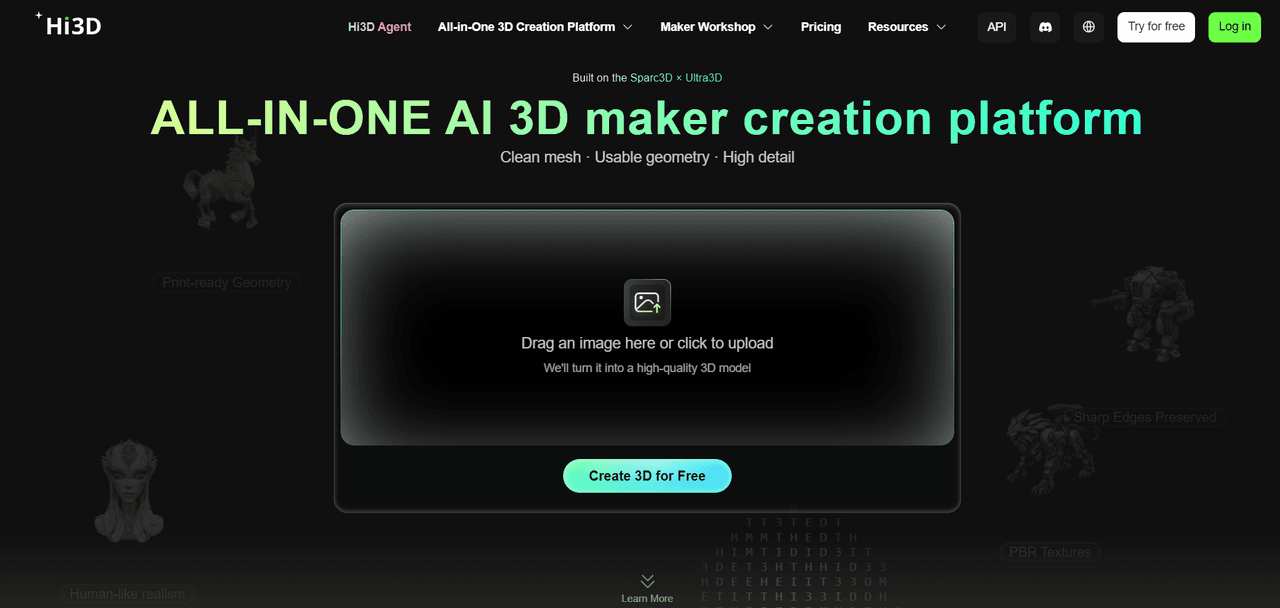
Hi3D Agent is a desktop 3D creation agent built around Hi3D's image, geometry, texture, and mesh capabilities. You can begin with an idea, reference image, or existing model, then ask the agent to generate, revise, optimize, rig, animate, or prepare the asset for a specific use. Hi3D positions its V3.0 foundation around up to 2048³ geometry and 8K PBR texture capability; availability and credit cost depend on the active workflow and plan.
For game creation, the important difference is the asset-first route. The official Agent workflow includes a skill for turning a high-poly model into an interactive playable demo, plus skills for character rigging, animation, and lighter real-time models. This makes Hi3D Agent useful when a recognizable, higher-fidelity character or prop is the center of the prototype. The current client supports conversational changes and 3D preview, while direct manual mesh editing remains an external-software step.
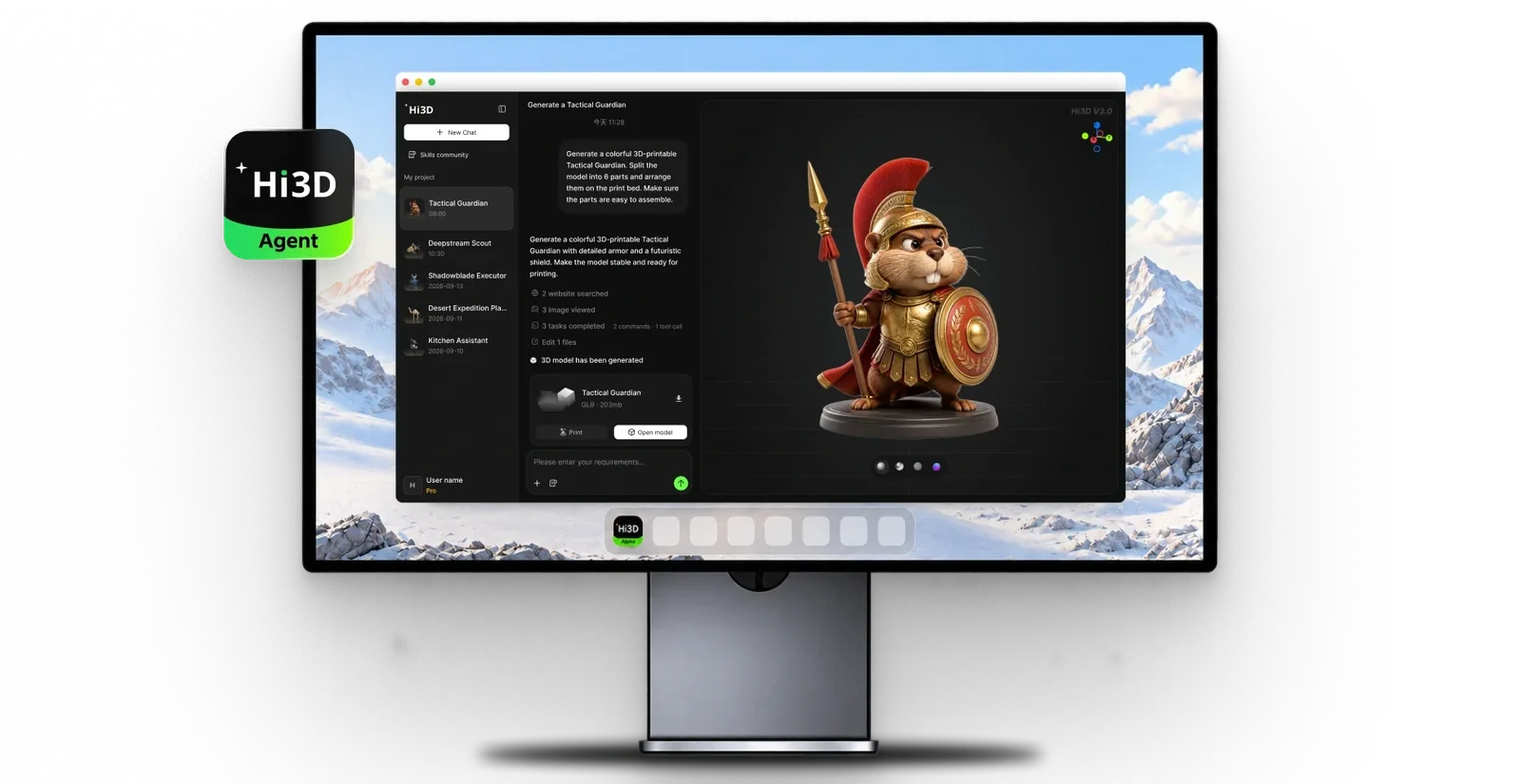
Hi3D's official Agent visual shows the conversational desktop workspace beside a generated 3D model preview.
Main features:
- Conversational 3D generation and revision
- Geometry, texture, and mesh processing
- Game-demo, rigging, and real-time optimization skills
- Exportable model files; cloud-assisted processing
Price:
- Free $0; Pro $19.90/month or $119.40/year
- Max $39.90/month or $239.40/year
- Ultra $129.90/month or $779.40/year
- Paid plans include private and commercial use
- Feature and credit access varies.
Pros:
- High-fidelity 3D starting point
- One conversation can connect generation with optimization and application
- Useful for custom characters and props
- Supports downstream Blender and engine workflows
Cons:
- Desktop download and internet connection are required
- Tasks consume credits
- The client currently previews rather than manually edits meshes
- Aplayable demo is not automatically a release-ready game
Recommended for
Creators whose game idea depends on a distinctive 3D model, teams validating an asset in an interactive scene, and artists who want an agent-led route from reference to engine handoff.
2. Rosebud AI: Best for Fast Browser-Playable 3D Prototypes
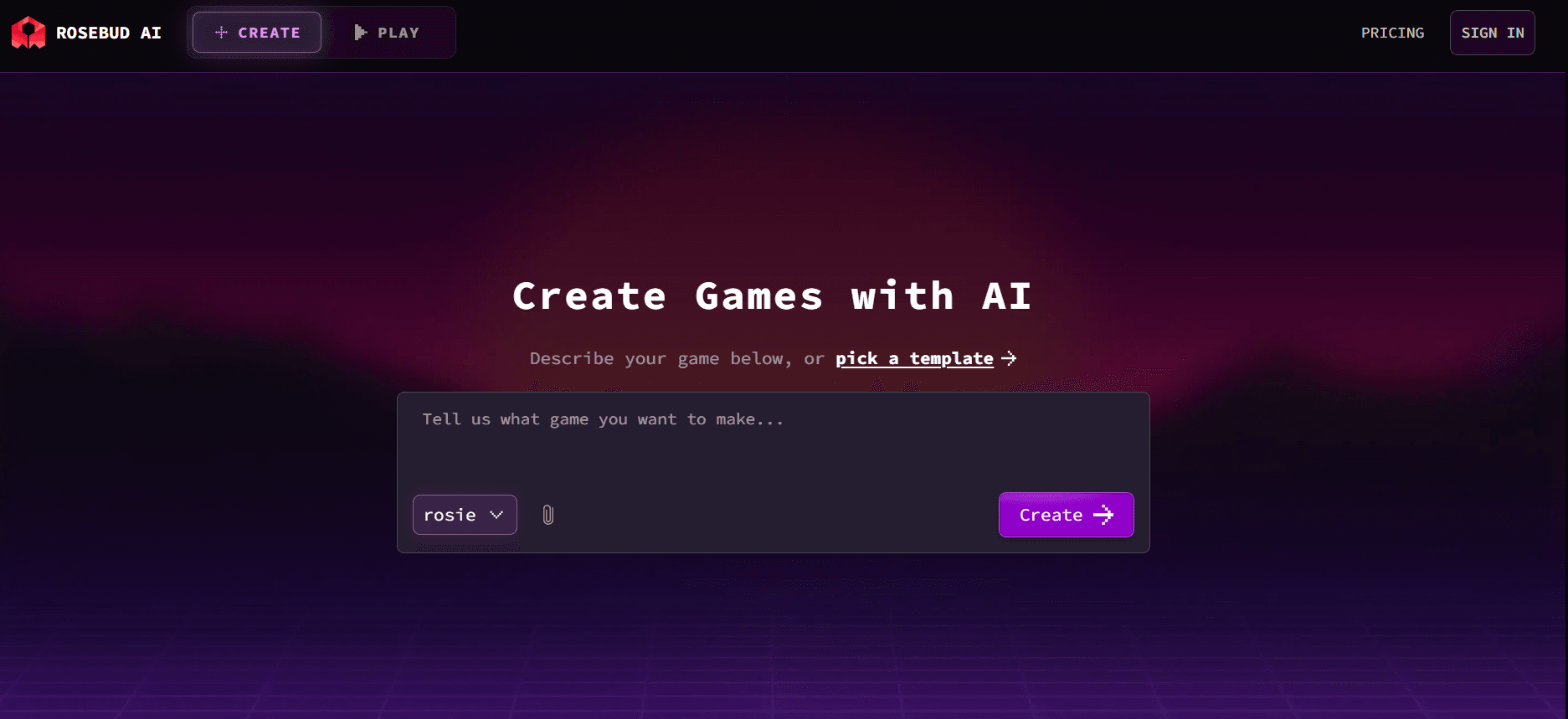
Rosebud AI turns a written description into a playable WebGL game inside the browser. It can generate the scene, characters, assets, audio, and JavaScript, then let you refine the result through chat. Published projects receive a shareable link, so the route from idea to someone else playing it is unusually short.
Rosebud also exposes real editable code, which makes it more transparent than a purely visual generator. Its 3D workflow is built on Three.js and supports first- or third-person cameras, generated worlds, NPCs, multiplayer features, and remixing. The tradeoff is platform shape: the fastest output is a hosted browser game. Downloadable code and commercial controls sit on higher plans, and a browser prototype still needs performance, dependency, rights, and platform review before it becomes a maintained product.
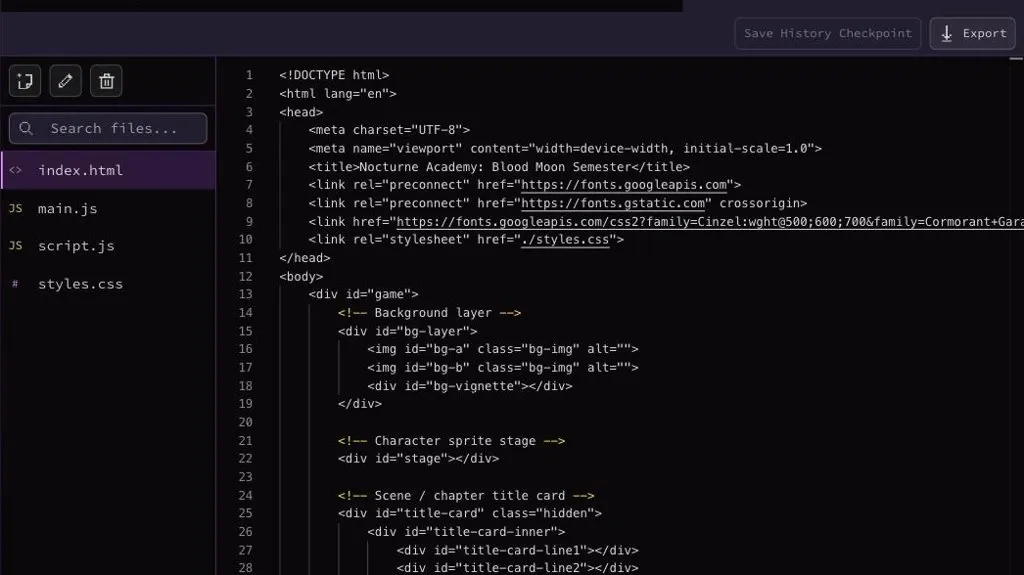
Rosebud's project view exposes the browser game's files and code, although download and commercial-use options depend on the plan.
Main features:
- Prompt-to-WebGL game generation
- Editable JavaScript
- AI assets, characters, skyboxes, audio, and NPCs
- Multiplayer options
- One-click browser publishing
Price:
- Free access is available.
- Indie Dev is $15/month for 100,000 credits; 10x Dev is $30/month for 300,000 credits and commercial rights; Pro is $50/month for 1,000,000 credits and downloadable project code; Scale is $100/month for 2,000,000 credits.
- No public annual prices were confirmed.
Pros:
- Very fast first playable
- No installation
- Easy public sharing
- Code is visible
- Strong community examples
Cons:
- Hosted-browser workflow may not match native-console or mobile plans
- Useful export and commercial rights are plan-gated; iterative fixes consume credits
Recommended for
Beginners, educators, game-jam creators, and designers who need a playable 3D link before they need a full engine pipeline.
3. Kimi: Best for 3D Games Inside a General AI Workspace
Kimi's 3D Game Creator uses Kimi Build to turn a natural-language brief into an interactive 3D world. You can describe genre, setting, character, goal, mechanics, and visual style, upload a reference image, then refine gameplay, lighting, animation, and controls through follow-up prompts. The result can be previewed in the browser and shared by link.
Its advantage is context beyond the game canvas. Kimi also provides research, coding, documents, agent workflows, and desktop tools, so a creator can develop the brief and supporting material in the same broader ecosystem. Kimi's game feature is still best approached as a rapid web prototype. The public capability page explains restoration and sharing, but it does not provide a simple universal promise that every generated game becomes a native Unity, Unreal, or Godot project.
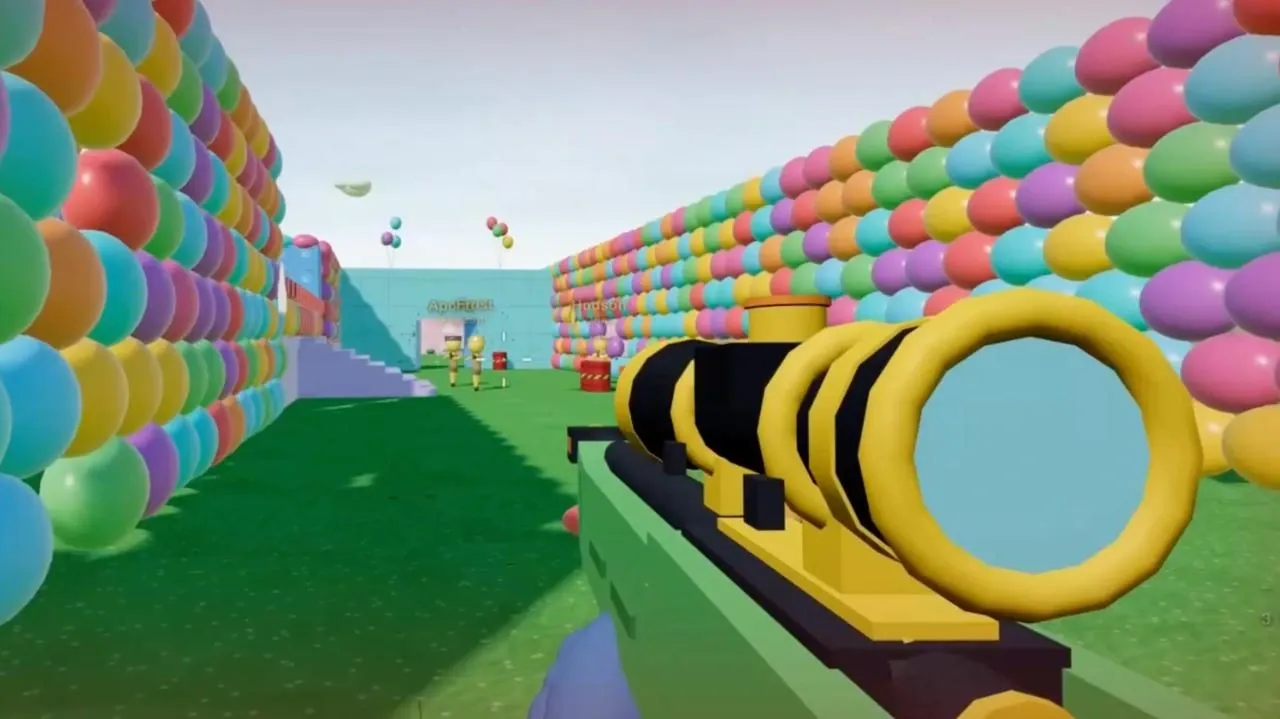
This Kimi example illustrates the kind of browser-playable first-person scene the tool can present; it does not establish native-engine export.
Main features:
- Natural-language 3D world generation
- Reference-image input
- Physics, collisions, props, enemies, animation, and sound
- Browser preview
- Version restoration and share links
Price:
- Plus $19/month or $180/year; Pro $39/month or $372/year; Max $99/month or $948/year; Ultra $199/month or $1,908/year.
- Membership features share a monthly credit pool with no rollover.
Pros:
- Broad AI workspace around the project
- Strong prompt-based iteration
- Easy browser preview
- Useful for mechanics, visual direction, and presentation in one place
Cons:
- Shared credits can be consumed by other Kimi features
- Export and source-code boundaries need project-level verification
- Native-engine handoff is not the core promise
Recommended for
Creators already using Kimi, rapid concept teams, students, and non-coders who want a playable 3D experiment plus research and planning tools.
4. SEELE AI: Best for Prototype-to-Engine Handoff Options
SEELE AI creates browser-playable 2D and 3D prototypes from a natural-language brief. Its most useful workflow starts with one complete player loop: goal, controls, success state, failure state, and a representative scene. You can playtest the first version, revise it in the workspace, and decide whether the concept deserves a larger production pass.
SEELE differentiates itself through claimed Unity, Three.js, and Unreal Engine paths, alongside 2D sprites, 3D models, animation, PBR textures, music, effects, and voices. Treat those export claims as workflow-specific: the product also explicitly warns that a browser prototype is not automatically a native engine project or commercial release. Teams should inspect the actual downloaded files, dependencies, licenses, and engine version before choosing SEELE as a production foundation.
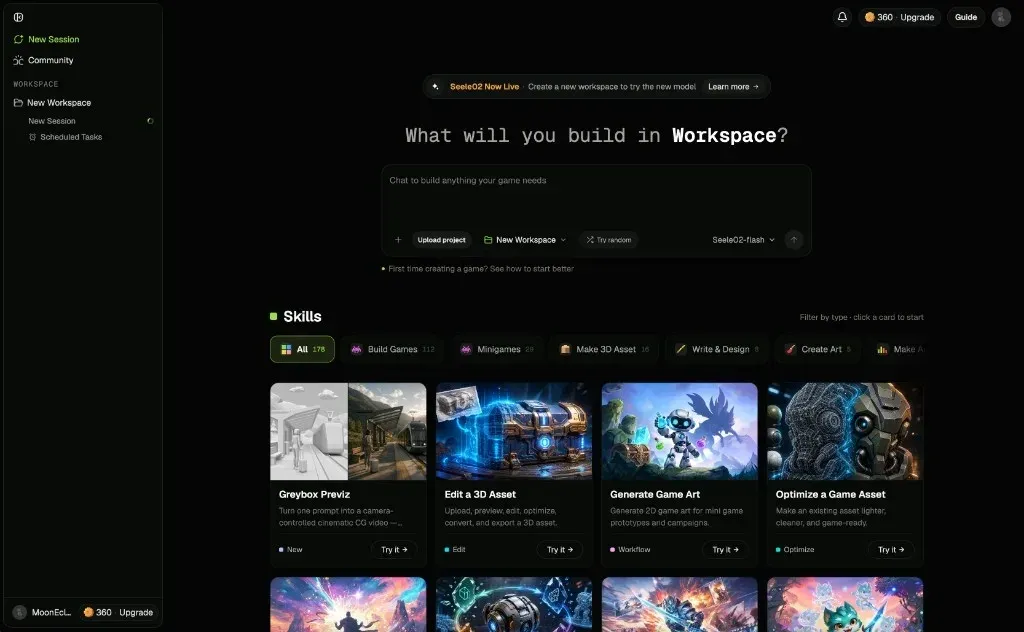
SEELE's workspace groups game-building, greybox, asset-editing, optimization, and art workflows in one interface.
Main features:
- No-code prompt-to-game creation
- Browser playtesting
- Unity and Three.js export paths
- UE5 access on qualifying subscriptions
- 2D/3D asset, animation, audio, and voice generation
Price:
- Free starter credits are available.
- Standard is $20/month with 2,000 Koins; Pro is $50/month with 6,000 Koins.
- The site advertises up to 22% annual savings, but exact annual totals were not captured and should be checked at checkout.
Pros:
- Broad content stack
- Useful handoff options
- Cost preview before generation
- Good fit for focused prototypes and engine experiments
Cons:
- Export availability varies
- Competing SEELE pages describe different boundaries, so the actual project package must be inspected
- Complex builds still need human engineering and QA
Recommended for
Designers and small teams that want a browser prototype now and may continue in Unity, Three.js, or Unreal later.
5. Ludo AI: Best for 3D Assets and Game Pre-Production
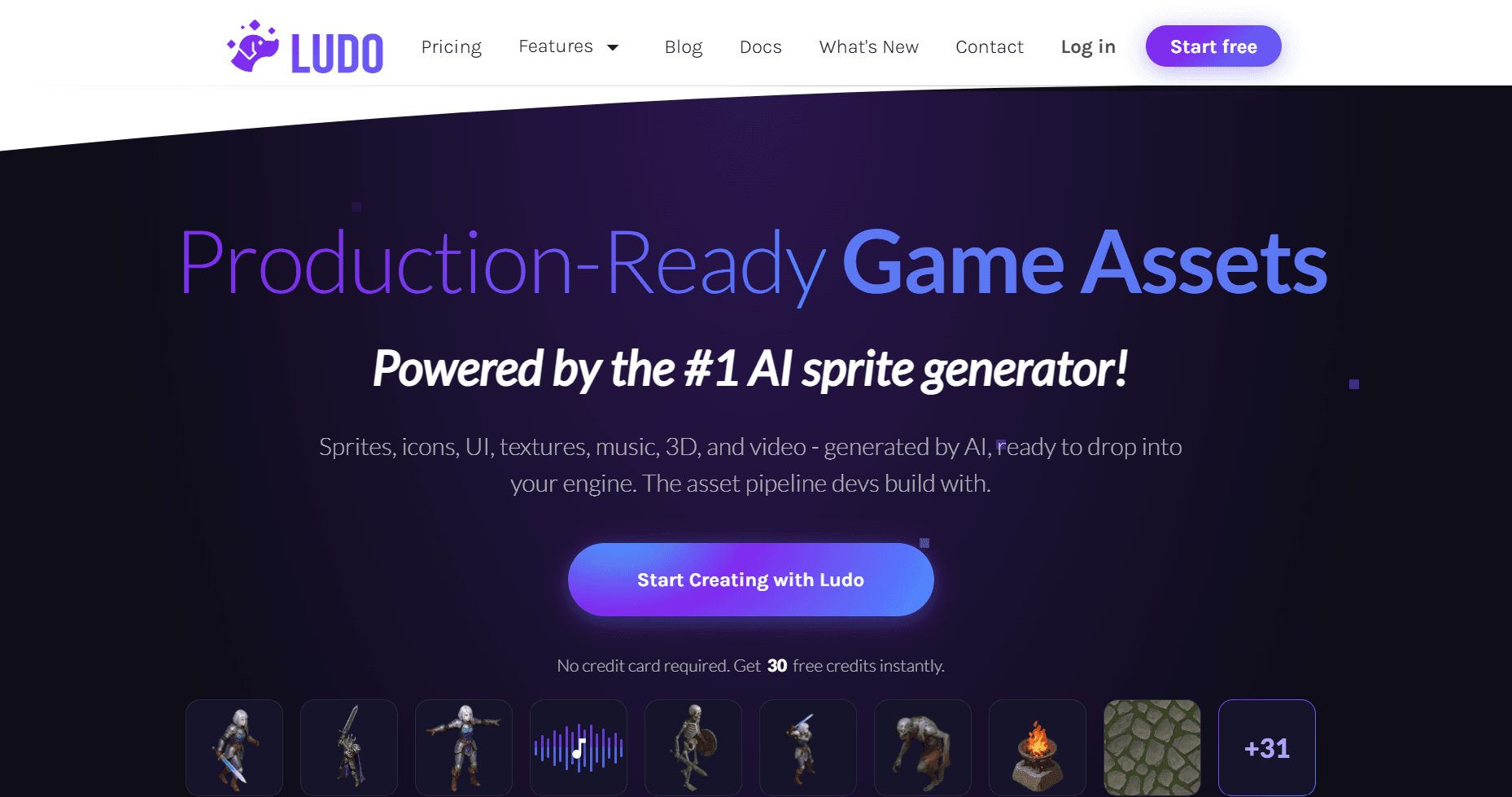
Ludo is valuable around a game, even though it should not be mistaken for a one-prompt 3D game engine. Its current platform generates sprites, icons, UI, textures, music, 3D models, animation, video, game concepts, and playable iterations. Developers can also connect the generators through API, MCP, CLI, or a Unity plugin on supported plans.
That breadth suits teams that already know where the final game will live. Ludo can help define the concept, create coherent asset families, rig and animate 3D models, and feed results into an established Unity or custom pipeline. A “Generate Playable Iteration” action exists, but the product's main public positioning remains production-ready game assets. Choose it when your bottleneck is content creation and pre-production, not when you expect the platform to replace an engine.
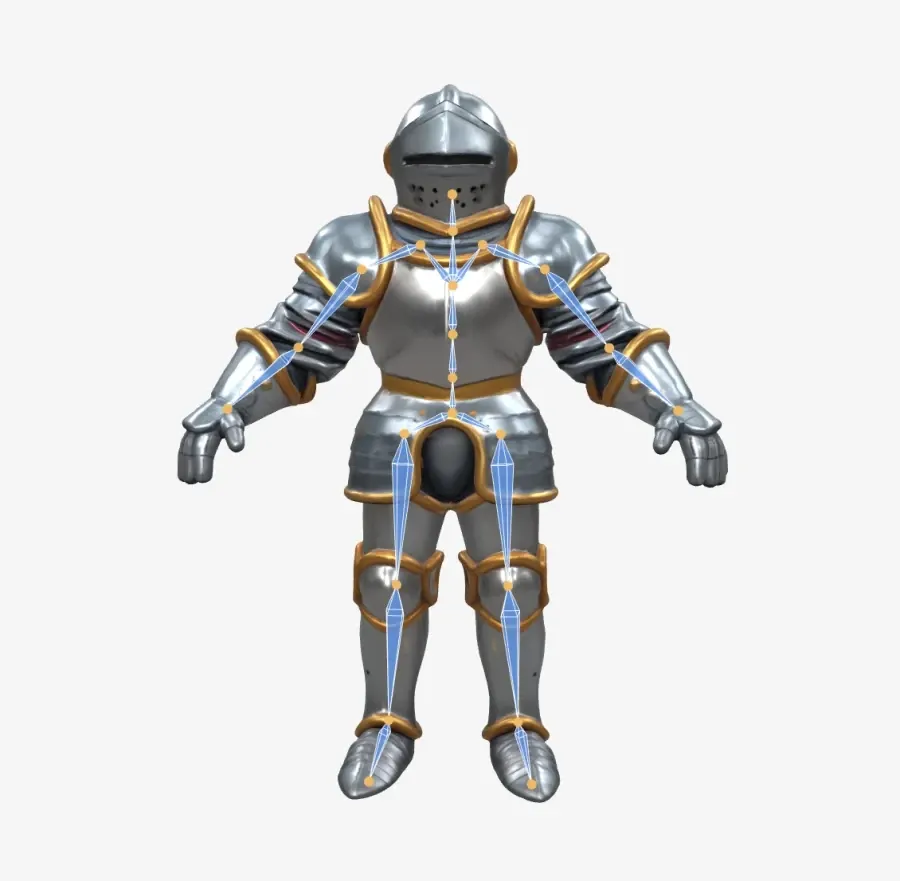
The visible skeleton overlay demonstrates a rigged-character asset workflow; animation quality still needs inspection in the target engine.
Main features:
- Game ideation and documentation
- Playable iterations
- Image, sprite, audio, video, and 3D model generation
- Rigging and animation
- API/MCP/CLI plus Unity integration
Price:
- Homepage offers 30 free credits.
- Annual billing: Indie $180/year ($15/month equivalent, 3,000 credits); Pro $420/year ($35/month equivalent, 12,000 credits); Studio $3,600/year ($300/month equivalent, 120,000 credits).
- Monthly prices should be rechecked on the live monthly tab.
Pros:
- Strong asset breadth
- Engine-friendly integrations
- Useful for consistent pipelines
- Clear per-action credit costs
Cons:
- Not a full 3D engine
- High-compute features still consume credits on higher plans
- Annual commitments are substantial for small experiments
Recommended for
Indie developers and studios with an existing engine who need many coordinated game assets, concept work, and repeatable generation tools.
6. PlayDrop AI: Best for Publishing Simple Browser Games
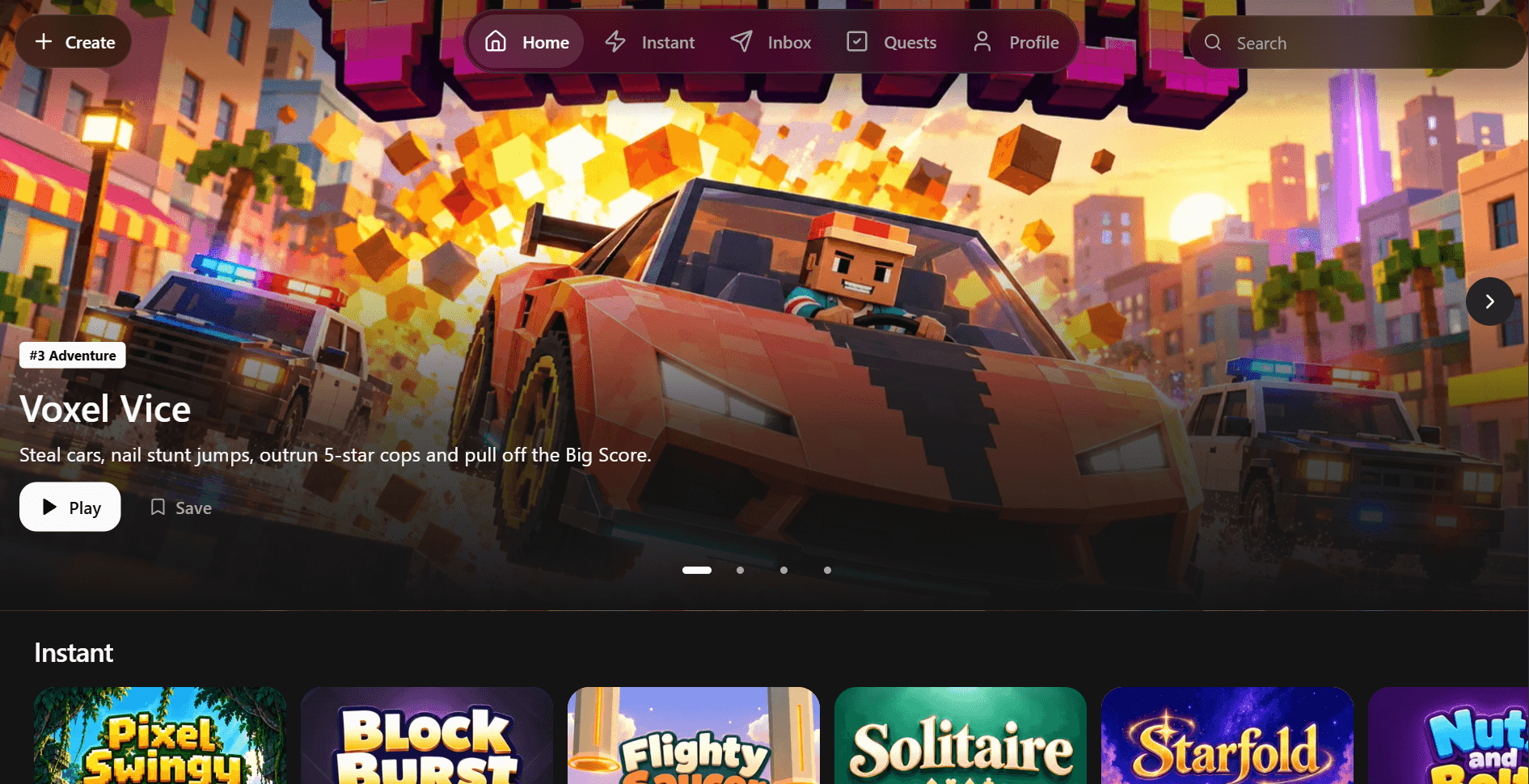
PlayDrop Cloud turns a prompt into a 2D or 3D browser game, keeps chat beside the playtest, and lets you request focused changes without writing code. A project can then receive a listing with title, description, icon, hero art, and gameplay media before it is published to a shareable PlayDrop link.
The workflow is straightforward for small games and community distribution. PlayDrop also documents external web-game import, which is useful when a project starts elsewhere. Its credit system charges by effort level, so a single “make the whole game better” request can be more expensive and harder to verify than several small revisions. It is a hosted browser platform first; creators pursuing app stores or native desktop distribution should verify the available files and packaging path before committing.
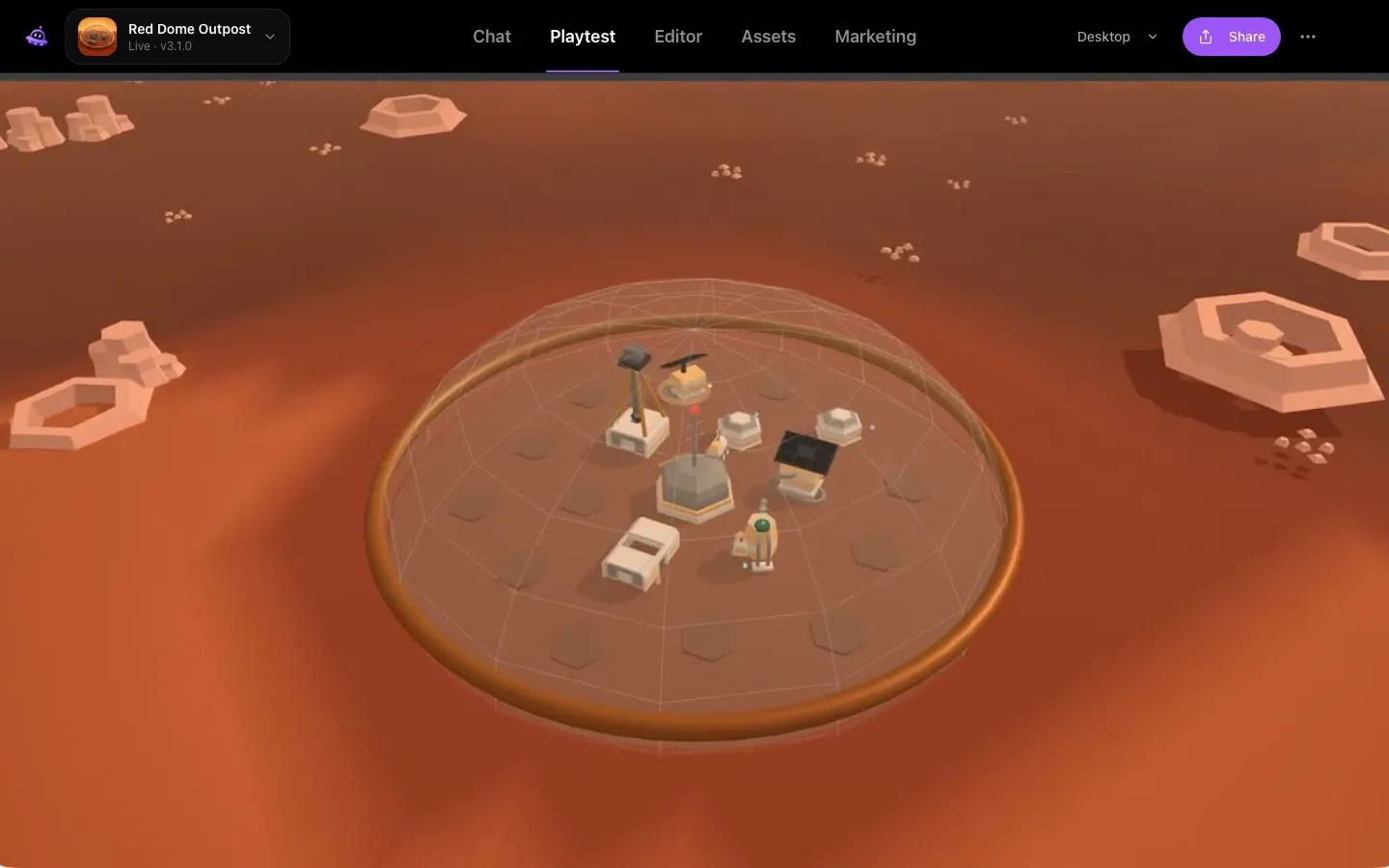
PlayDrop's Playtest view keeps the generated 3D game inside the browser before the creator moves to sharing or listing preparation.
Main features:
- Prompt-to-2D/3D browser games
- Chat-based iteration
- In-browser playtesting
- Hosted listings and public links
- External web-game import
- Solo and multiplayer support
Price:
- Basic is $0 with daily credits, one concurrent task, ten games, and 1 GB storage.
- Plus is $20/month with 4,000 monthly plus 1,000 weekly credits.
- Pro is $100/month with 24,000 monthly plus 6,000 weekly credits.
- No annual plan was confirmed.
Pros:
- Free starting point
- Clear publishing flow
- Simple sharing
- Costs are shown before tasks
- Failed tasks are refunded under the documented rules
Cons:
- Account required
- Hosted-web focus
- Complex revisions may consume multiple tasks
- Platform export scope is narrower than a local engine
Recommended for
Hobbyists, community creators, educators, and anyone who wants to publish a small browser game with minimal setup.
7. SoonLab AI: Best for Guided Beginner Prototypes
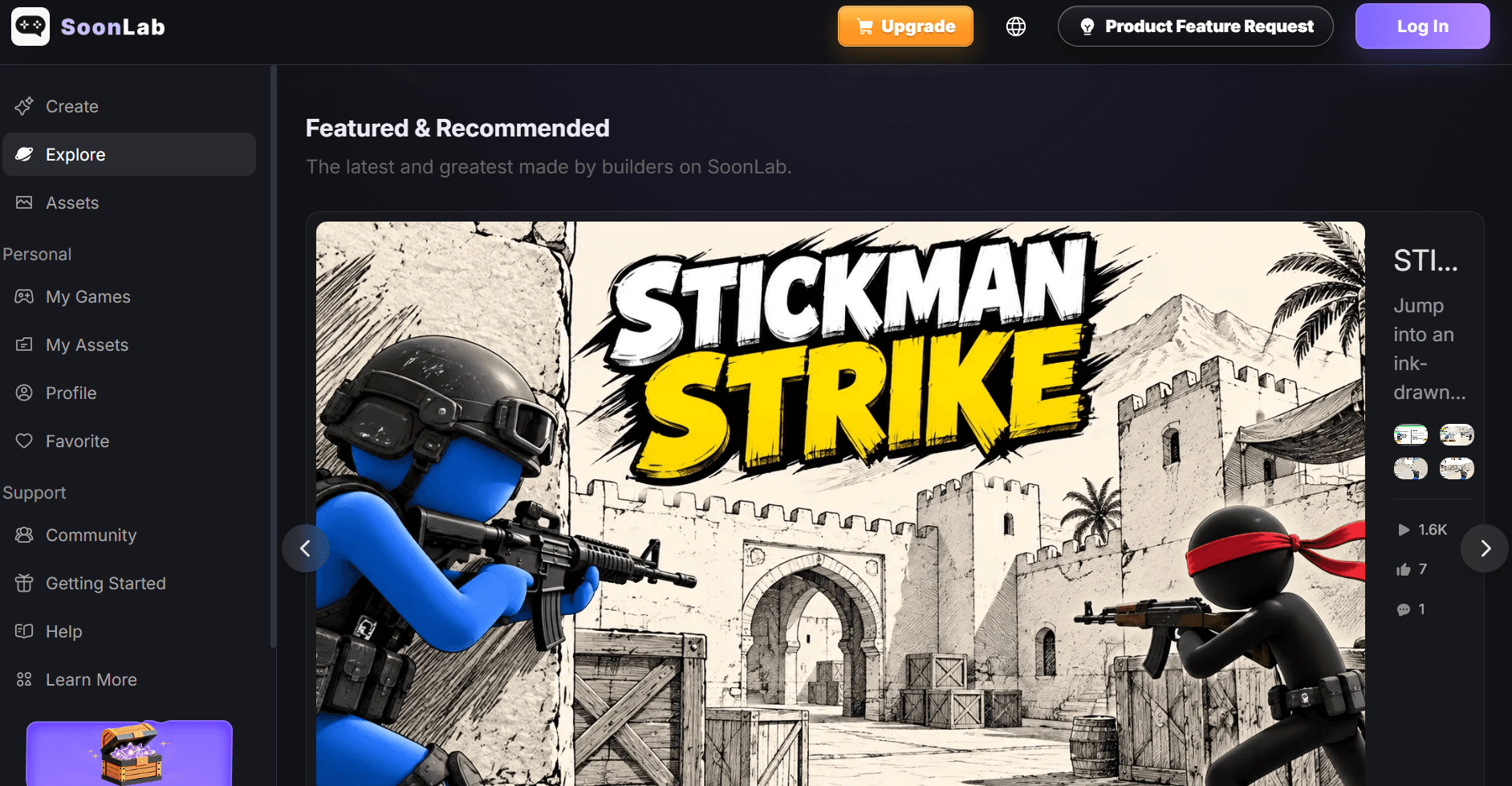
SoonLab uses a conversational process to create playable 2D and 3D browser games. You describe the genre, controls, goal, and visual style; the system can ask clarifying questions before generation; then you test the build and request changes in natural language. This confirmation stage is helpful for beginners because it can catch an incomplete game loop before points are spent.
Public examples cover platformers, racing games, shooters, puzzle games, and RPG-style projects. SoonLab's own 2026 test found its 2D result more polished than its 3D arena project, which was better treated as a prototype. Paid plans add code viewing and export, advanced models, remix access, commercial-use rights, and faster generation. The live price cards did not render in the public crawl, so checkout verification remains important.

Tunnel Rush 2 is a promotional game example associated with SoonLab, not evidence that every prompt will produce the same visual quality.
Main features:
- Prompt-to-browser game
- Clarification before generation
- 2D and 3D support
- Follow-up edits
- Community sharing
- Code access and export on paid plans
Price:
- Free access uses account points.
- A current first-party comparison reports Starter at $9.99/month with 3,000 points and Pro at $49.99/month with 25,000 points.
- The official checkout must be checked because the dynamic pricing cards were unavailable in this review.
Pros:
- Easy for beginners
- Useful pre-generation clarification
- Quick browser playtests
- Public examples provide realistic expectations
Cons:
- 3D output may need more polish than 2D
- Points vary with generation and edit size
- Price evidence needs checkout confirmation
- Hosted output is strongest for prototypes
Recommended for
First-time game makers, classrooms, small browser-game experiments, and creators who benefit from a guided brief before generation.
8. Summer Engine: Best for Editable Local Game Projects
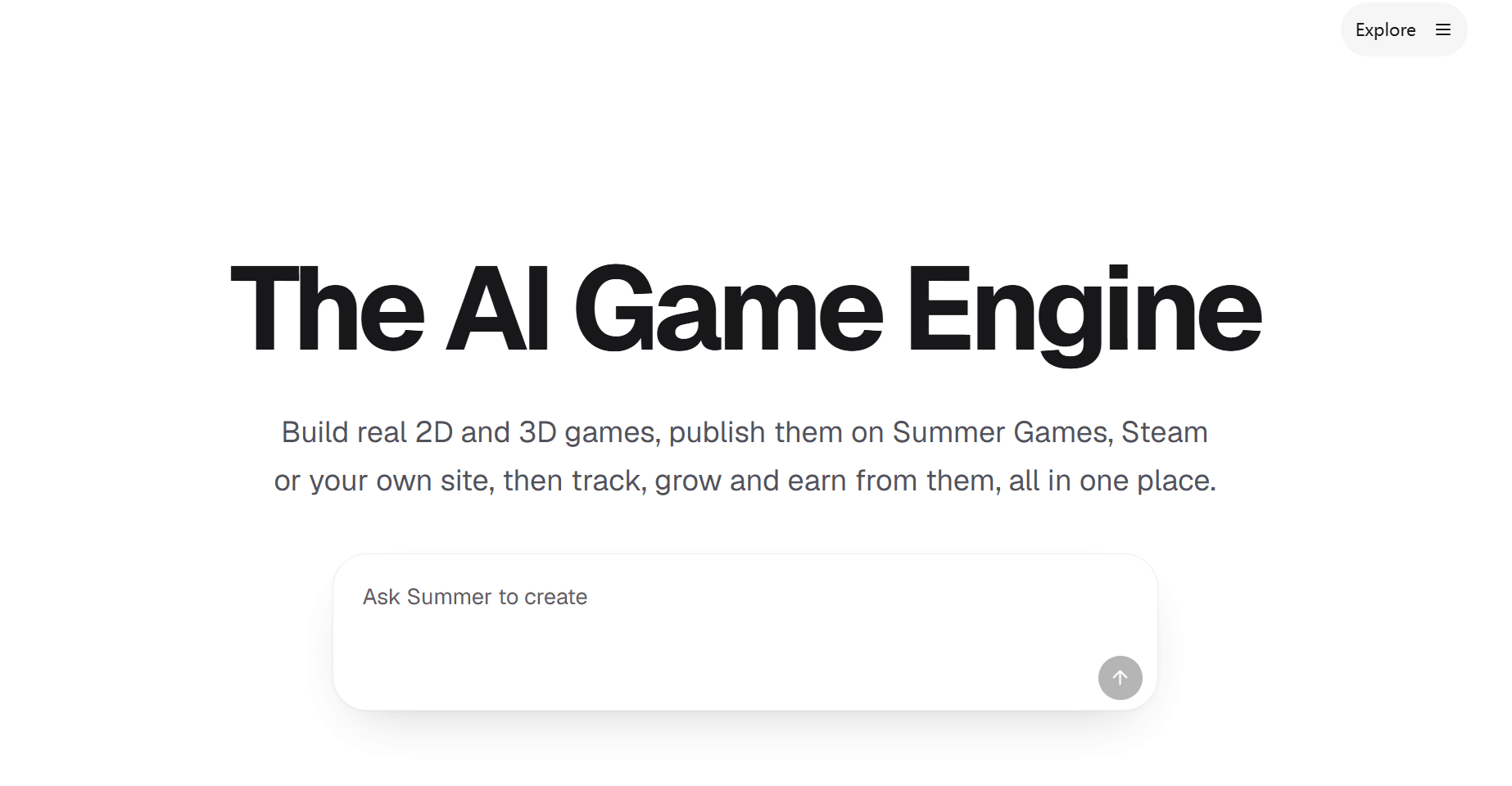
Summer Engine takes a different route from hosted prompt-to-game websites. It is a downloadable, Godot 4-compatible AI-native engine. Its agent can create scenes, configure nodes, write GDScript to disk, run the game, read runtime errors, and make fixes while the project remains available as local engine files.
That build-play-read-fix loop gives Summer a stronger path toward maintainable work. It also coordinates 3D, image, audio, music, and video generation, so assets can enter the project without a separate manual download-and-import cycle. The tradeoff is involvement: this is an engine, not a one-click browser toy. You still need to inspect code, organize the project, use version control, test exports, and understand the target platform's requirements.
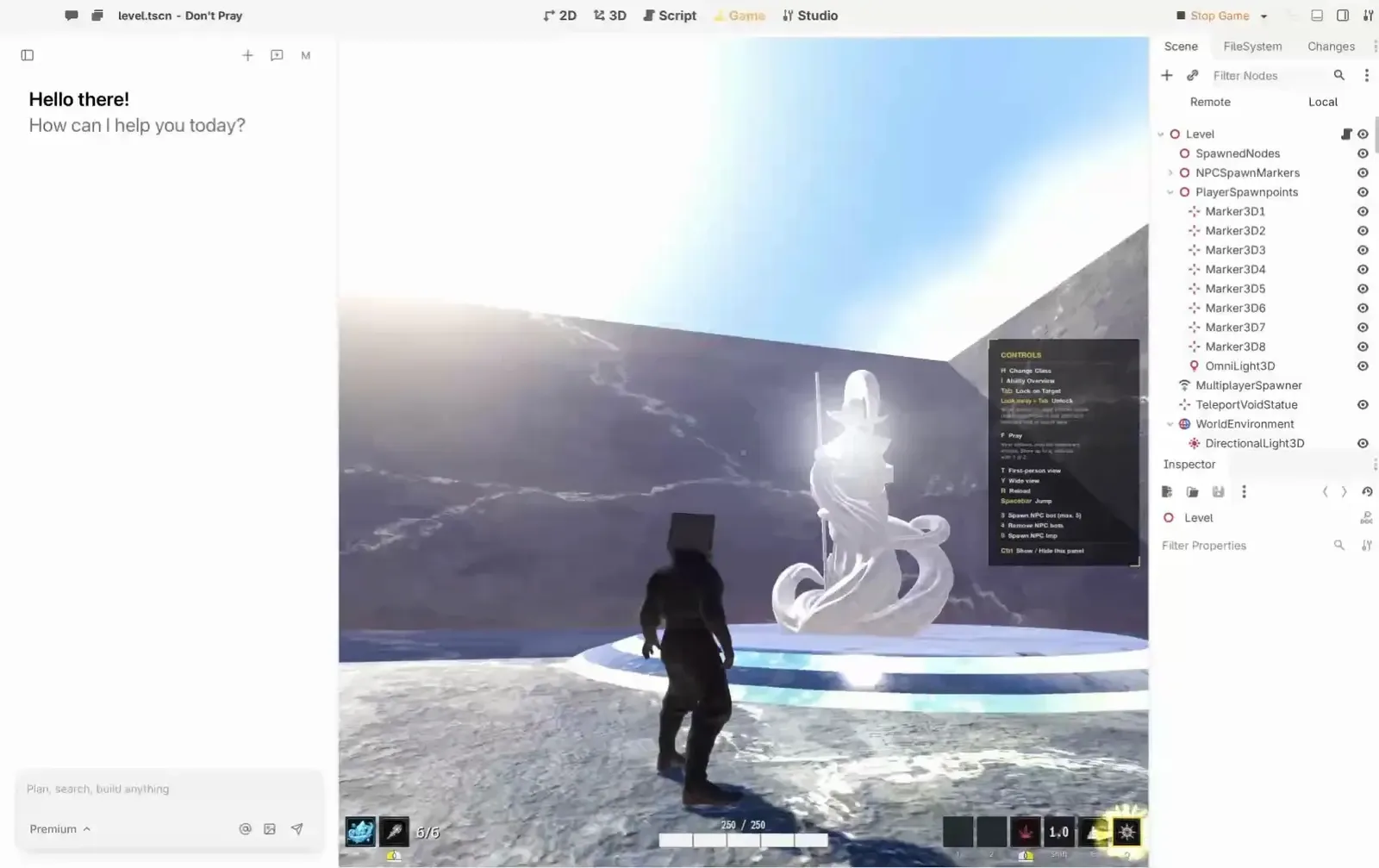
Summer Engine combines an AI assistant with a local, Godot-compatible editor and a running 3D scene.
Main features:
- Godot-compatible local editor
- Agent-driven scene and script changes
- Runtime error feedback
- Asset generation; manual export in the free app
- MCP skills and hooks on Pro+
Price:
- Free desktop app; Pro $20/month; Pro+ $60/month; Ultra $200/month.
- The pricing page offers a yearly toggle, but exact annual totals were not exposed in the captured public text.
Pros:
- Local editable project
- Stronger debugging loop
- No browser-only lock-in
- Familiar Godot-compatible formats
- Useful route from prototype to structured development
Cons:
- Requires download and setup
- More learning than a browser generator
- Heavier AI and media generation requires paid capacity
- Still a young ecosystem
Recommended for
Solo developers and technical creators who want AI assistance inside a real, editable 3D engine project.
How to Make a 3D Game with AI Using Hi3D Agent
Hi3D Agent's game workflow begins with the 3D asset and carries it into an interactive demo. The steps below use screenshots from an authorized logged-in test, followed by a Netlify-hosted demo link supplied by the creator.
1. Download Hi3D Agent and define one small game loop
Download the correct Hi3D Agent desktop client for Mac Intel, Apple silicon, or Windows, install it, and sign in. Start with a narrow prompt that states the subject, visual style, camera, player action, goal, and end condition. For example:
Create a small third-person 3D collection demo in a moonlit garden. The player controls a stylized rabbit, collects five glowing carrots, avoids two slow moving slimes, and wins when the garden gate opens. Use simple keyboard controls and keep the scene lightweight enough for a browser demo.
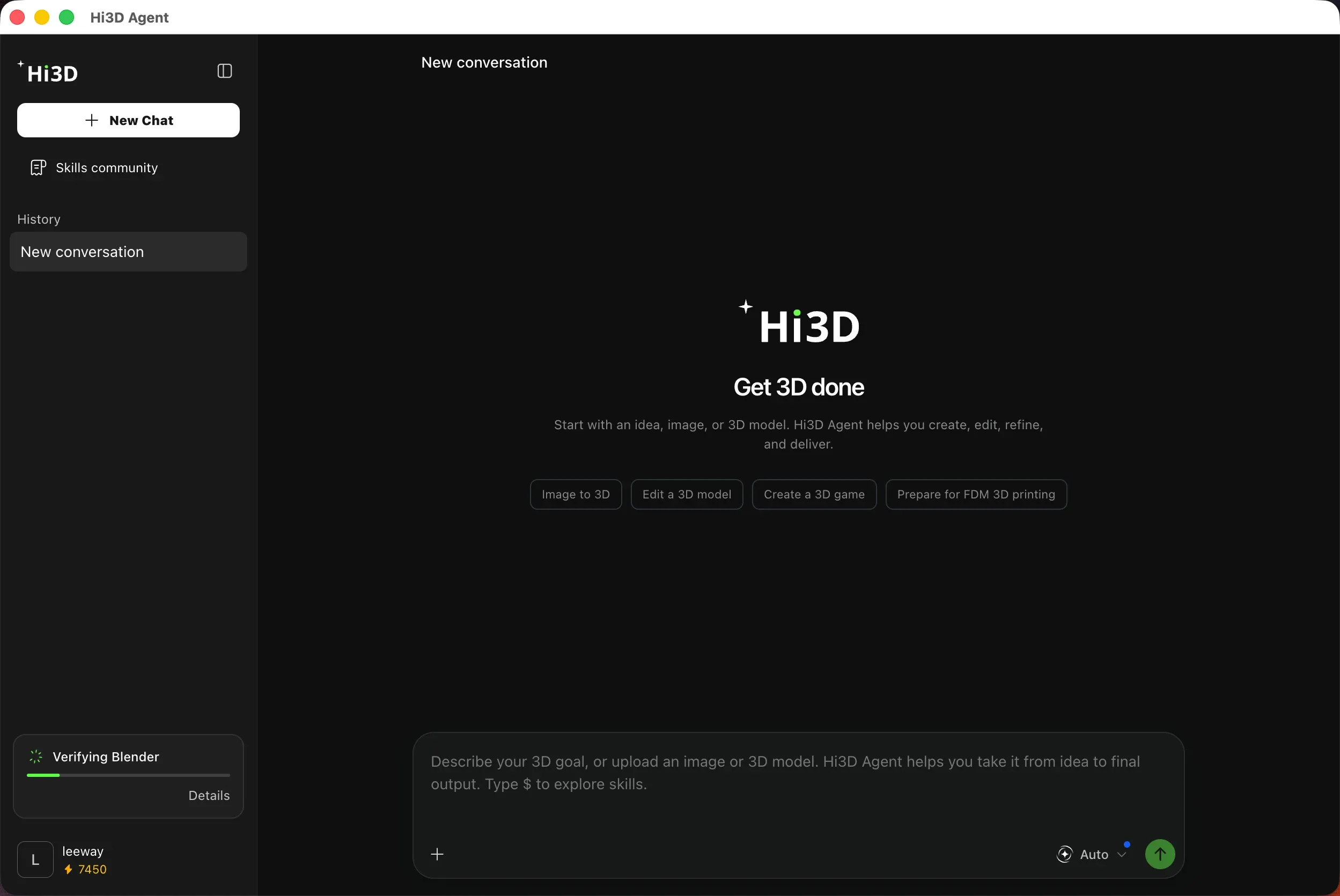
The desktop client is signed in and verifying Blender. Once verification finishes, choose “Create a 3D game” and enter the game brief.
2. Generate, inspect, and optimize the 3D assets
Ask the agent to create the hero character, collectible, enemy, and simple environment pieces. Review silhouettes and hidden geometry, then request corrections before building the scene. Use the relevant Agent skill to reduce a high-poly model for real-time use, add a basic humanoid rig or animation when needed, and preserve the high-detail version separately.
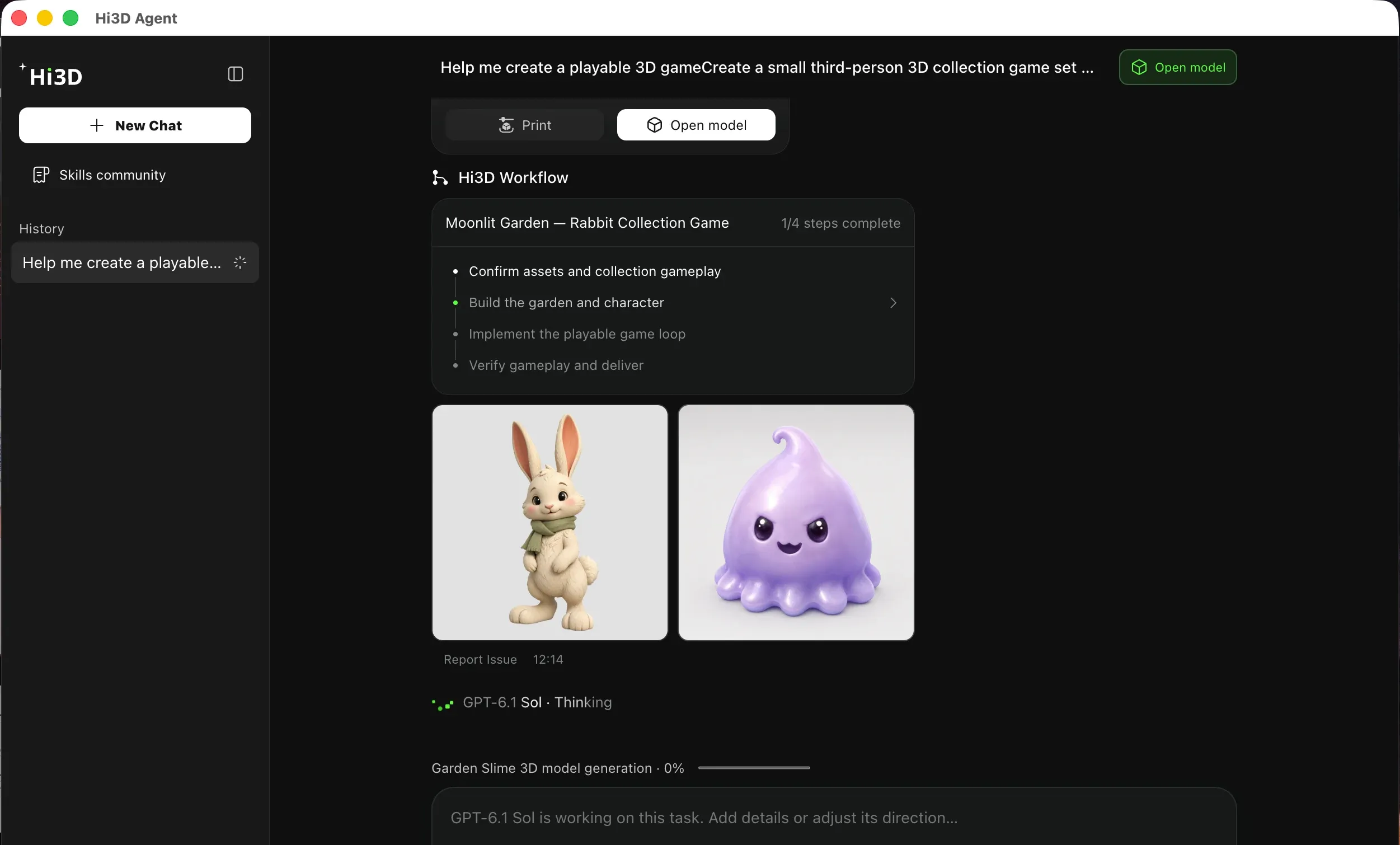
Hi3D Agent has confirmed the asset plan and is building the garden and characters, the second stage of its four-step playable-game workflow.

The rabbit render establishes the lead character's intended appearance. A render alone does not verify topology, rigging, or animation quality, so inspect those properties in the model workspace before export.
3. Build the playable demo, test it, and publish the link
Invoke the built-in game-demo skill, place the optimized assets into the interactive scene, and test controls, collision, camera, scoring, failure, restart, and win feedback. Make one change at a time so you can confirm whether the revision worked. Export or publish through the workflow exposed by the current client, verify the result in a signed-out browser window, and record the public URL.
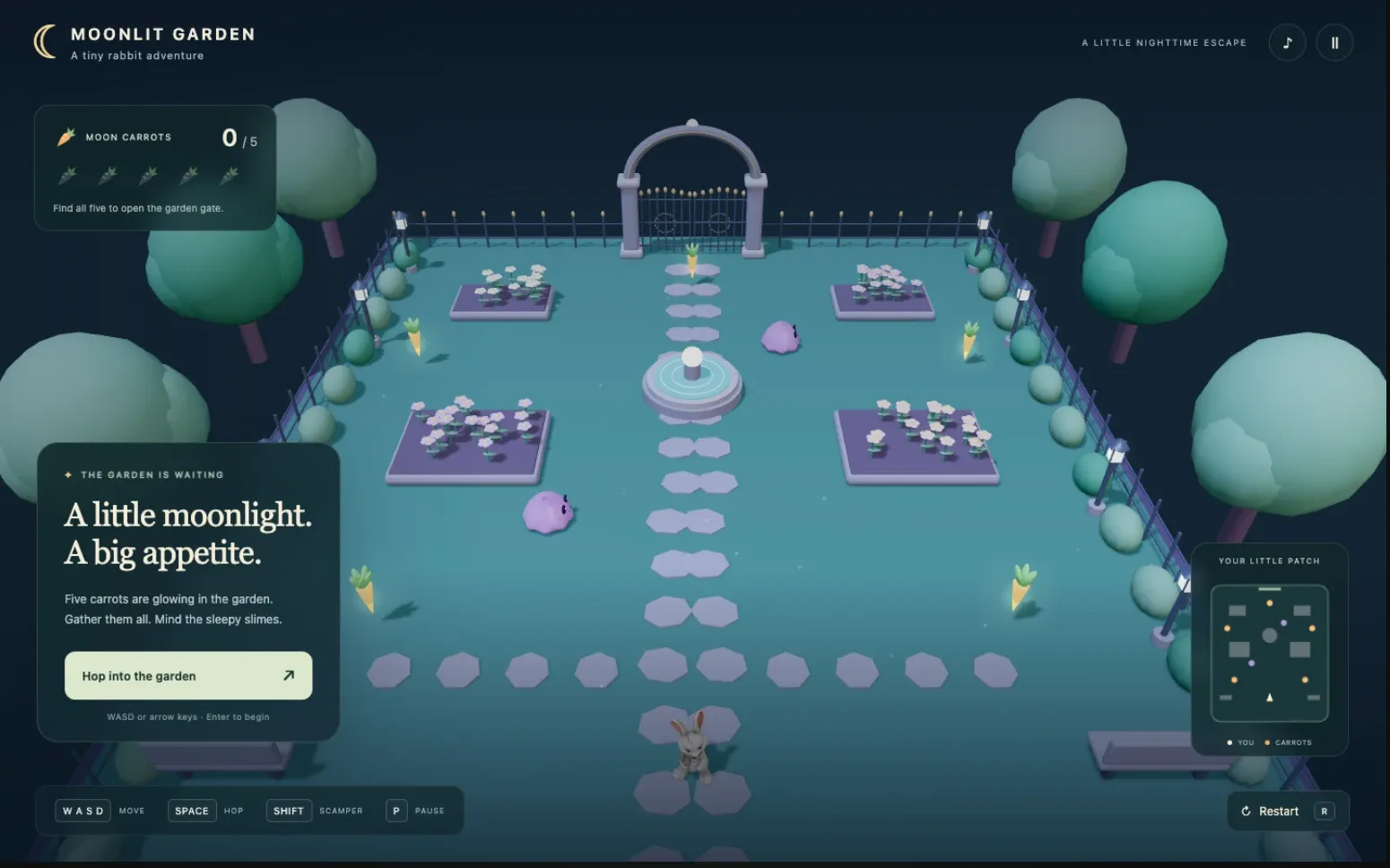
The completed prototype shows the rabbit in a playable garden scene with five carrot collectibles, slime obstacles, movement and pause controls, a progress counter, a minimap, and restart support.
Hi3D Agent reported that all 14 automated checks passed, covering collection, collisions, gate opening, victory, and restart. This is an Agent-generated validation result rather than an independent QA certification.
Play the mini-game: Moonlit Garden on Netlify
The first playable version is a prototype. Before a wider release, inspect asset licenses, dependencies, performance, input support, accessibility, analytics, privacy, and the requirements of the target store or platform.
Conclusion
The best AI 3D game maker depends on where you want the result to live. Rosebud, Kimi, SEELE, PlayDrop, and SoonLab provide the quickest route to a shareable browser prototype. Summer Engine gives developers a more editable local project. Ludo supports teams that need a dependable flow of assets and pre-production material.
Choose Hi3D Agent when the game's identity depends on a high-fidelity character, prop, or environment asset and you want to carry that asset through conversational refinement, optimization, animation, and an interactive demo. Keep a traditional engine or exported project in the plan when the prototype needs to become a maintained commercial game.
FAQ
Is there a free AI game maker for 3D games?
Yes. Rosebud, PlayDrop, SoonLab, SEELE, Hi3D, and Summer Engine all expose a free starting point, but the limits differ. Free access may restrict credits, downloads, code access, private projects, commercial rights, or generation quality. Check the exact restriction that affects your intended output.
Can I use an AI 3D game maker without signing up?
You can often browse examples or read product pages without an account, but saving, generating, editing, or publishing a game usually requires sign-up. The reviewed tools did not provide enough evidence for a dependable, full creation-and-publishing workflow with no account.
Which AI 3D game maker gives me code?
Rosebud exposes browser code on qualifying plans and downloadable project code on Pro. SoonLab lists code viewing and export on paid plans. Summer Engine stores scenes and GDScript in a local Godot-compatible project. SEELE advertises project and engine handoff paths, which should be inspected in the actual workspace before purchase.
Can Hi3D Agent make a complete commercial game?
Hi3D Agent can generate and refine 3D assets, optimize models for real-time use, add rigging or animation through skills, and place a model into a playable demo workflow. A commercial release still requires broader game systems, engineering, QA, rights review, performance work, and platform compliance. Treat the demo as a validation stage.
Visual plan
| Placement | Placeholder | Purpose | Source/rights status | Notes |
|---|---|---|---|---|
| Hi3D product section | |
Show the Agent interface and model-preview context | User-supplied official Hi3D promotional asset; first-party reuse assumed | Promotional composition, not a hands-on test screenshot |
| Rosebud product section | |
Demonstrate visible project files and editable browser code | User-supplied; original source and reuse rights TO VERIFY | Supports the code-access discussion; plan gates still apply |
| Kimi product section | |
Illustrate browser-playable first-person output | User-supplied; original source and reuse rights TO VERIFY | Does not establish native-engine export |
| SEELE product section | |
Show the combined game and asset workflow interface | User-supplied; original source and reuse rights TO VERIFY | Export options still require account-level verification |
| Ludo product section | |
Illustrate a rigged-character asset workflow | User-supplied; original source and reuse rights TO VERIFY | Does not independently establish animation quality |
| PlayDrop product section | |
Show an in-browser 3D playtest | User-supplied; original source and reuse rights TO VERIFY | Demonstrates the hosted playtest context |
| SoonLab product section | |
Illustrate a promoted 3D game example | User-supplied; original source and reuse rights TO VERIFY | Promotional example; not treated as representative output quality |
| Summer Engine product section | |
Show the local editor, assistant, and running scene together | User-supplied; original source and reuse rights TO VERIFY | Supports the editable-engine distinction |
| Tutorial step 1 | |
Show the signed-in desktop client and Blender connection stage | User-supplied authentic screenshot | Captured Oct. 14, 2026; account identifier is visible and should be cropped before public use |
| Tutorial step 2 | |
Prove the Agent's asset-generation and staged game workflow | User-supplied authentic screenshot | Captured Oct. 14, 2026; account area cropped before use |
| Tutorial step 2 | |
Show the lead character's final visual direction | User-supplied authentic output | Captured Oct. 14, 2026; does not independently prove topology, rigging, or animation quality |
| Tutorial step 3 | |
Prove the playable result and final state | User-supplied authentic screenshot | Captured Oct. 14, 2026; still pair with an anonymously accessible public URL |
References
- Hi3D Agent
- Hi3D pricing
- Hi3D game asset workflow
- Rosebud AI 3D Game Maker
- Rosebud AI pricing
- Kimi 3D Game Creator
- Kimi membership pricing
- SEELE AI 3D Game Maker
- SEELE API and creator pricing
- Ludo AI
- Ludo AI pricing
- PlayDrop AI game maker
- PlayDrop plans
- SoonLab 3D game tools
- SoonLab pricing
- Summer Engine AI 3D Game Generator
- Summer Engine pricing